Solved

Add new report font in IFS Cloud

  • December 7, 2023
  • 4 replies
  • 296 views

Forum|alt.badge.img+2

Hello Community,

I added a new font in the report designer and it works in previews, but when imported into ifs cloud 22R2 it is not applied in the report:
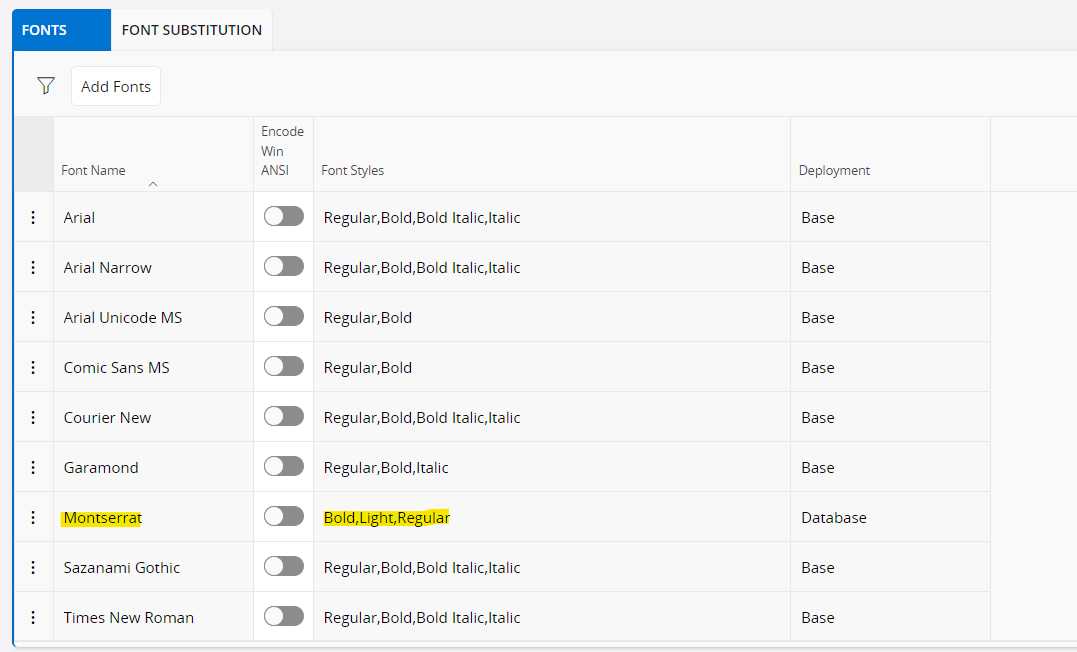
Is there any limitation in report fonts?


 

Best answer by SKA123

Thank you @Charith Epitawattat, I tried this  KNOWN LIMITATION and it worked for me.

4 replies

Marcel.Ausan
Ultimate Hero (Partner)
Forum|alt.badge.img+22
  • Ultimate Hero (Partner)
  • December 7, 2023

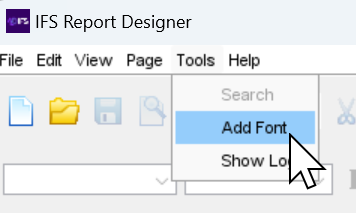
@SKA123 once you added the font in the GUI, you also need to load it in Report Designer:

This will take 1-2 mins and then you can apply the font to your operational report.


Forum|alt.badge.img+2
  • Author
  • Do Gooder
  • December 7, 2023
@Marcel.Ausan  Yes, I already added it and it works fine, but the problem is when I try to print it in ifs cloud, this font is not working

Charith Epitawatta
Ultimate Hero (Employee)
Forum|alt.badge.img+31

Hi @SKA123,

Assuming you have imported the fonts correctly to work in runtime as documented here:

https://docs.ifs.com/techdocs/23r2/060_development/025_operational_reporting/050_layout_design/020_layout_design/070_fonts/#include_and_use_new_fonts_in_runtime_database

Please try these.

  1. Refresh Report cache from Refresh Server Cache screen in Aurena. 
  2. Go to Report Definitions screen in Aurena and perform a “Refresh All Client Metadata”. 

Once this is done, restart the Aurena client and try again. 

Hope this helps!


Forum|alt.badge.img+2
  • Author
  • Do Gooder
  • Answer
  • December 8, 2023

Thank you @Charith Epitawattat, I tried this  KNOWN LIMITATION and it worked for me.