Question

Is IFS Developer Studio 8.2 (Deprecated) compatible with IFS Applications 8?

  • July 24, 2025
  • 4 replies
  • 54 views

Forum|alt.badge.img+8

Hello,

I am working on IFS Applications 8 (IFS8) and I want to develop new custom pages under an existing custom module.

I have downloaded and installed IFS Developer Studio 8.2 (Deprecated) from IFS Developer Portal However, during project creation, I cannot see any Target Version option for "Applications 8" — only options like 9.0, 10, 21R1, 22R1, etc.

🔍 My questions are:

  1. Is IFS Developer Studio 8.2 (Deprecated) officially supported for development on IFS Applications 8?

  2. If not, where can I download the correct version of Developer Studio that is compatible with IFS8?

  3. Is it available to partners/customers only, or is it a licensed product that can be purchased separately?

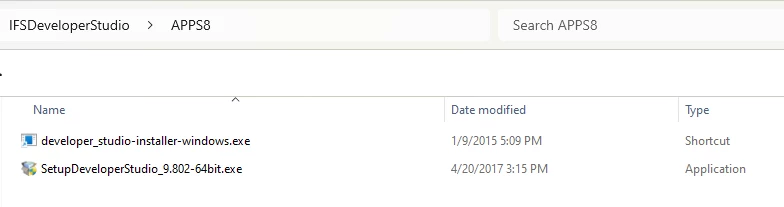
I’ve attached a screenshot of my Developer Studio installation for reference.

Thank you in advance for your guidance!
 

4 replies

hamalk
Superhero (Employee)
Forum|alt.badge.img+13
  • Superhero (Employee)
  • July 31, 2025

Hi ​@sahango 

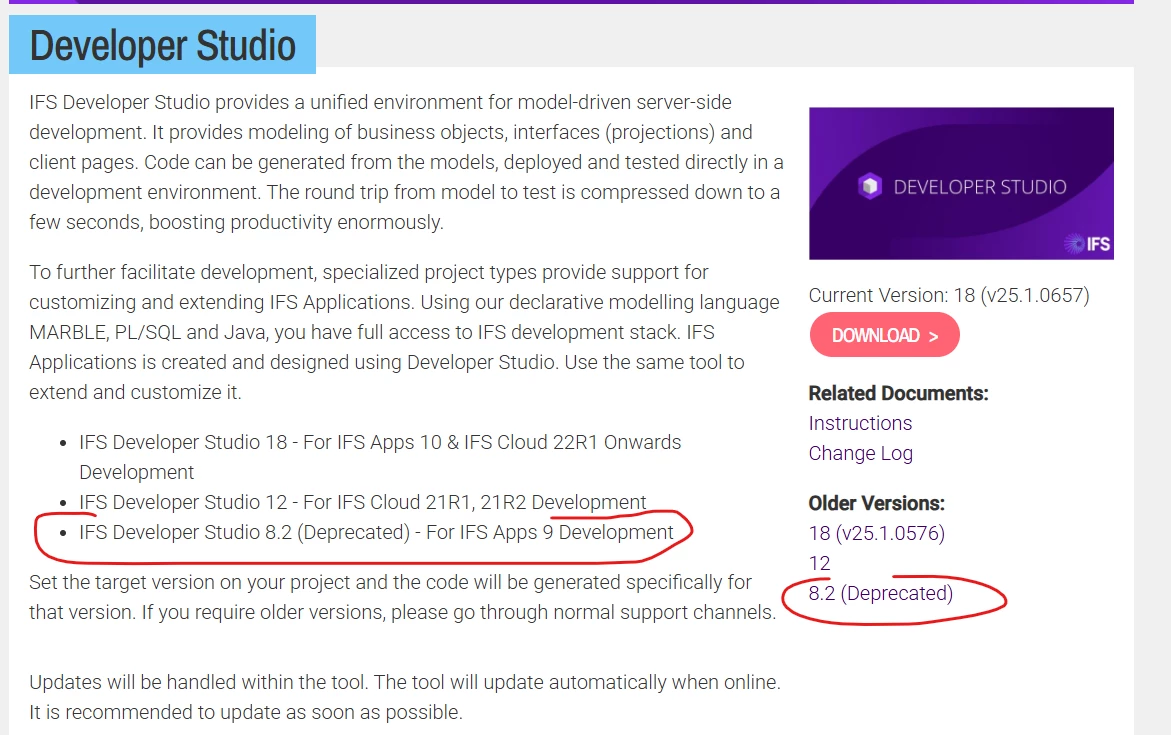
IFS Developer Studio 8.2 (Deprecated version) can be used only for App9 development work as mentioned in the ifs.developer.com


For App8 development you can use the previous version of the tool 

please try to access the location (\\corpnet\files\F1Tools\IFSDeveloperStudio) via Citrix

further older once can find in \\corpnet\files\SwInst\Internal\Global\CitrixInstallPackages\IFS Developer Studio


Forum|alt.badge.img+8
  • Author
  • Sidekick (Customer)
  • August 1, 2025

Hi ​@sahango 

IFS Developer Studio 8.2 (Deprecated version) can be used only for App9 development work as mentioned in the ifs.developer.com


For App8 development you can use the previous version of the tool 

please try to access the location (\\corpnet\files\F1Tools\IFSDeveloperStudio) via Citrix

further older once can find in \\corpnet\files\SwInst\Internal\Global\CitrixInstallPackages\IFS Developer Studio

Dear Harshini,

Thank you for your response.

We are an IFS customer currently working on App8 development. However, we do not have prior experience with accessing IFS resources via Citrix.

Could you please guide us on the steps required to access the \\corpnet\files\... locations you mentioned?
For example:

  • Do we need specific Citrix credentials?

  • Is there a public Citrix URL we should use?

  • Or should we contact IFS support for remote access permissions?

Any help or documentation you can provide regarding this process would be greatly appreciated.

Best regards,


hamalk
Superhero (Employee)
Forum|alt.badge.img+13
  • Superhero (Employee)
  • August 5, 2025

Hi ​@kelum 


Can you please provide guidance on how to access the files via citrix ?

/Harshini


Forum|alt.badge.img
  • Do Gooder (Employee)
  • August 6, 2025

Hi,

Citrix solution does not support for developments done by customer. Please contact IFS support for further assistance.