

IFS Cloud 25R1
In dialog screens within the system, it is currently not possible to add additional filter fields or search columns.
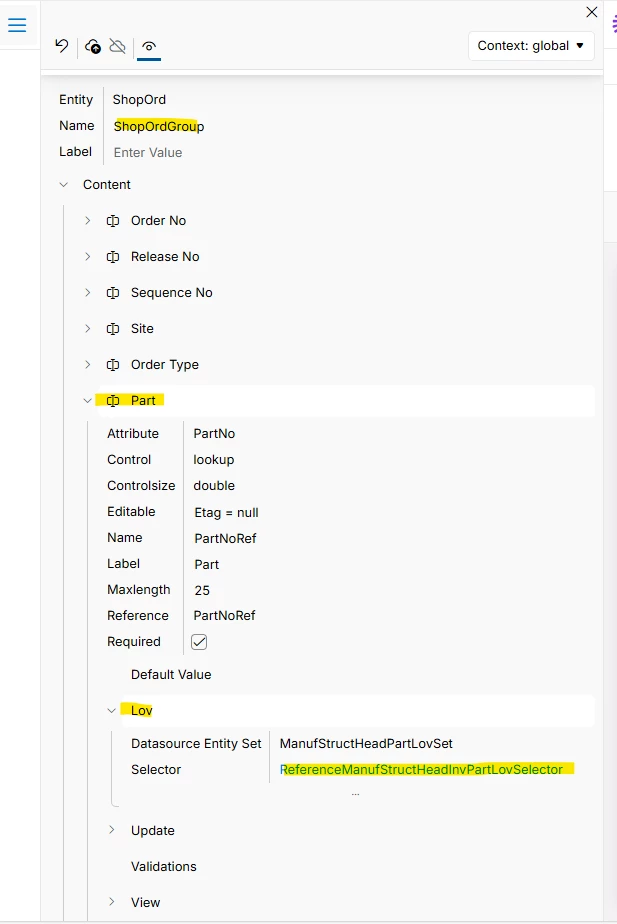
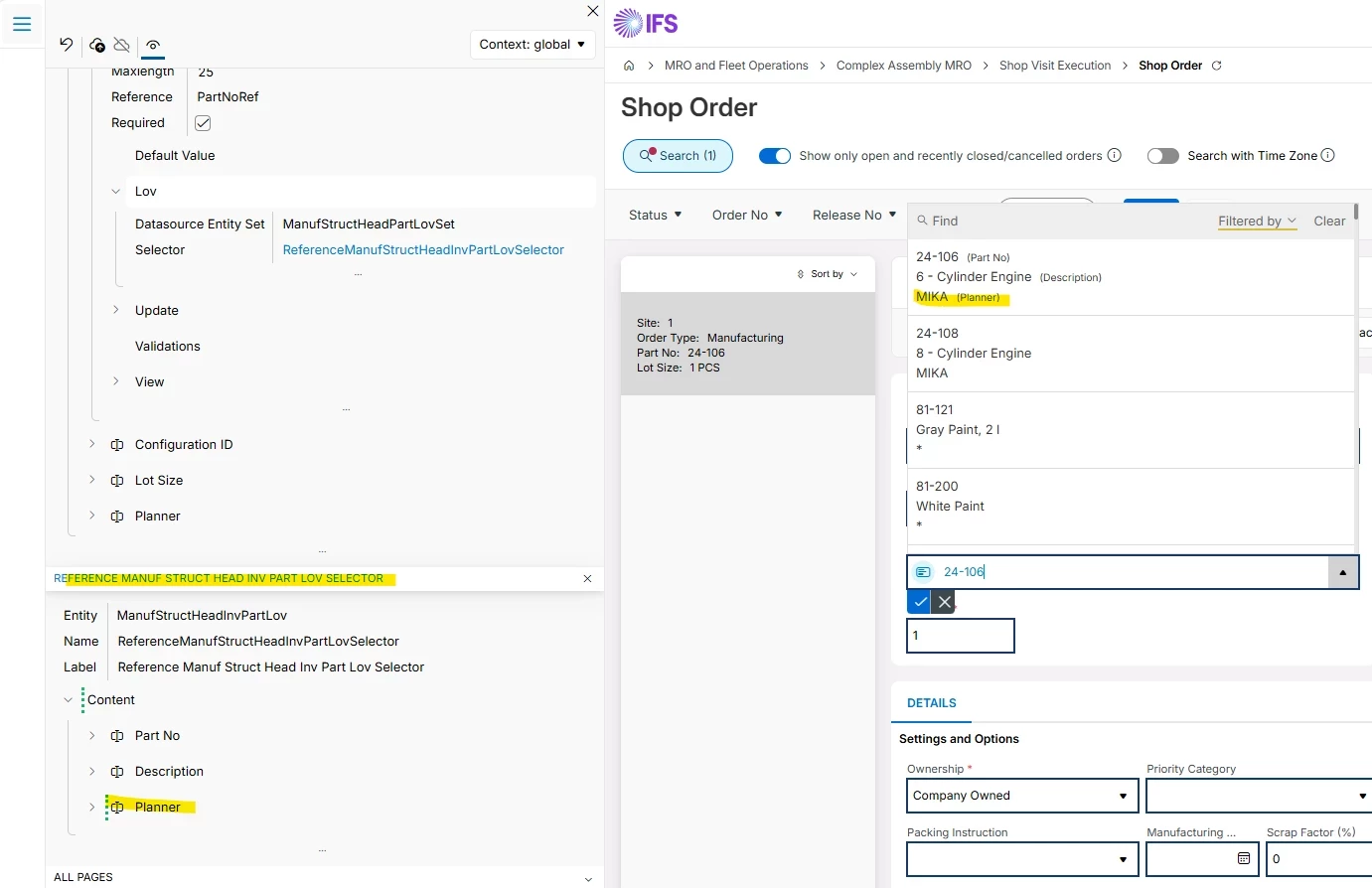
For example, in the Shop Order view, when adding a part that should be produced, users can use the Find function. After selecting this option, the Part dialog window appears. In this window, it is only possible to search using two columns: Part No and Description.
However, this dialog does not include other important fields that are available in views such as Inventory Part or Inventory Part in Stock, for example Planner Buyer or Production Line.
As a result, users cannot filter or search parts using these additional attributes directly in the dialog window.
The Favorites functionality was considered as a possible workaround, but it does not solve the issue. Favorites allow users to store only specific individual parts_no, without the possibility to categorize or group them. In practice, one user may be responsible for multiple production departments and needs to distinguish parts between them. This separation can be achieved using attributes such as Planner Buyer, but it cannot be replicated using Favorites.
Business Impact
Because only limited search criteria are available, it is difficult for users to quickly identify the correct parts for a specific production department or planner. Users often need to search for the part number in other screens (such as Inventory Part) before returning to the Shop Order screen, which increases the time required to create production orders and introduces inefficiencies in daily operations.
Question
Is it possible to extend the dialog search window by adding additional searchable columns (e.g., Planner Buyer, Production Line)?
If this is not possible, what workaround or alternative approach could be recommended?