Community,
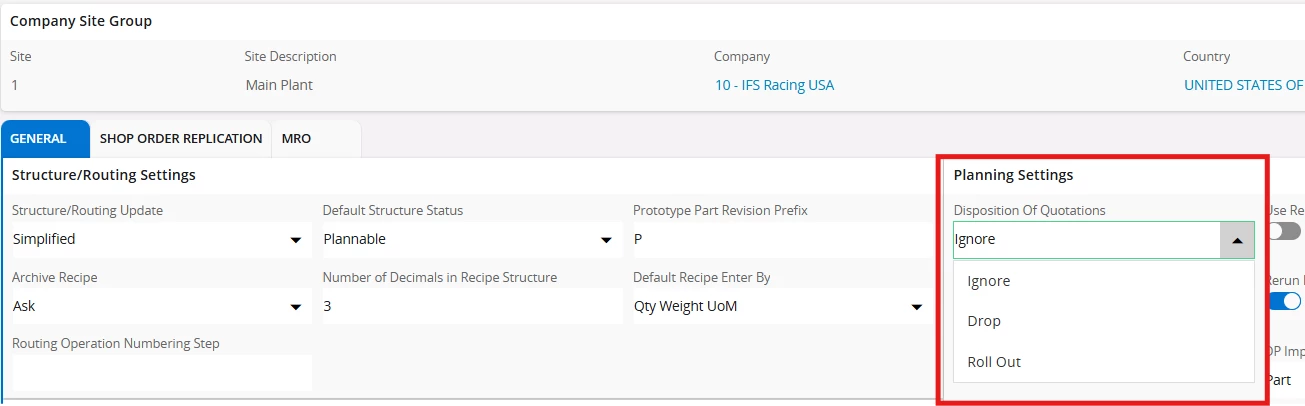
Which window can do below configuration?
Planning tool handling Ignore, Drop, or Rollout behavior on sales quotation line when Planned Due Date is passed.
Thank you.

Community,
Which window can do below configuration?
Planning tool handling Ignore, Drop, or Rollout behavior on sales quotation line when Planned Due Date is passed.
Thank you.
Best answer by Sayuri Perera
Hi
You can define the setting in site level. Site → Manufacturing → General → Planning Settings section. Please refer below image.
If this resolves your question, please mark it as the best answer. So that it will be helpful for other peers.
Kind regards,
Sayuri.
Enter your E-mail address. We'll send you an e-mail with instructions to reset your password.