Question

Update Single occurrence address in bulk on Customer Order Lines

  • June 5, 2026
  • 1 reply
  • 33 views

Forum|alt.badge.img+8

Hi,

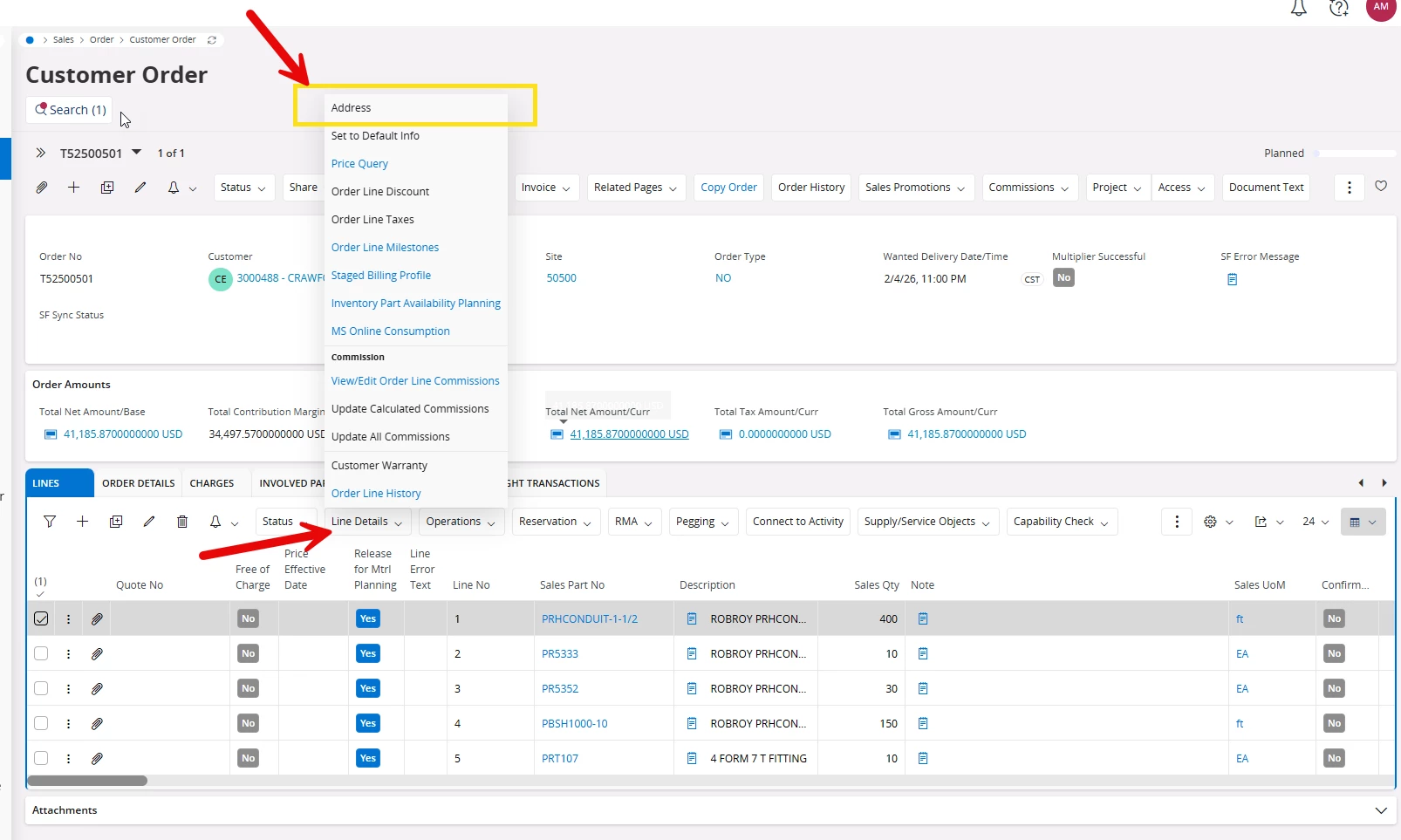
Is there a method to update Customer Order Lines in bulk on the Customer Order Lines?


For example, can I update the first three Customer Order Lines to a Single Address at the same time?



1 reply

Forum|alt.badge.img+6
  • Sidekick (Employee)
  • June 6, 2026

Hi ​@Alex_Mee,

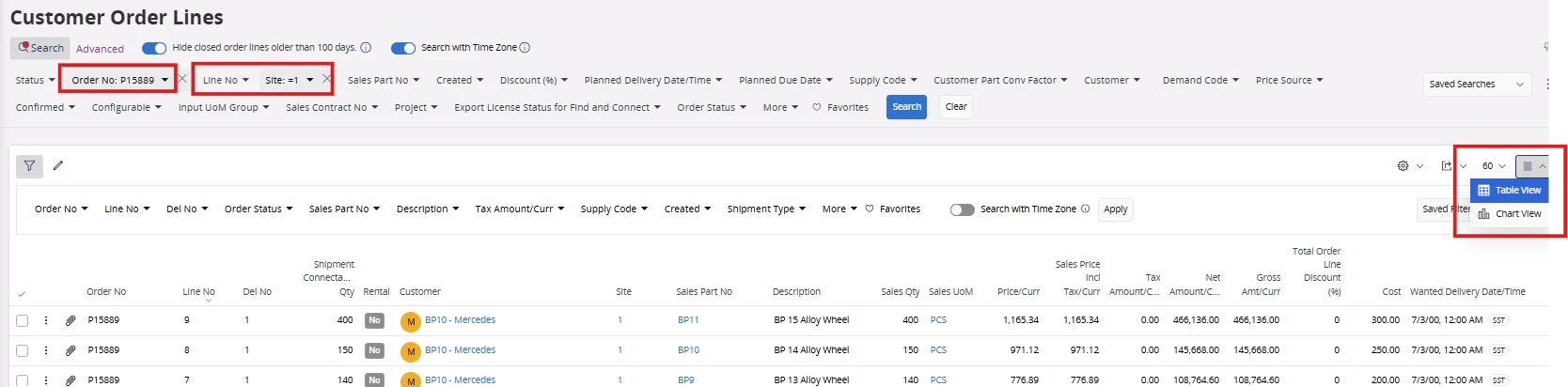
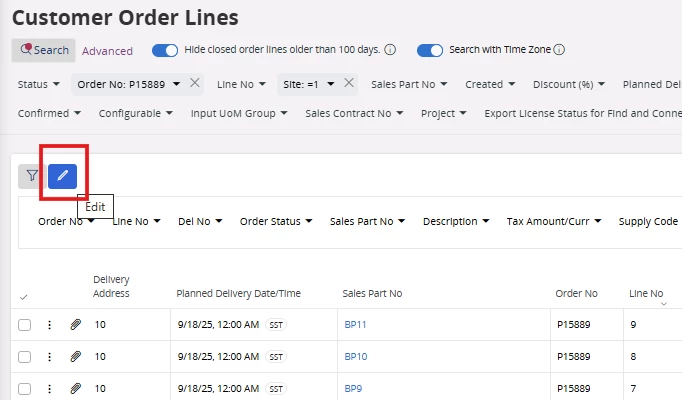
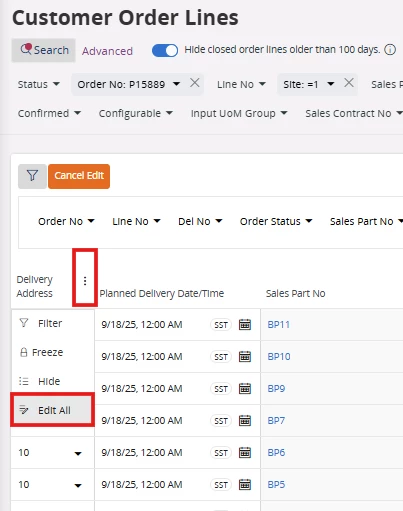
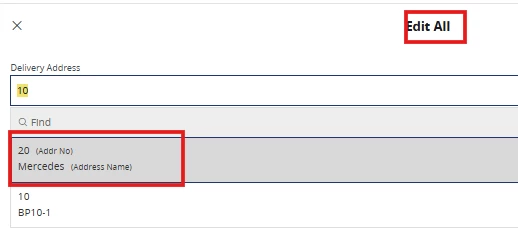
If your requirement is to change the delivery address at the order lines level for a selected number of lines, there is an option to do bulk changes. You can go to the Customer Order Lines page, select the table view, filter the customer order and the lines you want to change, and then RMB (Right-Click) on the 3 dots in the Delivery Address field and [omit then] perform bulk changes for any other predefined delivery address as below.

  1. Enable the Table view in the customer order lines window
  1. Go to Edit option (Pencil Icon)
  1. Go to Edit All option by clicking the 3 dots in the Delivery Address field
  1. Select a Valid address defined for the same customer with all the prerequisites such as tax info, etc. Then Save it.

If this resolves your question, please mark it as the best answer. So that it will be helpful for other peers.

https://www.linkedin.com/in/vihan-weerapura-1a09a1165/


Thanks,

Vihan Weerapura