Question

Trouble with keying sample Customerorder

  • September 1, 2026
  • 1 reply
  • 20 views

Forum|alt.badge.img+2

For certain Customers when being added to Customer Order, this error message pops up.
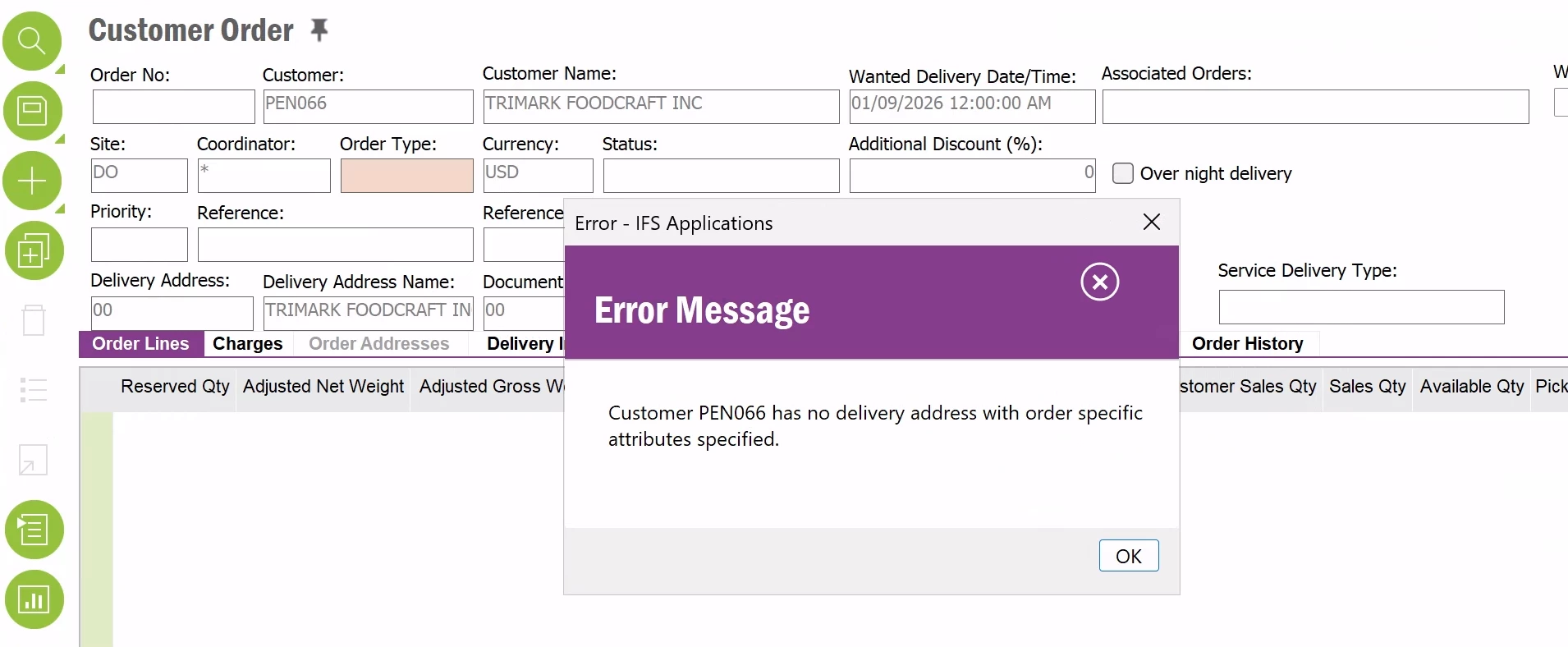
This is in APPS 10.
Any ideas on resolution?


1 reply

Jinal
Sidekick (Partner)
Forum|alt.badge.img+4
  • Sidekick (Partner)
  • September 1, 2026
  1. Go to Customer > Addresses and open the address currently flagged/used as the delivery address for PEN066.
  2. Check the Sales Address Info tab on that specific address record. This is separate from the basic address fields you see on the Customer Order screen — it's where order-specific attributes (e.g. default site, currency behaviour, etc. for that delivery address) live. If this tab is empty, that's your problem — populate it and save.
  3. Check the validity dates on the address. Even when a delivery address exists, this error fires if there's no valid default delivery address for the current date — which can also be fixed by extending or correcting the address's valid-from/valid-to dates.
  4. Confirm it's marked as the default delivery address for the customer (not just "an" address on file) — if PEN066 has multiple addresses, make sure the one with Sales Address Info populated is actually flagged as the default/delivery type.
  5. Retry creating the Customer Order.

In short: add or correct the Sales Address Info on PEN066's delivery address (or fix its date range if one already exists), and the order should go through.