

Question

SHOP Order - PO

  • March 25, 2026
  • 1 reply
  • 24 views

Forum|alt.badge.img+6

Hello,

The PO is created from shop order, while trying to cancel PO line i am facing below error.
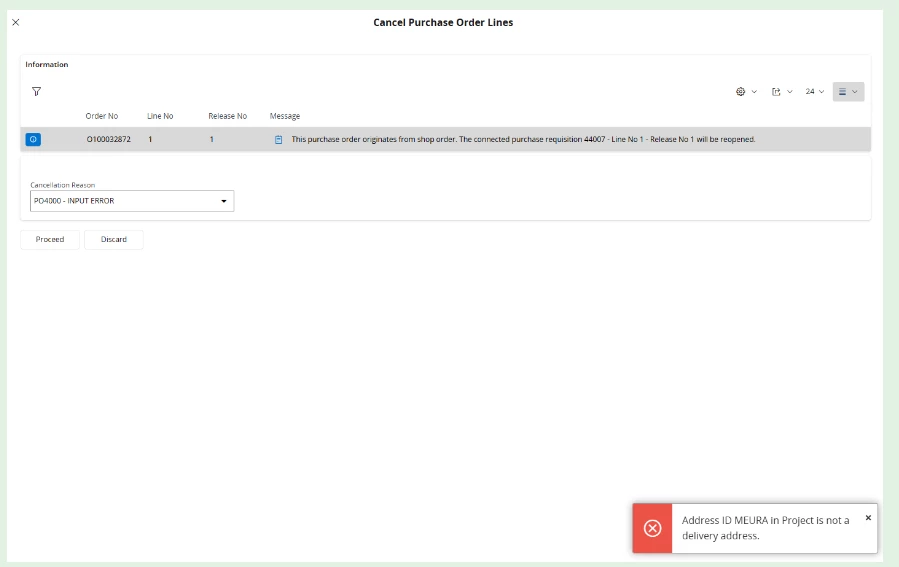
Also the address setup is correct in the Project, what might the issue ?
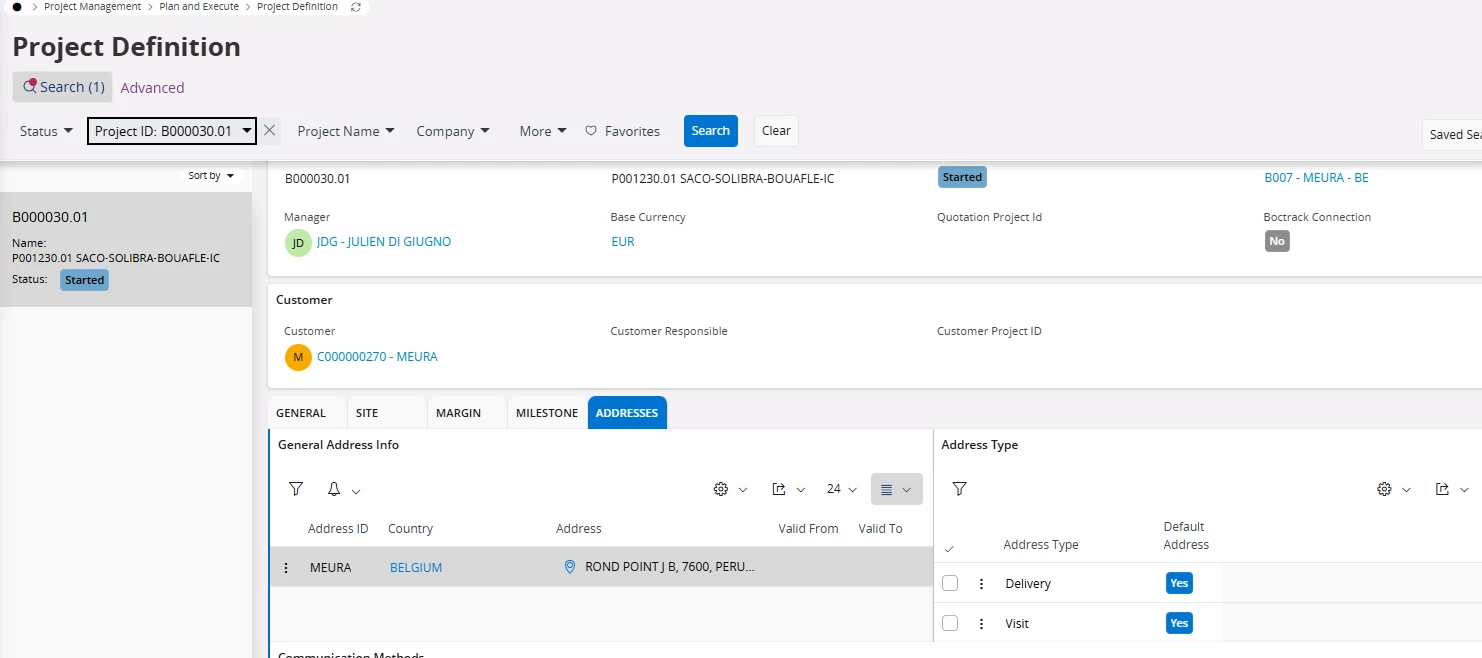
Kindly help me with this asap.


Regards,

Kruthika

1 reply

Forum|alt.badge.img+7
  • Do Gooder (Partner)
  • April 2, 2026

Hi ​@kruthika ,

From your screenshots and error message, there are actually two different validations happening, and the key issue is related to project-driven procurement control in IFS Cloud.

 Main Error Explained

 Primary Error (Important)

“This purchase order originates from shop order. The connected purchase requisition … will be reopened.”

 This means:

  • The PO line is NOT standalone
  • It is created from:
    • Shop Order → Purchase Requisition → PO

 Therefore:

 You cannot directly cancel the PO line without handling the upstream chain

 Secondary Error (Address Issue)

“Address ID MEURA in Project is not a delivery address”

Even though you see the address in the Project:

 The problem is:

  • The address exists ✅
  • But it is not marked/valid as a Delivery Address in the correct context

 Why this is happening

In project-based procurement:

  • PO inherits:
    • Project
    • Address
    • Demand linkage

IFS validates:

  • Address must be:
    • Delivery type
    • Valid for:
      • Site
      • Supply chain flow

 If mismatch → cancellation/update fails

 How to Fix

 Step 1: Handle Shop Order Link (Critical)

You cannot cancel directly.

Go to:

Shop Order

  • Check:
    • Connected Purchase Requisition
  • Then:
    • Cancel or modify demand properly

 Flow must be reversed:

Shop Order → PR → PO

NOT:

PO → Cancel directly ❌

 Step 2: Fix Project Address Setup

In Project:

  • Go to:
    Addresses tab

Check:

  • Address Type = Delivery
  • Default Delivery Address = Yes
  • Valid for:
    • Site
    • Supply

 Sometimes:

  • Address exists but not correctly flagged

 Step 3: Validate Supply Chain Parameters

Check:

  • Project → Supply settings
  • Site → Delivery address linkage

 Ensure:

  • Address is usable in procurement

 Step 4: Retry Cancellation

After fixing:

  • Reattempt cancel
  • Or:
    • Adjust via requisition/shop order

 Key Insight

This is NOT just an address issue

 It is a combination of:

  • Shop order → PO dependency
  • Project address validation

 Best Practice

✔️ Always handle cancellation from:

  • Origin (Shop Order / PR)

✔️ Ensure:

  • Project addresses are:
    • Properly classified
    • Defaulted
