Question

Shipment Reservation Issue

  • May 12, 2026
  • 11 replies
  • 85 views

Forum|alt.badge.img+2

We have a shipment with a reservation for a serialized part that is correctly tied to a Customer Order. What is the process to cancel or delete the shipment?

11 replies

Forum|alt.badge.img+11

Hi,

What comes to my mind is the following options:

  • Delete the shipment line  (I think the reservation remains, have not confirmed via testing)
  • Reassign the shipment line with the Release from Shipment option. 

Best Regards

Fredrik


Forum|alt.badge.img+2
  • Author
  • Do Gooder (Customer)
  • May 13, 2026

Hi Fredrik, 

It won’t let us do either option of deleting the shipment line or reassigning the shipment line because it has a Serial No attached to it. 

Regards, 

Nicholas 


Harsha Siriwardhana
Hero (Former Employee)
Forum|alt.badge.img+8

Hi ​@nciaramello 


Doesn’t the system allow you to unreserve the shipment line?

Would you be able to share a screenshot of the shipment?


Best regards,

Harsha


Forum|alt.badge.img+2
  • Author
  • Do Gooder (Customer)
  • May 15, 2026

Hi Harsha, 

The system is not allowing for the shipment line to be unreserved because it is pegged to a Customer Order. 

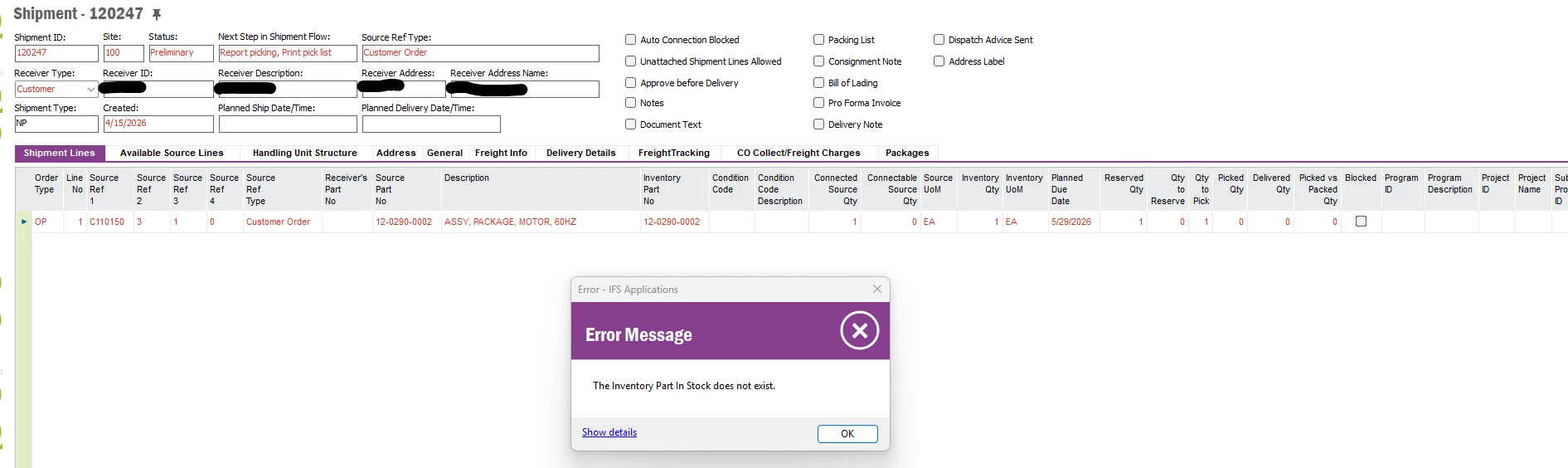
Below is a screenshot of the Shipment. 


Regards,

Nicholas ​​​​​​​


Harsha Siriwardhana
Hero (Former Employee)
Forum|alt.badge.img+8

Hi Nicholas,


Did you try unreserving the shipment line using the “Report Picking of Pick List Lines” option since the picklist has already created for the reserved stock?


Best regards,
Harsha


Forum|alt.badge.img+2
  • Author
  • Do Gooder (Customer)
  • May 19, 2026

Hi Harsha, 

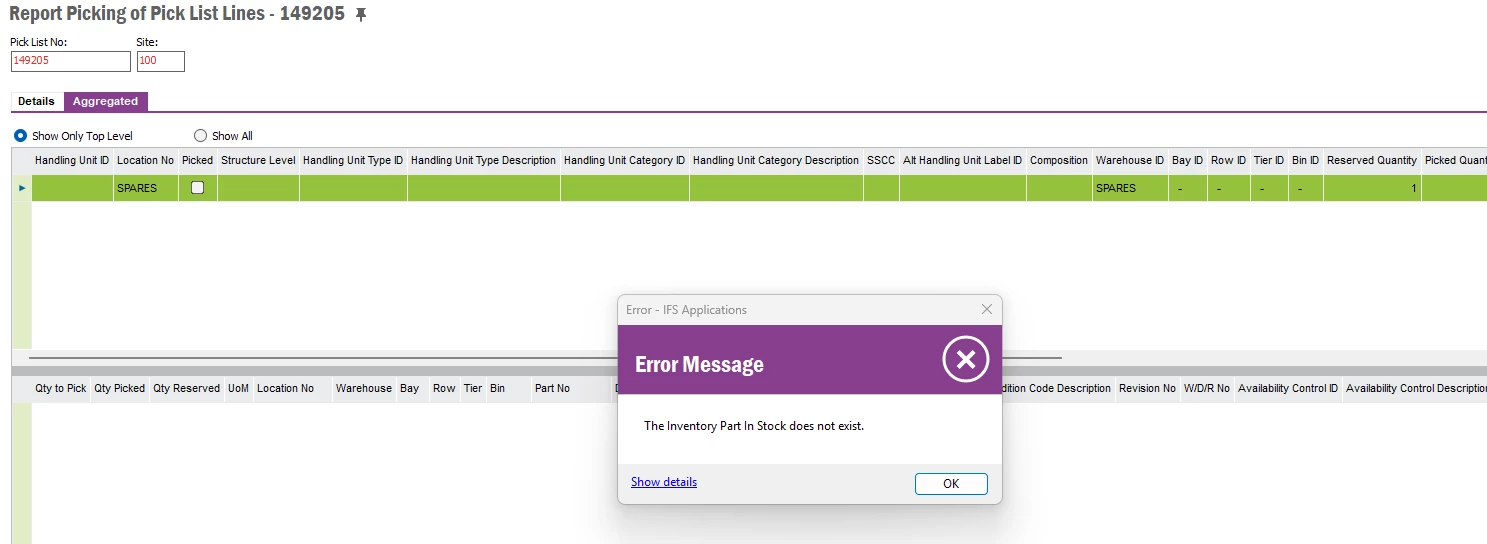
When attempting to unreserve the shipment line using the “Report Picking of Pick List Lines” function, no information appears on the Details tab of the window. Additionally, when selecting the Aggregated tab and using the right-click option “Unreserve Pick List Lines,” the error message below is displayed.


Abdul
Superhero (Partner)
Forum|alt.badge.img+20
  • Superhero (Partner)
  • May 19, 2026

Hi ​@nciaramello,

Sorry I don't have Apps10 environment.

Please try below steps.

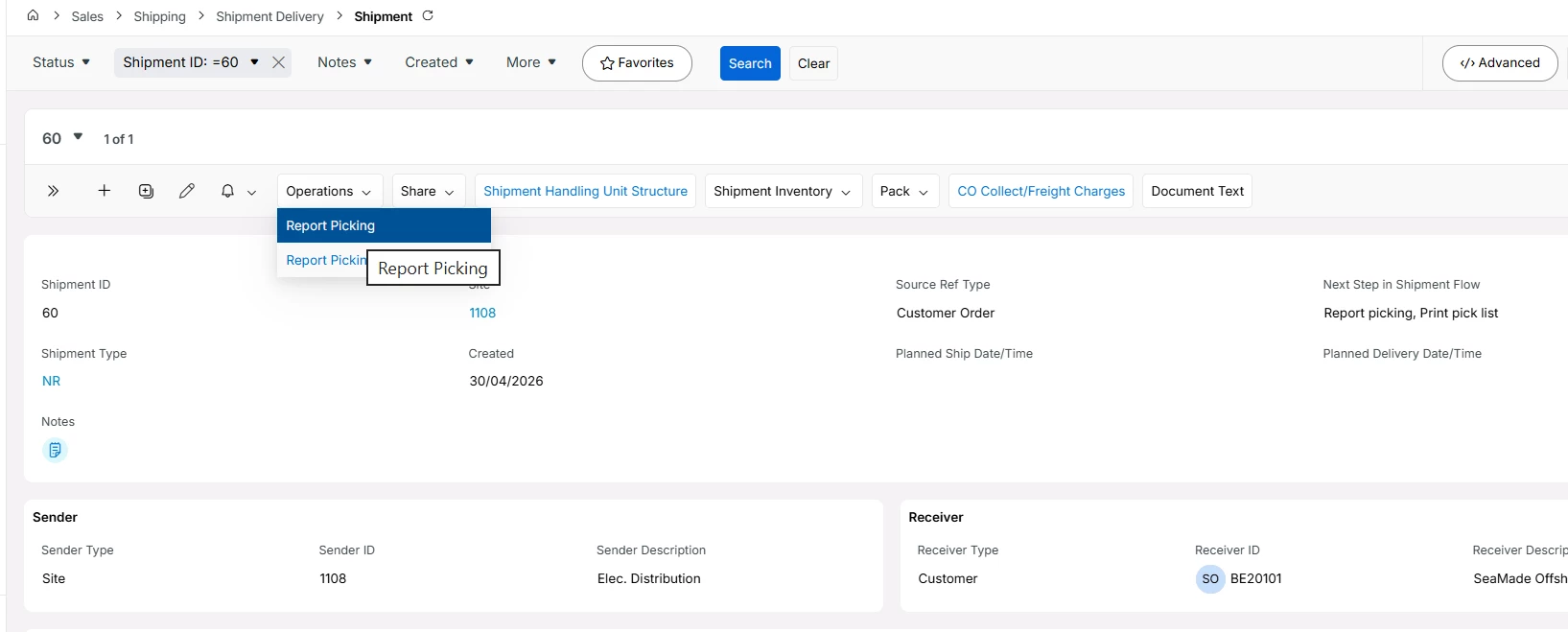
  1. Report Picking for the Shipment. Report Picking process will move the Inventory Part to Shipment Inventory.
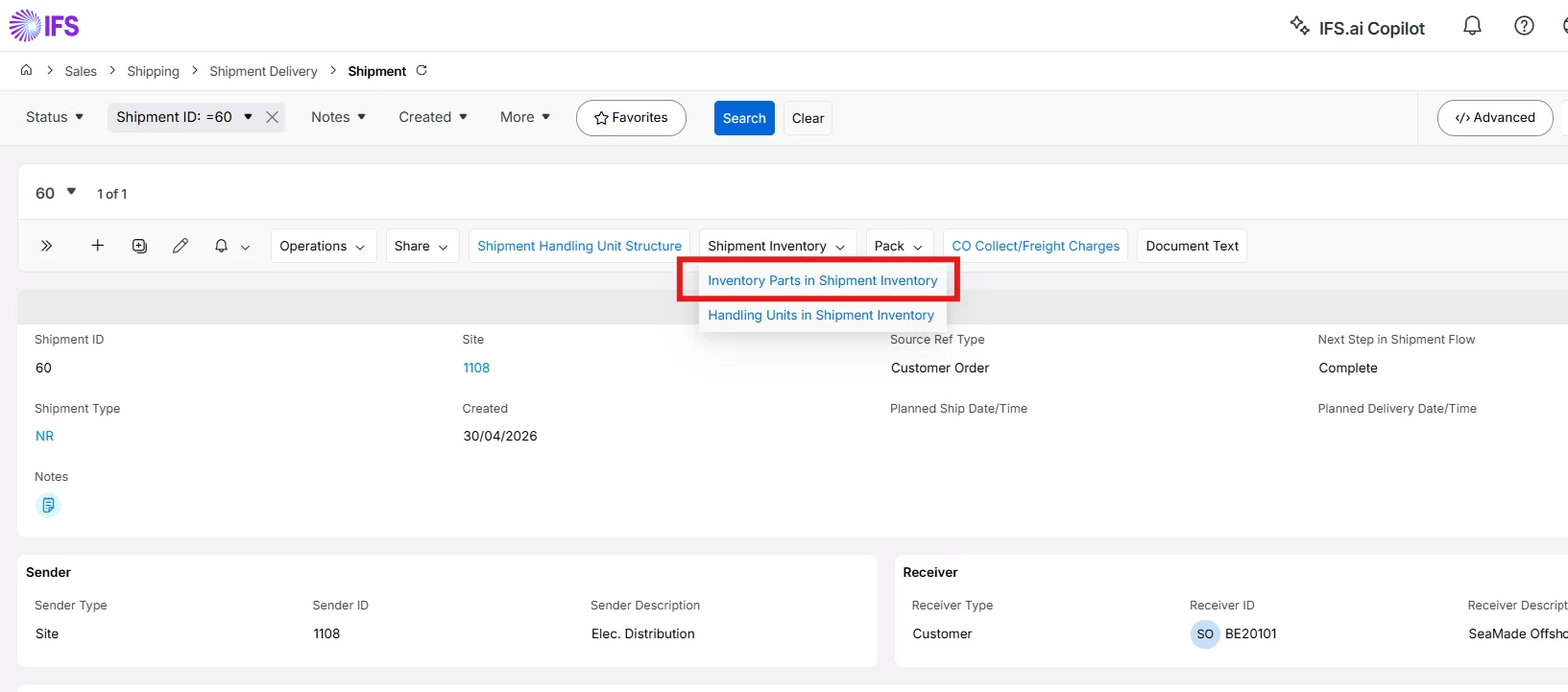
  1. Navigate to Inventory Parts in Shipment Inventory screen.
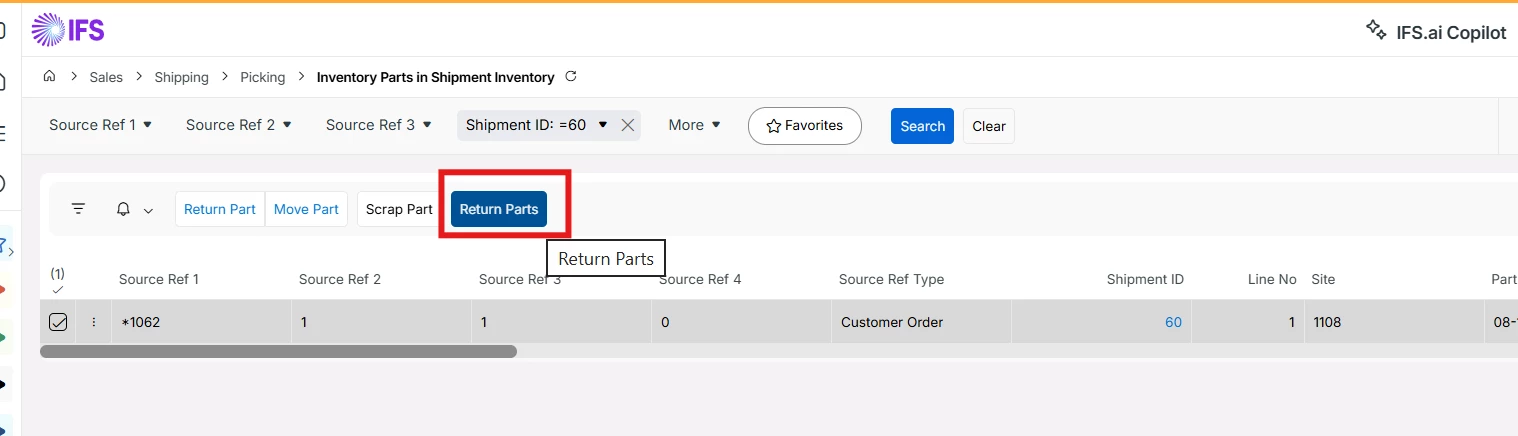
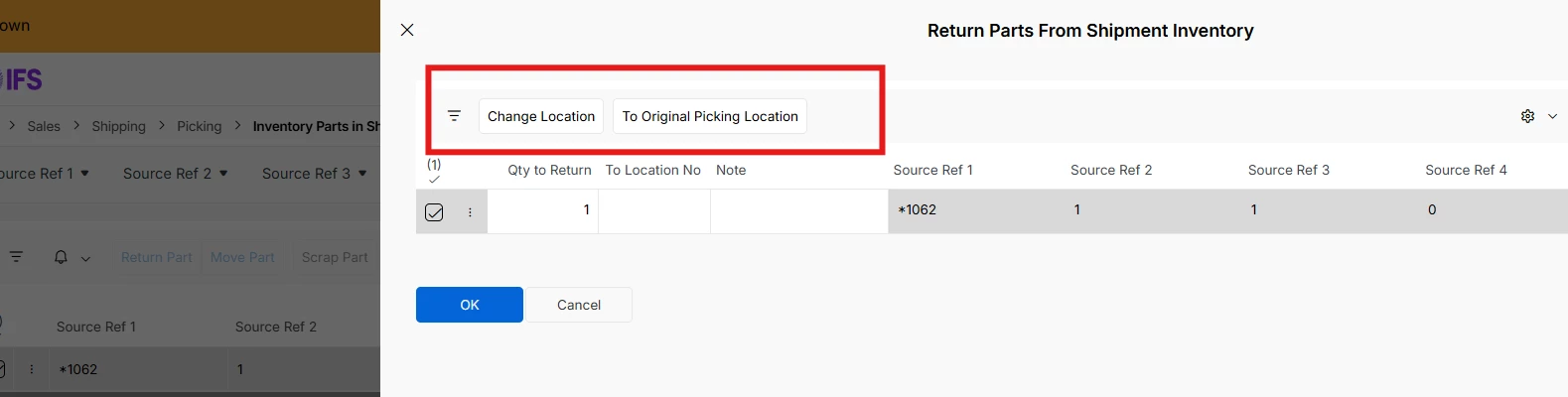
  1. Select the shipment record and click on Return Parts option.
  1. Business user can return the Part to the Original Picking Location or any other desired location using Change Location option available in Return Parts from Shipment Inventory dialog.


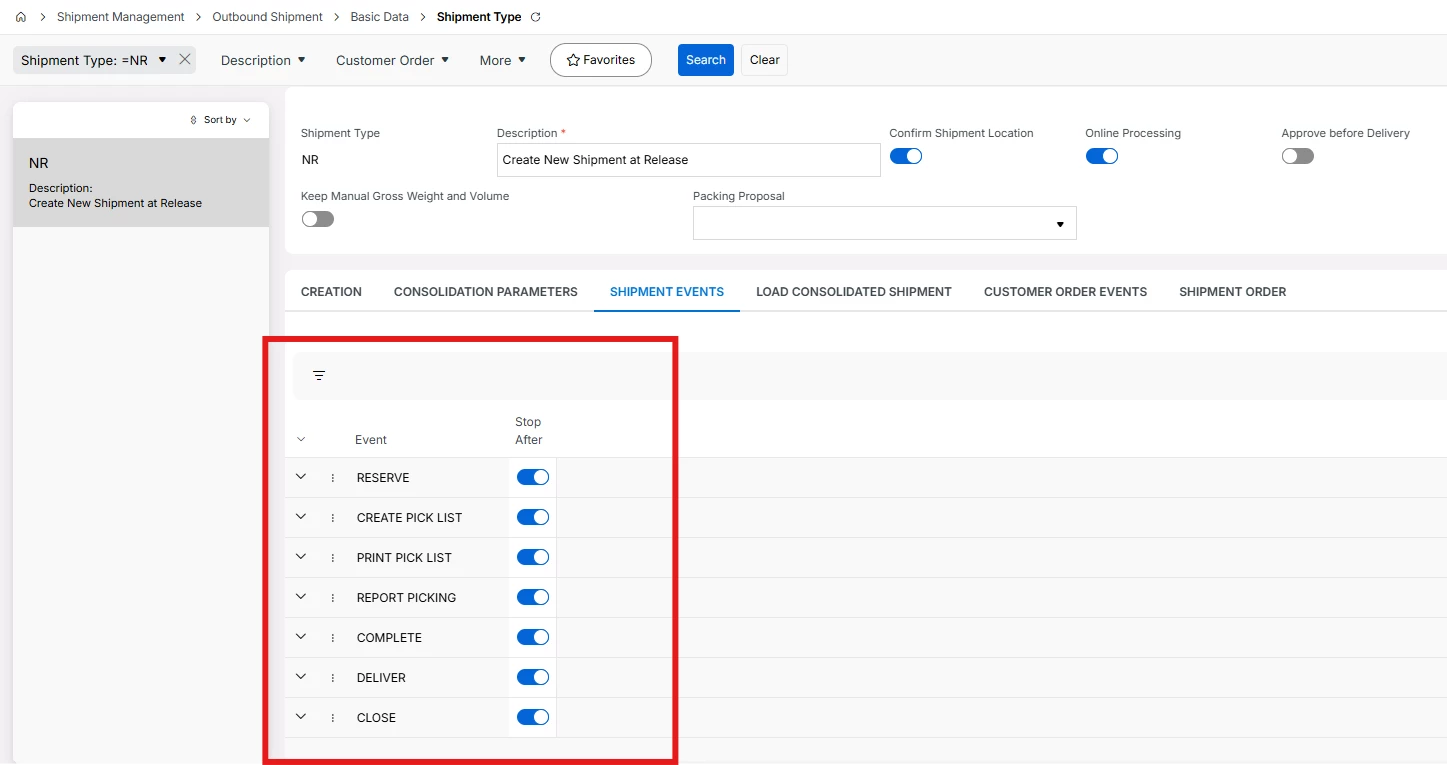
Note: Please check Shipment Type event and ensure that Shipment status should not become Delivered after Report Picking automatically.


Hope this helps.


Regards

Abdul Rehman


Forum|alt.badge.img+2
  • Author
  • Do Gooder (Customer)
  • May 19, 2026

Abdul, 

When I try ‘Report Picking’ and the ‘Move Parts into Shipment Inventory’ popup box shows up, I receive the following error message when I press ‘Ok’ 


Abdul
Superhero (Partner)
Forum|alt.badge.img+20
  • Superhero (Partner)
  • May 19, 2026

@nciaramello 

Has someone tried data repair for some tables?

Is Reserved Part (with same serial number) available in Inventory Part in Stock?


Forum|alt.badge.img+2
  • Author
  • Do Gooder (Customer)
  • May 19, 2026

Abdul, 

That reserved part with the same serial number is not available in Inventory Part in Stock 


We haven’t attempted data repair for some of the tables yet, but we think that may ultimately be necessary since this situation appears to be an anomaly. What would you recommend?


Forum|alt.badge.img+13
  • Hero (Partner)
  • May 19, 2026

@nciaramello Good to see you on here!

I agree with ​@Abdul on this.  If you’ve already tried the prior troubleshooting steps the folks have shared and you’re not able to unreserve, pick report 0 or complete a standard pick then undeliver/perform an RMA then there must be some underlying data issue.  

For what it’s worth,  I recall these data issues being more prevalent in Apps 8/9/10 but much less so in Cloud.