


Question

Shipment Delivery Note not printing automatically

  • April 23, 2026
  • 2 replies
  • 23 views

Forum|alt.badge.img+5

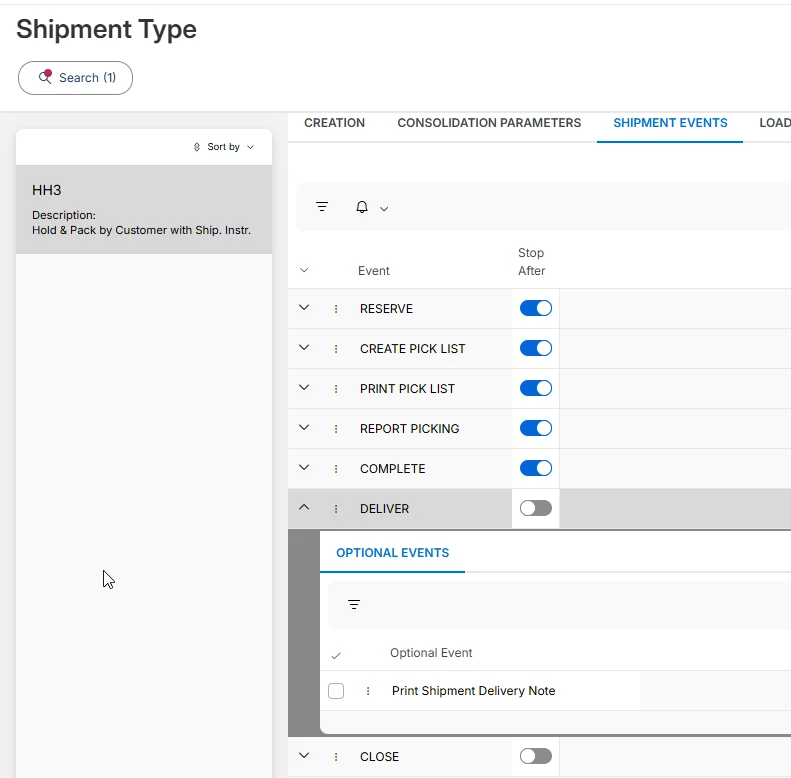
We run across the issue sometimes, that a shipment delivery note is not getting printed automatically even though it is set as an optional step in the shipment type:
 

The issue is then that the main customer order (principal structure) remains in Released status instead of switching to delivered.


2 replies

PRODQ
Superhero (Customer)
Forum|alt.badge.img+18
  • Superhero (Customer)
  • April 28, 2026

Are there any clues in the Background Jobs to see if there’s something impacting the workflow?  Parts on hold for counting?  Customer Order on Credit Block? Location blocked for transacting from?  


Linda


Forum|alt.badge.img+17
  • Superhero (Employee)
  • April 29, 2026

Hi ​@BEG_VZEM ,

In the screenshot you have provided, the optional event of ‘Print Shipment Delivery Note’ is disabled. With this configuration, then this printing won’t be executed automatically.

On the other side, if your customer order is not shown as delivered then, even if that optional event is enabled, unless Deliver step is run successfully, the event won’t be triggered neither.

In that case, troubleshoot the reason why the order is not delivered. As said by Linda, double check if there is any error or configuration that is blocking the delivery of the order.

Regards,

Pilar

