Solved

service code

  • July 31, 2026
  • 2 replies
  • 49 views

audreyS
Sidekick (Partner)
Forum|alt.badge.img+10


Hello,

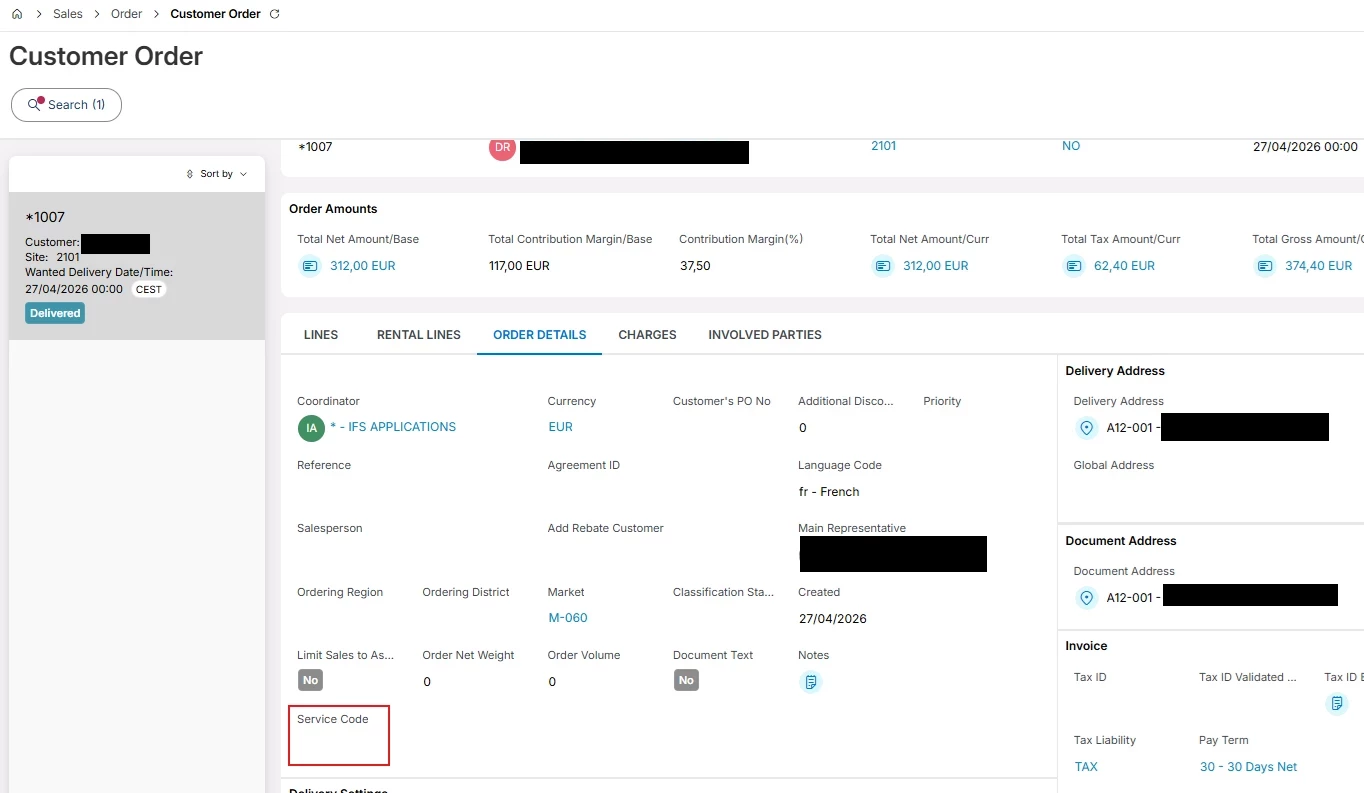
I'm using version 25.2 and I'm looking for the “service code” field for B2G customers, but I can't find it. The data is carried over to the sales order, but I still can't find it there. Could you please tell me where it is?


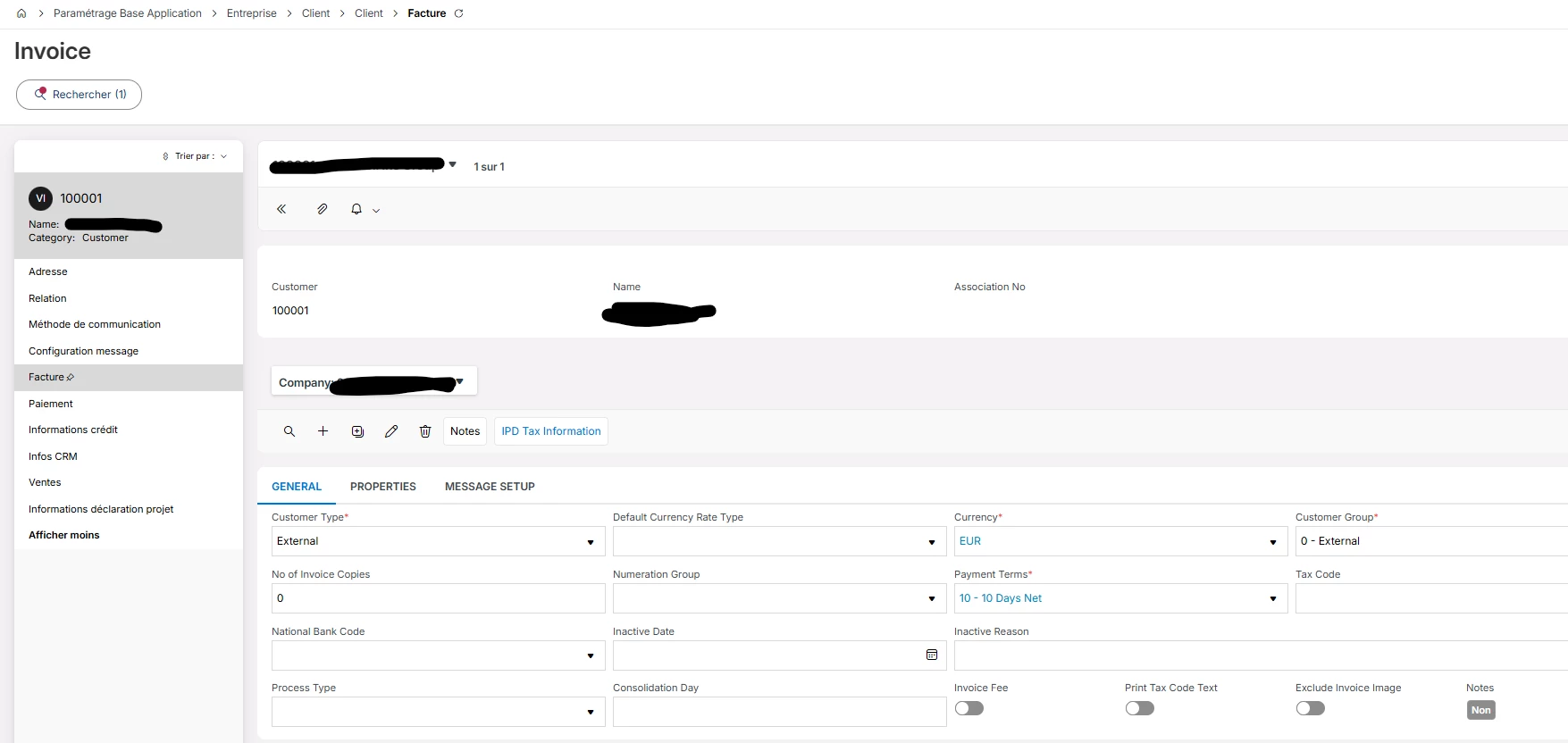
version 25.2


Best answer by gleb.batov

Hi,

Usually, if you can't find the field, it's almost always because the localization setting isn't enabled on that company.

The Service Code is part of the France localization, so it only shows up if it's enabled for your company. Please try these steps:

  • Company page → Localization = France
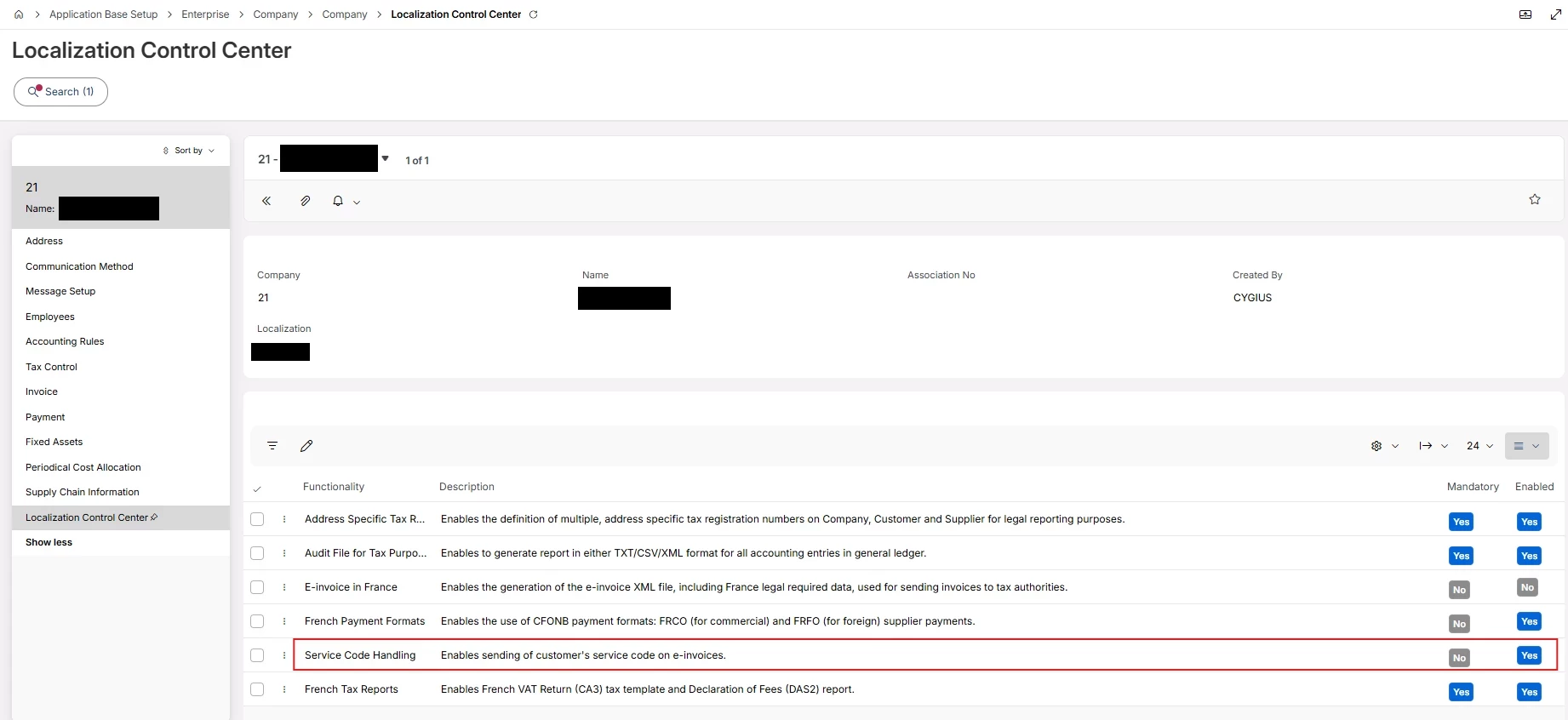
  • Localization Control Center → enable Service Code Handling
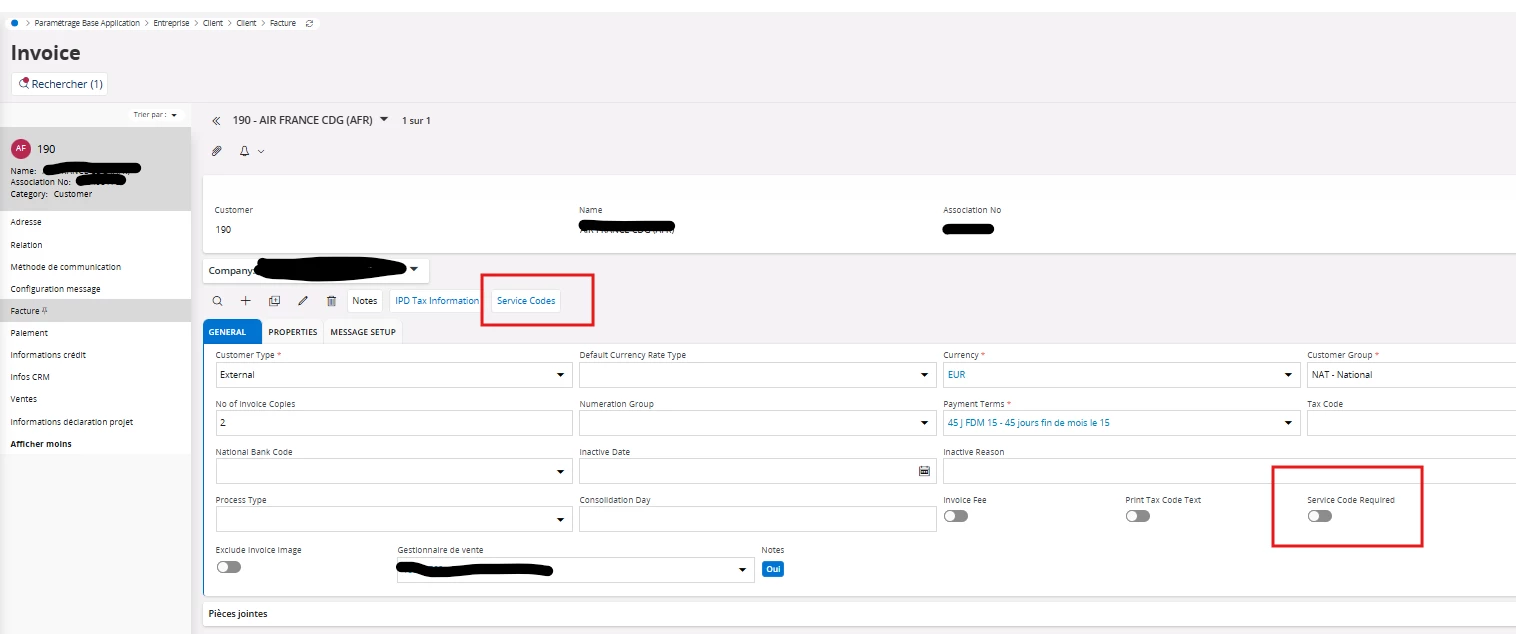
  • Customer → Invoice → General → you'll now see the Service Codes command and the Service Code Required toggle
  • Service Codes command → opens Service Codes per Customer, where you enter the codes the public entity gives you
  • The field itself appears on the Customer Order and on Customer Invoice → General — it carries from the order, but if it wasn't set there it comes through empty and you pick it manually

Full setup is in the Country Solution France doc, chapter 5 "B2G E-Invoice (Chorus)".

https://docs.ifs.com/ifsclouddocs/26r1/lang/en/CountrySolutions/CountrySolution_pdf/FranceCountrySolution.pdf


2 replies

Forum|alt.badge.img+2
  • Do Gooder (Employee)
  • Answer
  • August 5, 2026

Hi,

Usually, if you can't find the field, it's almost always because the localization setting isn't enabled on that company.

The Service Code is part of the France localization, so it only shows up if it's enabled for your company. Please try these steps:

  • Company page → Localization = France
  • Localization Control Center → enable Service Code Handling
  • Customer → Invoice → General → you'll now see the Service Codes command and the Service Code Required toggle
  • Service Codes command → opens Service Codes per Customer, where you enter the codes the public entity gives you
  • The field itself appears on the Customer Order and on Customer Invoice → General — it carries from the order, but if it wasn't set there it comes through empty and you pick it manually

Full setup is in the Country Solution France doc, chapter 5 "B2G E-Invoice (Chorus)".

https://docs.ifs.com/ifsclouddocs/26r1/lang/en/CountrySolutions/CountrySolution_pdf/FranceCountrySolution.pdf


audreyS
Sidekick (Partner)
Forum|alt.badge.img+10
  • Author
  • Sidekick (Partner)
  • August 27, 2026

hi  ​@gleb.batov 


I just configured the company for the service code, and the field now appears on customers orders and invoices. 

Thank you very much.