

Question

Replan Customer Order Lines

  • September 22, 2025
  • 6 replies
  • 158 views

MCbra
Do Gooder (Employee)
Forum|alt.badge.img+3
  • Do Gooder (Employee)

Hello everyone,

I’m trying to use the REPLAN Customer Order Lines function in IFS Cloud, but my customer order lines are not being updated as expected. Here’s my scenario:

  • Part setup: Inventory part, MRP planning, availability check enabled.
  • Stock: No parts in stock.
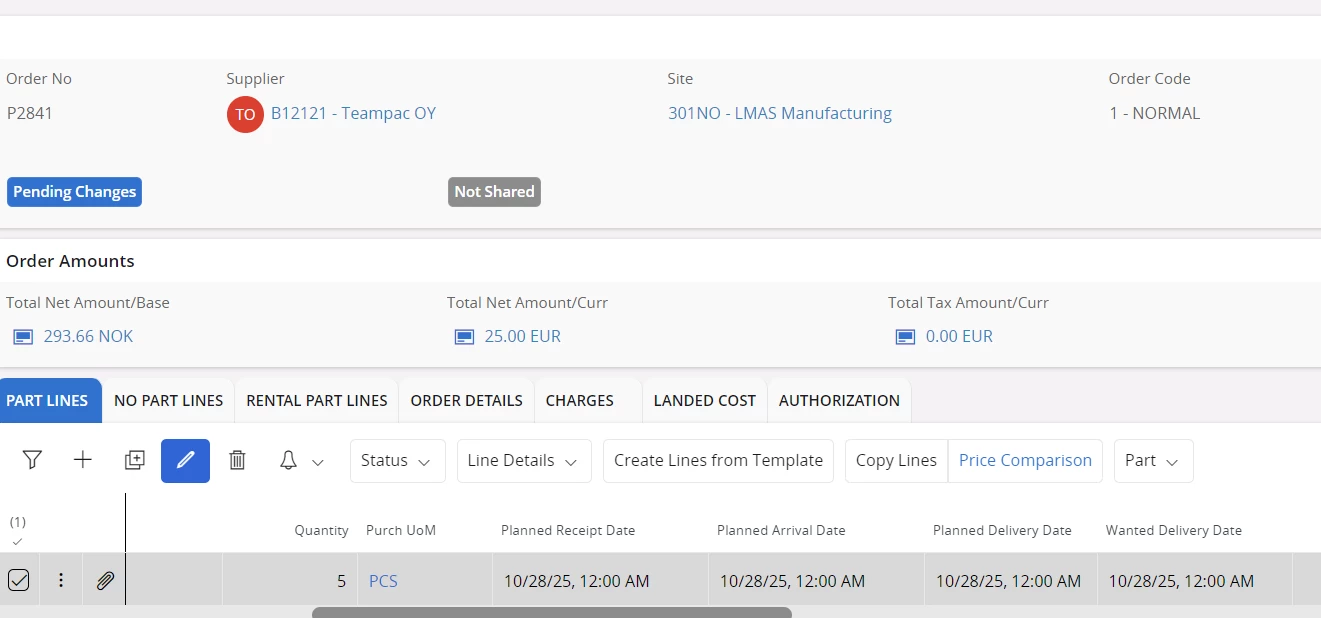
  • Supply: Purchase Order is planned and expected to arrive (see details below).
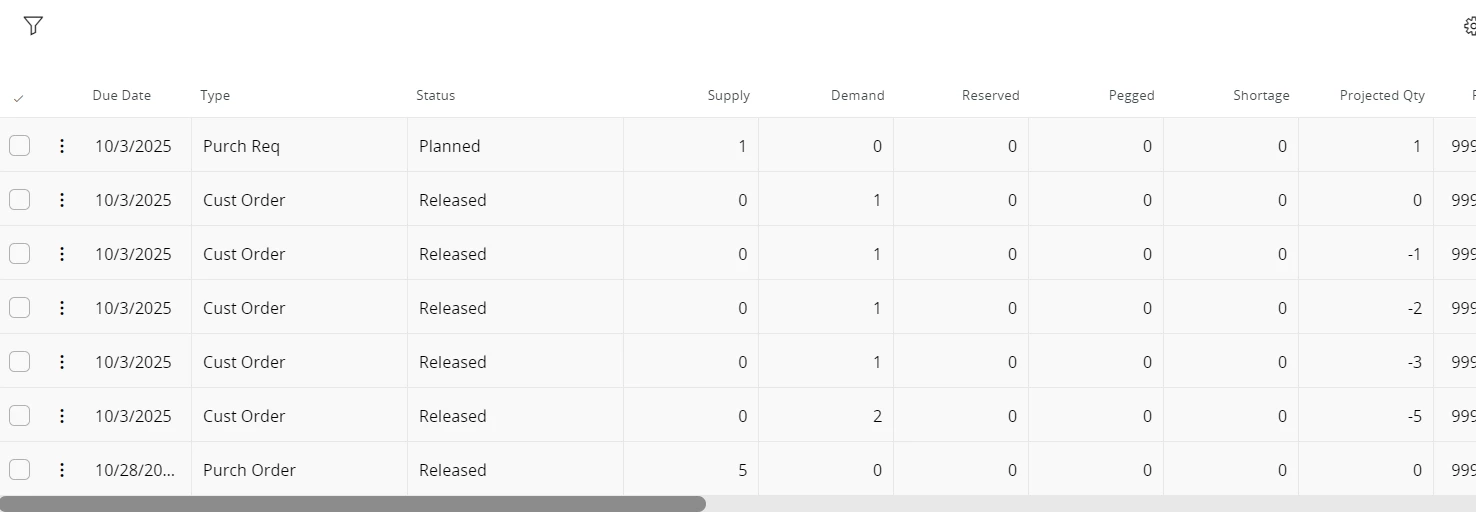
  • Customer Order Line: Created and released, linked to the above part.
  • When I run REPLAN CO LINE: The customer order line is not updated (planned delivery date does not change).

Questions:

  • Are there any specific settings or prerequisites I might be missing (e.g., supply code, sourcing rule, capability check, etc.)?
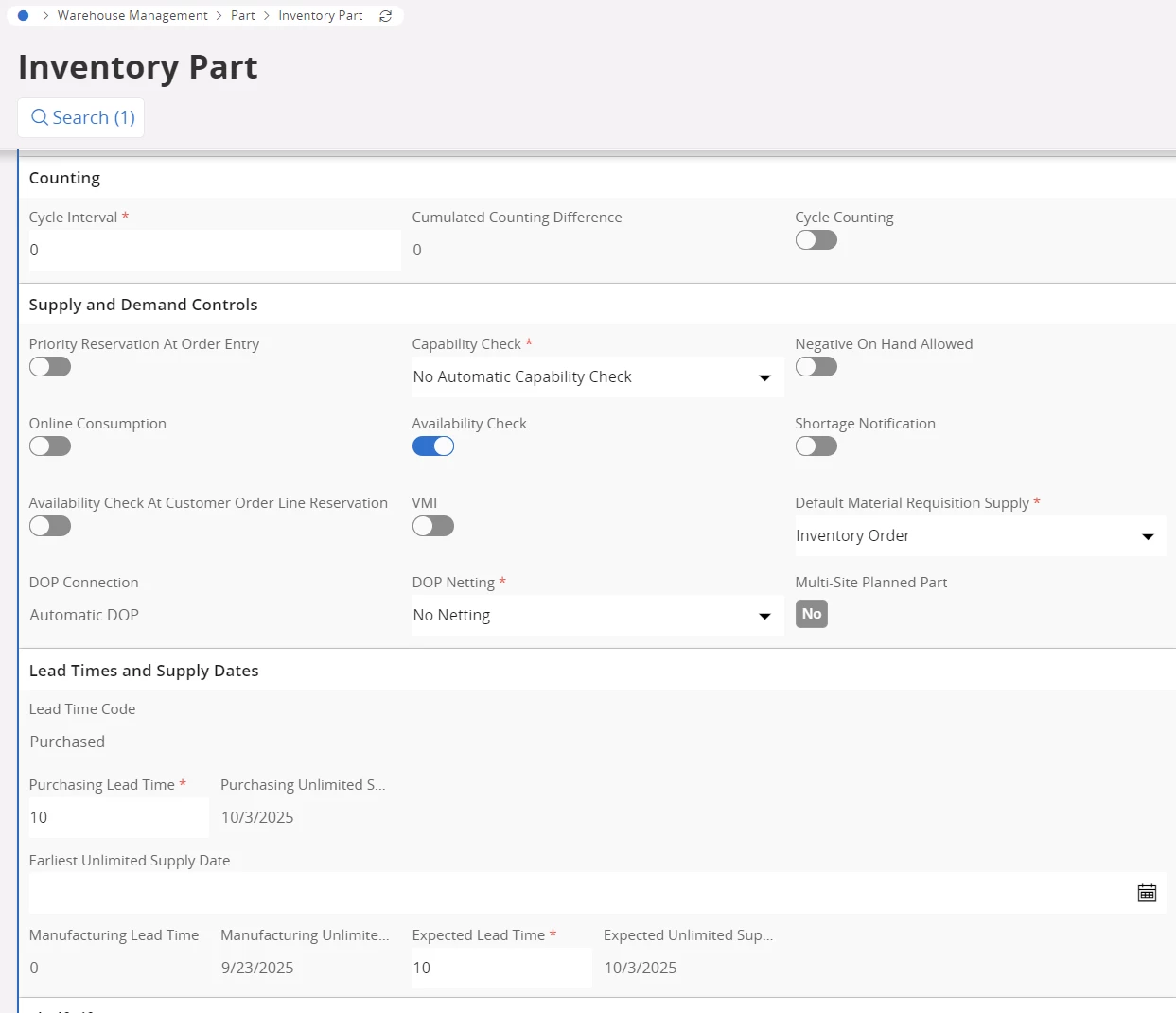
 

No parts in stock

PO planned to arrive as per below


Customer Order Line as

 

MRP Planning 
 

6 replies

Forum|alt.badge.img+7
  • Hero (Partner)
  • September 23, 2025

Hi ​@MCbra  - I see you mention your CO lines are created and Released, but are the headers also released? What parameters are you setting in the task when running the replan?


Forum|alt.badge.img+7
  • Hero (Partner)
  • September 23, 2025

Hi ​@MCbra  - just noticed your dates in the screenshots.When it comes to ATP and replan, the Expected Lead time on the Inventory Part is the driver.  I can see its Expected Lead Time is 10 days, 10/03/2025. When you entered your Customer Orders with a WDD of 09/22/2025 did the system push the Planned Delivery Date out until the 10/03 with a warning message? A good way to test the replan, would be to update your Expected Lead Time on the Inventory Part to further out, it should then adjust your Customer Order dates.  


MCbra
Do Gooder (Employee)
Forum|alt.badge.img+3
  • Author
  • Do Gooder (Employee)
  • September 24, 2025

Hello ​@WyrJamesG 


I added 50 days as leadtime on Inv part. 

Created a new CO, yes I get the warning message about the expected arrival date

Changed the PO to arrive Jan 1th

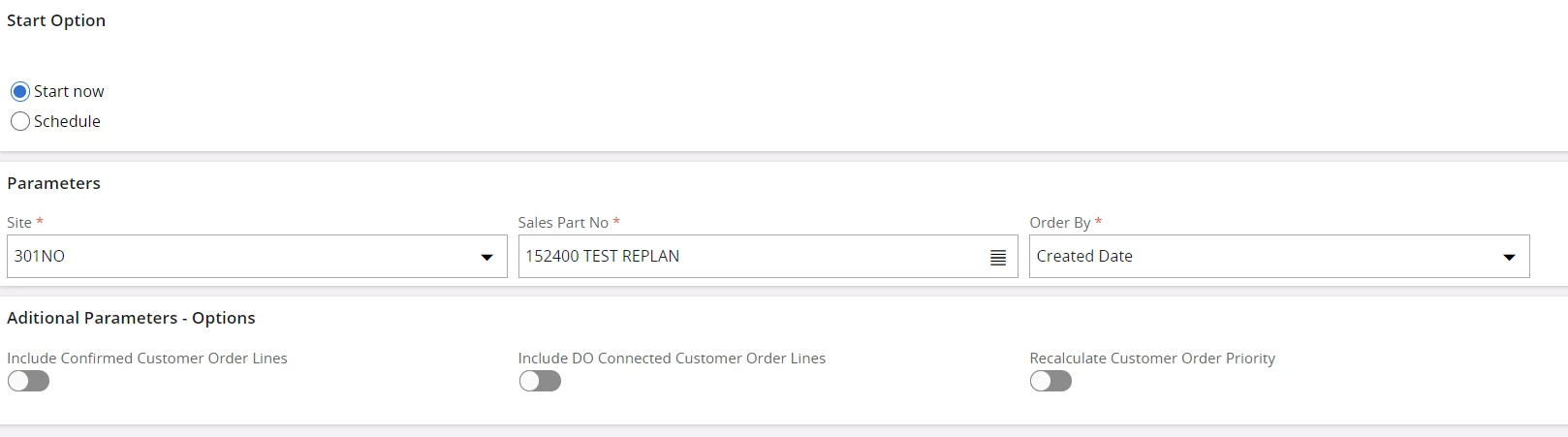
Did the Replan again with the following; and nothing happens on the CO


Regards

Maycon


JBurke-HexA
Sidekick (Customer)
Forum|alt.badge.img+4
  • Sidekick (Customer)
  • November 7, 2025

We have also tested this function, and found it not to be performing any of the expected changes in 24R1


Forum|alt.badge.img+13
  • Hero (Partner)
  • November 7, 2025

Unfortunately. the replan functionality will not push the Planned Delivery Date on the Customer Order Line past the Earliest Unlimited Supply Date.  

Take a look at this community post for additional information.  


heather.will
Sidekick (Customer)
Forum|alt.badge.img+5
  • Sidekick (Customer)
  • May 15, 2026

I also get anomalies with “Replan Customer Order Lines”.  My troubleshooting steps are:

  1. The site settings on Sales and Procurement Page, tab PROCUREMENT, box “Configurations for Available to Promise”.  Each toggle in this box is important.  Consider if your business needs have changed or perhaps a setting was changed accidentally.
    1. For your situation above, perhaps you are only including confirmed PO lines? 
  2. Are there any error messages in Background Jobs?
    1. If someone has changed to Inventory Part Status to Inactive, and Supplies are not allowed, the job “Replan Customer Order Lines” will error out and none of the parts will replan.
  3. From the Customer Order Line, go to Inventory Part Availability Planning (IPAP)
    1. Expected Lead Time drives the ATP dates.  ExpectedUSD does the calendar calculation for you, and if this is less than the Due Date of the inbound PO, IFS uses the ExpectedUSD because the basic data says you can get the part sooner.  -- this is the concept that is causing my team grief and I wish there was an option on the Sales and Procurement page that would let us adjust this behaviour.
  4. Are the inventory part settings correct?
    1. ATP settings on the inventory part (look good in your example)
    2. Part Status must allow supplies for this part number (can’t tell in your example)
    3. EarliestUSD (looks good in your example) as we normally leave it null too.  We are just starting to consider scenarios and business rules where it may be appropriate to populate

I read the community post from Arcfarazt too. Very thoughtful conversations.