Solved

Price/Value based demand planning

  • March 12, 2026
  • 1 reply
  • 44 views

Forum|alt.badge.img+1

Hello everyone,

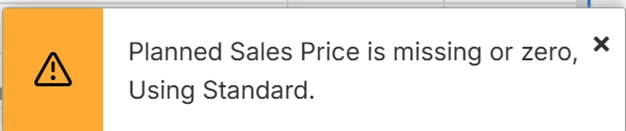
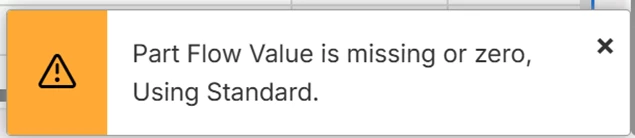
when working in Forecast View in IFS Cloud, I receive the following warning message:
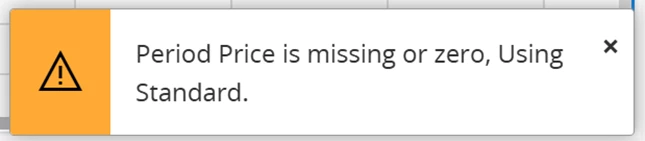
 

I am trying to understand where these value should be filled in, because I cannot find any field for it in the usual locations.

I already tries to find it in Sales Part and Inventory Part, but was unable to. So here is my question: Where exactly in IFS Cloud should the “Planned Sales Price” (used by Forecast View) be entered?

I am interested in all the analitical views highlighed in red.
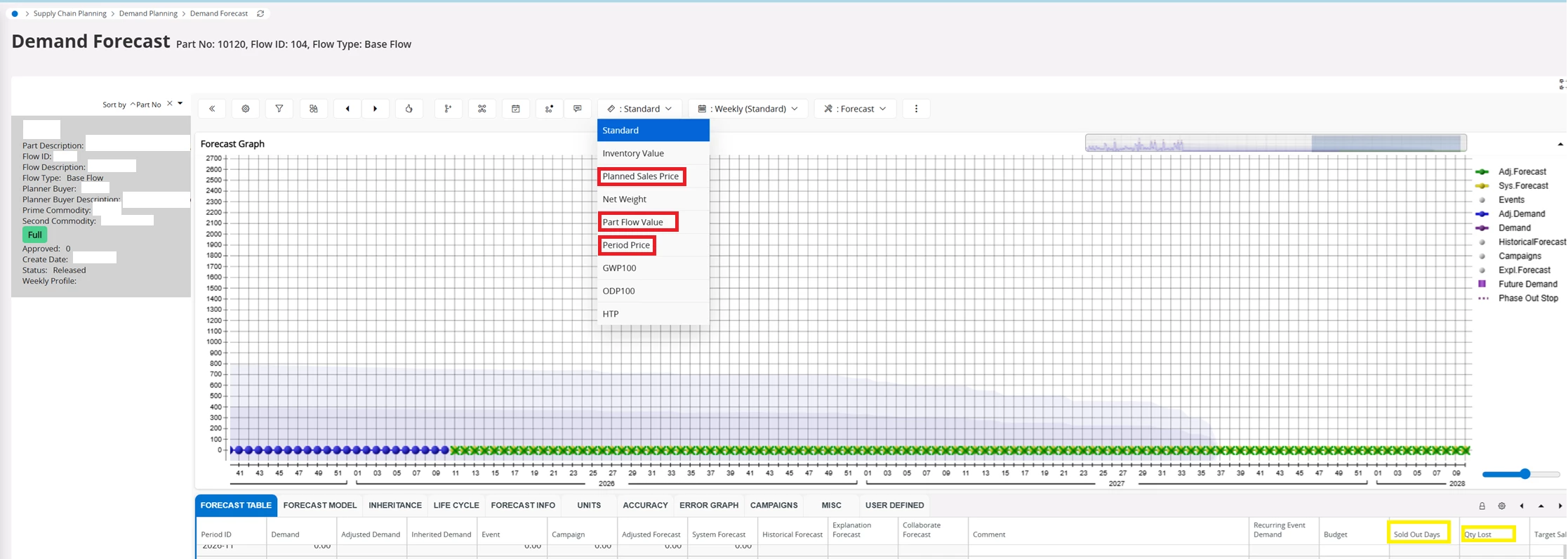

If there you know of any source I could use to understand the values in yellow I would be greatfull as well.

Any guidance or screenshots would also be greatly appreciated.
Thank you in advance!
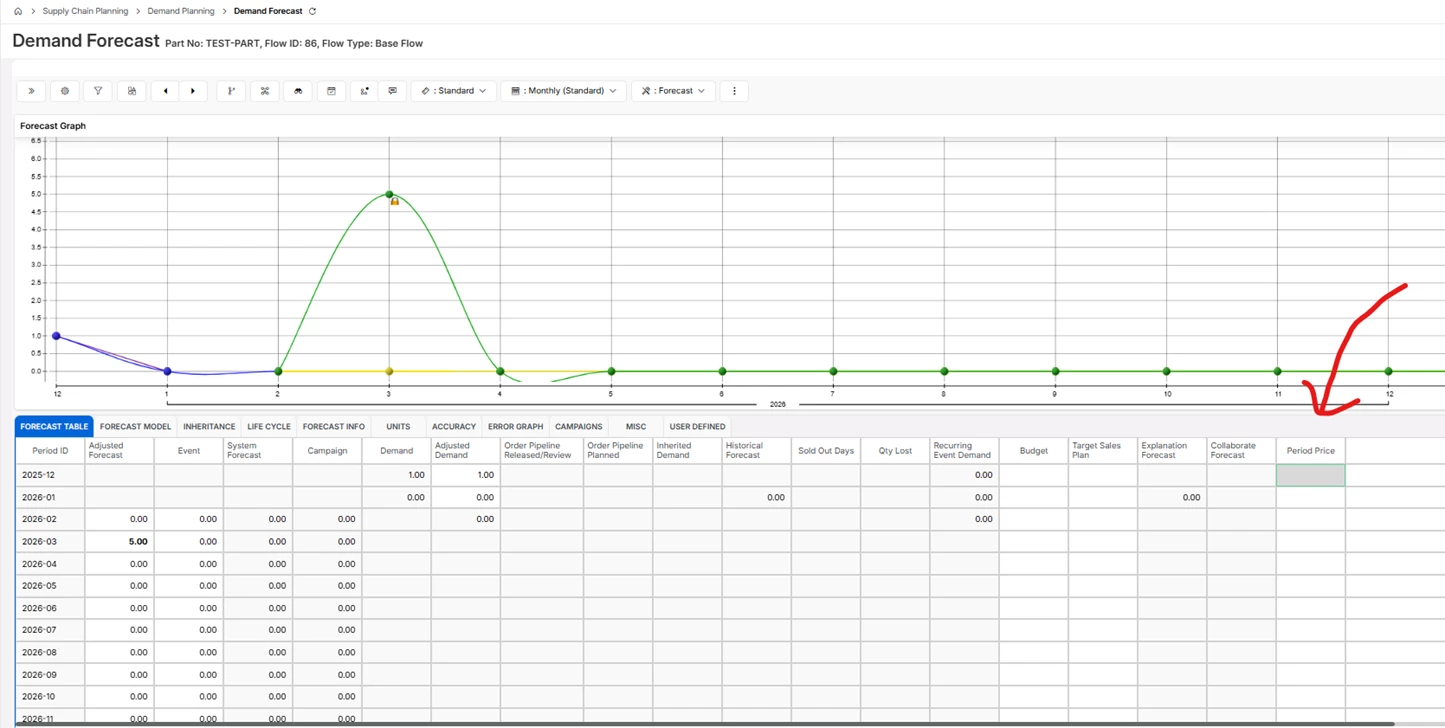
Best answer by Katie

Hi ​@Pakucz below are some screenshots to help:

Period Price:

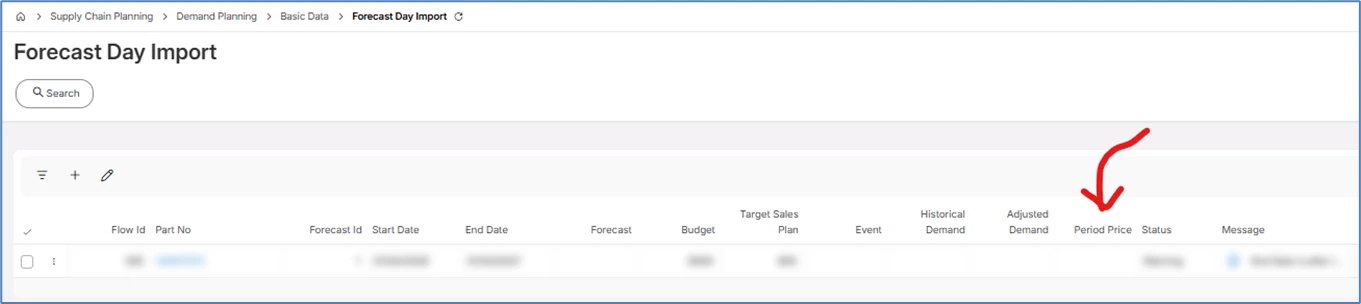
This refers to the period price on each individual part forecast flow. It sets the price per flow, per forecast period. You can edit it in the forecast table, or you can mass import it using the Forecast Day Import table and run the Import Forecast job. Note you can run a migration job to populate the Forecast Day Import page if you have a lot of data.

You can edit directly in the forecast table:

Or update using the Forecast Day Import Page, the run the Import Forecast job


Planned Sales Price:

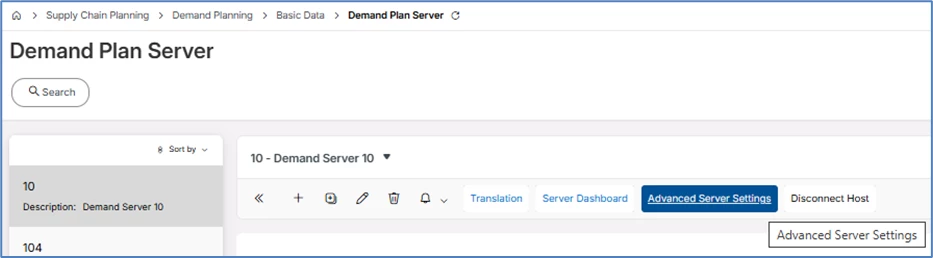
This is defined using a Cost Set on the inventory part, that you assign as the Demand Planning Sales Price in the Demand Planner Advanced Server Settings. I believe it is because everything in Demand Planner relates back to the inventory part, so we can’t bring in values directly from the sales parts.

You can either make this equal to the value in the cost set, or apply a function to the selected cost set, using the settings below:

Part Flow Value:

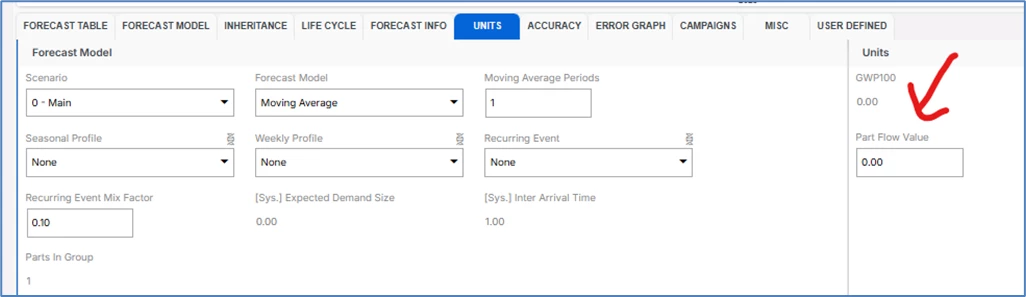
Similar to Period Price – but this is a part Price per flow (i.e. it cant be edited for different forecast periods). This can be set in the Forecast Table (units tab):

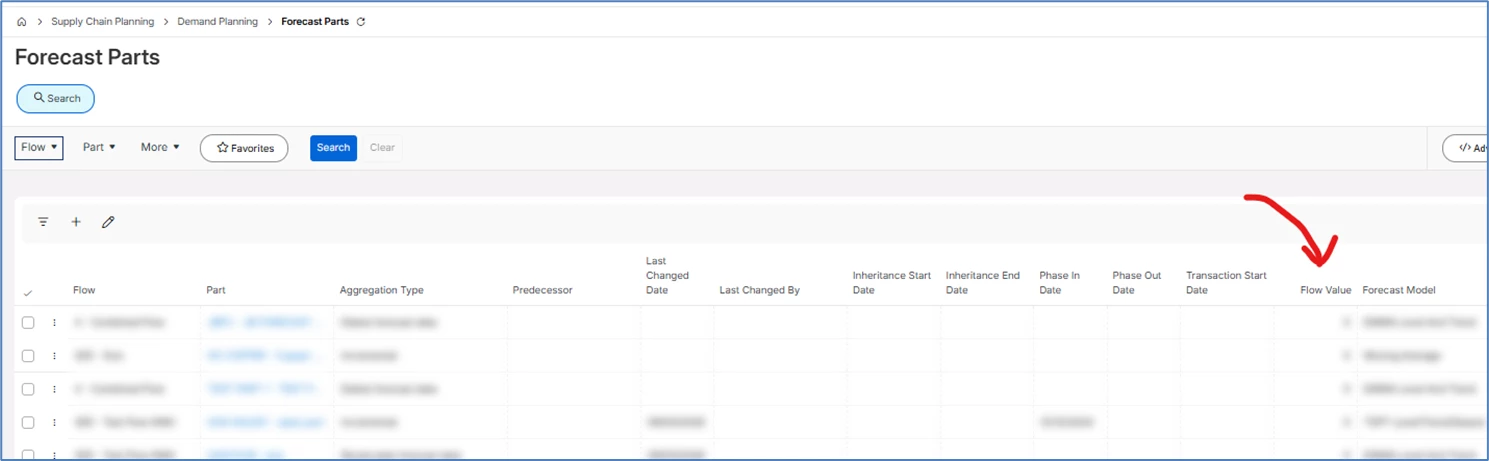
It can also be edited from the Forecast Parts page:

1 reply

Forum|alt.badge.img+8
  • Hero (Partner)
  • Answer
  • March 12, 2026

Hi ​@Pakucz below are some screenshots to help:

Period Price:

This refers to the period price on each individual part forecast flow. It sets the price per flow, per forecast period. You can edit it in the forecast table, or you can mass import it using the Forecast Day Import table and run the Import Forecast job. Note you can run a migration job to populate the Forecast Day Import page if you have a lot of data.

You can edit directly in the forecast table:

Or update using the Forecast Day Import Page, the run the Import Forecast job


Planned Sales Price:

This is defined using a Cost Set on the inventory part, that you assign as the Demand Planning Sales Price in the Demand Planner Advanced Server Settings. I believe it is because everything in Demand Planner relates back to the inventory part, so we can’t bring in values directly from the sales parts.

You can either make this equal to the value in the cost set, or apply a function to the selected cost set, using the settings below:

Part Flow Value:

Similar to Period Price – but this is a part Price per flow (i.e. it cant be edited for different forecast periods). This can be set in the Forecast Table (units tab):

It can also be edited from the Forecast Parts page: