Solved

Preventing a user from adding an entry into the Supplier for Purchase Part from the Purchase Order

  • April 1, 2026
  • 2 replies
  • 48 views

Forum|alt.badge.img+5

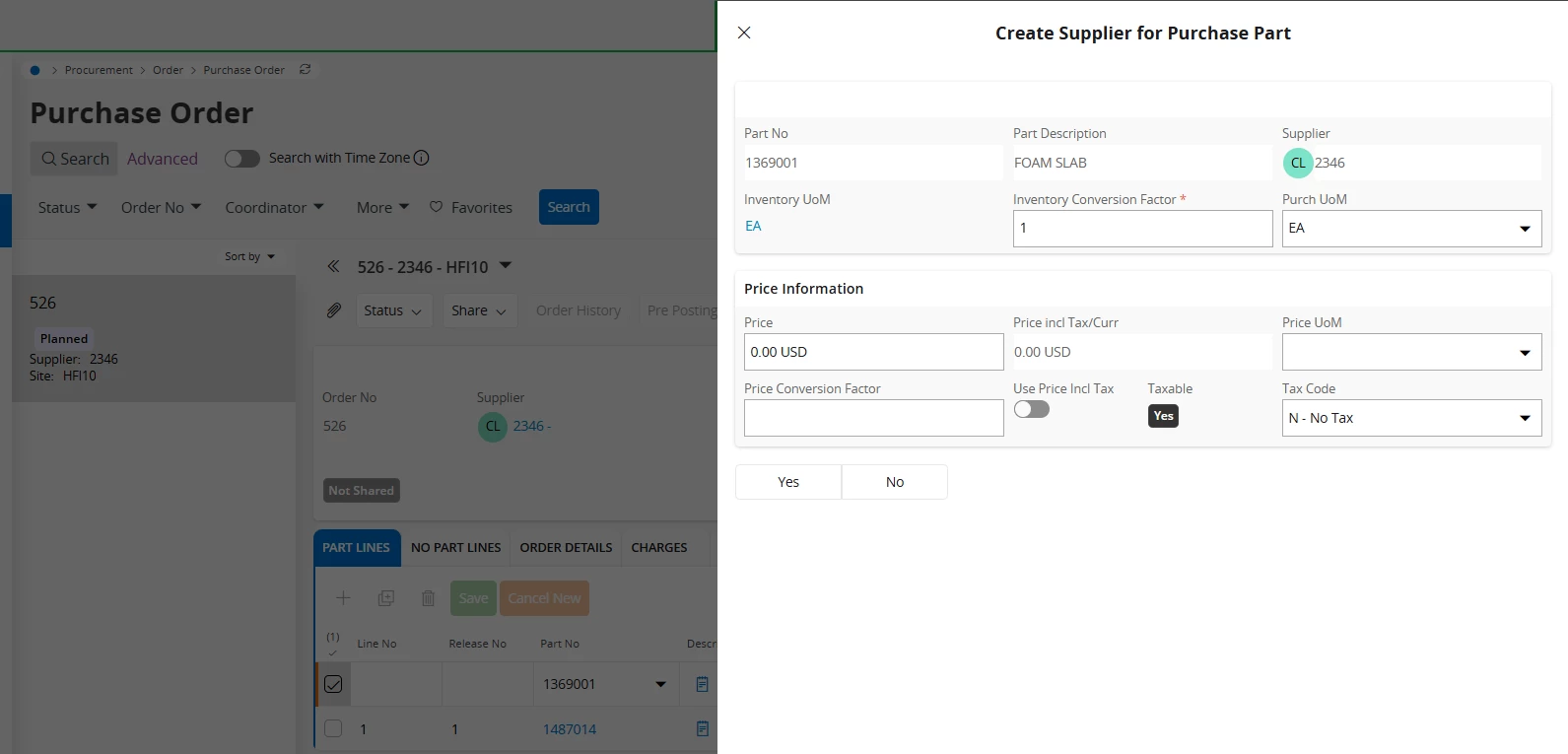
Hello IFS Community, i hope somebody can guide me with the following, when a user adds a line in the purchase order, if the Part/Supplier relationship is not in the Supplier for Purchase Part, the system will ask and let the user enter that entry into the Supplier for purchase part.


the user doesnt have access to the Supplier for Purchase part, but still the system is letting this user create the entry.

i cant seem to find the proper projection for this assistant in order to have it blocked. 


any idea how can this be prevented, will be very much appreciated.


Thank you!


Best answer by Abdul

Hi ​@QHFJESP,

You can prevent this practice using Page Designer.

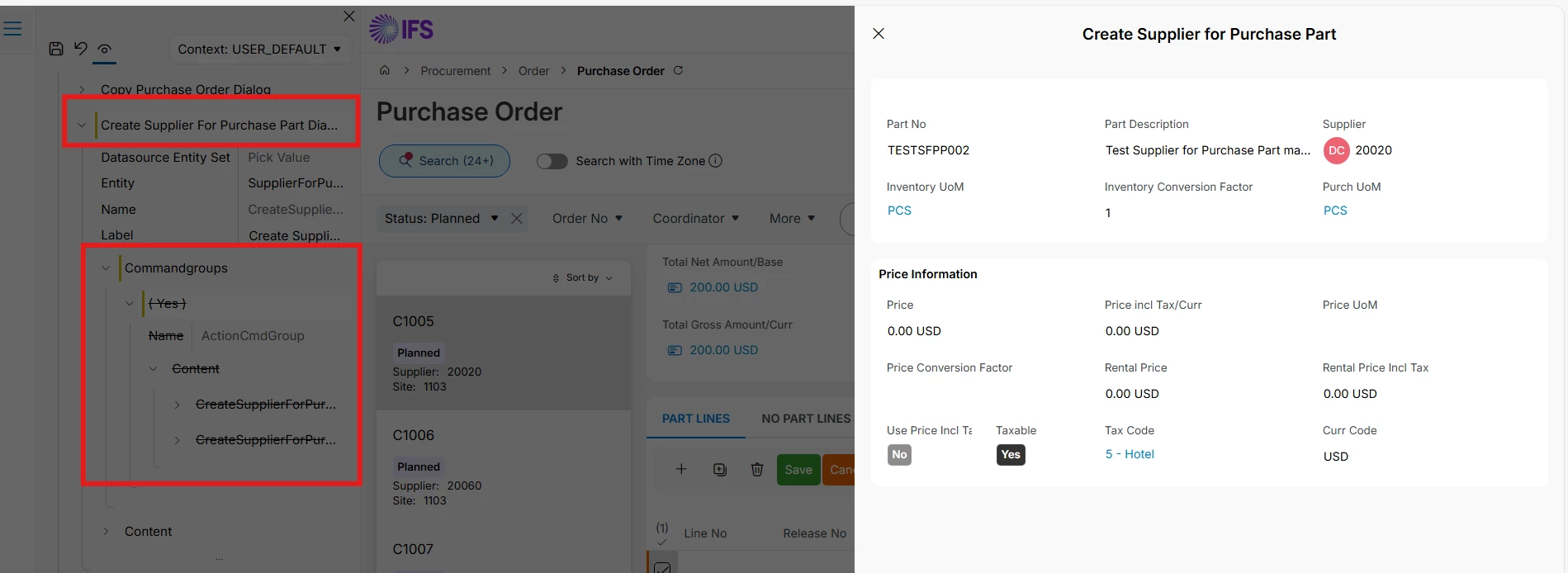
Please refer to the screenshot below. You can hide Yes/No option, although, Create Supplier for Purchase Part dialogue still appears but business will not have “Yes” option to create SFPP.


Regards

Abdul Rehman

2 replies

Abdul
Superhero (Partner)
Forum|alt.badge.img+20
  • Superhero (Partner)
  • Answer
  • April 3, 2026

Hi ​@QHFJESP,

You can prevent this practice using Page Designer.

Please refer to the screenshot below. You can hide Yes/No option, although, Create Supplier for Purchase Part dialogue still appears but business will not have “Yes” option to create SFPP.


Regards

Abdul Rehman


Forum|alt.badge.img+5
  • Author
  • Do Gooder (Customer)
  • April 9, 2026

Hi ​@QHFJESP,

You can prevent this practice using Page Designer.

Please refer to the screenshot below. You can hide Yes/No option, although, Create Supplier for Purchase Part dialogue still appears but business will not have “Yes” option to create SFPP.


Regards

Abdul Rehman

Hello Abdul, you are the man!! that worked beautifully, i really appreciate the help! thank you!!