Solved

MSO Finite Operations Scheduling not Consecutive

  • June 18, 2026
  • 4 replies
  • 37 views

Forum|alt.badge.img+5

When a Shop Order is Infinite Scheduled (unscheduled by MSO) the Operation Start and Stop Times are consecutive. Each operation step is to begin when the one prior completes.

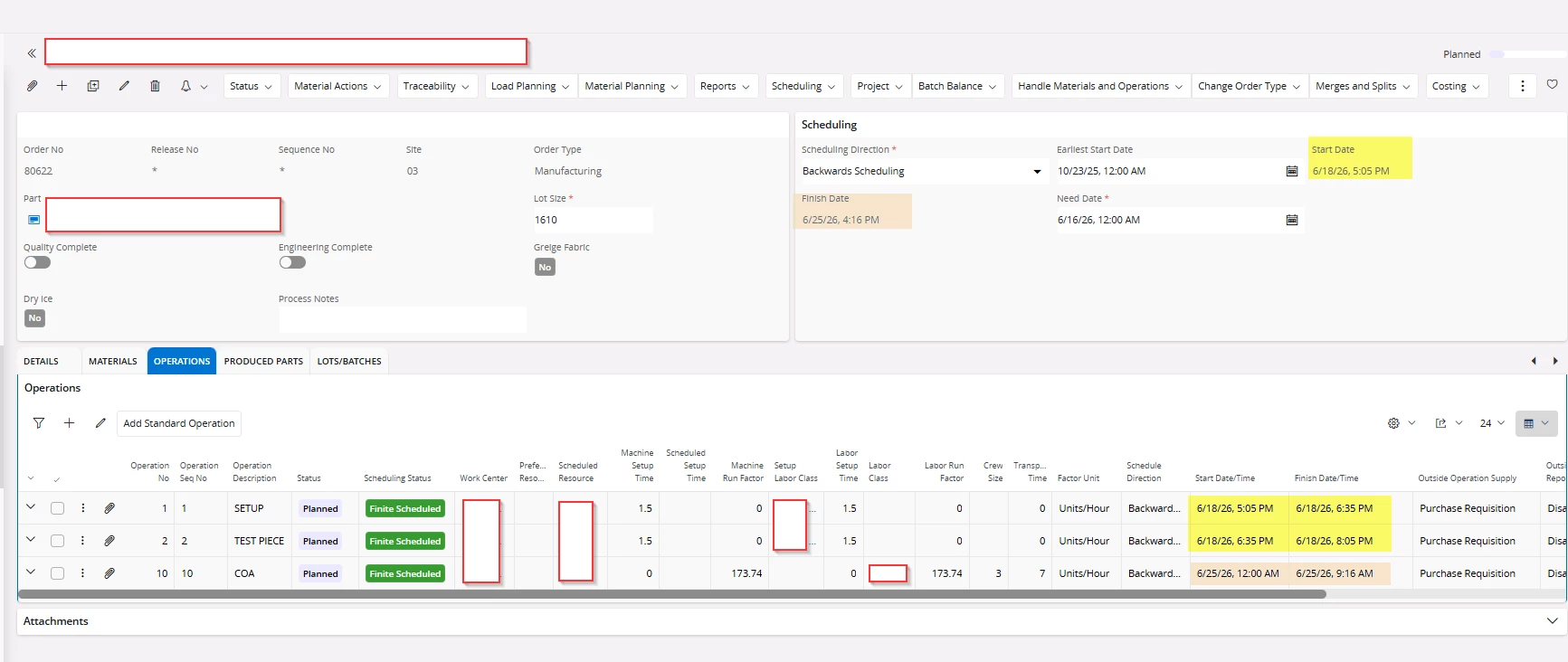
When I run MSO, the last operation step is not scheduled to begin right after the one prior. The first 2 operation steps are “Set Up” and “Test Piece” and have machine set up times. The last operation step (COA) is the actual production run and uses machine run factor.

Each operation uses the same work center, resource and labor class. Each shop order is backward scheduled.
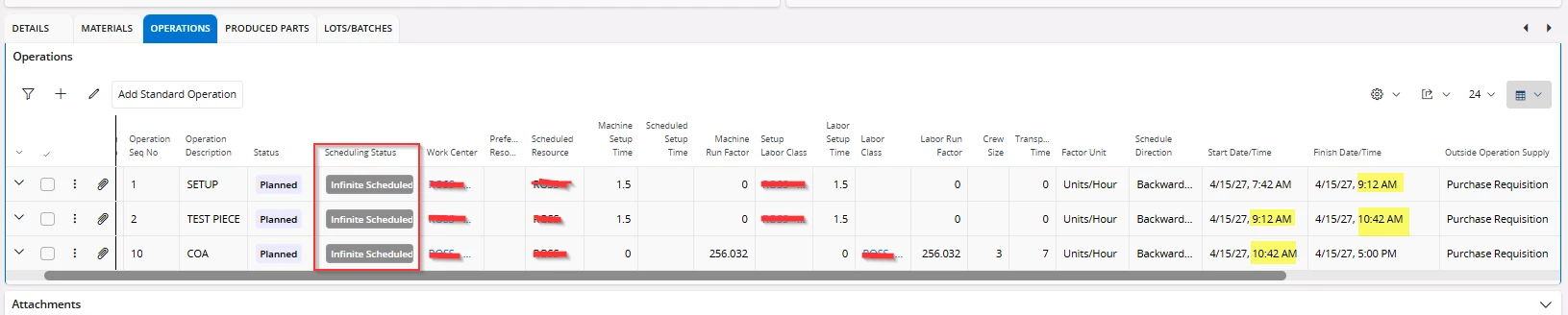
 

The only interesting thing I have found is that the first 2 operations, when scheduled by MSO, are scheduled to run at the Start Date and leaves the 3rd operation step for a day before or day of the shop order finish date. What am I missing here?
 

Best answer by Lakshan Thiranagama

Hi Zwall,

MSO considers work center capacity during scheduling. Since the need date for your shop order is 6/16, the system attempts to complete the order before that date. However, if capacity or resource constraints prevent this, MSO will schedule the order as tardy.

In your case, the COA operation (Operation 3) appears to lack sufficient work center capacity to be scheduled before the 6/16 need date, which is why it has been planned as tardy. On the other hand, Operations 1 and 2 are scheduled before the need date, as their required capacity is available within that timeframe.

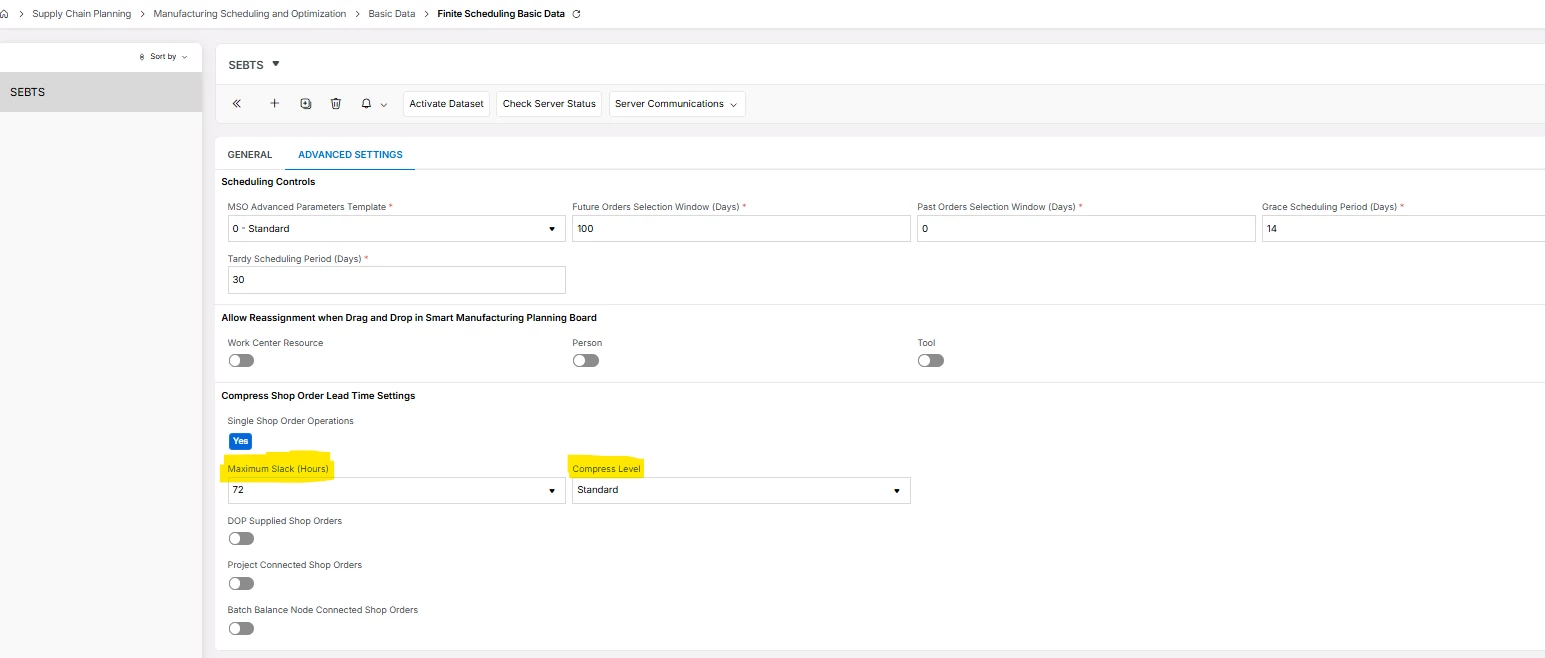
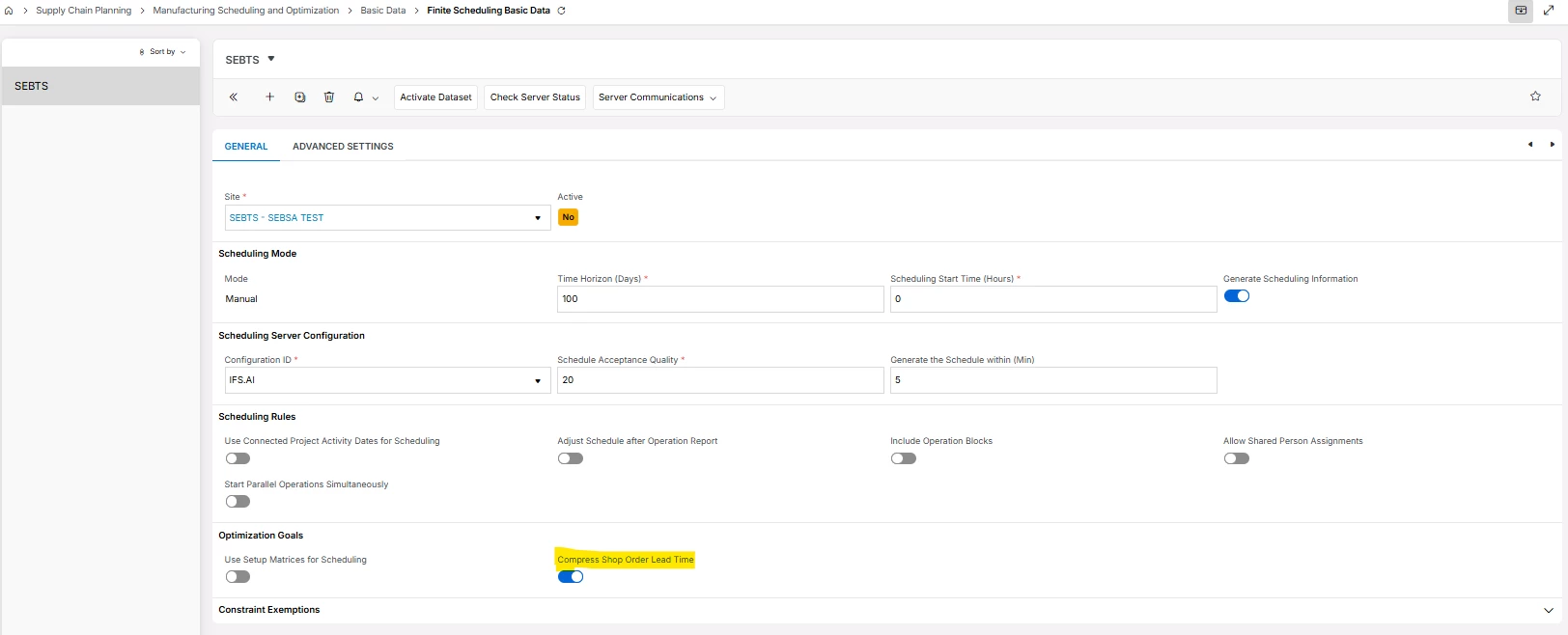
If your goal is to have operations scheduled as closely together as possible, you can consider using the “Compress Shop Order Lead Time” option available in MSO.

After enabling it you will get some advanced settings group to configure it. There you can set a maximum slack time interval in-between the shop order operations.

Thanks!

Lakshan

4 replies

Lakshan Thiranagama
Hero (Former Employee)
Forum|alt.badge.img+7

Hi Zwall,

MSO considers work center capacity during scheduling. Since the need date for your shop order is 6/16, the system attempts to complete the order before that date. However, if capacity or resource constraints prevent this, MSO will schedule the order as tardy.

In your case, the COA operation (Operation 3) appears to lack sufficient work center capacity to be scheduled before the 6/16 need date, which is why it has been planned as tardy. On the other hand, Operations 1 and 2 are scheduled before the need date, as their required capacity is available within that timeframe.

If your goal is to have operations scheduled as closely together as possible, you can consider using the “Compress Shop Order Lead Time” option available in MSO.

After enabling it you will get some advanced settings group to configure it. There you can set a maximum slack time interval in-between the shop order operations.

Thanks!

Lakshan


Forum|alt.badge.img+5
  • Author
  • Sidekick (Customer)
  • June 22, 2026

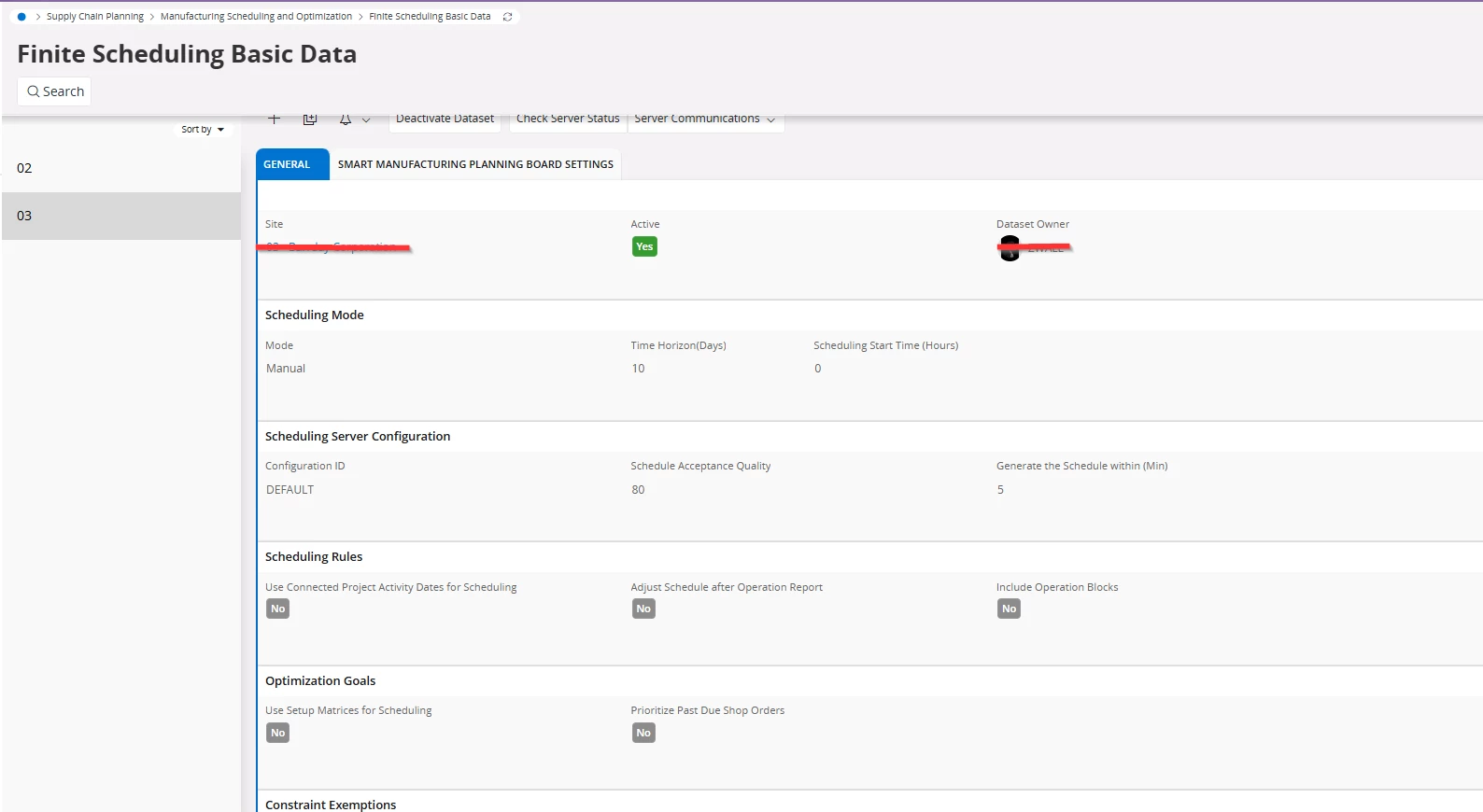
This is very helpful. Thank you! I don't have the “Compress Shop Order Lead Time” for MSO basic data though. Any tips for how to control this outside of that?


Lakshan Thiranagama
Hero (Former Employee)
Forum|alt.badge.img+7

This is very helpful. Thank you! I don't have the “Compress Shop Order Lead Time” for MSO basic data though. Any tips for how to control this outside of that?


Happy to hear it helped!

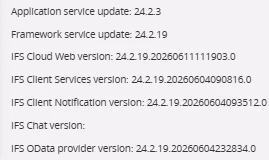
Could you please confirm the IFS Cloud version you are currently using?

Unfortunately, there is no out-of-the-box solution for this requirement. As an alternative, you may consider leveraging MSO Advanced Parameters, with the support of a PSO SME, to manually fine-tune the backward scheduling SLAs.

This approach should be carried out carefully and ideally under the guidance of a PSO SME.

Thanks!

Lakshan


Forum|alt.badge.img+5
  • Author
  • Sidekick (Customer)
  • June 22, 2026

We are moving to 25R2 by end of Q3. Is “Compress Shop Order Lead Time” an option in that version?


Current version is: