Question

Integration between App8 and cloud for intercompany cycle

  • March 23, 2026
  • 6 replies
  • 46 views

Forum|alt.badge.img+3

There is a requirement for an Intercompany (IC) set up when the business unit operates in IFS Applications 8 and the manufacturing plant operates in IFS Cloud. Apps 8 raises an external Customer Order and an Intercompany Purchase Order; Cloud creates the internal trade Customer Order, manufactures, ships, and invoices. Anyone who has handled a similar requirement? since this is not possible without an integration customer will go for an integration set up, is using connect will be the best possible choice?

What should be focused on when designing the solution in this direction? should we use purch order direct purch order transit rather than int purch dir and int purch transit if the customer and supplier is treated separately in different DBs?, tips and ideas are welcome :) (APP 8 BUs will come to cloud eventually but not now so this is an interim solution until all comes to cloud.)  

 

6 replies

Guzik
Hero (Customer)
Forum|alt.badge.img+5
  • Hero (Customer)
  • March 23, 2026

hi ​@XitKushmG ,


That’s very interesting setup.

I would say that the quite easy architecture would consist of exchanging files. It is already configured but requires some set-up for IC exchange:

  •  IFS8 output folder is the same directory where IFS cloud picks up incoming customer orders and requests for change
  • IFS output is the same as incoming purchase confirmation and direct delivery confirmation
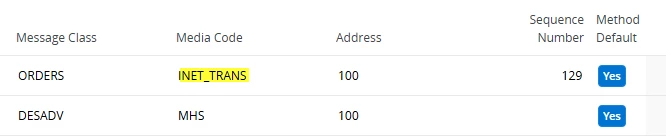
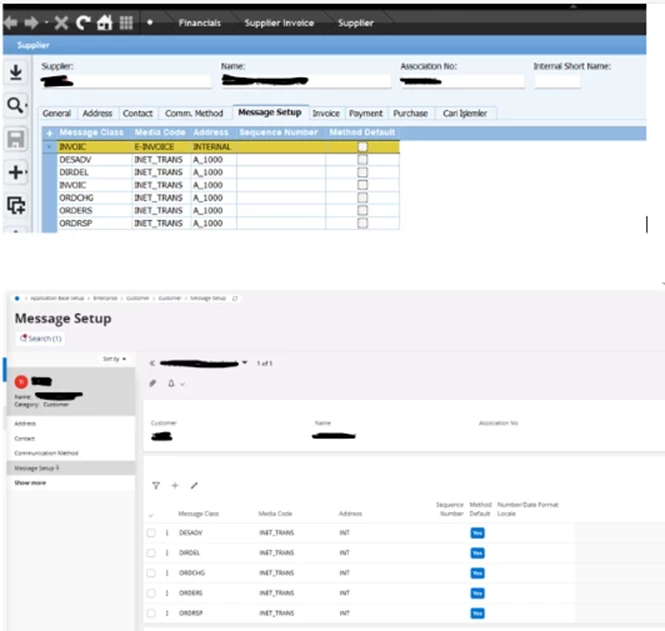
  • in the message setup of Supplier and customer you should use NET_TRANS instead of MHS:
  •  

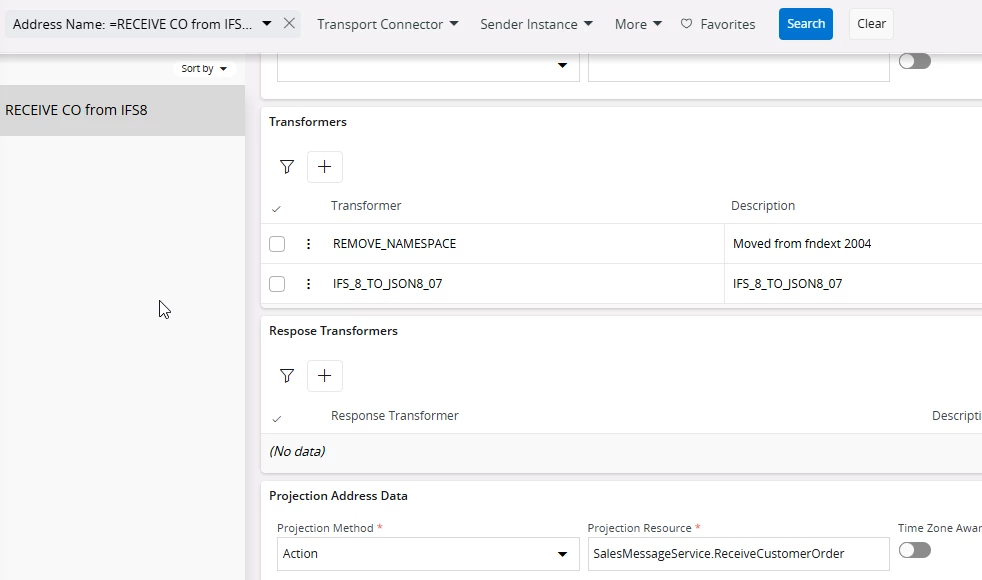
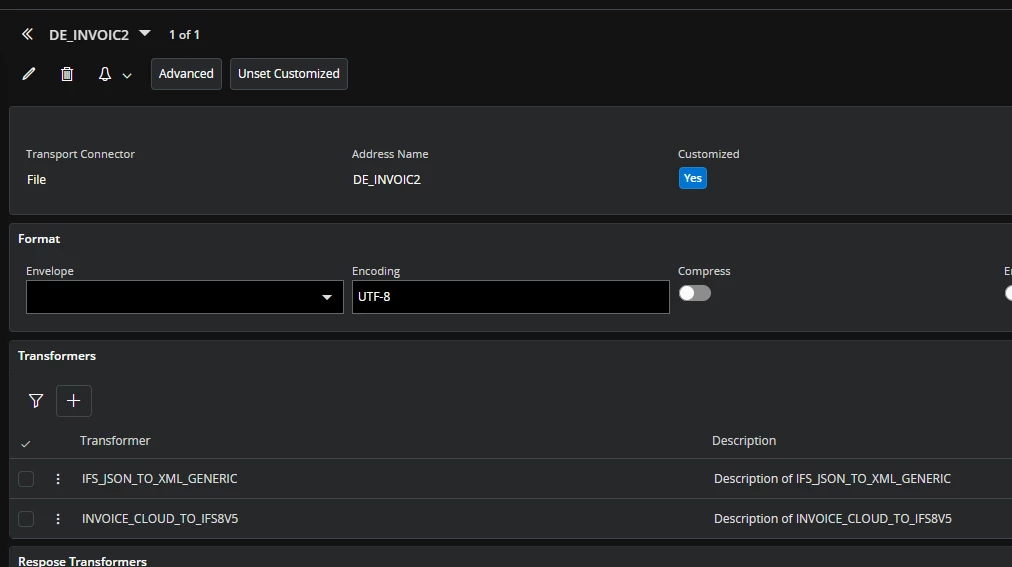
  • routing addresses (in IFS Cloud) have transformers that converts JSONs to XML and XMLs to JSONs
  • routing rules to direct to corresponding folder:


I would still use Int pur direct/transit as it refers to internal suppliers:


Coming back to the routing addresses, this is the main difference that IFS Cloud uses JSON format while IFS8 XMLs but they can be easily converted within IFS Cloud. 


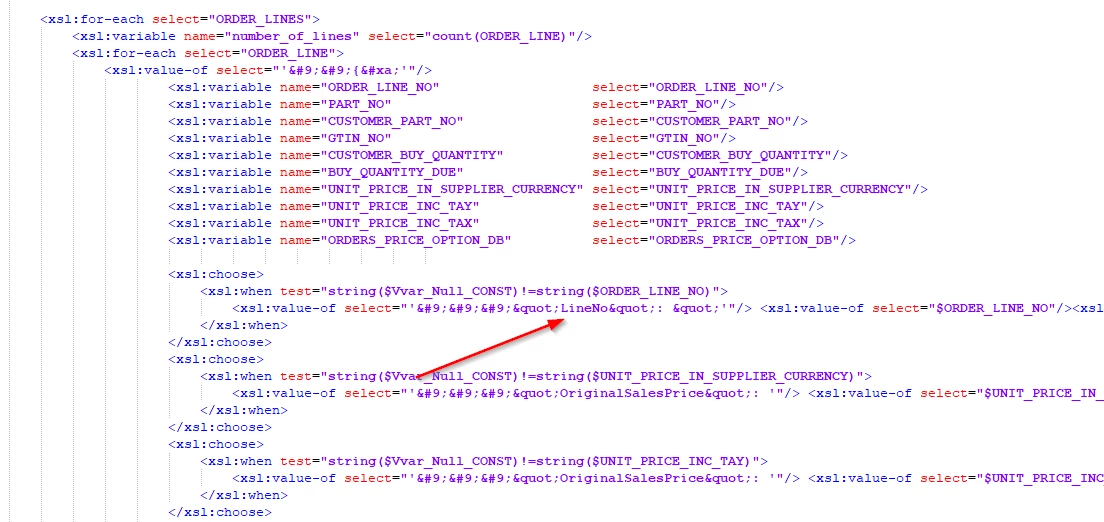
Transformers change format like:

<ORDER_LINE_NO>2 <ORDER_LINE_NO> into “LineNo” : “2” 


regards,

Kajetan


Forum|alt.badge.img+3
  • Author
  • Do Gooder (Partner)
  • March 23, 2026

Hey Kajetan,

Thank you very much for the reply, I will definitely try this, did not know INET_TRANS would be a possibility as its 2 completely different setups, We are in 25R1.

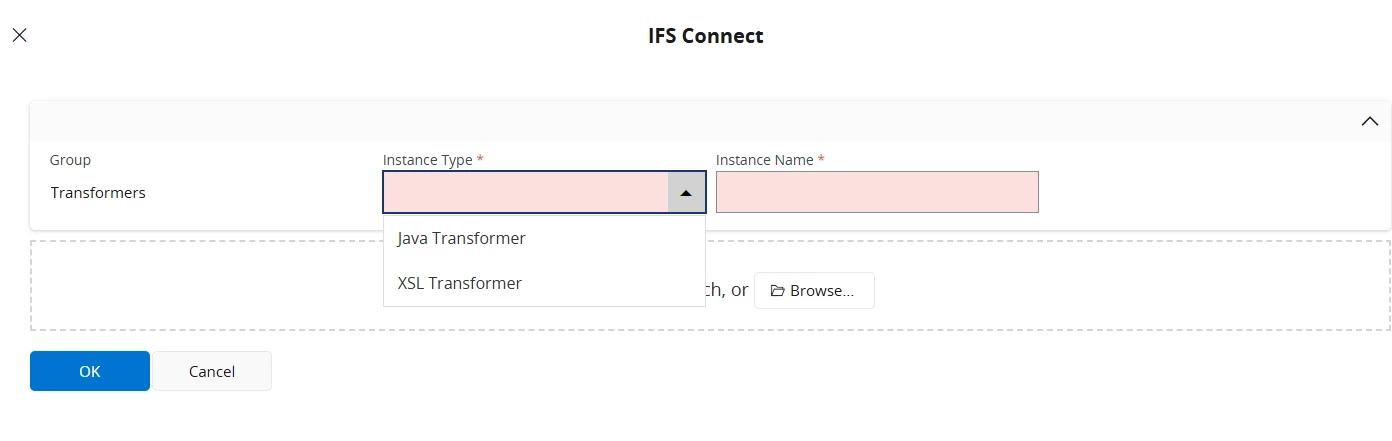
I will need some further guidance on the way you create the transformer IFS_8_TO_JSON8_07 ,  which instance type should it be and where can i find the xsl to upload if this need to be created. 

Really Appreciate your guidance :)


Best Regards

Kushmi


Guzik
Hero (Customer)
Forum|alt.badge.img+5
  • Hero (Customer)
  • March 24, 2026

hello again ​@XitKushmG ,

I could sleep on the subject, and I realized that you would not have corresponding sites in Cloud and IFS8 so definitely they will be external customers and suppliers, ergo “purch order direct/transit”.

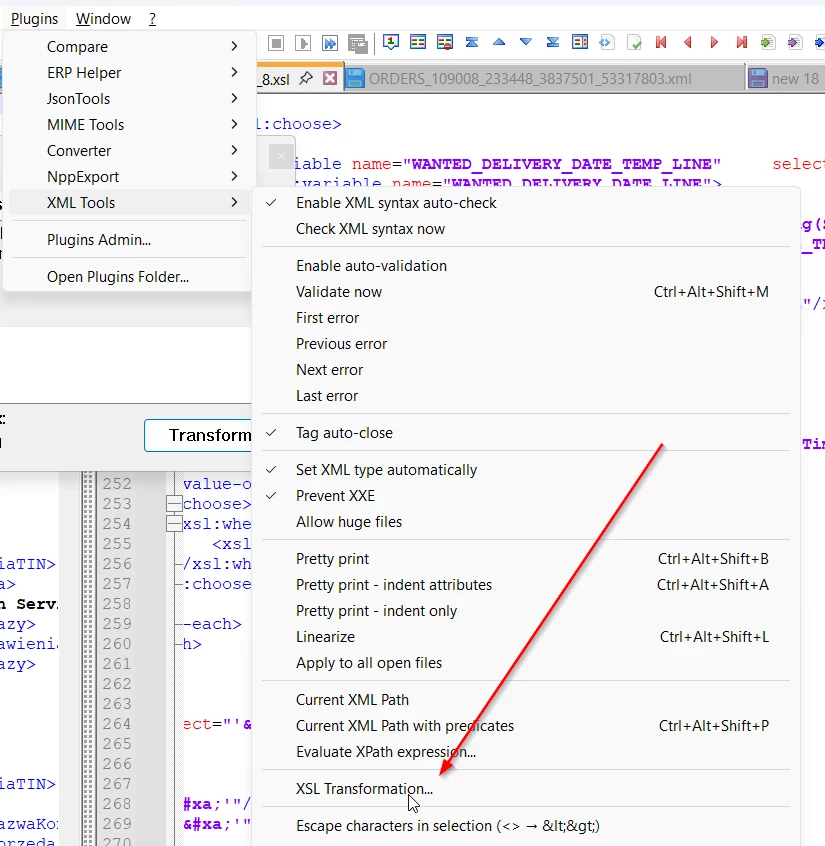
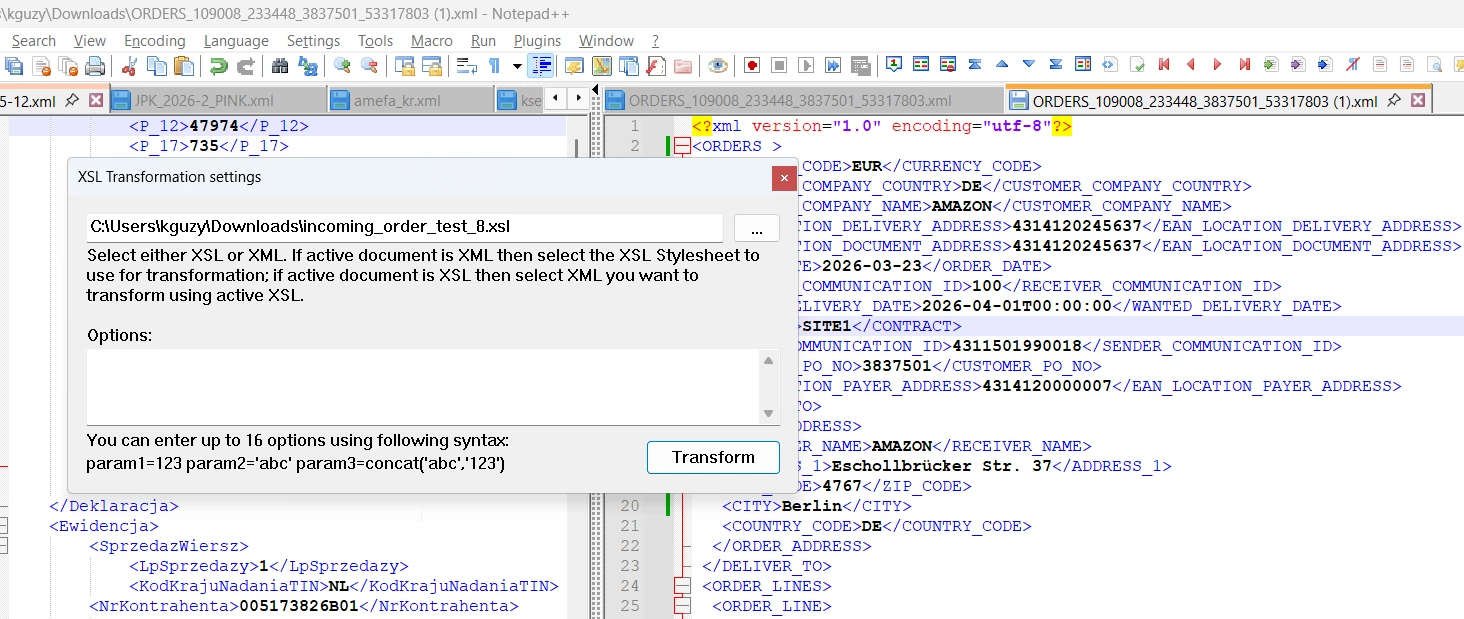
Regarding transformers, I attached a one for incoming customer orders, that converts IFS8 format to Json: the zip file contains sample order, transformer and JSON. I noticed that my colleague for some simpler example let chatGPT make a transformer and it worked.

You can check the transformer in Notepad++:


When you make any changes to a transformer file and would like to re-upload it, please use different file name, otherwise changes are not applied immediately in IFS Cloud.


Fot the outgoing messages from IFS cloud, please use IFS_JSON_TO_XML_GENERIC transformer which converts JSON to XML, but still some adjustments are required.


I also thought about customers if you synchronize customer records between environments.

If not then in the MFG site (IFS Cloud) there will be single occurrence order.

If yes, then it is vital to have customer own address ID filled. We use either GLN or if missing then just customer no and address id e.g. 4490402 where 02 is address ID.


regards,

Kajetan 


Forum|alt.badge.img+3
  • Author
  • Do Gooder (Partner)
  • March 26, 2026


Hey Kajetan,

You are a star !!!

Thanks heaps for the support , we are going to try this for below classes for purchase order direct and purchase order transit,  


Forum|alt.badge.img+3
  • Author
  • Do Gooder (Partner)
  • March 26, 2026


 ​it’s just now i am thinking when we have purch order direct how do we make connection for customer order and PO between customer and external supplier, though app8 company address (for supplier ) and cloud customer’s address will have customer own id connection to have intercompany connection, do we need another basic data connection as its 2 databases entirely  

Thank you !!!


Guzik
Hero (Customer)
Forum|alt.badge.img+5
  • Hero (Customer)
  • March 26, 2026

hello ​@XitKushmG ,

in the incoming customer order in IFS Cloud, a PO number from IFS8 is used as ‘Customer PO No” and it would be linking factor when IFS cloud sends a delivery notification.

What we also notice, in the inc. cus orders that delivery GLN is used to recognise customer and delivery address but address details are ignored.  To avoid it, we use CustomerNo (to recognize a customer) but remove EanLocationDelAddr. Below, a screenshot from incoming_order_test_8.xsl where customer number is hardcoded based on GLN:


IFS Cloud creates then single occurrence address.


Speaking about incoming customer orders, please mind that there is a following difference between IFS 8 and Cloud:

IFS Cloud requires to have ‘a pair’ of fields:

  • customer part number & customer quantity
  • sales part number & sales quantity
  • EAN (GTIN) & sales quantity

IFS8 was flexible and understood more such as  sales part number & customer quantity


regards,

Kajetan