
Question

Incoming dispatch advice

  • Jan 16, 2025 9:54 AM UTC
  • 4 replies
  • 173 views

Forum|alt.badge.img+5

How to send incoming dispatch advice in shipment order

4 replies

Forum|alt.badge.img+11

You send from Shipment. Below is the activity description from the documentation:


Forum|alt.badge.img+11

Some additional info to my previous comment. You need to connect the Shipment Order to a Shipment, and then run the shipment flow until delivered. Then you can send the DIspatch Advice for the shipment of the Shipment Order. In the activity description above you can see the needed setup e.g. adding message class DESADV to the company.


Forum|alt.badge.img+2
  • Do Gooder (Customer)
  • Nov 4, 2026 8:11 PM UTC

Is it possible to automatically generate the DESADV for a Shipment Order based Shipment between sites when the Shipment is delivered or closed and the Delivery Note has been generated?
 

Thanks!


william.klotz
Superhero (Customer)
Forum|alt.badge.img+21
  • Superhero (Customer)
  • Nov 4, 2026 11:29 PM UTC

HI ​@lmwgmaurus, 


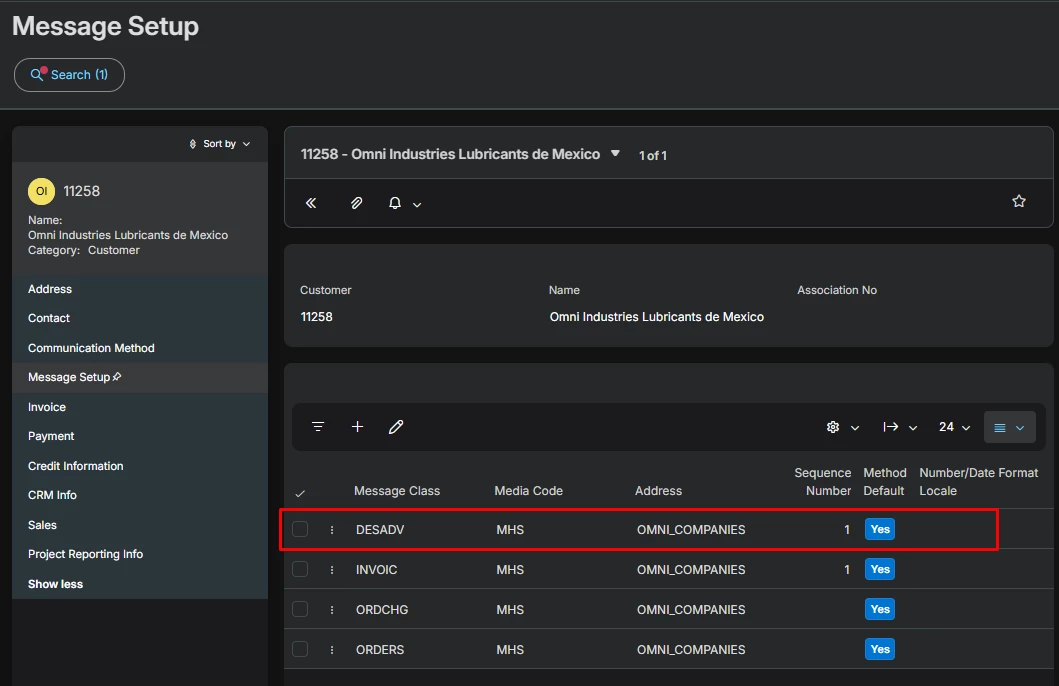
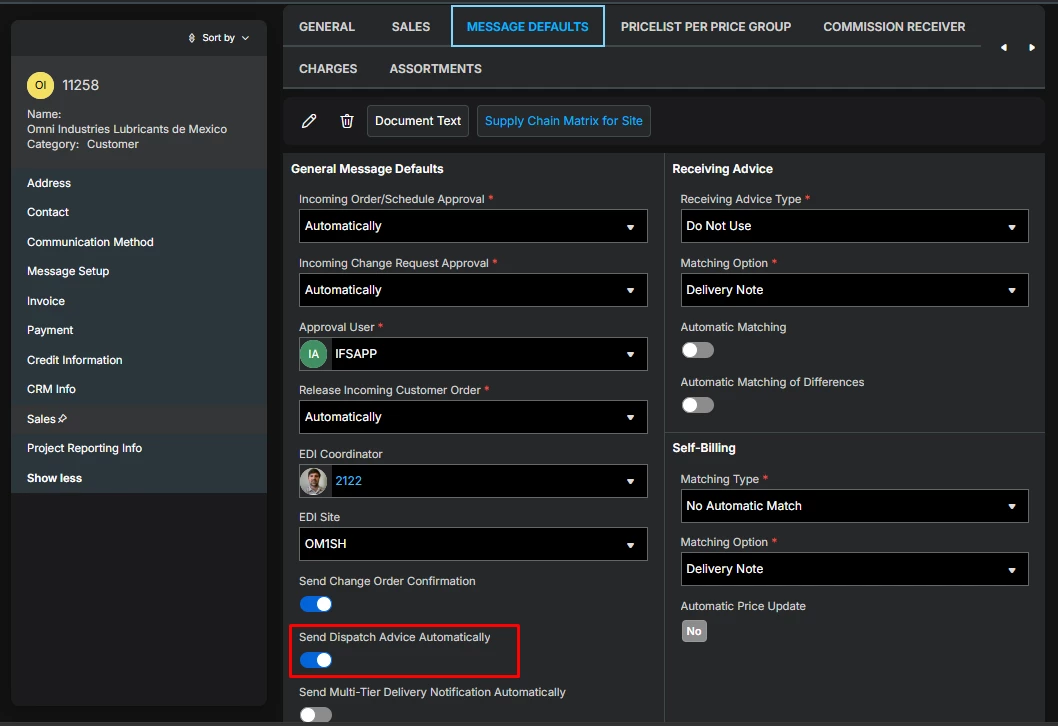
Yes,  the configuration is in the customer record.  On the message setup tab you must enter the DESADV and set method default to true.  Then in the Sales → Message Defaults you need to make sure Send Dispatch Advice Automatically is set to True.


Regards,

William