Question

How to update Availability Control on MRB Head records in IFS?

  • April 27, 2026
  • 2 replies
  • 10 views

Forum|alt.badge.img+4

Hi all,

I’m looking for some guidance on how to handle availability controls linked to MRB Head records.

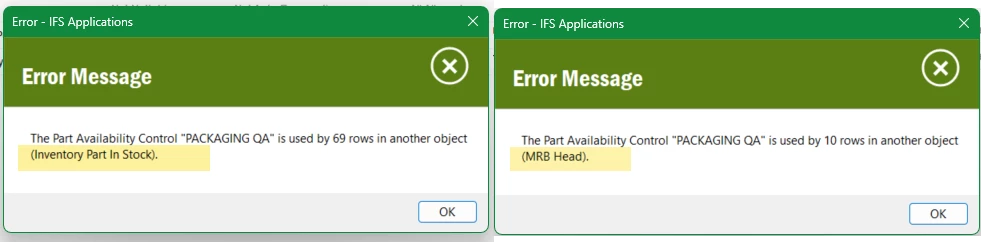
We recently introduced a new availability control rule (PACKAGING_QA) to block part movement. While reassigning dependencies, we found that the old rule (“Packaging QA”) is still referenced by several records in MRB Head, so there is no way for me to delete this old rule.
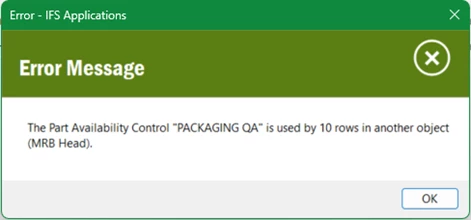
The issue is that the MRB Case screens do not provide any option to update the Availability Control ID. However, querying the SQL view mrb_head confirms the old rule is still associated with those records.


Has anyone encountered this before, or can advise on the correct IFS approach for this situation?


Thanks

2 replies

matt.watters
Ultimate Hero (Partner)
Forum|alt.badge.img+26
  • Ultimate Hero (Partner)
  • April 27, 2026

@BEYJASONCHAN you can remove or change the Availability Control in the Inventory Part in Stock page.


Forum|alt.badge.img+4
  • Author
  • Sidekick (Customer)
  • April 29, 2026

@BEYJASONCHAN you can remove or change the Availability Control in the Inventory Part in Stock page.

Thanks for your advice.

I’ve migrated 69 rows to the new Availability Control within Inventory Part In Stock (IPIS). However, I then encountered a dependency error indicating that the existing rule is still being used by 10 records in MRB Head. I couldn’t find any option within IPIS (or the MRB UI) to update or reassign the availability control for those records.