Question

How can i search or Filter by Date AND time in a Date/Time field

  • January 28, 2026
  • 7 replies
  • 90 views

Forum|alt.badge.img+5

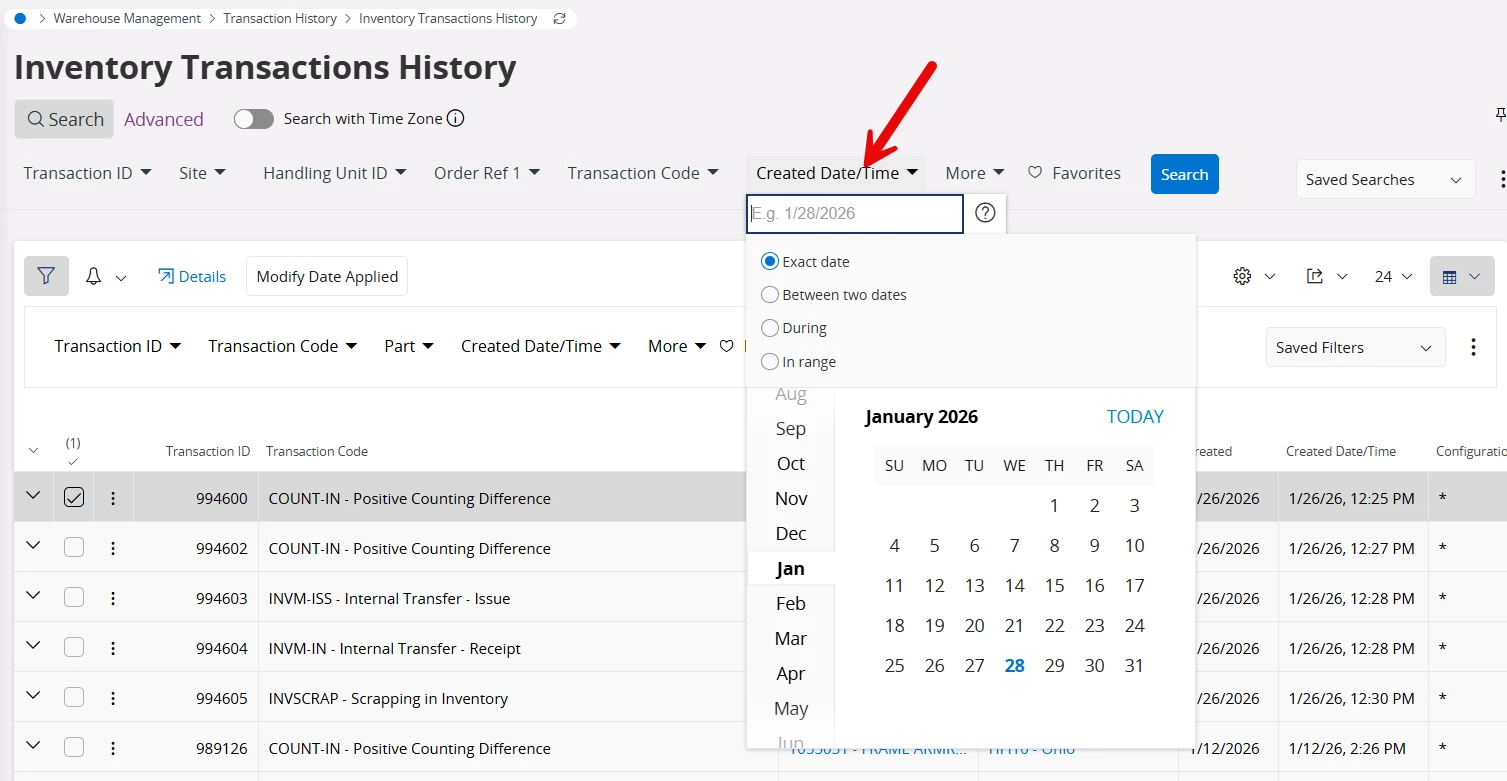
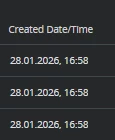
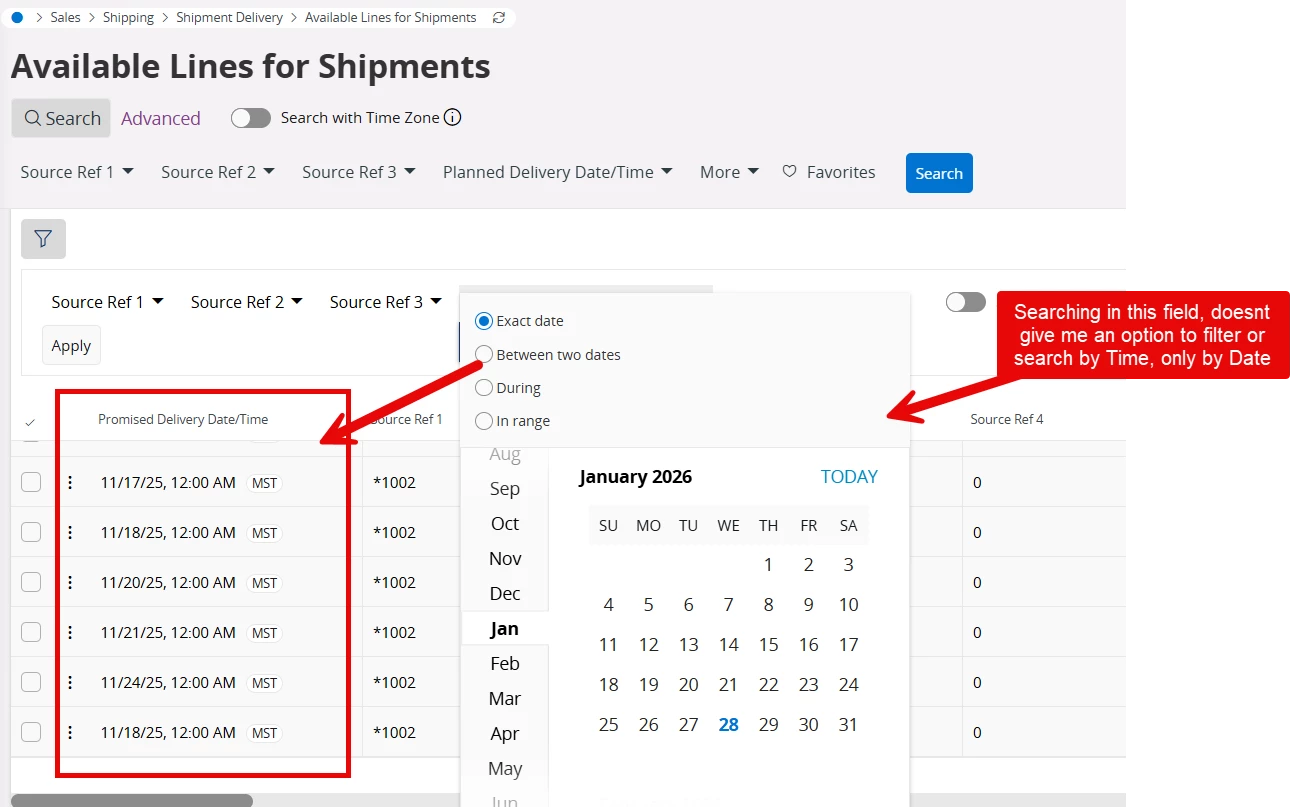
Hello IFS Community, we have multiple fields in IFS that have a Date and Time like the one in this picture, but when we try to search i can’t see the option to filter the time, only the date..


is there an option that we might be missing? 


we are in version 24R2


7 replies

Abdul
Superhero (Partner)
Forum|alt.badge.img+20
  • Superhero (Partner)
  • January 28, 2026

Hi ​@QHFJESP,

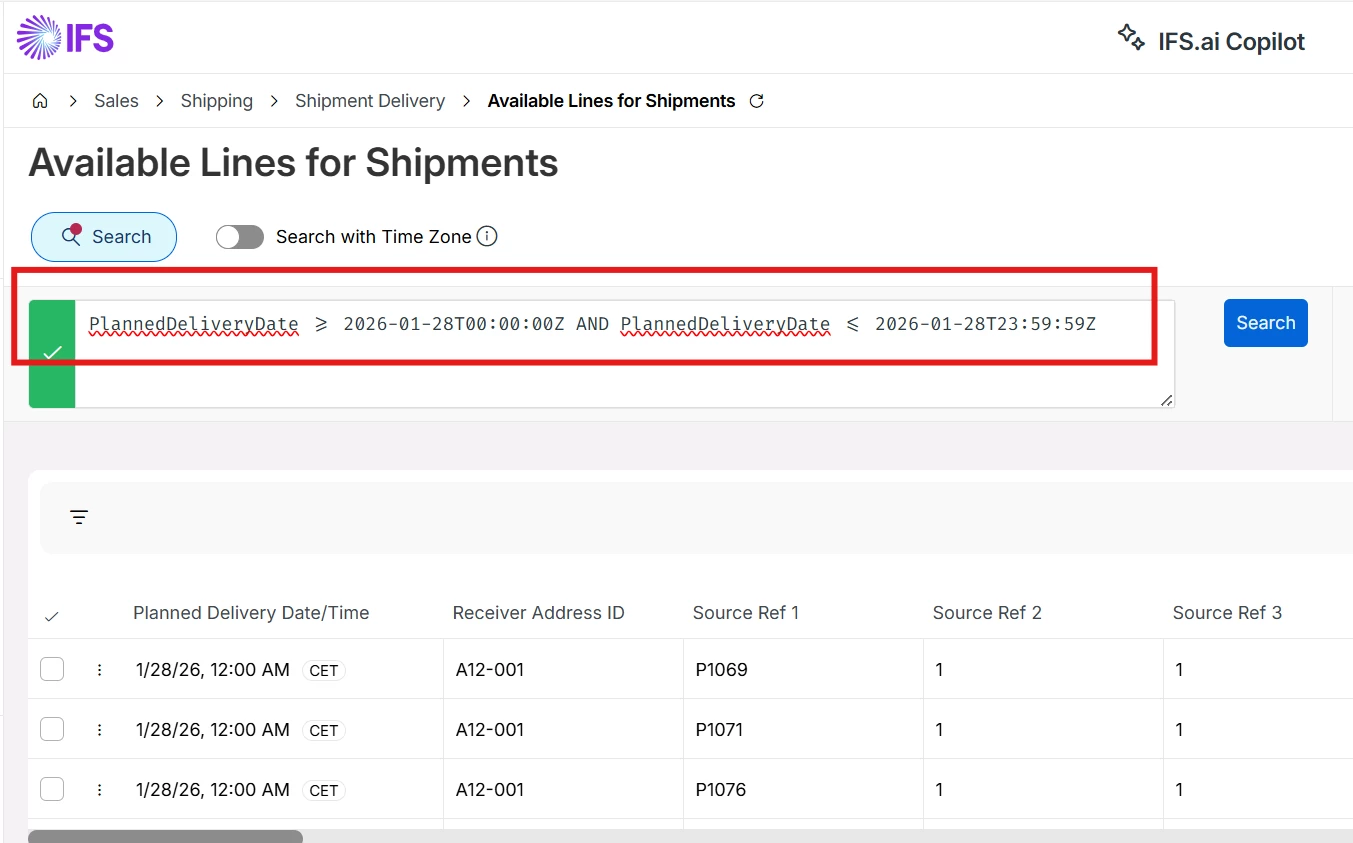
Records can only be filter with Dates, however, with Advance search, business users can filter records with Date and Time.

Please refer to the below screenshot.


Regards

Abdul Rehman


Forum|alt.badge.img+5
  • Author
  • Do Gooder (Customer)
  • January 28, 2026

Hi ​@QHFJESP,

Records can only be filter with Dates, however, with Advance search, business users can filter records with Date and Time.

Please refer to the below screenshot.


Regards

Abdul Rehman

that's a bummer, but i really appreciate your response Abdul, we will try to use the Advance filtering.. Thank you!!


Guzik
Hero (Customer)
Forum|alt.badge.img+5
  • Hero (Customer)
  • January 28, 2026

hello,

@Abdulm thank you for the response.

I tried to find transactions created at 4:58 pm and it turned out that it did not take seconds into account


So the only solution is those, you proposed and use:

DateTimeMinuteCreated >= 2026-01-28T16:58:00Z AND DateTimeMinuteCreated <= 2026-01-28T16:58:59Z


Edited:

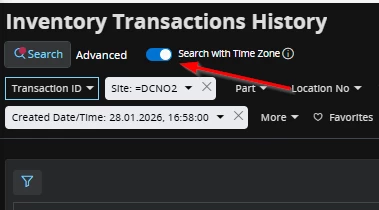
we are in 25R1 which introduced time zones.

When Seach with Time Zone is selected, then you can put the following and it gives you results: 


Regards,

Kajetan


Forum|alt.badge.img+5
  • Author
  • Do Gooder (Customer)
  • January 28, 2026

hello,

@Abdulm thank you for the response.

I tried to find transactions created at 4:58 pm and it turned out that it did not take seconds into account


So the only solution is those, you proposed and use:

DateTimeMinuteCreated >= 2026-01-28T16:58:00Z AND DateTimeMinuteCreated <= 2026-01-28T16:58:59Z


Edited:

we are in 25R1 which introduced time zones.

When Seach with Time Zone is selected, then you can put the following and it gives you results: 


Regards,

Kajetan

Hello ​@Guzik , just to make sure i understand, where you able to search by Date and time in the inventory transaction history screen, without using the advance search??


when i try it myself, i only see a Date picker, not a Time picker, im in 24R2.


Guzik
Hero (Customer)
Forum|alt.badge.img+5
  • Hero (Customer)
  • January 29, 2026

hello ​@QHFJESP ,

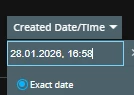
Correct, there is only a date picker, but I typed time manually in that field.

I just copied value from the column and added the last part that are seconds:

28.01.2026, 16:58:00


I can see your date format is M/DD/YY H:MM AM/PM

I am not sure it if works but I would select “Search with time zone” and try e.g. 1/12/26 2:26:00 PM


just as a tip:

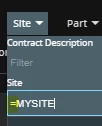
add site to search criteria BUT with equal sign, it makes your search much faster:


regards,


Kajetan


Forum|alt.badge.img+5
  • Author
  • Do Gooder (Customer)
  • January 29, 2026

hello ​@QHFJESP ,

Correct, there is only a date picker, but I typed time manually in that field.

I just copied value from the column and added the last part that are seconds:

28.01.2026, 16:58:00


I can see your date format is M/DD/YY H:MM AM/PM

I am not sure it if works but I would select “Search with time zone” and try e.g. 1/12/26 2:26:00 PM


just as a tip:

add site to search criteria BUT with equal sign, it makes your search much faster:


regards,


Kajetan

@Guzik  i really appreciate your response, i was able to use it as you described.. that gives me another option.


Thank you again!!!!


PhillBronson
Hero (Customer)
Forum|alt.badge.img+11
  • Hero (Customer)
  • June 18, 2026

Hi ​@QHFJESP,

Records can only be filter with Dates, however, with Advance search, business users can filter records with Date and Time.

Please refer to the below screenshot.


Regards

Abdul Rehman


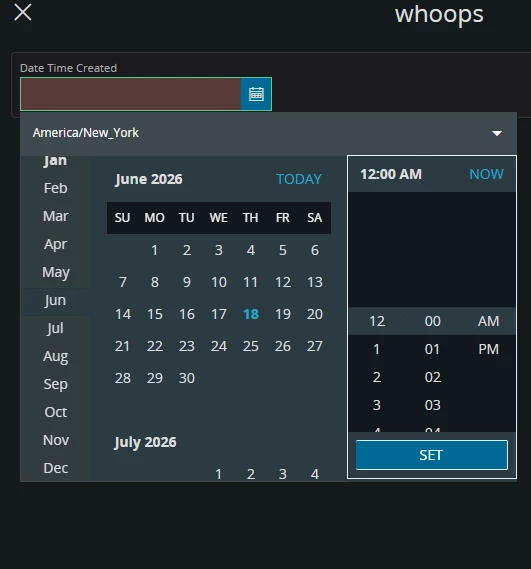
This seems contradictory to what the documentation says Date Time Picker - Technical Documentation For IFS Cloud

...or its boundaries just aren’t well defined

You can show a datetime picker in a dialog... using a structure is the only way that it is allowed I guess??


What is the reason behind this MAJOR limitation? Any roadmap for enabling this?