Question

How can i search or Filter by Date AND time in a Date/Time field

  • January 28, 2026
  • 6 replies
  • 63 views

Forum|alt.badge.img+5

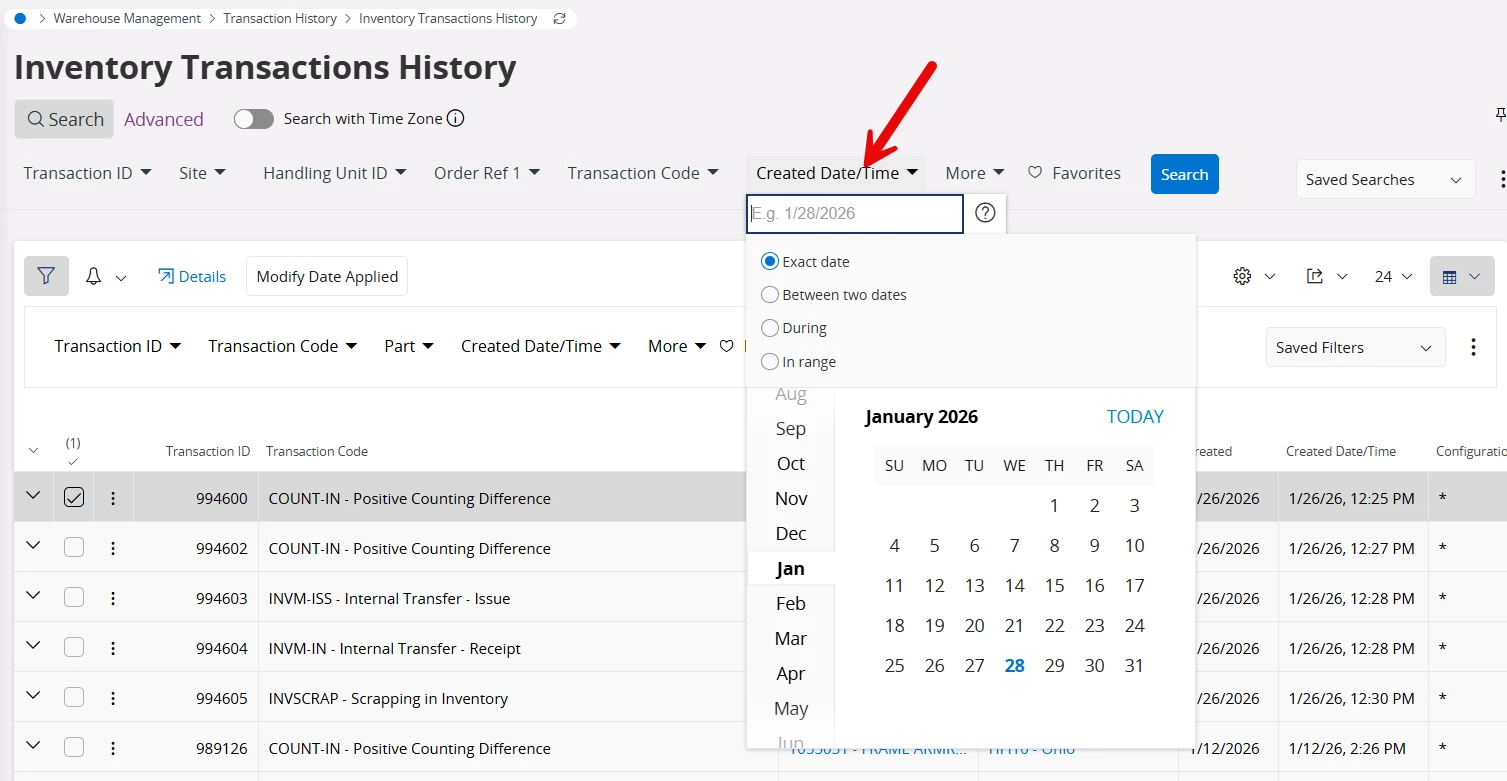
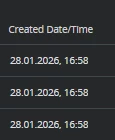
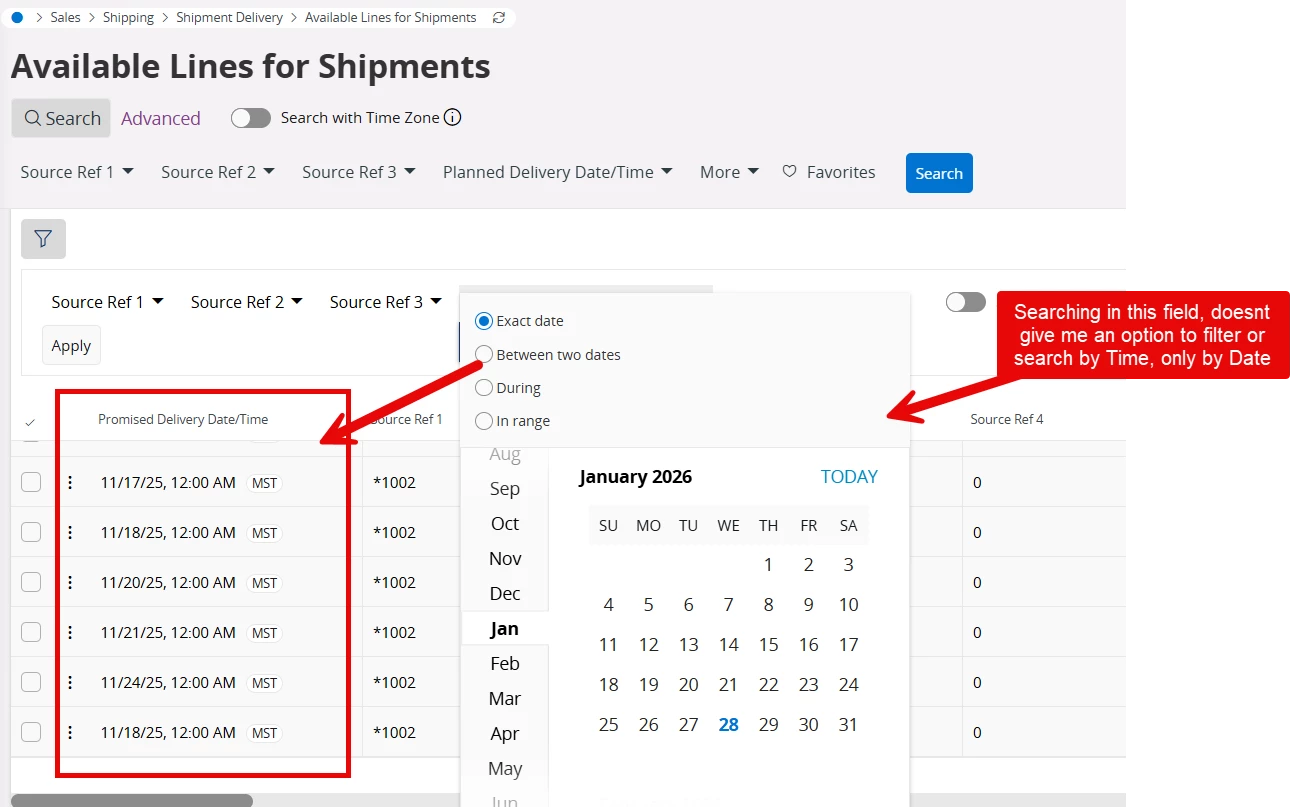
Hello IFS Community, we have multiple fields in IFS that have a Date and Time like the one in this picture, but when we try to search i can’t see the option to filter the time, only the date..


is there an option that we might be missing? 


we are in version 24R2


6 replies

Abdul
Superhero (Partner)
Forum|alt.badge.img+20
  • Superhero (Partner)
  • January 28, 2026

Hi ​@QHFJESP,

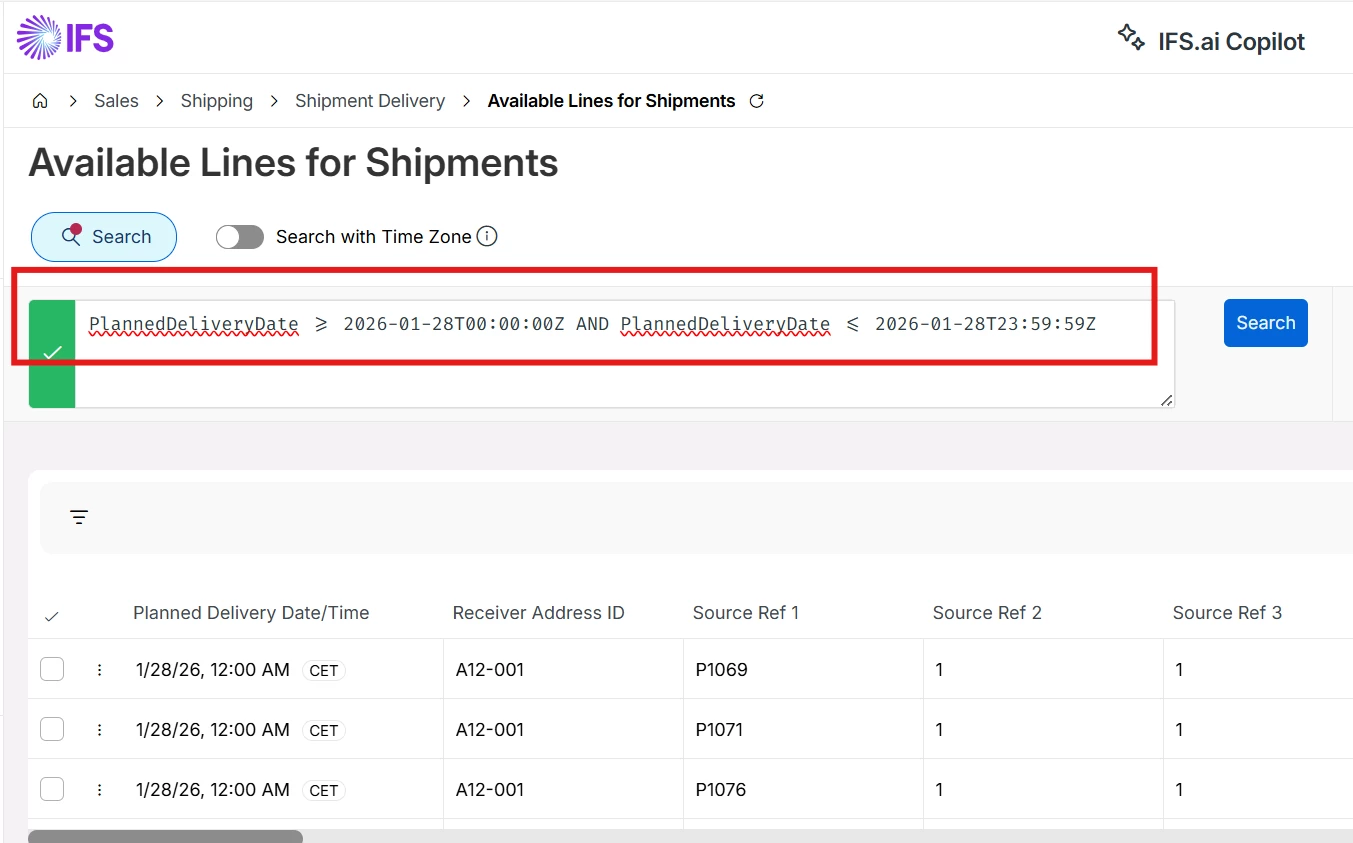
Records can only be filter with Dates, however, with Advance search, business users can filter records with Date and Time.

Please refer to the below screenshot.


Regards

Abdul Rehman


Forum|alt.badge.img+5
  • Author
  • Do Gooder (Customer)
  • January 28, 2026

Hi ​@QHFJESP,

Records can only be filter with Dates, however, with Advance search, business users can filter records with Date and Time.

Please refer to the below screenshot.


Regards

Abdul Rehman

that's a bummer, but i really appreciate your response Abdul, we will try to use the Advance filtering.. Thank you!!


Guzik
Hero (Customer)
Forum|alt.badge.img+5
  • Hero (Customer)
  • January 28, 2026

hello,

@Abdulm thank you for the response.

I tried to find transactions created at 4:58 pm and it turned out that it did not take seconds into account


So the only solution is those, you proposed and use:

DateTimeMinuteCreated >= 2026-01-28T16:58:00Z AND DateTimeMinuteCreated <= 2026-01-28T16:58:59Z


Edited:

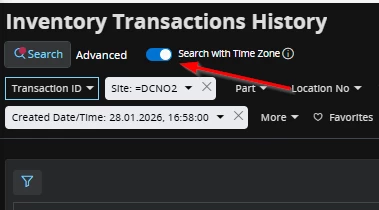
we are in 25R1 which introduced time zones.

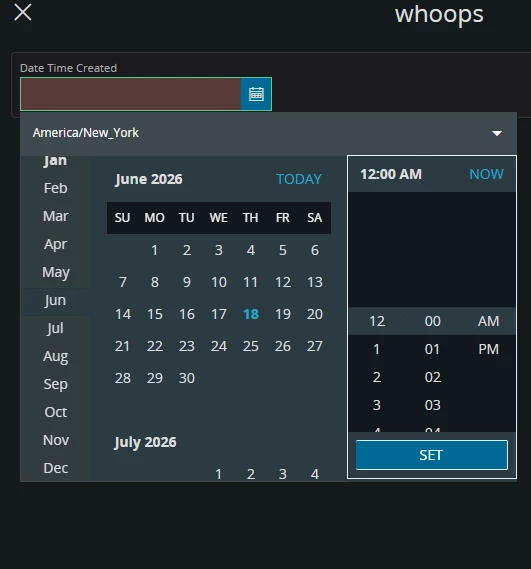
When Seach with Time Zone is selected, then you can put the following and it gives you results: 


Regards,

Kajetan


Forum|alt.badge.img+5
  • Author
  • Do Gooder (Customer)
  • January 28, 2026

hello,

@Abdulm thank you for the response.

I tried to find transactions created at 4:58 pm and it turned out that it did not take seconds into account


So the only solution is those, you proposed and use:

DateTimeMinuteCreated >= 2026-01-28T16:58:00Z AND DateTimeMinuteCreated <= 2026-01-28T16:58:59Z


Edited:

we are in 25R1 which introduced time zones.

When Seach with Time Zone is selected, then you can put the following and it gives you results: 


Regards,

Kajetan

Hello ​@Guzik , just to make sure i understand, where you able to search by Date and time in the inventory transaction history screen, without using the advance search??


when i try it myself, i only see a Date picker, not a Time picker, im in 24R2.


Guzik
Hero (Customer)
Forum|alt.badge.img+5
  • Hero (Customer)
  • January 29, 2026

hello ​@QHFJESP ,

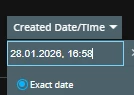
Correct, there is only a date picker, but I typed time manually in that field.

I just copied value from the column and added the last part that are seconds:

28.01.2026, 16:58:00


I can see your date format is M/DD/YY H:MM AM/PM

I am not sure it if works but I would select “Search with time zone” and try e.g. 1/12/26 2:26:00 PM


just as a tip:

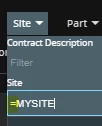
add site to search criteria BUT with equal sign, it makes your search much faster:


regards,


Kajetan


Forum|alt.badge.img+5
  • Author
  • Do Gooder (Customer)
  • January 29, 2026

hello ​@QHFJESP ,

Correct, there is only a date picker, but I typed time manually in that field.

I just copied value from the column and added the last part that are seconds:

28.01.2026, 16:58:00


I can see your date format is M/DD/YY H:MM AM/PM

I am not sure it if works but I would select “Search with time zone” and try e.g. 1/12/26 2:26:00 PM


just as a tip:

add site to search criteria BUT with equal sign, it makes your search much faster:


regards,


Kajetan

@Guzik  i really appreciate your response, i was able to use it as you described.. that gives me another option.


Thank you again!!!!