Solved

History logging Inventory part Comm Group 2 IFS10

  • June 19, 2025
  • 3 replies
  • 37 views

Forum|alt.badge.img+8

Could not find this field to activate history loggin.

Best answer by Abdul

Hi ​@mingram,

This is a Cloud screenshot.

In IEE environments, you can find fields by scrolling down since all fields are alphabetically sorted.

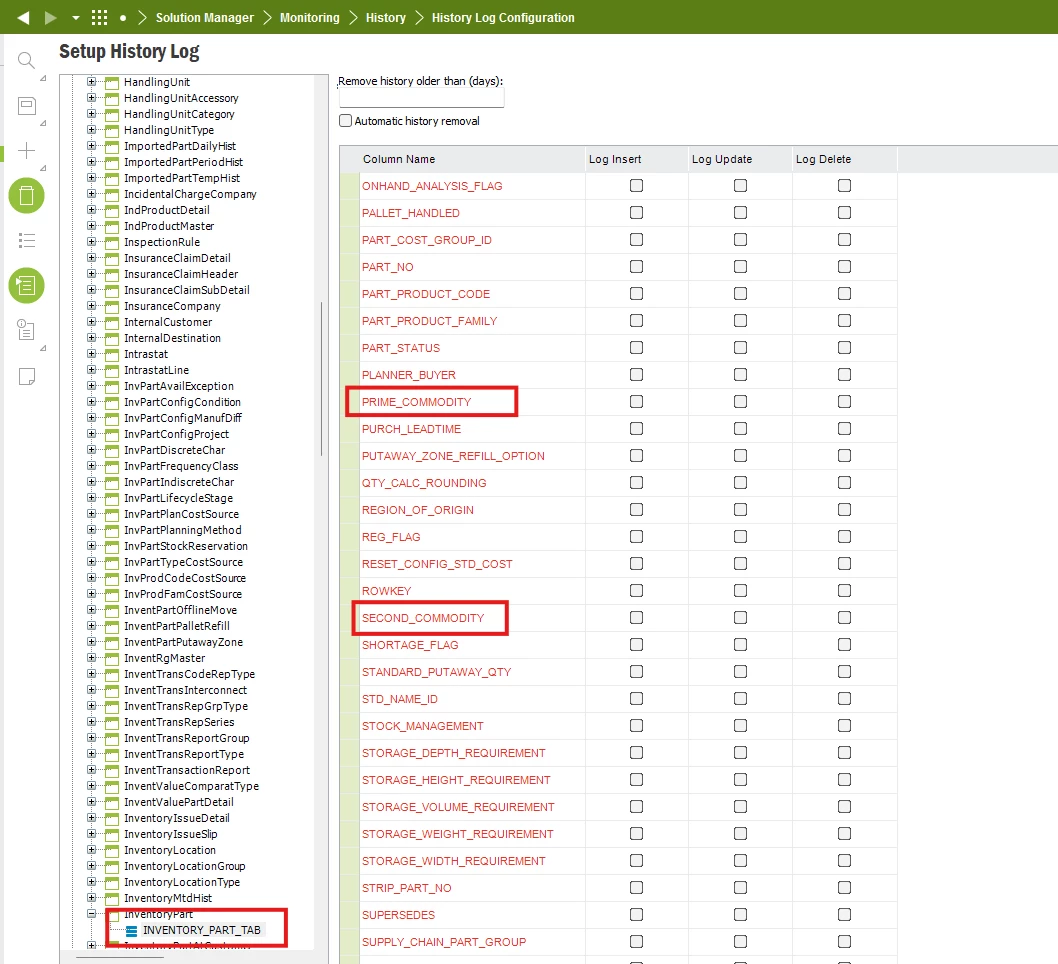
Please refer to the screenshot below. PRIME_COMMODITY is for Commodity Group 1, likewise, SECOND_COMMODITY is for Commodity Group 2.
 

Regards

Abdul Rehman

3 replies

Abdul
Superhero (Partner)
Forum|alt.badge.img+20
  • Superhero (Partner)
  • June 19, 2025

Hi ​@mingram,

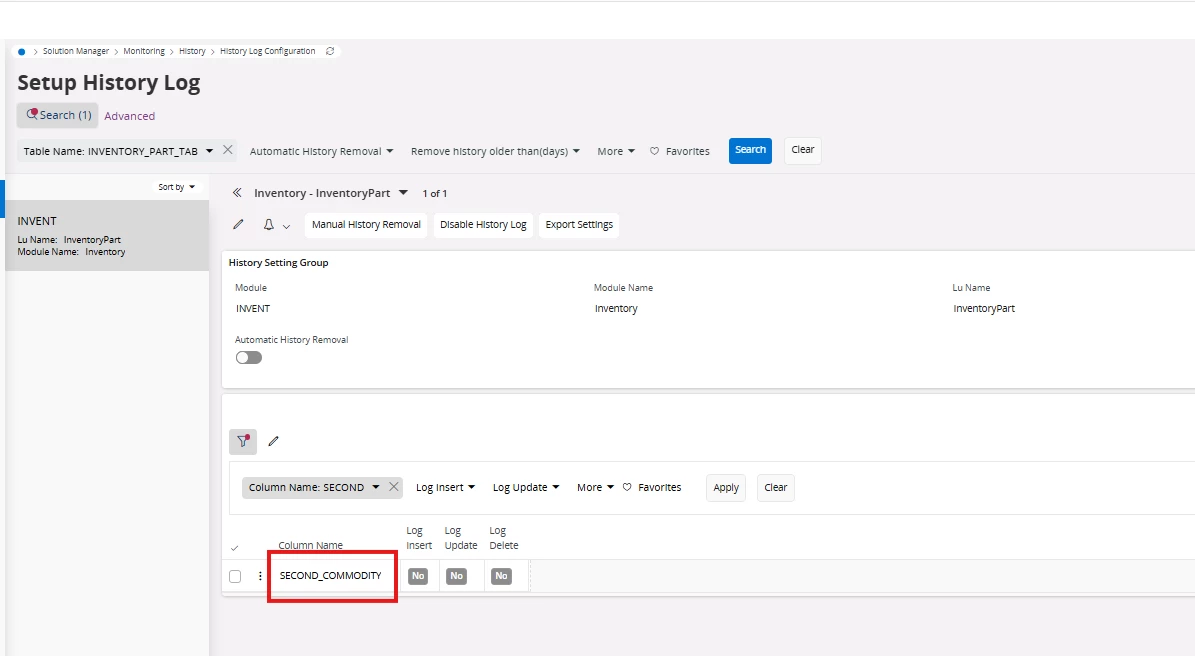
Field is available with the name SECOND_COMMODITY

Please refer to the screenshot below.


Regards

Abdul Rehman


Forum|alt.badge.img+8
  • Author
  • Do Gooder (Customer)
  • June 19, 2025

Is this from Aurena or Cloud? I´m using IFS10 and there is no possibility to search. COMM1 was easy to find but not this one.


Abdul
Superhero (Partner)
Forum|alt.badge.img+20
  • Superhero (Partner)
  • Answer
  • June 19, 2025

Hi ​@mingram,

This is a Cloud screenshot.

In IEE environments, you can find fields by scrolling down since all fields are alphabetically sorted.

Please refer to the screenshot below. PRIME_COMMODITY is for Commodity Group 1, likewise, SECOND_COMMODITY is for Commodity Group 2.


Regards

Abdul Rehman