

Question

Exclude Shipment Orders from PMRP/MRP Planning

  • March 5, 2026
  • 3 replies
  • 21 views

Chamath Kuruppuarachchi
Hero (Partner)
Forum|alt.badge.img+12

Hi All,

Is there any possibility that we can exclude the Shipment Order from MRP Planning.

My business scenario is where, my customer maintain their demands inside the project as project demands. Supplies are generated based on the project demand and then I need to move this stock to a off site location (Cross borders). But when I create a shipment order and add the part to a shipment order, that relect in “Inventory part availability planning” page.

And when I run the PMRP and MRP supplies are created for both project demand and shipment order. Ideally its an inventory movement. Is there a way that I can exclude the shipment orders from MRP planning?

Thanks,

Chamath

3 replies

Forum|alt.badge.img+11

Hi,

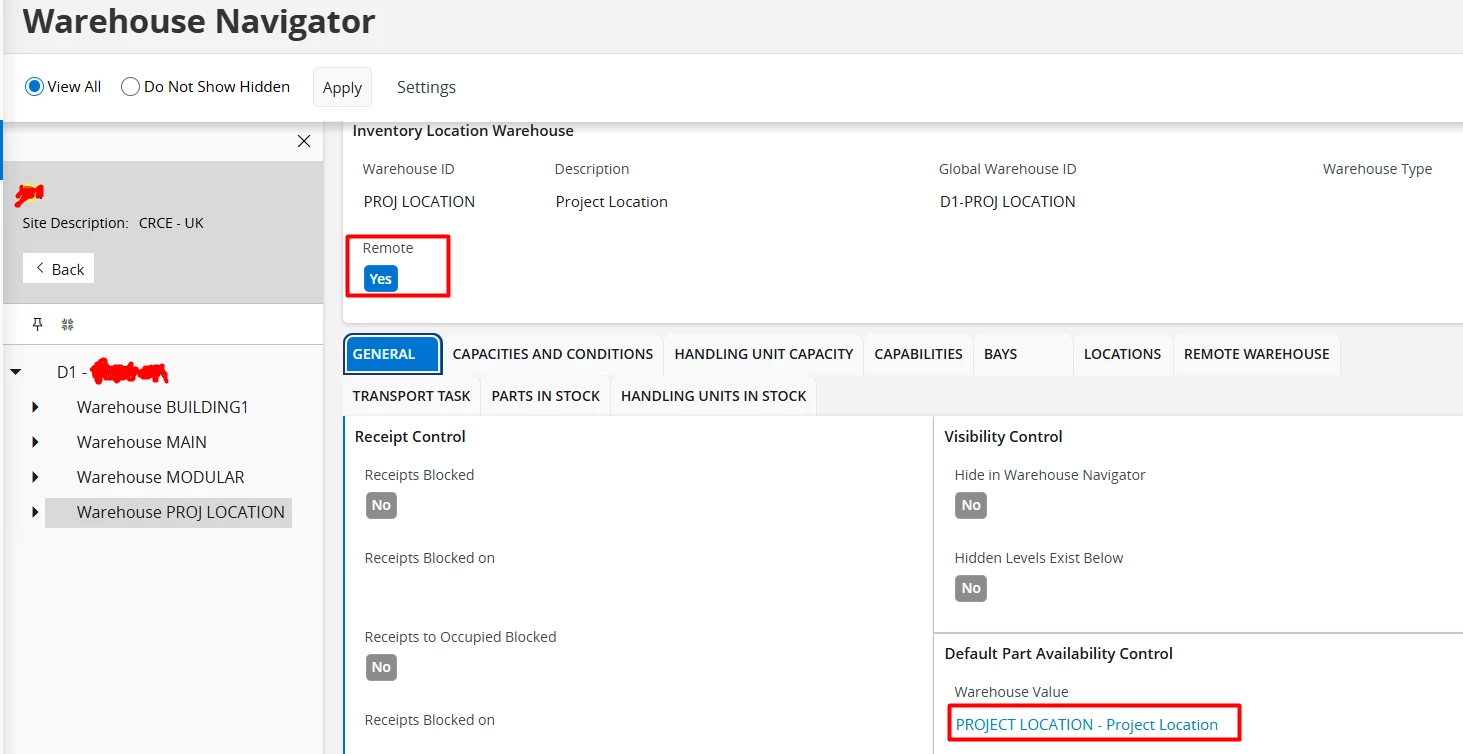
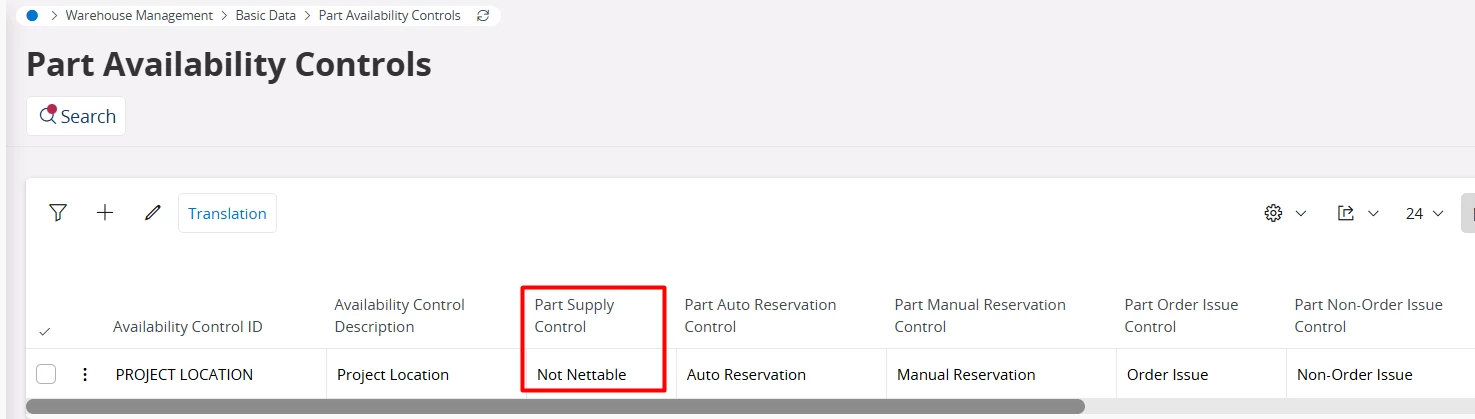
There is an option to remove supply demand for Remote Warehouse for Shipment Order. On the remote warehouse you have a default Part Availability Control ID. If that Part Availability Control ID has the Part Supply Control setting as Not Nettable, then the shipment order is excluded from all supply demand views. This is useful for instance if you have service vans represented as remote warehouses and don’t want the material in those vans to be plannable. Not sure if this will help in you scenario?

Best Regards

Fredrik 


Chamath Kuruppuarachchi
Hero (Partner)
Forum|alt.badge.img+12

Hi ​@Fredrik Johansson LKP ,

I tried that option. Let me add the data set up.

  1. Created a remote warehouse and defined a default part availability control with supply option not nettable


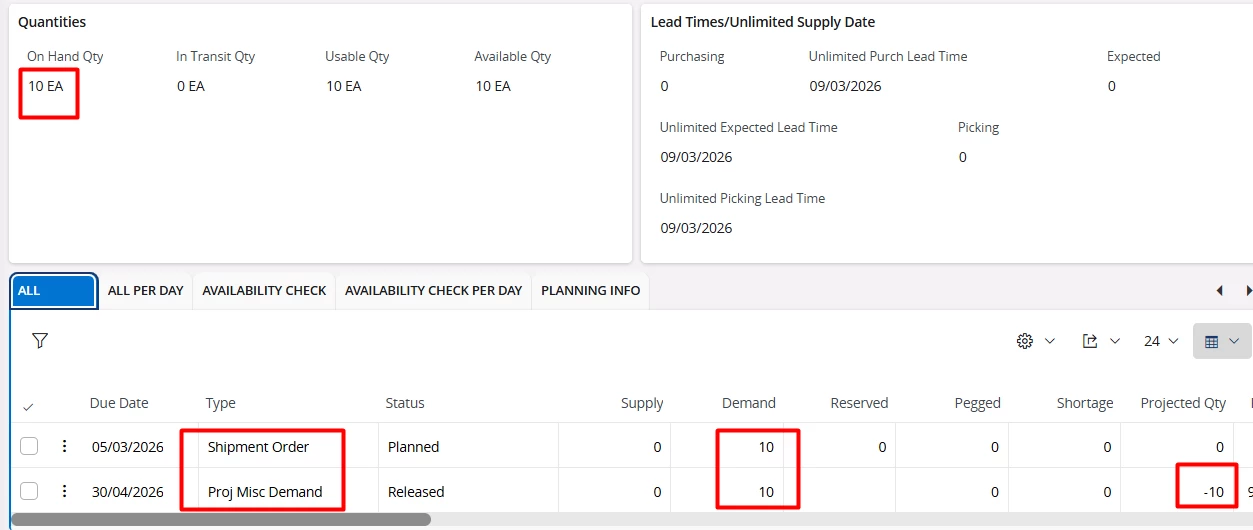
I defind my demand in the project as a misc demand. Lets assume I have stock with in the warehouse as project inventory. Then I create a shipment order to move the material from the central warehouse to the remote warehouse.


IPAP recognize this shipment order as a new demand. and IPAP shows as a demand as well.


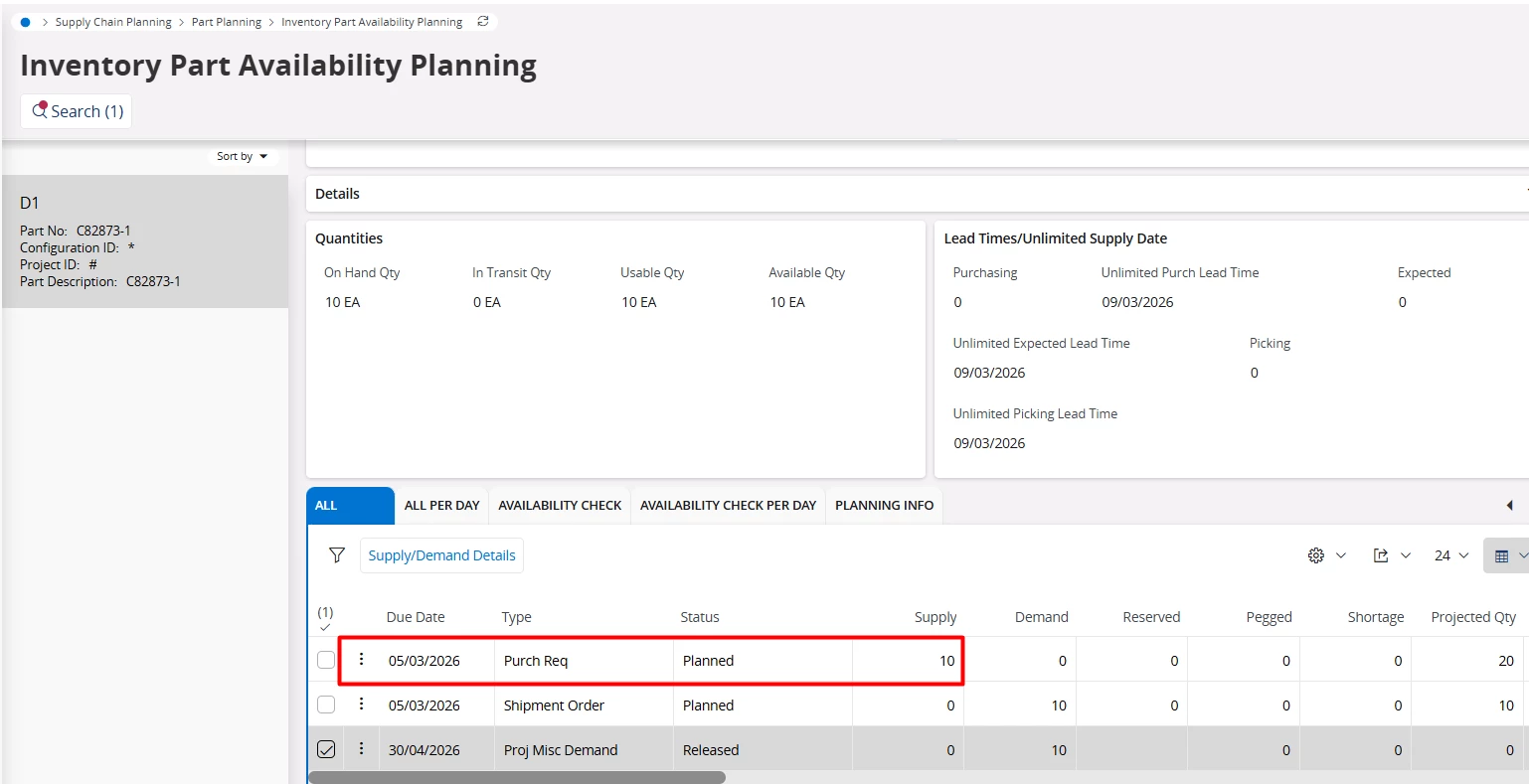
When I run the MRP, system create supply for the shipment order demand as well. Ideally i want the shipment order just to transfer the stock not to raise a new demand. A Duplicate Demand.


Is there anyway to avoid this.

Thanks,

Chamath


Forum|alt.badge.img+11

Hi,

Ok, I get it. It feels like there should be some supply code handling on the Project Misc Demand. In the task material line we have introduced the possibility to source from sites / remote warehouses creating pegged shipment order (in same company) or pegged distribution order (in different company). We also consider the supply / demand aspect to avoid it to be doubled. So the task could be intended at the service / installation site and is represented by a remote warehouse, and then the shipment order is used to deliver, at receipt the material gets reserved to the task material line and you can do issue / picking.

I am not an expert on Project Misc Demand and your solution. Are you planning to have a one to one between the Project Misc Demand and the Shipment Order? Or could the Shipment Order refill more to have some stock in the remote warehouse? I don’t see any out of the box solution from core. Perhaps a solution in core would be something like setting demand code Project Misc on the shipment order and exclude those from the planning? Then change logic in the SHIP_ORD_LINE_SUPP_DEMAND_BASE view which is the view contributing to supply / demands for Shipment Order. Perhaps a small change in this view could be done as a customization?

Best Regards

Fredrik