Solved

Create Distribution Order from Purchase Requisition

  • July 9, 2025
  • 7 replies
  • 148 views

Forum|alt.badge.img+2

Hi,

I'm working on 23.2.19 ifs cloud environment.  I need to create a distribution order from purchase requisition. Is there standard process to automatically create Dustribution Order from purchase requisition. Please let me know the steps to follow.


Best Regards,

Hasini
Best answer by Marcel.Ausan

@Erandi normally a distribution order is used to move goods between different sites/companies.

As ​@WyrJamesG stated, if you want the system to create a DO instead of a Purchase Req, then your part needs to be multi-site planned and you need to setup a network MRP for this to work.

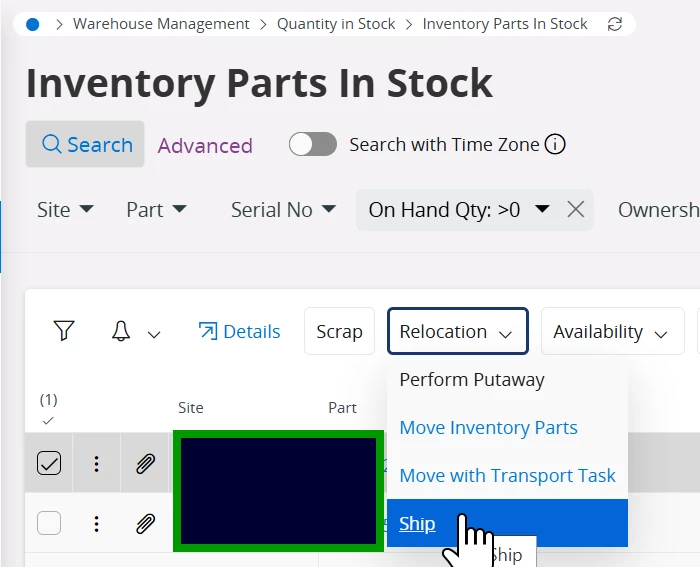
In 24R1 there’s a new function introduced in Inventory Parts In Stock → Ship Goods Asset → which will automatically create a DO (and then CO /PO). But of course you need to launch this function manually from Inv Part In Stock:


7 replies

Forum|alt.badge.img+7
  • Hero (Partner)
  • July 10, 2025

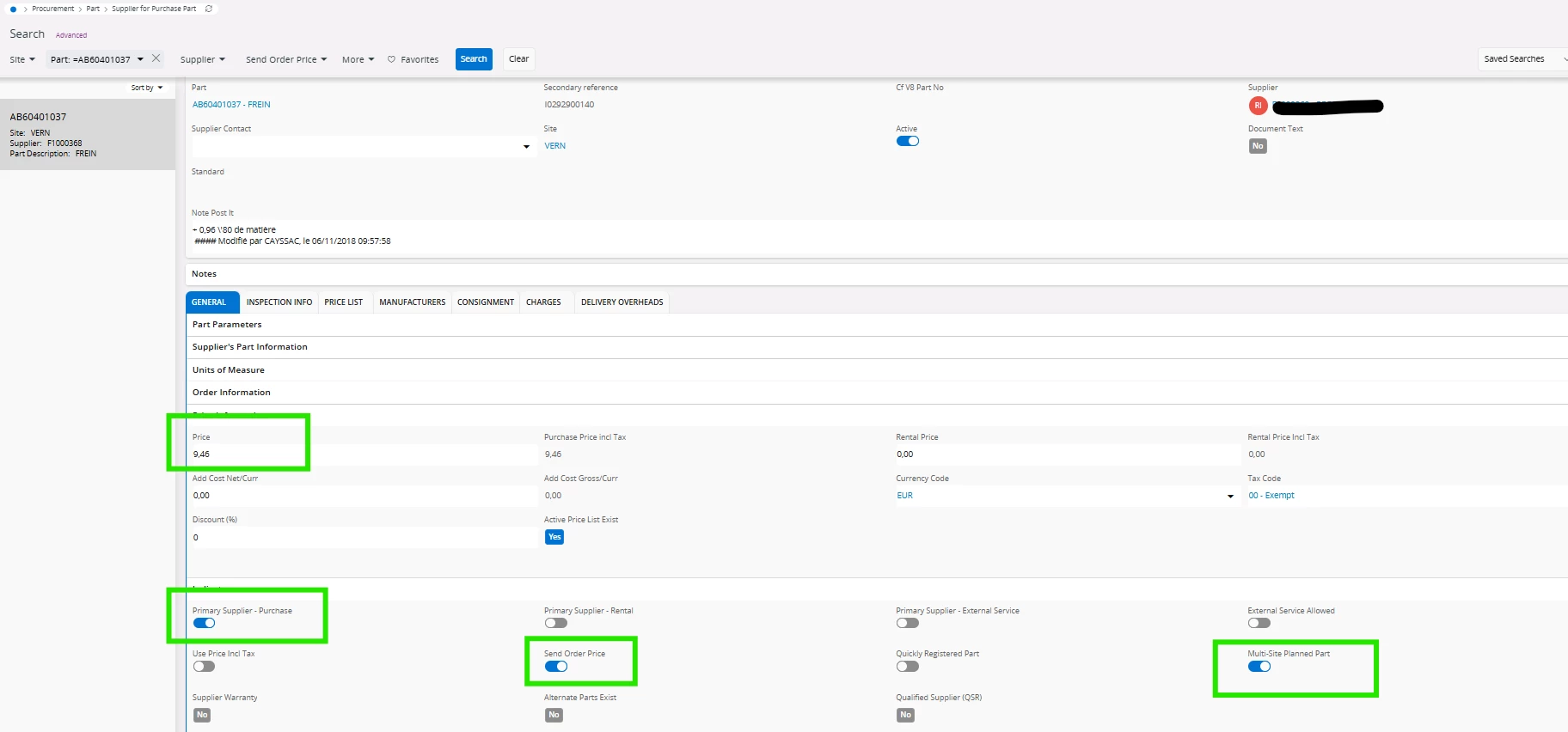
Hi ​@Erandi  - on the Supplier for Purchase Part within the Indicators section there is a toggle for ‘Multi-Site Planned Part’ which is to be enabled for Internal Suppliers. This setting will drive whether or not a Distribution Order is created, instead of a Purchase Requisition. You do not create a Distribution Order from a Purchase Requisition. Is the business currently using DO’s, or is this something you are looking to introduce?


Forum|alt.badge.img+2
  • Author
  • Do Gooder (Customer)
  • July 10, 2025

@WyrJamesG Thanks for the reply and information. This is something we are looking to introduce.


Best Regards,
Hasini


Marcel.Ausan
Ultimate Hero (Partner)
Forum|alt.badge.img+22
  • Ultimate Hero (Partner)
  • Answer
  • July 11, 2025

@Erandi normally a distribution order is used to move goods between different sites/companies.

As ​@WyrJamesG stated, if you want the system to create a DO instead of a Purchase Req, then your part needs to be multi-site planned and you need to setup a network MRP for this to work.

In 24R1 there’s a new function introduced in Inventory Parts In Stock → Ship Goods Asset → which will automatically create a DO (and then CO /PO). But of course you need to launch this function manually from Inv Part In Stock:


Forum|alt.badge.img+2
  • Author
  • Do Gooder (Customer)
  • July 14, 2025

Hi ​@WyrJamesG and ​@Marcel.Ausan , Thank you both for the detailed replies.

Best Regards,
Hasini


audreyS
Sidekick (Partner)
Forum|alt.badge.img+10
  • Sidekick (Partner)
  • March 1, 2026

hi ​@Marcel.Ausan  and ​@WyrJamesG 


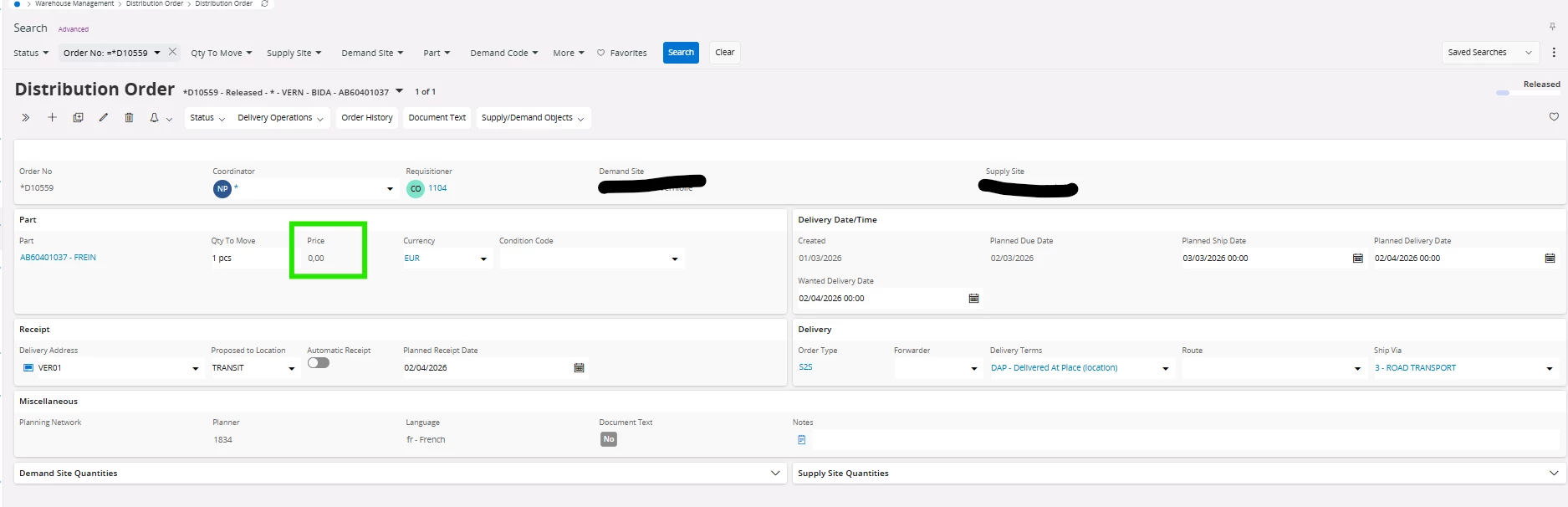
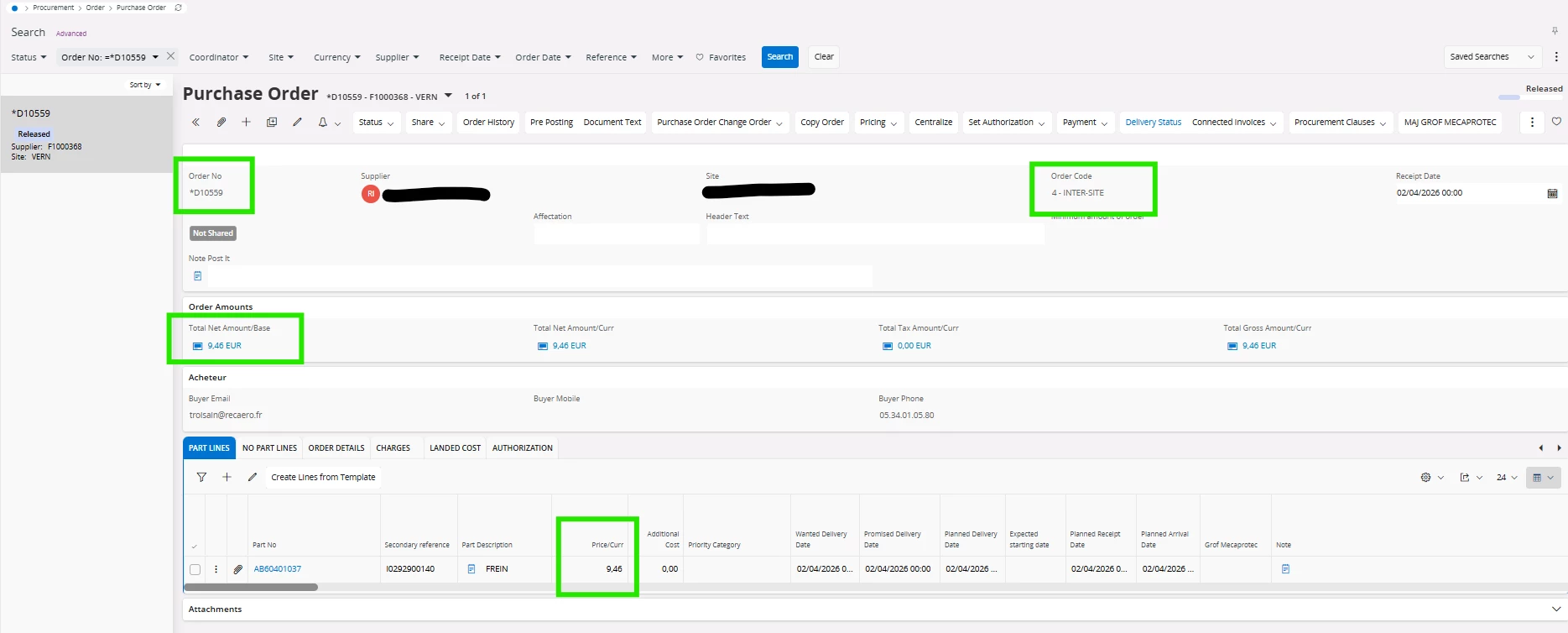
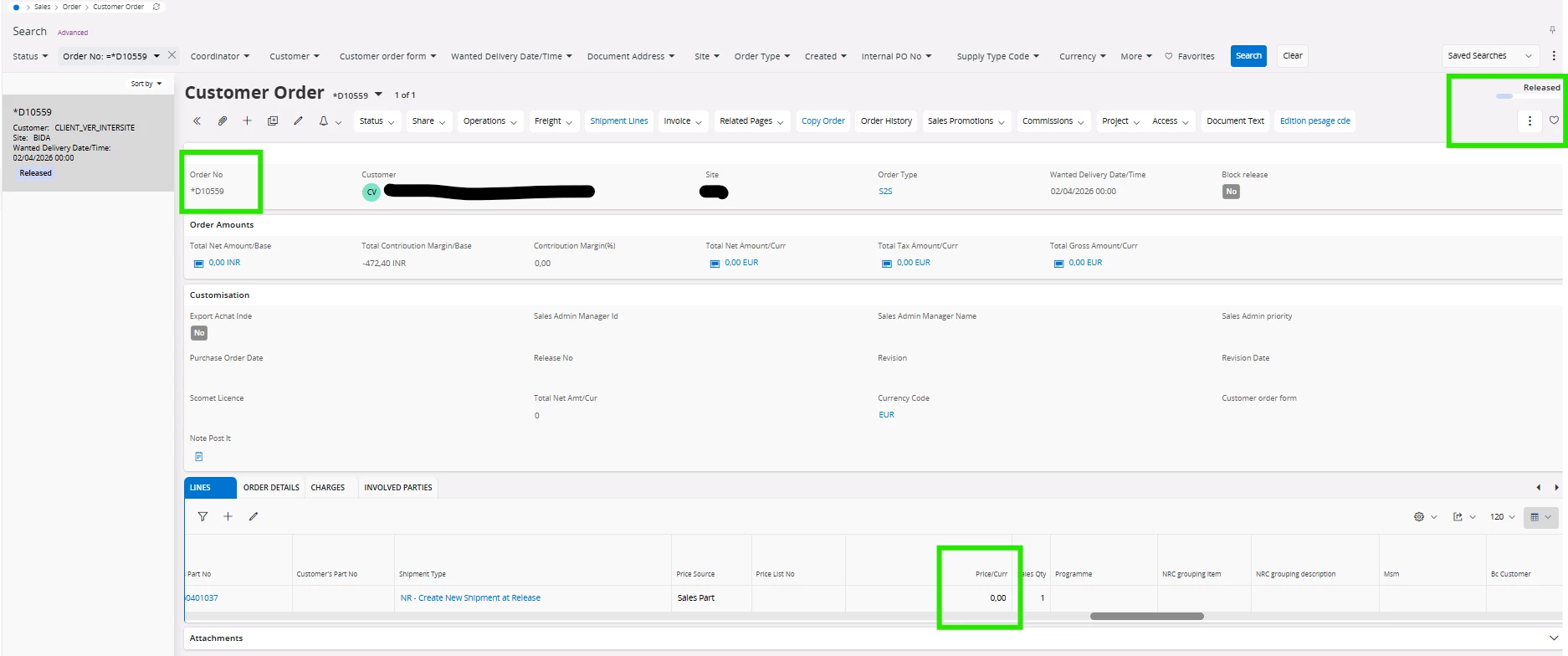
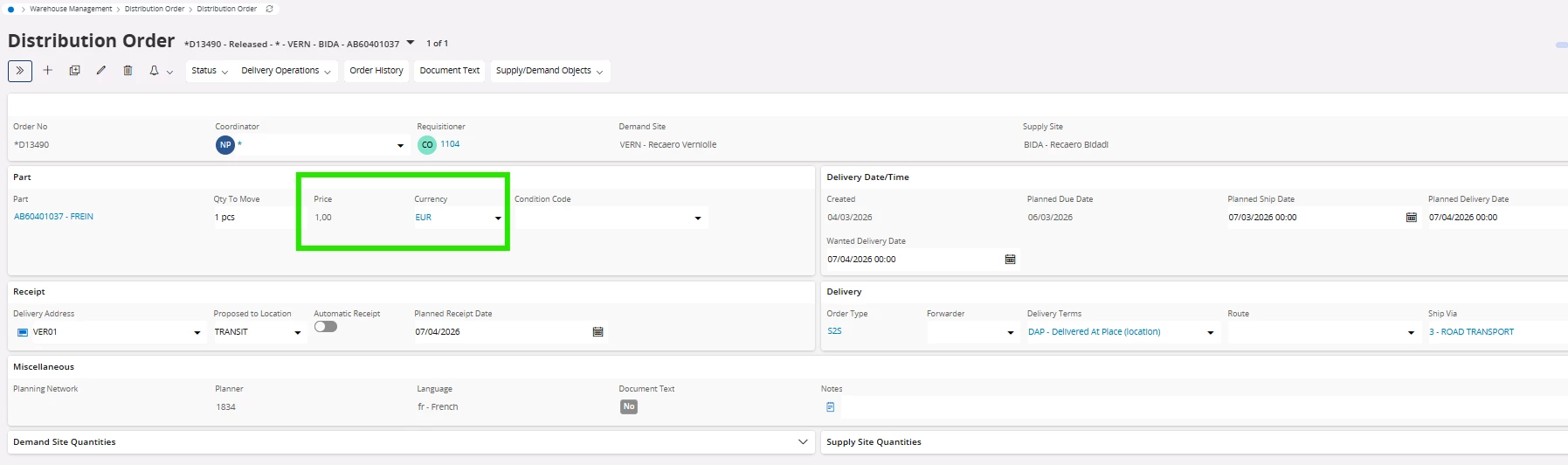
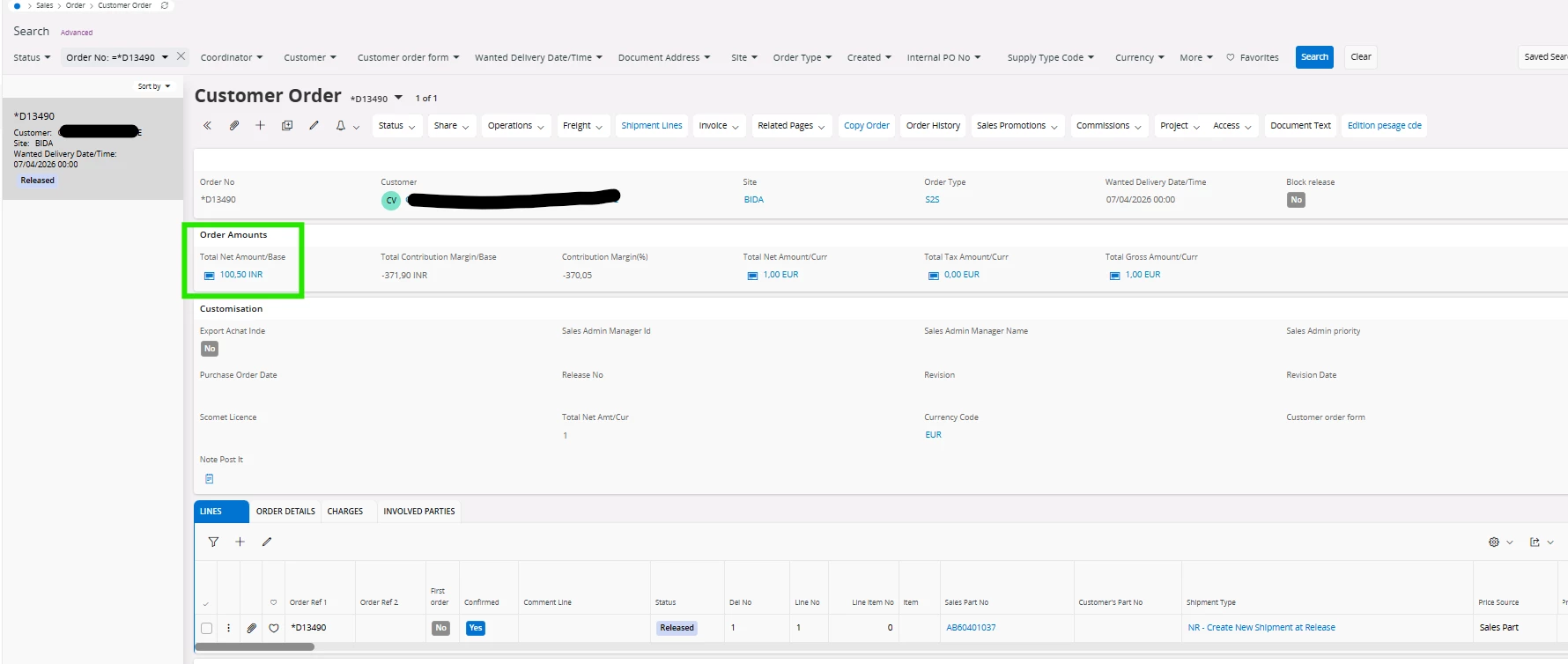
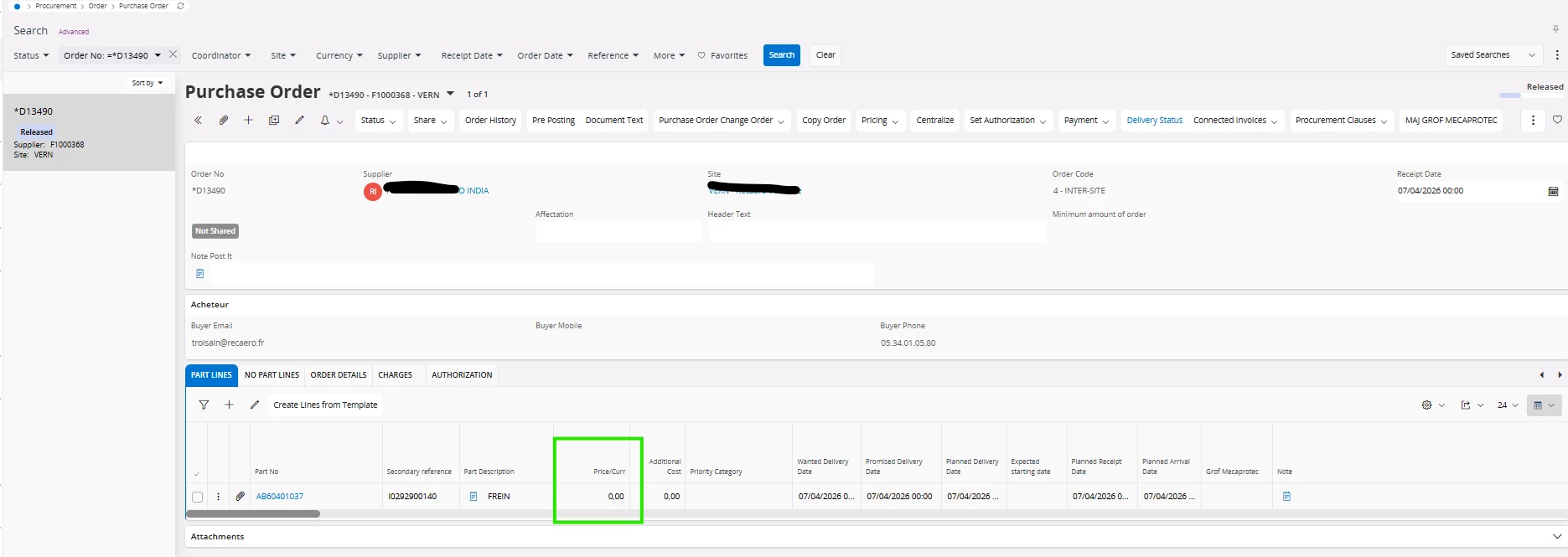
I would like to follow up on your response. I am currently setting up distribution orders and am encountering a problem. I am using version 24R1.4 and am unable to replicate the price from the supplier item link on the sales order that is generated. It seems to me that in previous versions with the settings below, this worked. Can you tell me what I am doing wrong? 


purchase order
 

customer order 


Supplier for purchase part


Forum|alt.badge.img+7
  • Hero (Partner)
  • March 2, 2026

Hi ​@audreyS  As far as I know, the price in the DO header is retrieved from the Pricing logic on the customer order line, rather than from the PO (with the Send Order Price flag used)

This is because that flag is used when sending via EDI/MHS not via the Distribution Order creation method.


If you update the Sales Part price you will see when you Save your DO the price will be fetched. 

Thanks

James


audreyS
Sidekick (Partner)
Forum|alt.badge.img+10
  • Sidekick (Partner)
  • March 4, 2026

hi ​@WyrJamesG 


What I don't understand is that even if I put a price on the sales item, the customer order will have a price, but this will not be cascaded to the purchase order.

Have you ever used distribution orders?

I have used them, but in the EE version, and I don't think I had this problem. I don't understand how to configure the price settings on both the sales and purchase sides.


the price on the purchase order goes back to 0