

I was trying to create a “Case” using My Call Center > New Case in IFS Cloud 26R1 environment.
I observed a confusing behavior. I’ve added the test steps as below.
Could you please look into them and let me know how can I solve this issue?
Functional Steps
I’ve used below steps to create a new case.
- Go to New Case using My Call Center (Relationship Management > My Call Center > New Case) added a Customer.
- For “Caller” section, “Caller Type” External is selected. External caller is selected from the LOV.
- Make the toggle “Connect Object” TRUE, selected the “Customer Order” as the object.
- I couldn’t enter the “Customer Order No”. The field “Customer Order” is not visible.
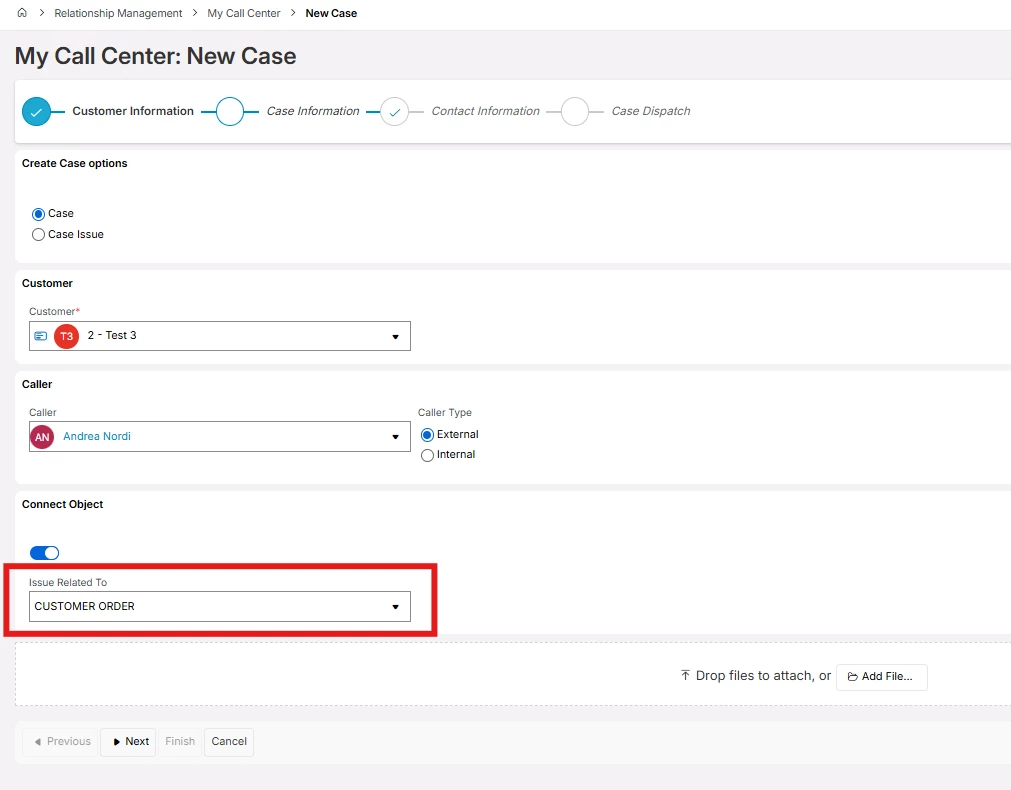
After, I’ve done below steps.
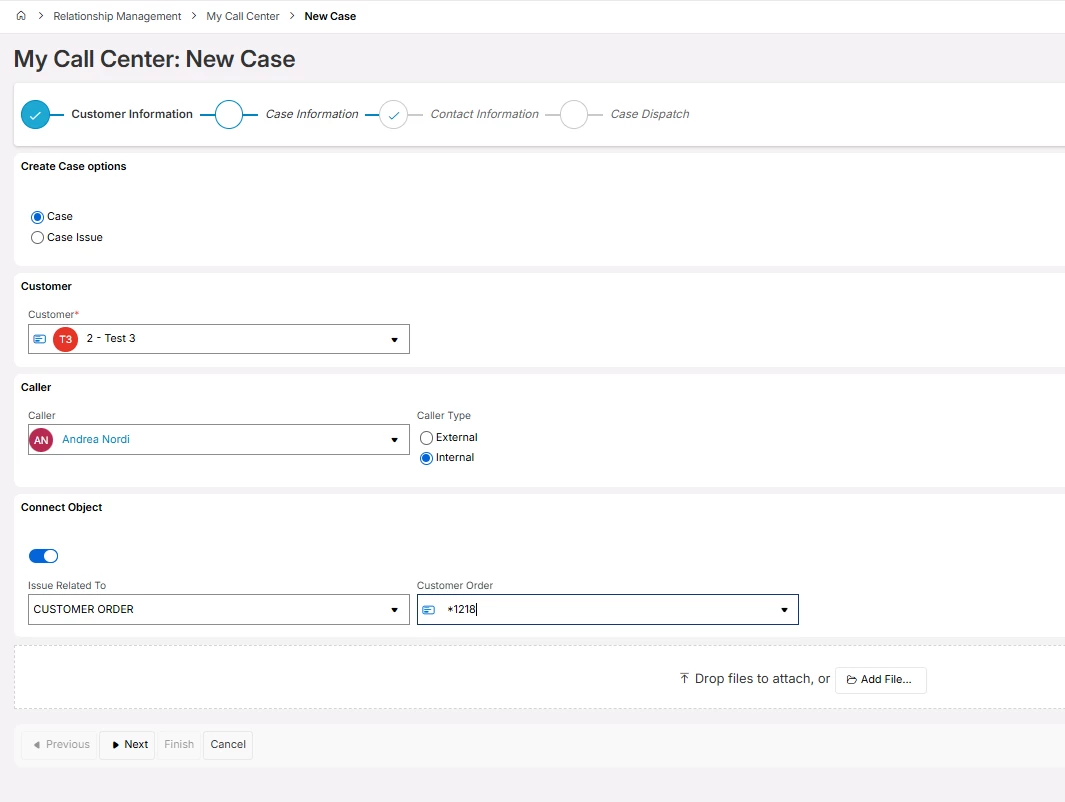
- Changed the “Caller Type” to “Internal”.
- Selected the Customer Order as the object. Then “Customer Order” field is visible.
- Customer Order No is selected. At this point, the value in the “Caller” is not removed (refer below figure).
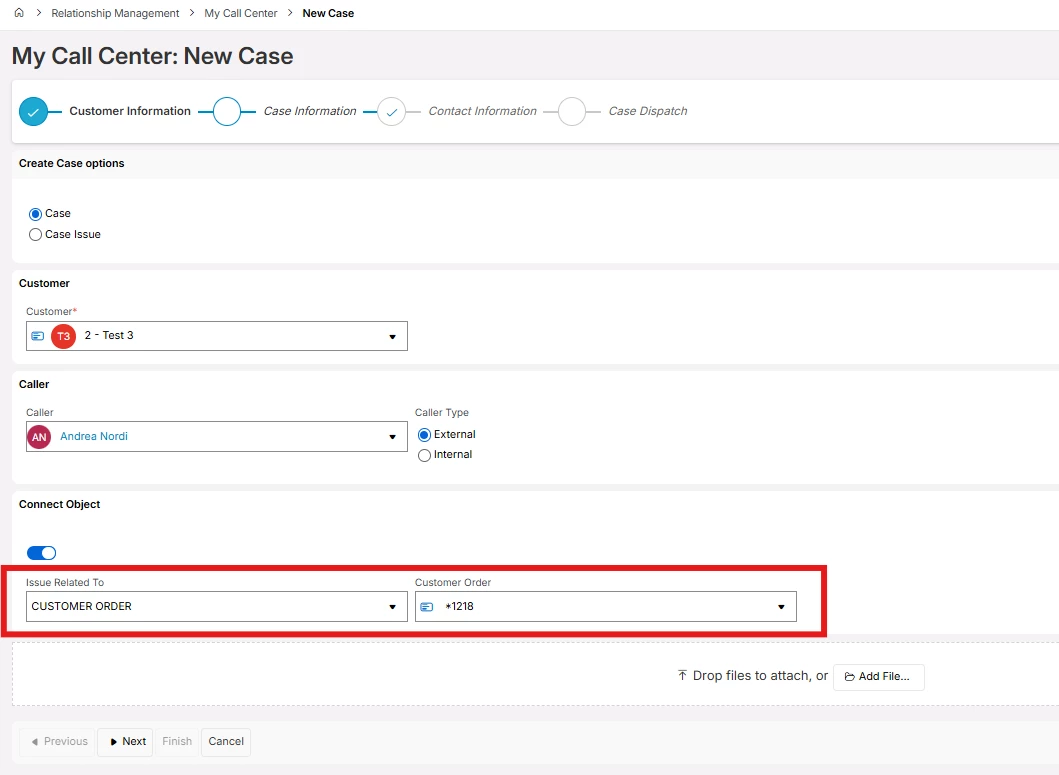
- After I changed the “Caller Type” value to “External”. Then, the selected Customer Order No is not removed.
- Created the Case with this. Case is created with the entered Customer Order No connected (refer below figure).
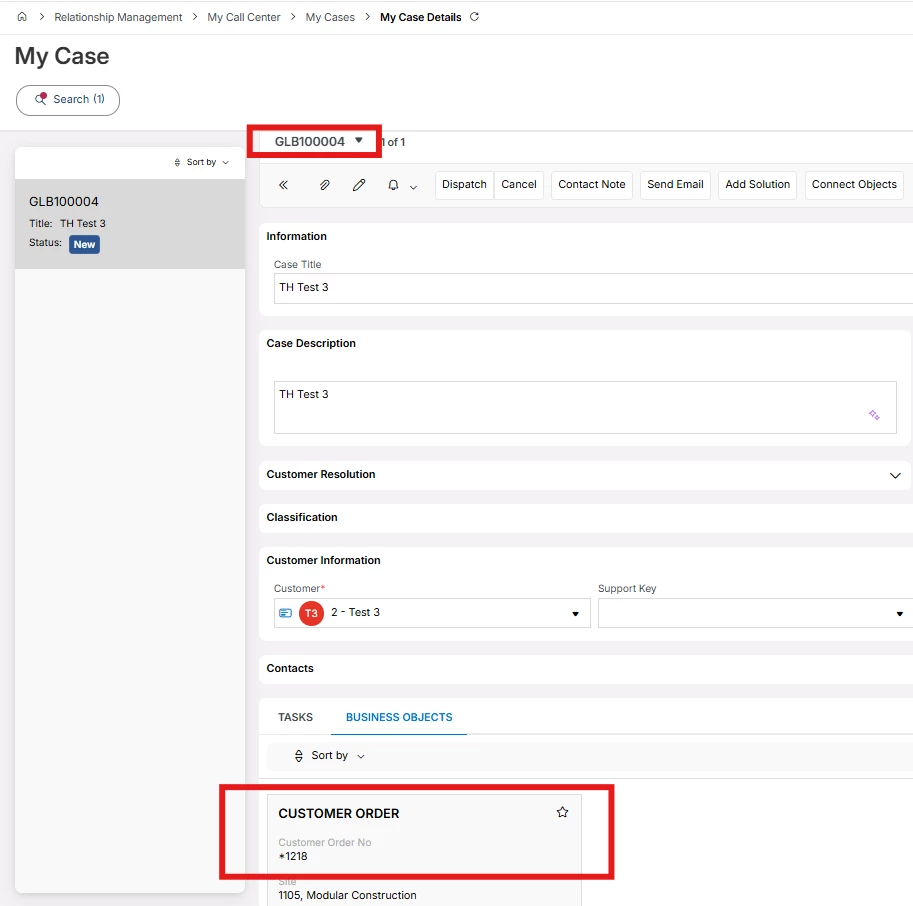
This seems, “My Call Center” > New Case is having an issue.
Is anyone experienced this before?
Could you please help me how can I solve this issue?




