Question

Cannot Purchase a Prototype Part Revision

  • May 7, 2026
  • 3 replies
  • 61 views

matt.watters
Ultimate Hero (Partner)
Forum|alt.badge.img+26

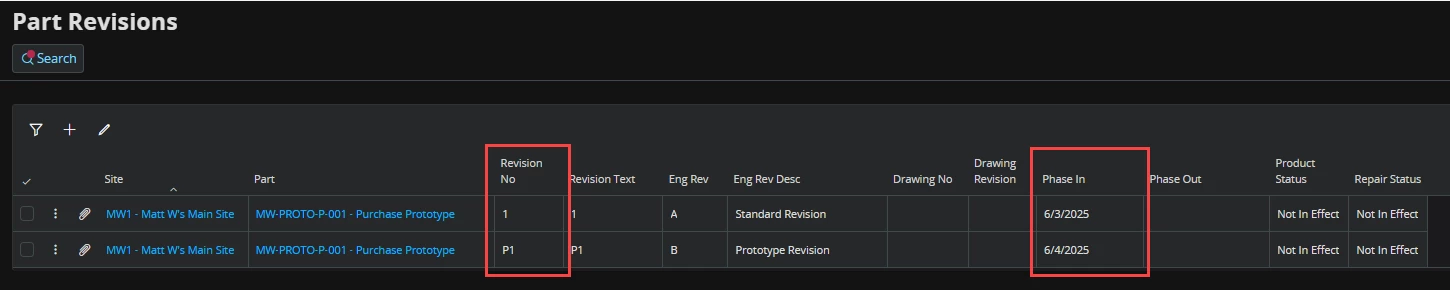
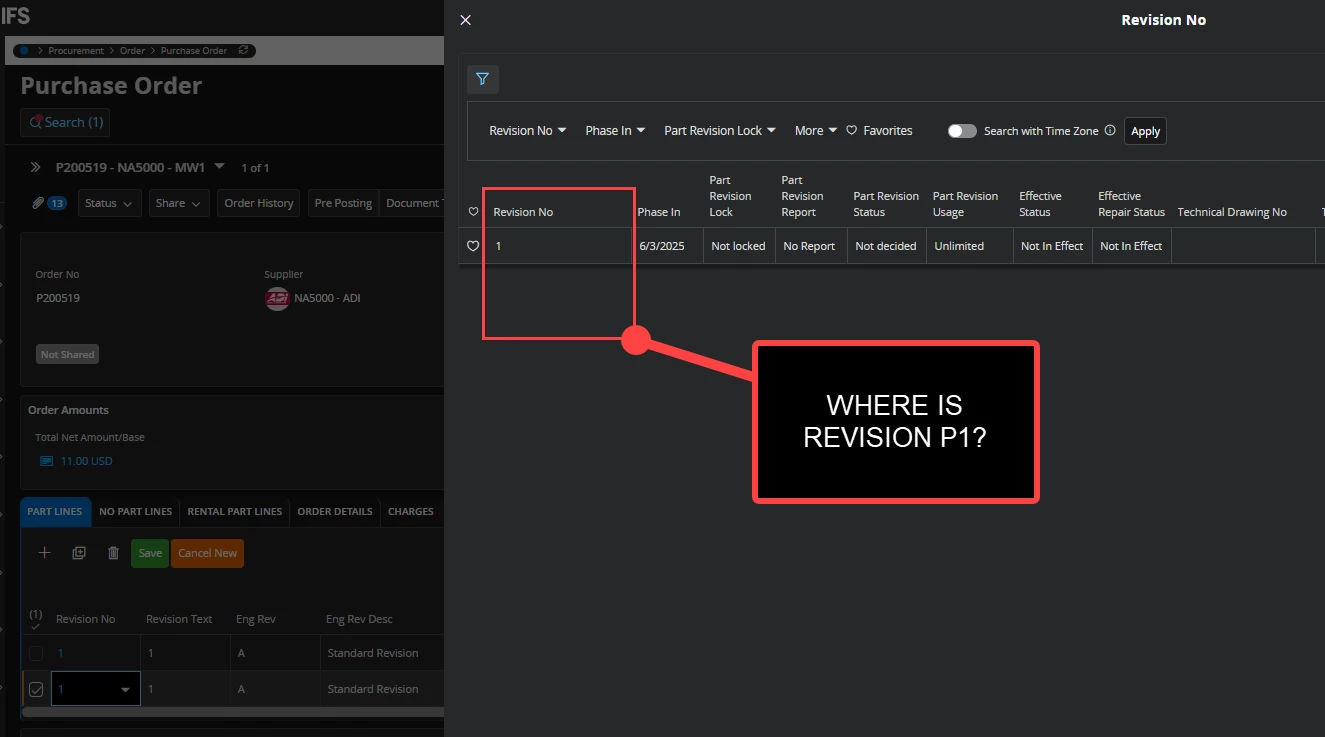
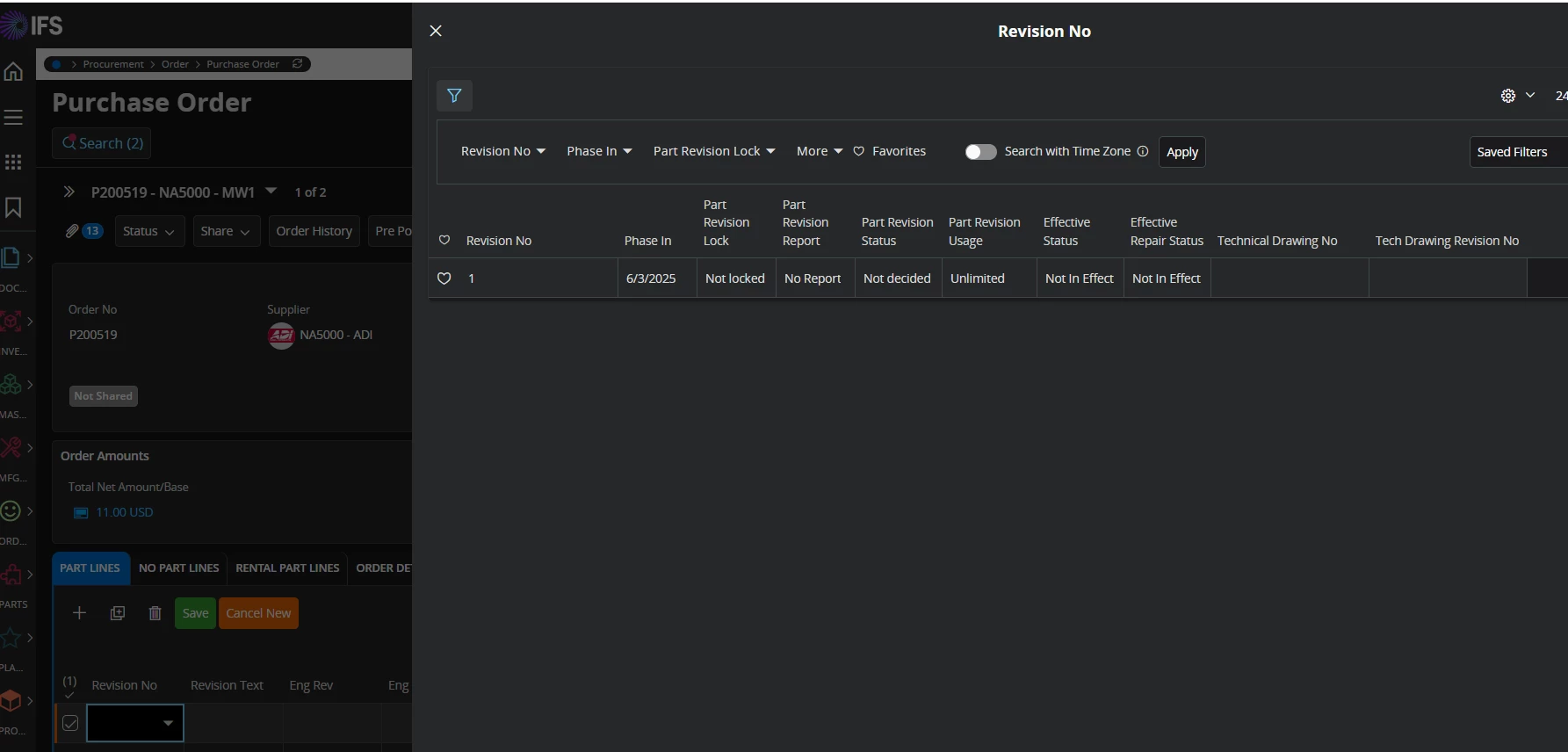
Working with a purchase part that has two part revisions, 1 and P1. Each revision is phased in on the same date (6/3/25). On the Purchase Order line, though, I cannot select revision P1. The only revision I can select is revision 1.

Is there any way, outside of document text, to specify a prototype revision on a purchase order line?

 

3 replies

Piyal Perera
Hero (Employee)
Forum|alt.badge.img+12
  • Hero (Employee)
  • May 26, 2026

Hi ​@matt.watters,

   I tried to get cursor’s help to find anyway we can represent that.

Short answer was that  “In standard IFS Cloud procurement, you cannot set engineering revision directly on a purchase order line. The line stores a part revision . Engineering revision is shown from that part revision and is not a separate selectable value on the PO.

  • Alternative Part Revision and document text are not substitutes for IFS engineering revision on the line.
  • Eng Rev on the PO is informational; it follows Revision No (part revision).
  • There is no separate engineering-revision LOV on the PO line in standard product code; engineering-only revision keys  are explicitly excluded from the PO selector.

regards,

Piyal


matt.watters
Ultimate Hero (Partner)
Forum|alt.badge.img+26
  • Author
  • Ultimate Hero (Partner)
  • May 26, 2026

@Piyal Perera I am referring to the inability to see Part Revision P1 in the list. The only Part Revision I can select is Part Revision 1. I am not looking to select an Eng Rev.

All dates on the PO Line are June 5, 2026.


Piyal Perera
Hero (Employee)
Forum|alt.badge.img+12
  • Hero (Employee)
  • May 27, 2026

Hi ​@matt.watters,

    Sorry for that. my bad. I received the Cursor’s help to identify root casue of the issue and possible workaround. 

Why 1 appears but P1 does not

The PO line revision list uses FilterActiveRevisions, which includes this condition:

where = "trunc(:PlannedReceiptDate) BETWEEN eff_phase_in_date

AND nvl(eff_phase_out_date, Database_SYS.Get_Last_Calendar_Date)

AND UPPER(eng_chg_level) = LOWER(eng_chg_level)

AND contract = :Contract

Revision No (eng_chg_level) UPPER = LOWER? In PO LOV?

1

Yes (1 = 1)

Yes

P1

No (P1 ≠ p1)

No

IFS splits part revisions by the Revision No key:

  • Numeric (123, …) → manufacturing / supply revisions used by PO, inventory defaulting, Get_Revision_By_Date, etc.
  • Prefix + number (P1P2, …) → prototype revisions, using the site’s Prototype Part Revision Prefix (commonly P):

IF (REGEXP_LIKE(eng_chg_level_,'^'||prototype_revision_prefix_||'[1-9][0-9]*$') )THEN

RETURN 'TRUE';

So even if 1 and P1 share the same phase-in date and both exist on Part Revision, the PO only lists rows that pass UPPER(eng_chg_level) = LOWER(eng_chg_level)P1 is excluded by design, not because of Planned state or the date filter.

That matches Get_Max_Revision (numeric only) vs Get_Max_Prototype_Revision (prefix revisions where UPPER != LOWER) in the same package.

What this means in practice

  • P1 is valid for engineering / prototype structures (BOM type prototype, etc.).
  • Purchase orders are wired to numeric part revisions only; there is no standard PO LOV for prototype revision numbers.
  • Eng Rev on the line still cannot be chosen directly; it follows the numeric part revision you select.

According to this analysis can’t we use numeric value?

regards,

Piyal