Solved

Add columns to default LOV in IFS Cloud?

  • April 9, 2026
  • 3 replies
  • 42 views

Forum|alt.badge.img+9

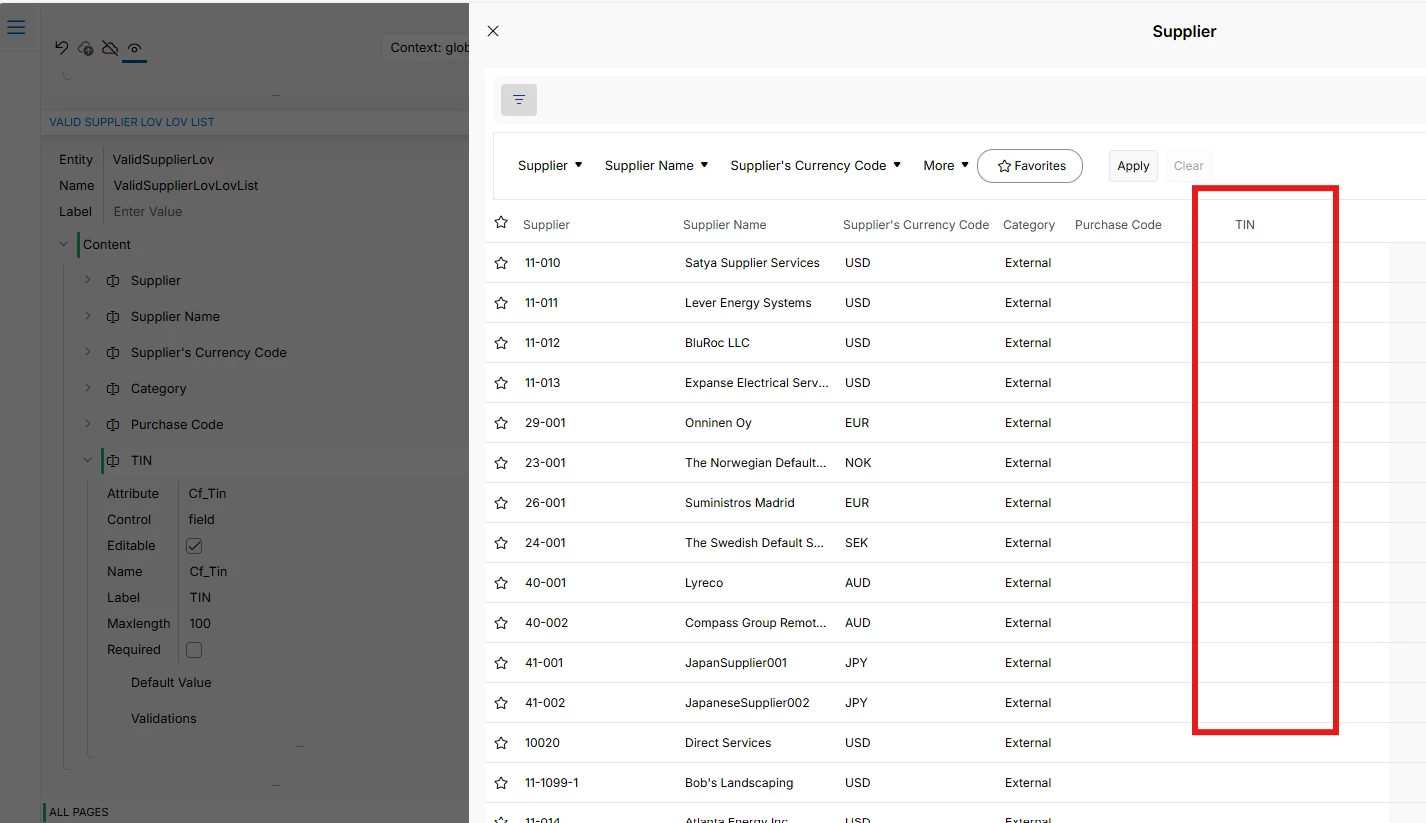
I would like to add some columns to VALID_SUPPLIER_LOV, On Purchase Order header when a new PO is created, a Supplier LOV allows to select a supplier. I want to add columns to this LOV? is this possible in IFS Cloud. Thanks

Best answer by Abdul

Hi ​@FPayab,

Please refer to screenshots below.

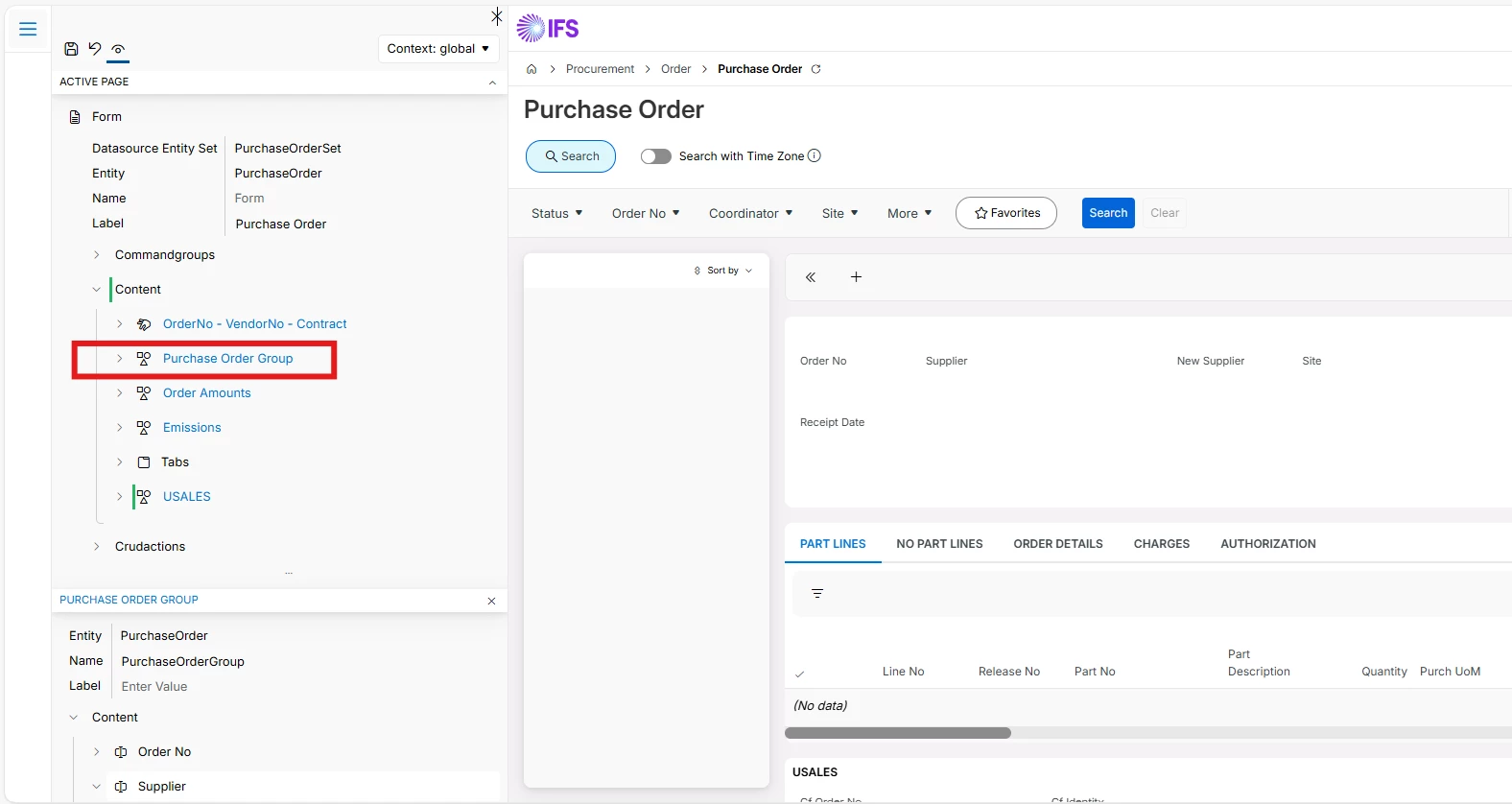
  1. Open Page Deninger for Purchase Order screen and click Purchase Order Group node.
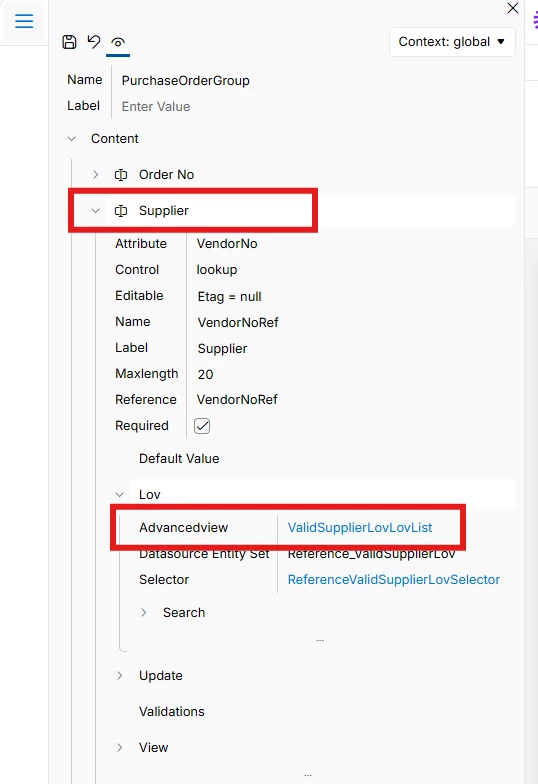
  1. Next, expand Supplier node and click on ValidSupplierLoVLoVList link.
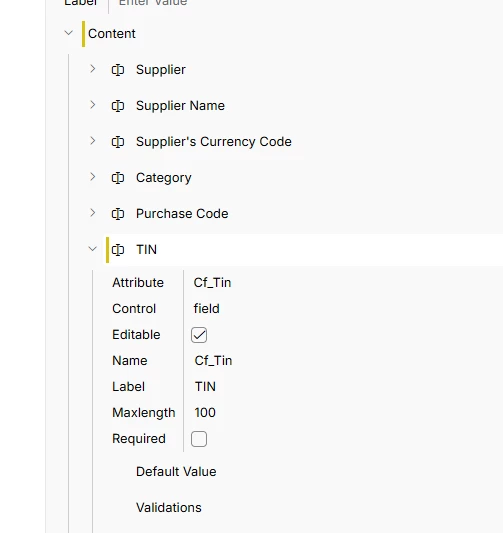
  1. Add your Custom attribute as shown below.


Hope this helps.


Regards

Abdul Rehman

3 replies

Abdul
Superhero (Partner)
Forum|alt.badge.img+20
  • Superhero (Partner)
  • April 9, 2026

Hi ​@FPayab,

Yes, this is possible IFS Cloud and even possible in IEE version as well.

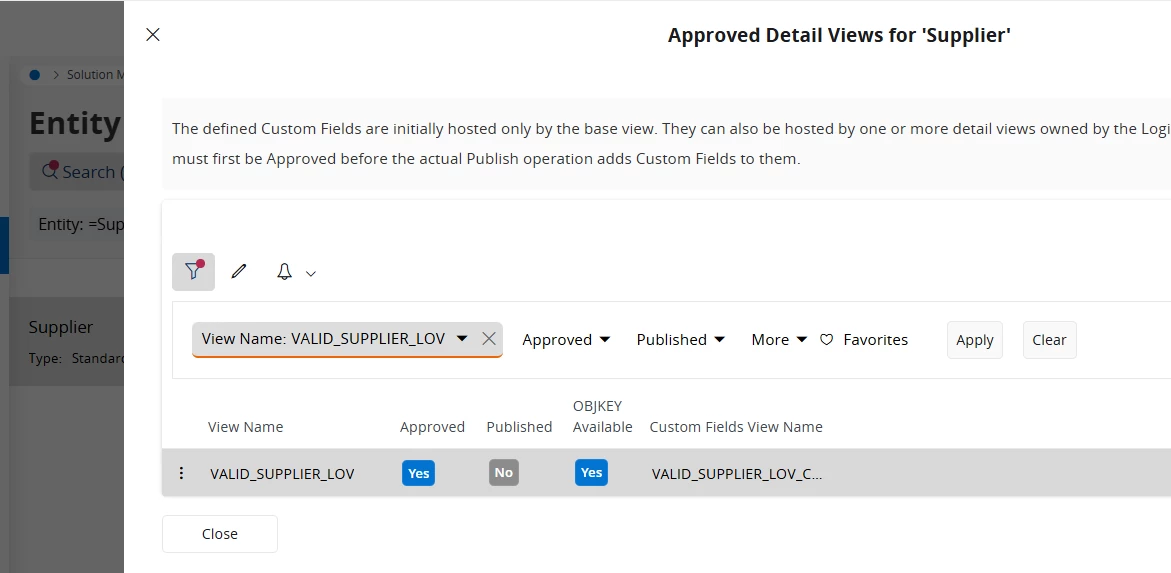
Please add your CF in Supplier Entity and ensure to approve it for VALID_SUPPLIER_LOV view through Additional Views option before publishing the CF.


Please refer to the discussion below, same requirement discussed.

display live (client side) custom attribute readonly | IFS Community


Regards

Abdul Rehman


Forum|alt.badge.img+9
  • Author
  • Sidekick (Partner)
  • April 10, 2026

Hi ​@FPayab,

Yes, this is possible IFS Cloud and even possible in IEE version as well.

Please add your CF in Supplier Entity and ensure to approve it for VALID_SUPPLIER_LOV view through Additional Views option before publishing the CF.


Please refer to the discussion below, same requirement discussed.

display live (client side) custom attribute readonly | IFS Community


Regards

Abdul Rehman

Thanks Rehman. I have already created the CF under Supplier Entity and have approved it for VALID_SUPPLIER_LOV and published it. I added the CF to the LOV using the Page designer. Thanks much appreciated. The Page designer does not show the full content of a page sometimes tho. 


Abdul
Superhero (Partner)
Forum|alt.badge.img+20
  • Superhero (Partner)
  • Answer
  • April 10, 2026

Hi ​@FPayab,

Please refer to screenshots below.

  1. Open Page Deninger for Purchase Order screen and click Purchase Order Group node.
  1. Next, expand Supplier node and click on ValidSupplierLoVLoVList link.
  1. Add your Custom attribute as shown below.


Hope this helps.


Regards

Abdul Rehman