Question

Surveys for MWO Not Syncing to Laptop

  • Nov 5, 2026 6:45 AM UTC
  • 4 replies
  • 50 views

Forum|alt.badge.img
  • Do Gooder (Partner)

- It happens with any task in IFS. On each job if there is a hazard they have to fill it out
- Adds 4-5 hazards > they sync to the cloud > manager can see them > They don't sync to the desktop > then the user has to re-do the hazards on the computer again

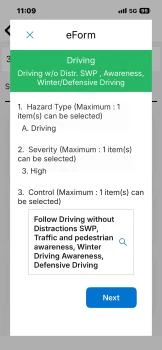
Hazards selected on Mobile:
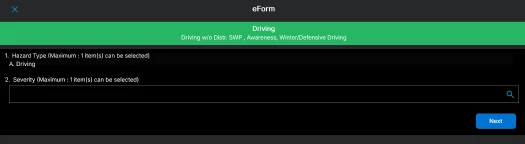
Hazards not showing up on laptop:
 

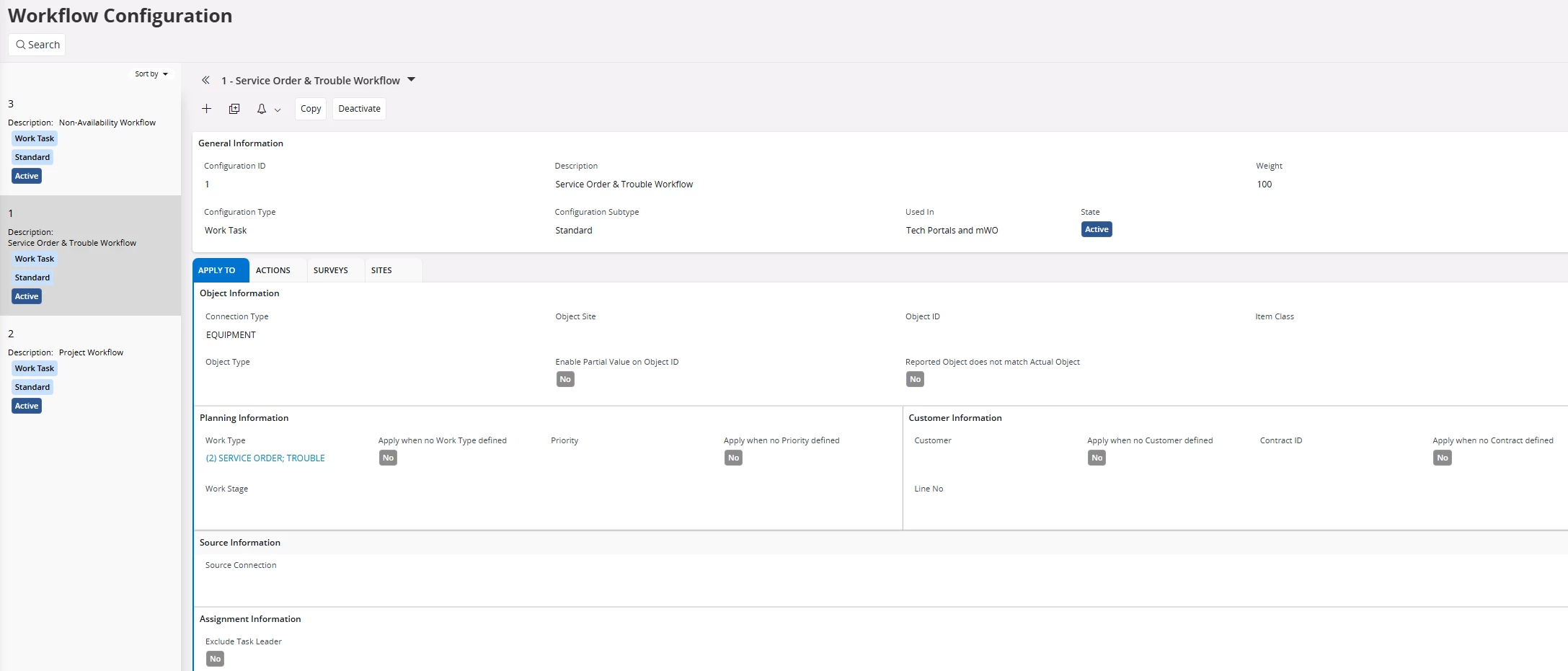
Workflow configurations:
Push notifications enabled:

 

What is the reason for the sync issue? What settings needs to be set up for the users to see the survey answers in their laptops?

Thank you.

4 replies

JOOLSE
Hero (Employee)
Forum|alt.badge.img+11
  • Hero (Employee)
  • Nov 5, 2026 7:46 AM UTC

I am not sure what goes wrong. But have I understood it correctly that the customer do the hazard on the mobile device and then when they go in into IFS Cloud it is not there, so the synching is not working between the mobile phone and IFS Cloud. If it is this case I suggest you report a case to IFS Support, so they and ultimately we can have a closer look at what goes wrong. It is hard to say without a proper investigation.

Or do they use several devices and can’t see a hazard on the other device. I this second case it is due to that the eform is temporary for the device and is sent when it is ready

/Johan


skullk
Hero (Employee)
Forum|alt.badge.img+11
  • Hero (Employee)
  • Nov 5, 2026 8:02 AM UTC

Can you see the survey answers in IFS Cloud (path below)? Which IFS Cloud track are you using? 


Forum|alt.badge.img
  • Author
  • Do Gooder (Partner)
  • Nov 6, 2026 12:08 AM UTC

Can you see the survey answers in IFS Cloud (path below)? Which IFS Cloud track are you using? 


The track is 25R1 and the survey answers are available in IFS Cloud. It is in the other device they want to see it. As per Johan’s answer it is temporary for the device and cannot see it from other devices unless there is a customisation. Will check further on this. Thanks.


dirolk
Hero (Employee)
Forum|alt.badge.img+5
  • Hero (Employee)
  • Nov 9, 2026 3:16 AM UTC

Hi  ​@YasG ,

Survey answers aren't limited to the device they were entered on. Once a survey is completed and synced, the answers go to IFS Cloud and are sent back down to the same user's other devices. A few things control when and whether that happens:

1. Timing. Survey answers come down to other devices during initialization (logging in again or re-initializing the app) and in a scheduled batch sync once a day, at midnight. Answers entered on the phone today won't appear on a laptop that is already logged in until after that night's batch sync, or until the laptop is re-initialized.
2. Survey closing date. Answers only sync down for surveys that are Published and whose closing date is today or later. Please check whether the hazard survey has a closing date. A survey with no closing date may not sync its answers down.
3. Same survey on several jobs. For each survey, only the user's latest set of answers syncs down. If the same hazard survey is used on several jobs, the laptop may only show the most recent one.
4. Other conditions. The answers must belong to the logged-in user and be linked to a work order task that is on their device.

Could you try these and let us know the result?
- Re-initialize the laptop (or check the next day) after the hazards have been entered on the phone.
- Check the closing date on the hazard survey.
- Tell us whether the same hazard survey is used on more than one job for the user.

If the answers still don't appear after a re-initialization and the survey has a valid closing date, please raise a case with IFS Support so we can look into it further.