

Solved

Selection Rules in Service Management does not work (25R2)

  • March 4, 2026
  • 10 replies
  • 60 views

kasunhp
Sidekick (Partner)
Forum|alt.badge.img+9

Hi All,


I experience that Selection Rules for Service Delivery Unit is not working in 25R2.

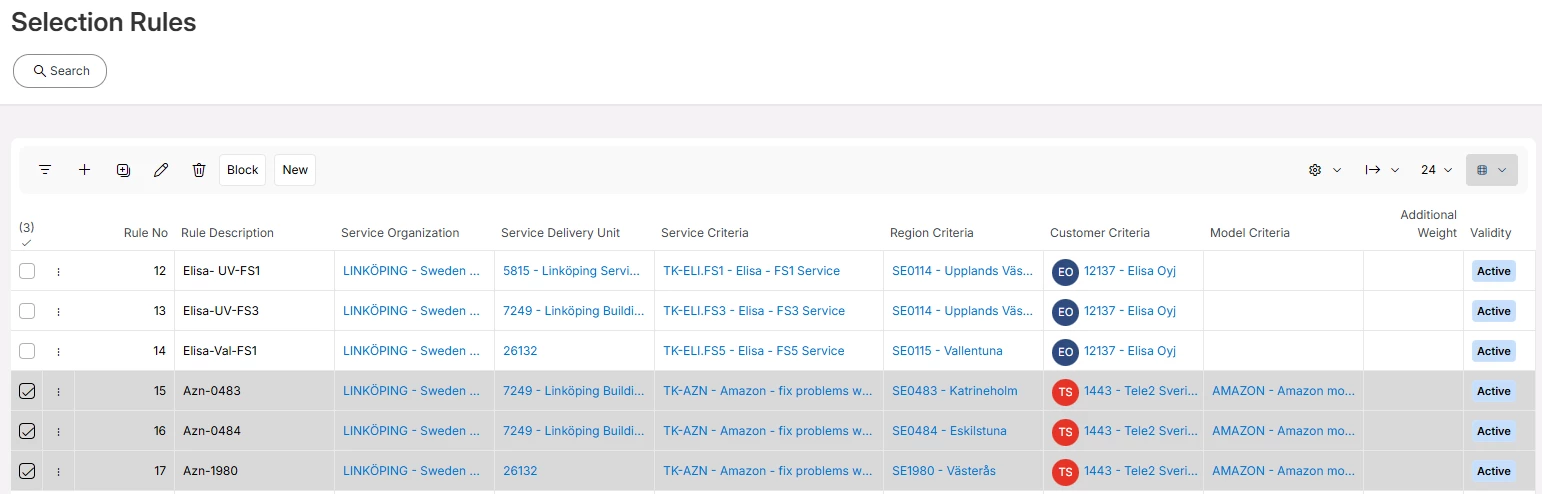
I have set three selection rules for the service TK-AZN as below. Objective is getting a different delivery unit as per different regions.
 

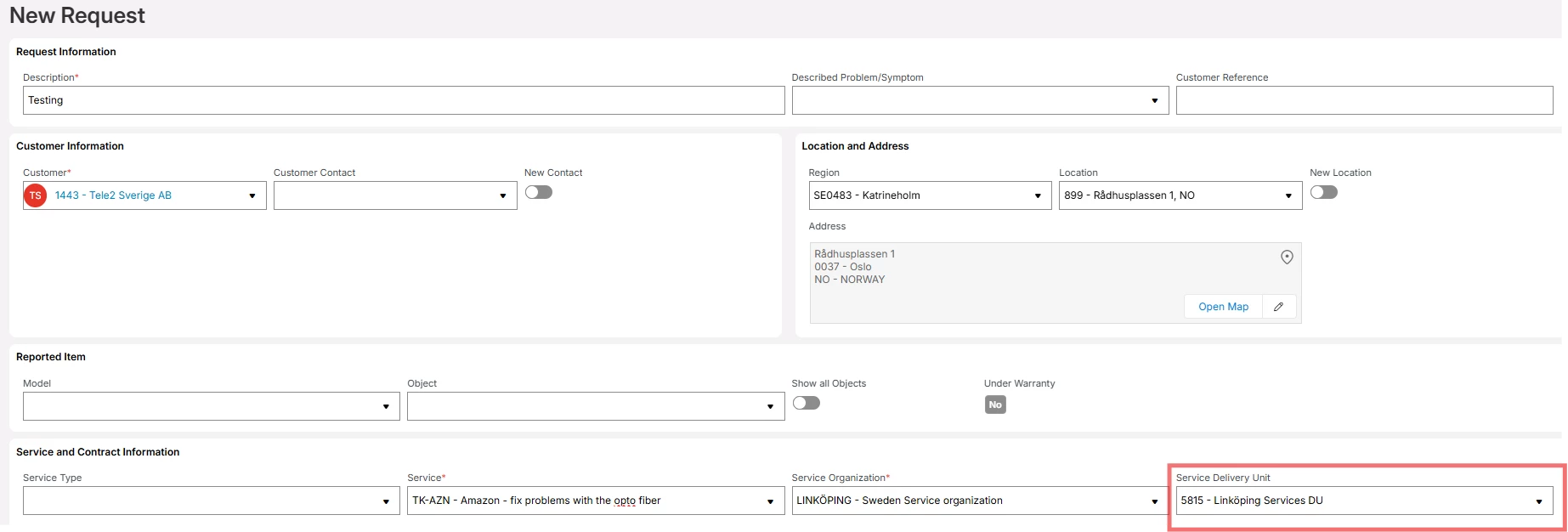
But when I creating a service, the default delivery unit for the service organization is always fetched even if I use different regions.

As I remeber these rules worked fine before.

Are there any workarounds other than setting selection rule to fetch the correct delivery unit? Or is it same for others?

TIA:

Best answer by Alexander Heinze

If you are using 25R2, the selection rules had an issue, which was just fixed in 25.2.3.

10 replies

Alexander Heinze
Ultimate Hero (Employee)
Forum|alt.badge.img+25
  • Ultimate Hero (Employee)
  • Answer
  • March 4, 2026

If you are using 25R2, the selection rules had an issue, which was just fixed in 25.2.3.


kasunhp
Sidekick (Partner)
Forum|alt.badge.img+9
  • Author
  • Sidekick (Partner)
  • March 4, 2026

If you are using 25R2, the selection rules had an issue, which was just fixed in 25.2.3.

Thanks for the quick response. One thing, in Contractor Selection Rules we have more criteria. One important criteria is Contract Line. Are you planning to add to Service Organization rules. Very important to us. 


Alexander Heinze
Ultimate Hero (Employee)
Forum|alt.badge.img+25

Unless ​@anmise confirms that this is planned already, I would suggest filing an idea.


  • Superhero (Employee)
  • March 4, 2026

An idea is always great. 


kasunhp
Sidekick (Partner)
Forum|alt.badge.img+9
  • Author
  • Sidekick (Partner)
  • March 4, 2026

If you are using 25R2, the selection rules had an issue, which was just fixed in 25.2.3.

@Alexander Heinze I also observed that region structure also did not work. if I add resource to a parent region then the resource is not visible in child regions in dispatch console. Will this be also solved in 25.2.3.


kasunhp
Sidekick (Partner)
Forum|alt.badge.img+9
  • Author
  • Sidekick (Partner)
  • March 4, 2026

An idea is always great. 

I will create an idea and tag you. Cheers.


kasunhp
Sidekick (Partner)
Forum|alt.badge.img+9
  • Author
  • Sidekick (Partner)
  • April 13, 2026

If you are using 25R2, the selection rules had an issue, which was just fixed in 25.2.3.

Hi ​@Alexander Heinze 


It seems that the selection rules are still not working with Region criteria. we are in 25.2.4. Do you know that the issue with region criteria is fixed or not yet?


Alexander Heinze
Ultimate Hero (Employee)
Forum|alt.badge.img+25

I just tried (in 25.2.4) 2 selection rules for the same region, but different SDUs, and they did work as expected.

If your screenshot above is still valid, the selection rule includes model, but your request’s model is empty, which would prevent the rule from triggering.


kasunhp
Sidekick (Partner)
Forum|alt.badge.img+9
  • Author
  • Sidekick (Partner)
  • April 14, 2026

I just tried (in 25.2.4) 2 selection rules for the same region, but different SDUs, and they did work as expected.

If your screenshot above is still valid, the selection rule includes model, but your request’s model is empty, which would prevent the rule from triggering.


Tried and worked. But we need to specify a Location as well. Region alone will not filter the SDUs. 
 

@Alexander Heinze Is that the intended functionality. Customer is not going to use saved locations. Wants to use Regions to filter SDUs and improve scheduling. 


Alexander Heinze
Ultimate Hero (Employee)
Forum|alt.badge.img+25

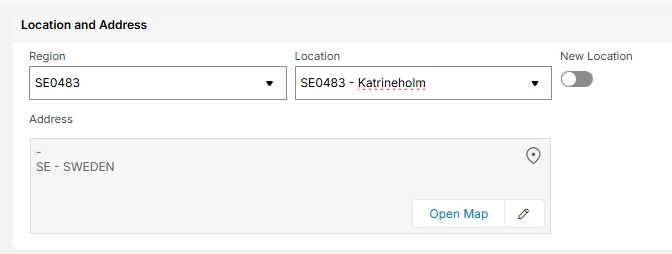
The “Region” in your screenshot is NOT a selector, it’s only a filter for the Locations LOV. I don’t think that OOTB regions work without pre-defined locations because this is where the region is associated.