

Question

Resources are not visible in Scheduling Workbench

  • April 24, 2026
  • 4 replies
  • 27 views

kasunhp
Hero (Partner)
Forum|alt.badge.img+10

Hi All,


We recently installed PSO and set up necessary data to run it. We plant to use PSO for manual scheduling. 

A dataset is created as shown below.
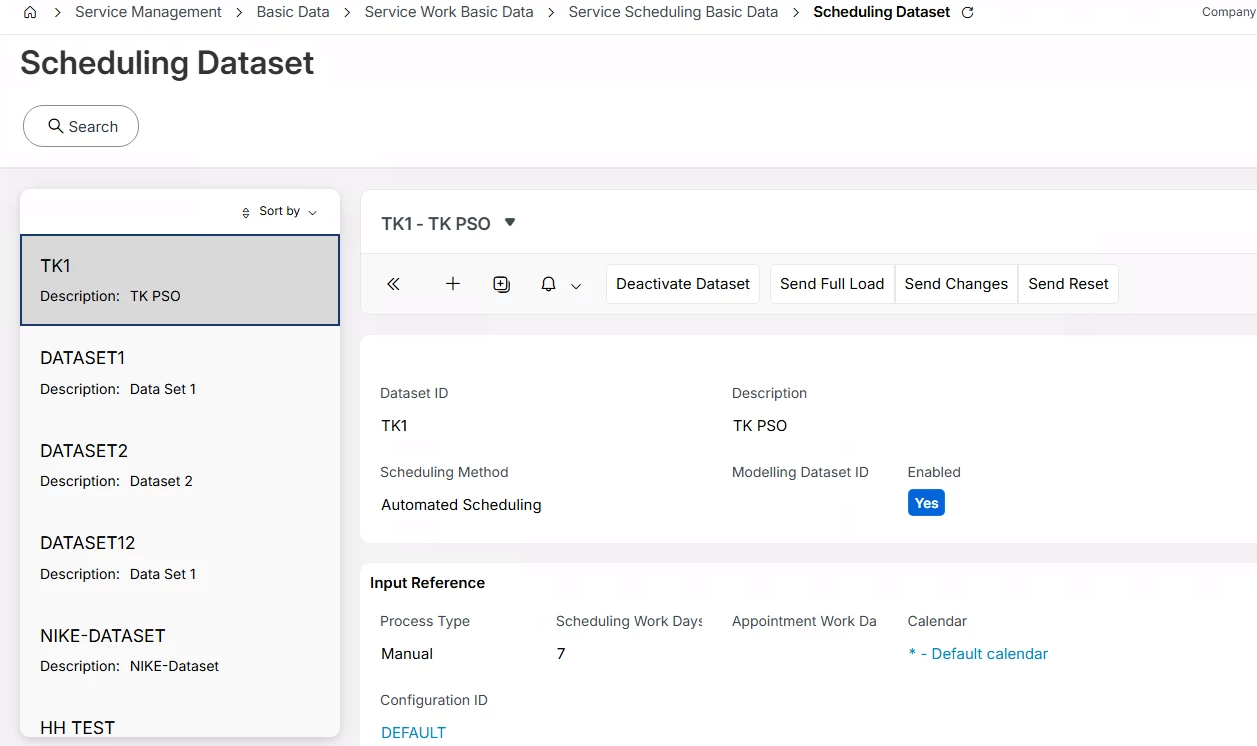


Dataset is linked to some resources and service delivery units. Capacities were calculated and scheduling activity (marked as manually scheduled) types were created. 

After activating dataset, activities can be seen in the workbench but not resources.

No errors are shown in application messages. But we cannot see resources in the workbench. 
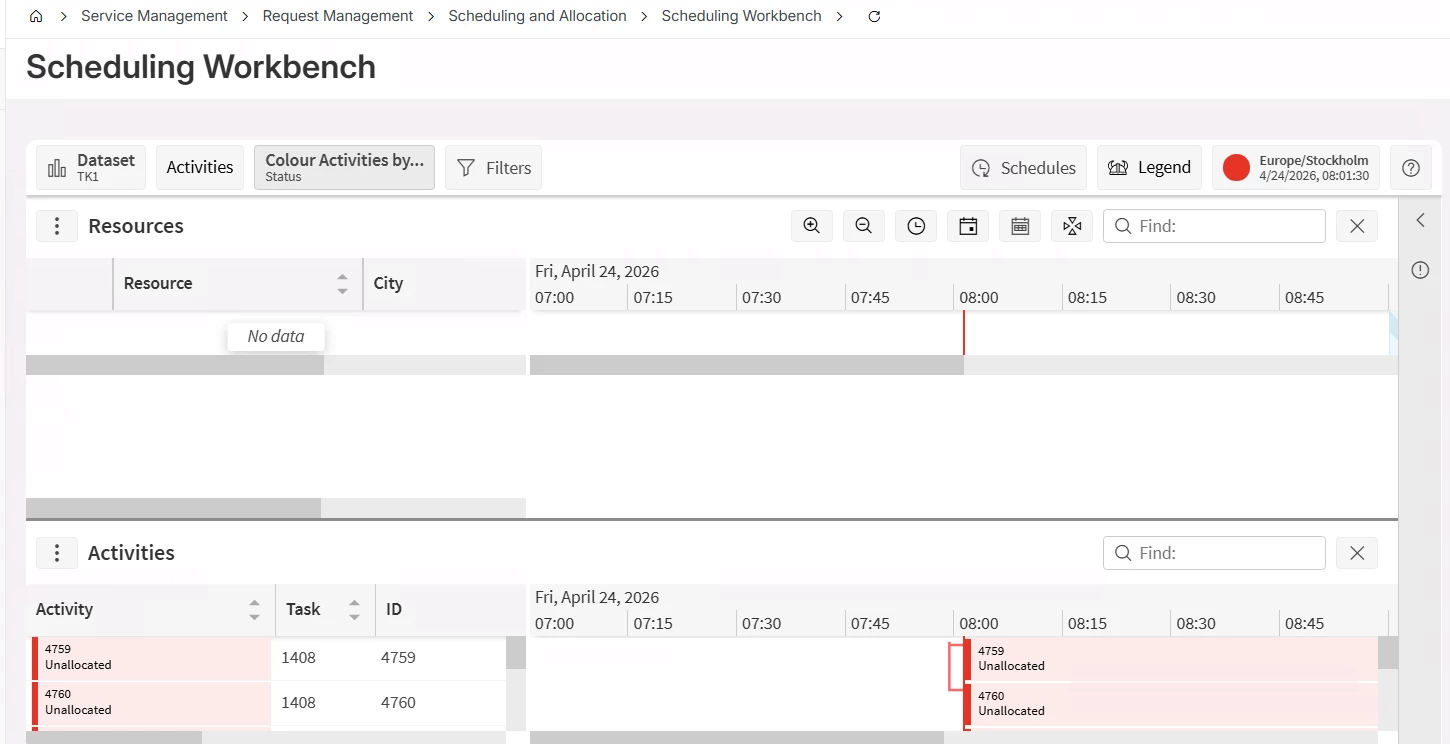
 

This exception can be seen also.
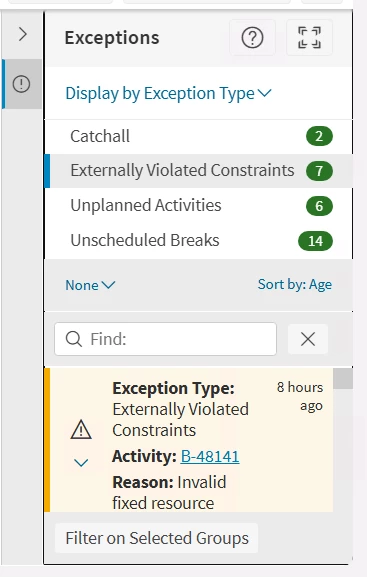
 

Can you guide me to solve this?

TIA.

4 replies

Alexander Heinze
Ultimate Hero (Employee)
Forum|alt.badge.img+25

In PSO>Archive>Audits, find the LOAD message and review the resource-related tabs.

  • No resource at all: Check if they belong to the correct SO/SDU.
  • Resource location missing → Edit resource details in IFS Cloud
  • Does the resource have shifts? → If not, generate shifts in IFS Cloud, make sure they are associated with the correct dataset.
  • Are you using Object Groups on your Scheduling Dataset? Could also filter out resources.

kasunhp
Hero (Partner)
Forum|alt.badge.img+10
  • Author
  • April 24, 2026

Thanks ​@Alexander Heinze .

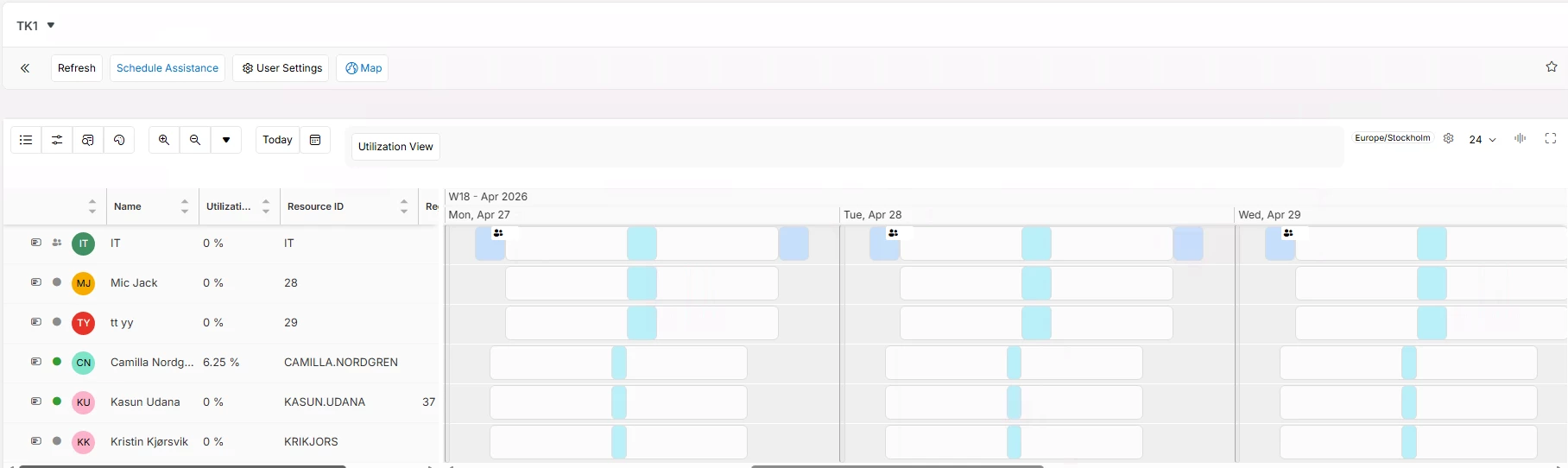
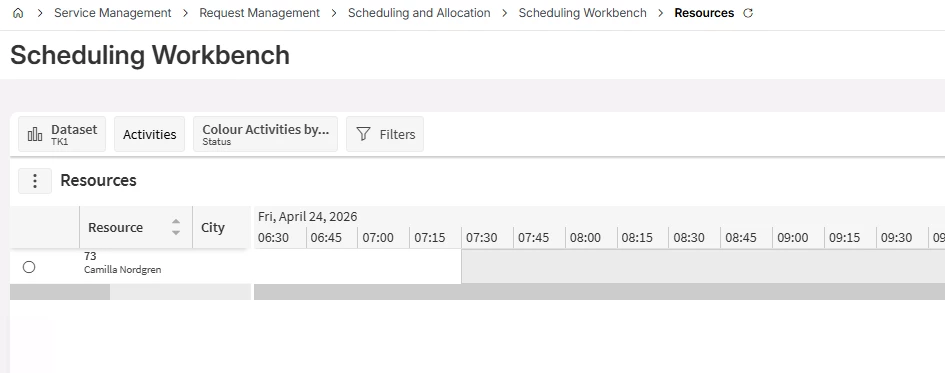
I recalculated shifts and brought three resources in to same shifts. So, SDU and dataset. The dataset is visible in dispatch console with three resources in it (last three resources).


But only one in Sch WB. Working on the issue still. I don’t use any object groups.


  • Superhero (Employee)
  • April 24, 2026

Thanks ​@Alexander Heinze .

I recalculated shifts and brought three resources in to same shifts. So, SDU and dataset. The dataset is visible in dispatch console with three resources in it (last three resources).


But only one in Sch WB. Working on the issue still. I don’t use any object groups.


On the scheduling dataset, make sure you have parameter OBJECT_GROUP_FILTER - Object Group Filter set to None. And then send a new LOAD.


Alexander Heinze
Ultimate Hero (Employee)
Forum|alt.badge.img+25

One resource is a success already, now you can compare the missing resources against Camilla. If André’s hint doesn’t help, check the LOAD audit again, in particular the location.