

Answer

Non-Cancellable Service Order(in Work Order)

  • October 14, 2022
  • 5 replies
  • 225 views

baris.halici
Hero (Customer)
Forum|alt.badge.img+12

I want the parts sent with a service order to be cancelled.
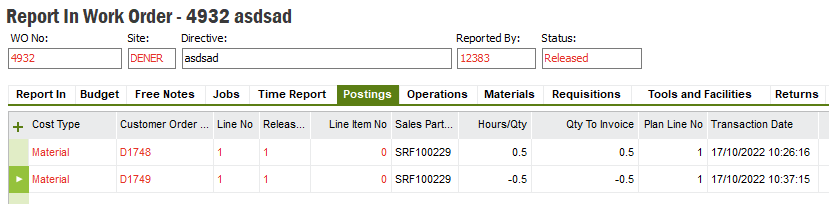
I corrected the stock by undoing the inventory usage from the "Report in Work Order" screen.
But that's not enough for me to close the maintenance order.

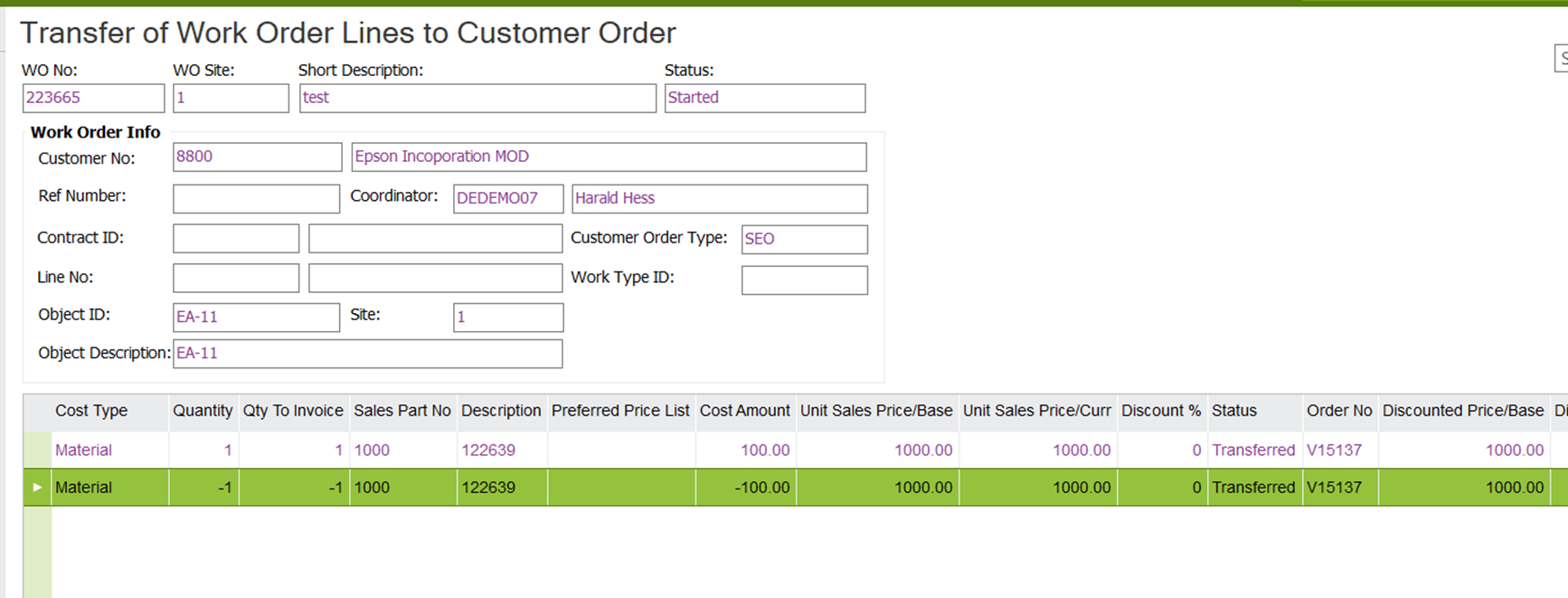
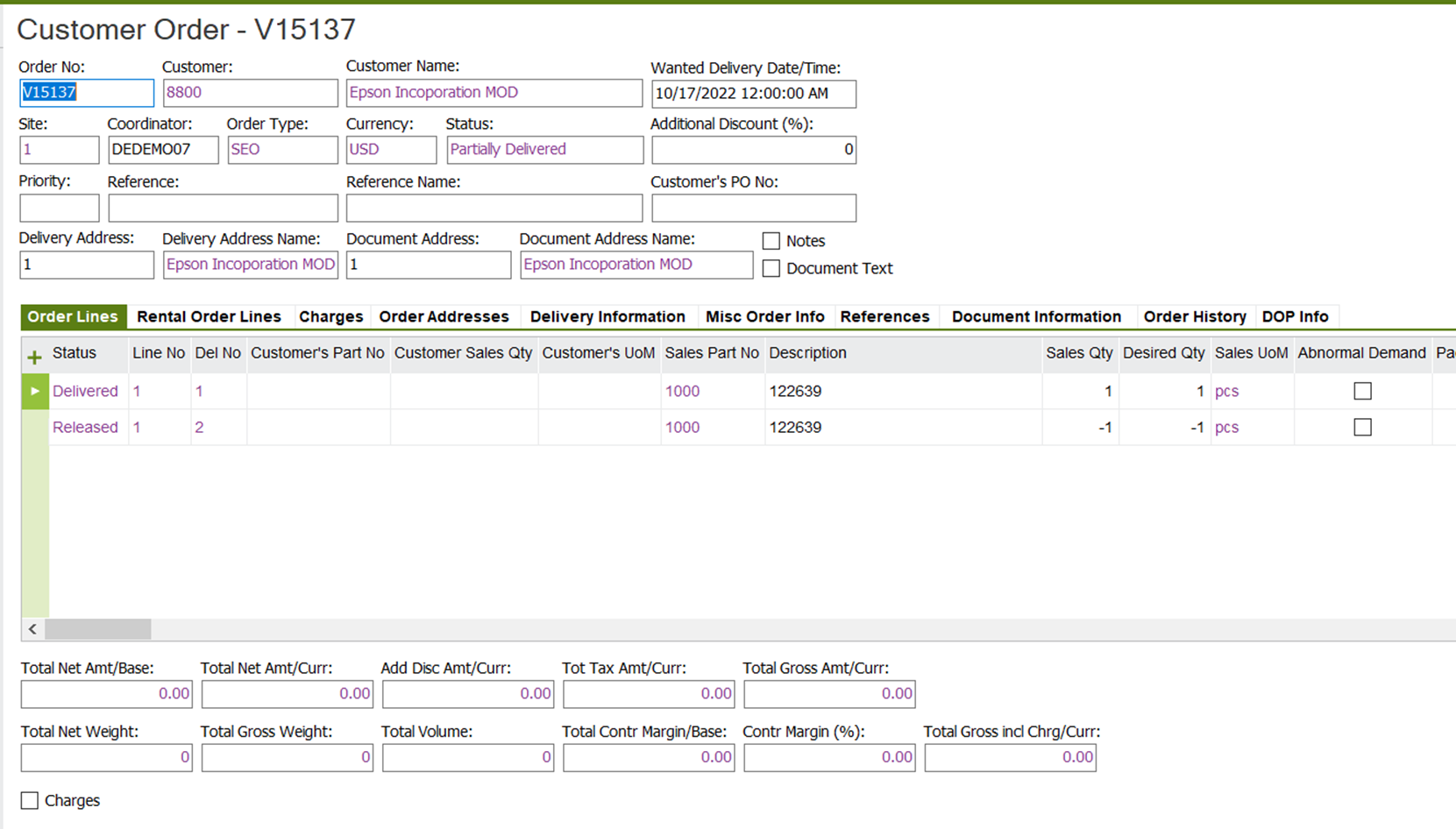
Customer Order is not canceled(01-pic), customer order delivery is not cancelled(02-pic) and transfer of work order lines to customer order is not  undo(03-pic).

Do you have a suggested solution?

 

01-CustomerOrder.png

02-UndoCustomerOrderDelivery.png

03-UndoTransferToCustomerOrder.png

Best answer by Nethmini Kosvinna

Hi @baris.halici ,

If you add the same customer order number in the ‘Cust Order Ref’ (in CO Information tab) before creating the customer order line, you will be able to add the customer order line to the same customer order (even it is in delivered state).


This will change the customer order status to : Partially Delivered.

Yes, using ‘Invoice Blocked’ you can avoid these being invoiced as you have now two customer order lines in two different customer orders.


Thanks & Best Regards,

Nethmini

5 replies

Nethmini Kosvinna
Superhero (Partner)
Forum|alt.badge.img+18

Hi @baris.halici ,
‘Undo Transfer to Customer Order’ option in ‘Transfer of Work Order lines to Customer Order’ page is enabled if the connected  customer order line is in planned/released status. As your first material line is already in Delivered state in customer order, it is not possible to undo/remove the created customer order line. What you can do is to transfer the 2nd Material transaction (which is created with (-) quantity due to unissued material) to the same customer order. Then the net amount will be balanced off and the effect of this incorrect material issue will be zero. Then you can proceed the customer order until it is invoiced/closed.
 

Please let us know if you need any clarification on above.

Thanks & Best Regards,

Nethmini


baris.halici
Hero (Customer)
Forum|alt.badge.img+12
  • Author
  • Hero (Customer)
  • October 17, 2022

Hello Miss. @Nethmini Kosvinna,

Thank you so much for answers.

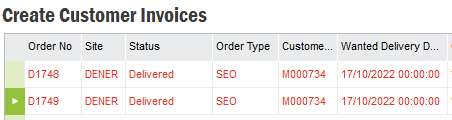
I have tried this method before. But since the current order status is delivered, it creates a new customer order for the minus quantity recovered.


As logical as this may seem as a result, I do not believe that this is the solution for an incorrect order transfer.


baris.halici
Hero (Customer)
Forum|alt.badge.img+12
  • Author
  • Hero (Customer)
  • October 17, 2022

And it continues to appear in customer orders to be invoiced.

The customer order must not be in the delivered status. This is a pending transaction for the Finance department.


Edit:

This situation is prevented by using Invoice Bloke. Just ignore my answer.


Nethmini Kosvinna
Superhero (Partner)
Forum|alt.badge.img+18

Hi @baris.halici ,

If you add the same customer order number in the ‘Cust Order Ref’ (in CO Information tab) before creating the customer order line, you will be able to add the customer order line to the same customer order (even it is in delivered state).


This will change the customer order status to : Partially Delivered.

Yes, using ‘Invoice Blocked’ you can avoid these being invoiced as you have now two customer order lines in two different customer orders.


Thanks & Best Regards,

Nethmini


baris.halici
Hero (Customer)
Forum|alt.badge.img+12
  • Author
  • Hero (Customer)
  • October 17, 2022

Hi Miss. @Nethmini Kosvinna,

This answer is very valuable and helpful.
Thank you so much.


Regards,

Barış