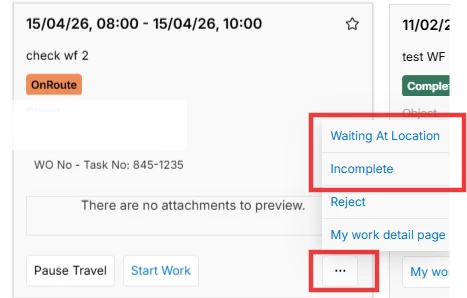
I’m experiencing an issue with Mobile Work Order (MWO) when a Workflow Configuration is applied with Configuration Type = “Configured Work Task”.
In Actions Flow I configured the following sequence:
- Accept
- On Route
- Waiting at Location
- Start Work
…
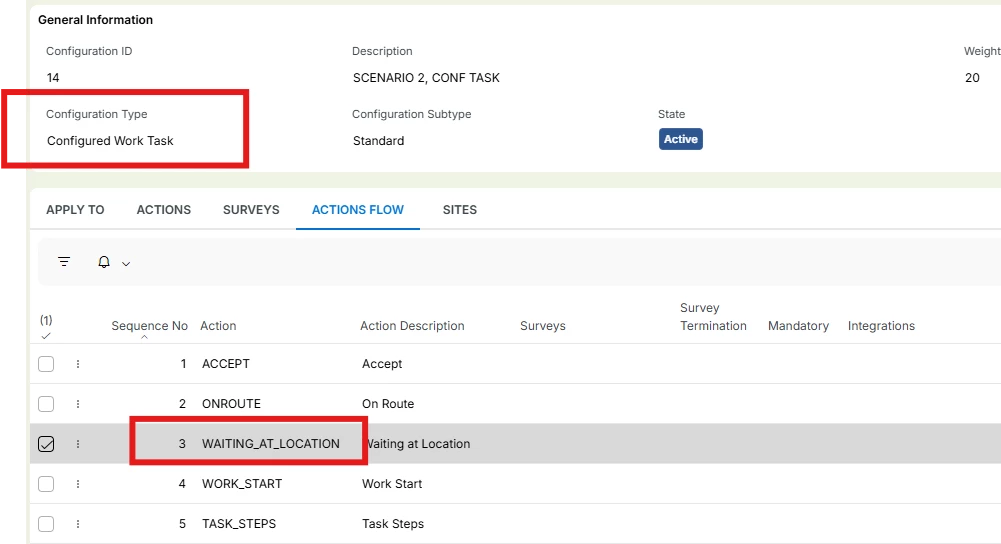
On the mobile app, the user can perform Accept and On Route, but when reaching step #3, the action/state “Waiting at Location” is not available in the list of Task actions.
As a result, the Task becomes blocked and the user cannot proceed to subsequent actions (e.g., Start Work) defined in the workflow.
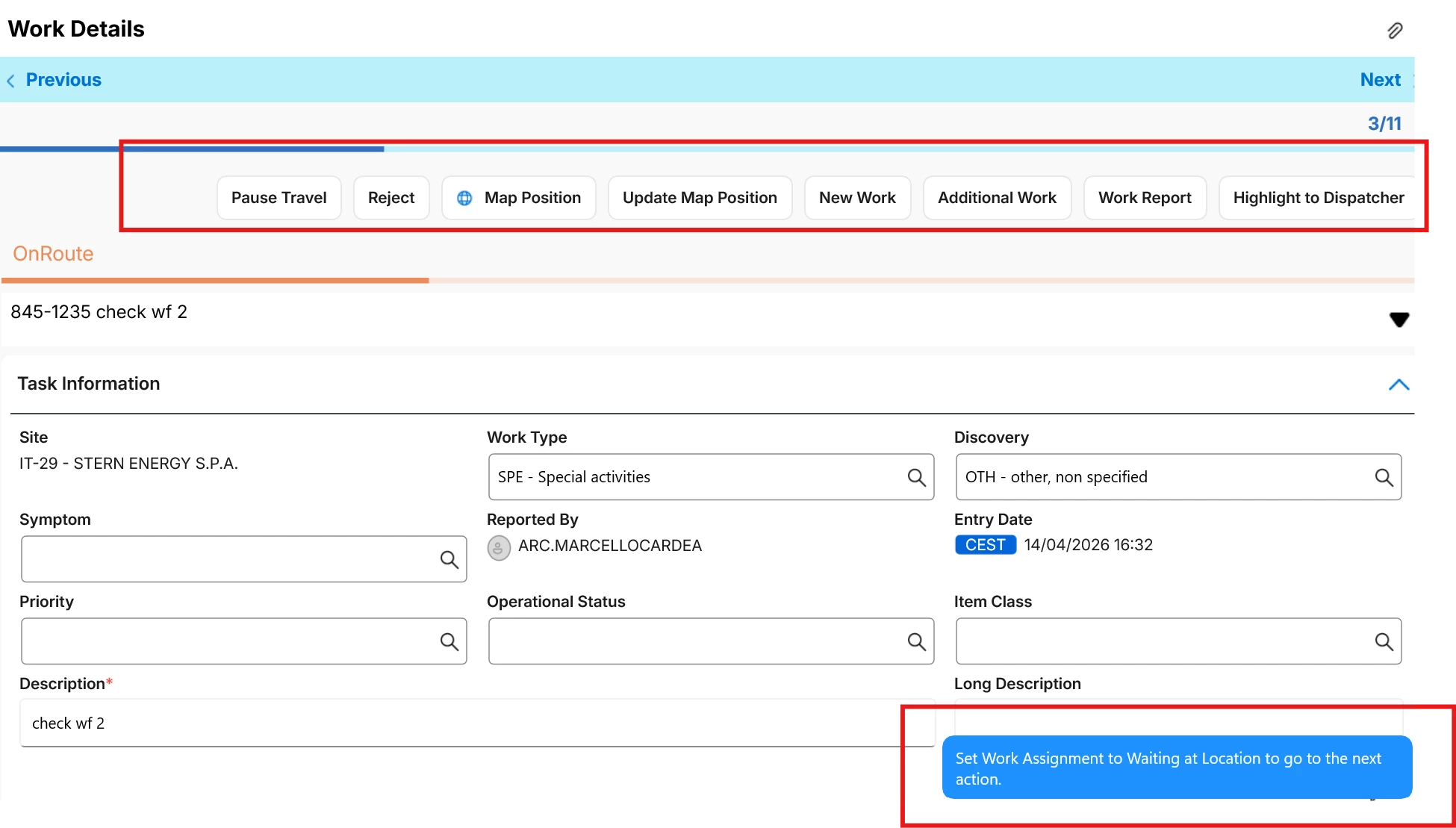
Additionally, the “Incomplete” is also not available among the Work Task statuses/actions when a workflow configuration is applied, which would mean that a assignment could not be concluded as Incomplete under this configuration.
Both statuses are correctly enabled in the Workflow Actions tab.
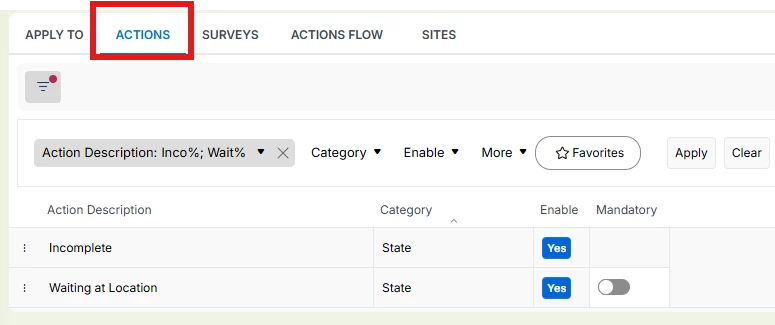
Checking the Cloud configuration under:
Solution Manager → Mobile Apps → Configuration → Apps for Page Designer → Maintenance Engineer → My Work → Work Details
I see that both “Waiting at Location” and “Incomplete” appear there as available states. This makes it unclear why these actions do not surface in MWO when the Configured Work Task workflow is used.