In MWO, when a user completes a task, they are redirected to an Assistant page where they must choose whether to Keep or Remove the completed task from the device.
Our requirement is slightly different:
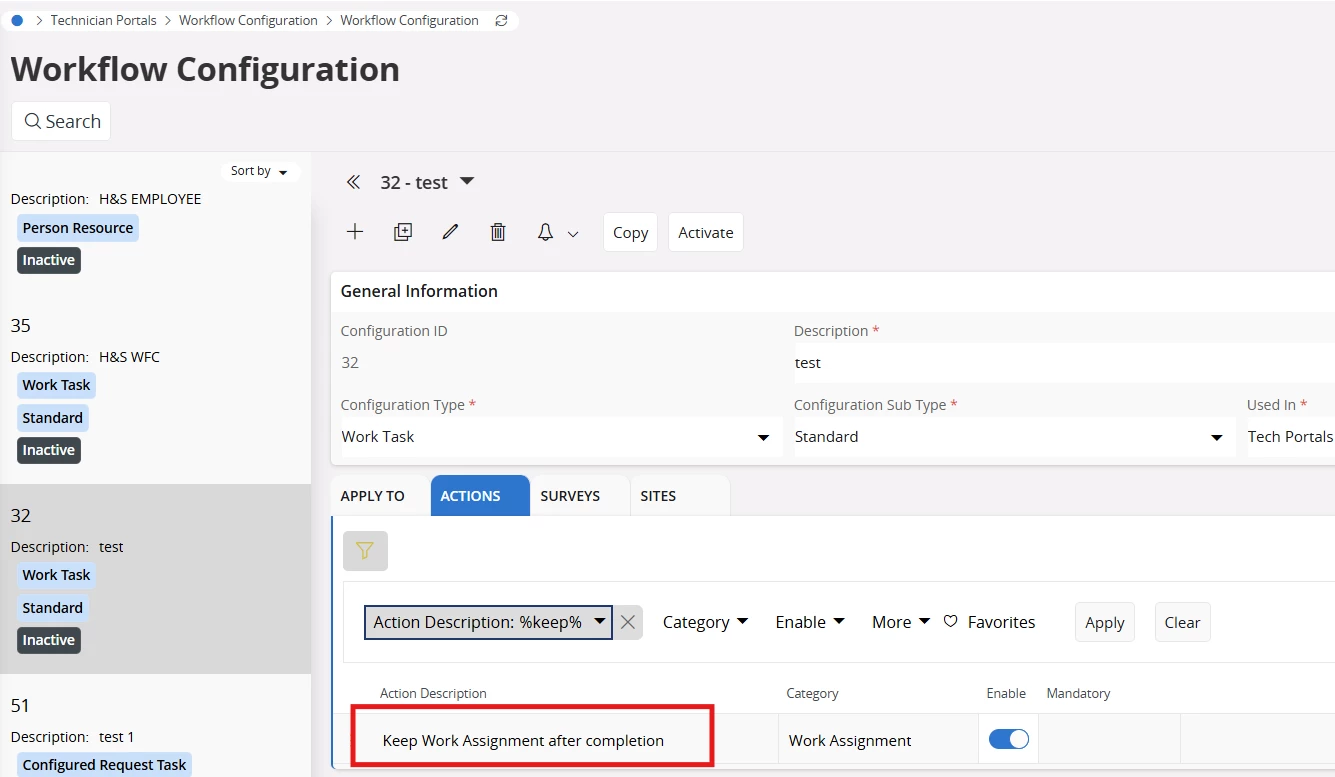
- The completed task should be retained on the mobile device.
- When the user clicks the Complete button, the task should be marked as completed without displaying the Keep/Return Assistant page.
To achieve this, we attempted to disable the Assistant via Page Designer configurations. However, this resulted in an undesired behavior: after task completion, the application navigates to a blank screen, leaving the user unable to proceed. The only way forward is to close and relaunch the app, which is not acceptable from a usability standpoint.
Could you please let us know:
- Is there a supported way to complete a task directly on clicking Complete,
- Retain the task in the completed task list on the device, and Avoid navigation to the Keep/Return Assistant page altogether?
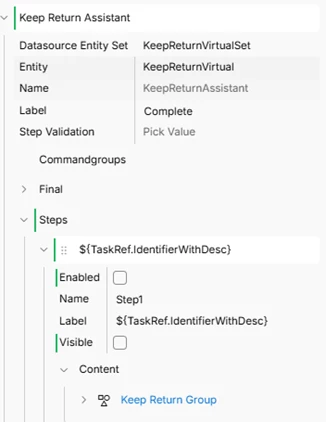
Below are the configuration changes we attempted in Page Designer for reference.
Disabled the Keep Return Assistant