

Question

Make request work task to "Work Done" with an Incomplete work assignment

  • January 19, 2026
  • 4 replies
  • 71 views

kasunhp
Hero (Partner)
Forum|alt.badge.img+10

Hi All,

When we have an Incompleted assignment in a request work task, the request work task cannot be transferred to “Work Done” status automatically even after we completed a different assignment with the same resource. We can mannually change the request work task status at from the header.

Is this the built functionality?
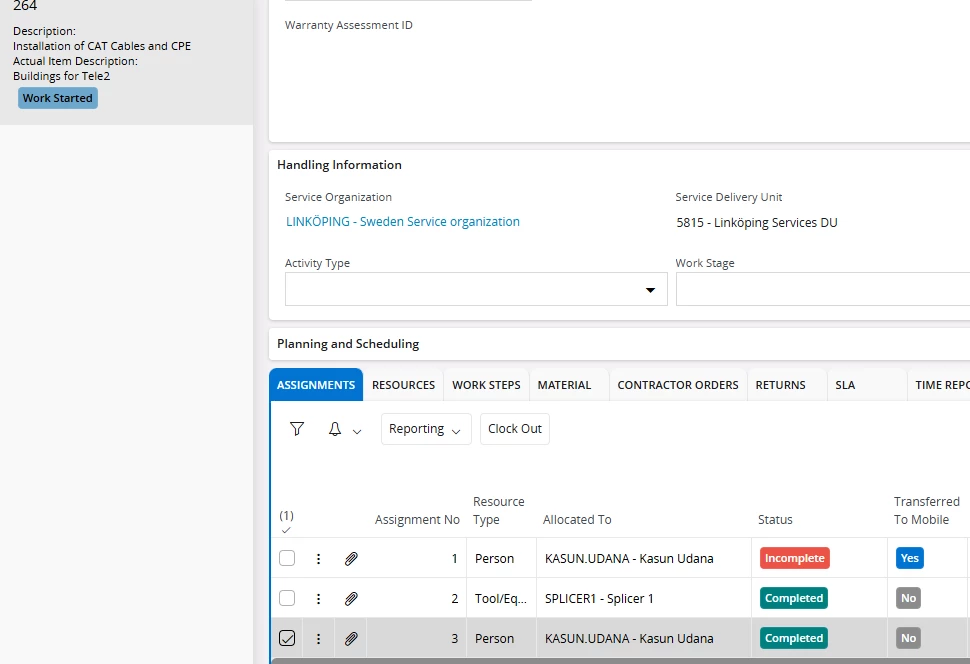


TIA.

4 replies

Bhanuka Abeygoonawardana
Hero (Employee)
Forum|alt.badge.img+9

 Hi ​@kasunhp,

Yes, based on the current standard behavior in IFS Cloud, what you are observing is expected functionality, not a defect.

Explanation of the standard behavior

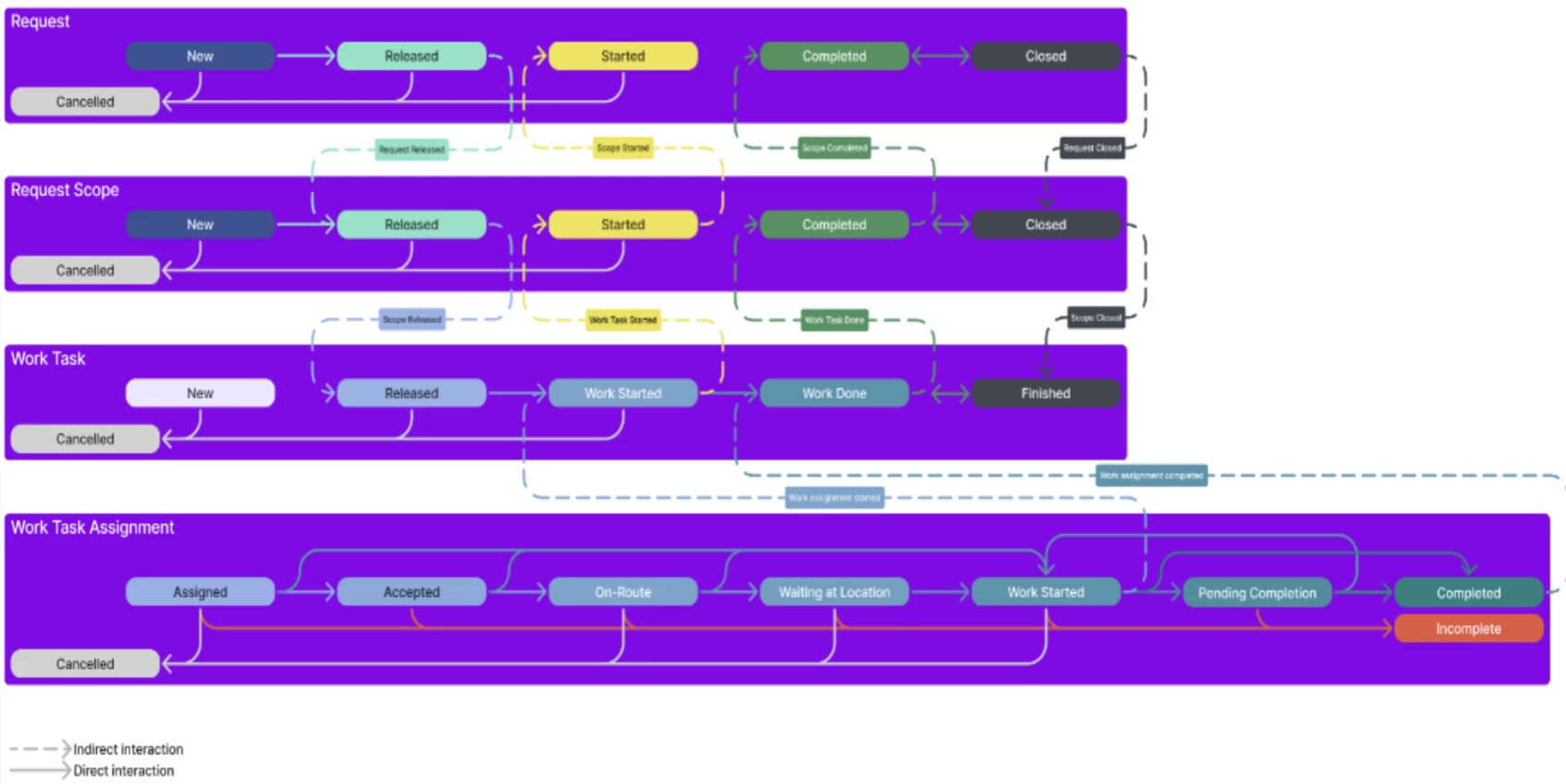
In Request Management the Request Work Task status is not always automatically derived from the completion of a single assignment when other assignments exist in an Incomplete state.

From the standard status flow and assignment rules:

  • A Request Work Task can have multiple assignments over its lifecycle.
  • If any assignment remains in an Incomplete status, the system considers that work was not successfully finished, even if:
    • A subsequent assignment (including one with the same resource) is completed.
  • Because of this, the Request Work Task is intentionally prevented from automatically moving to Work Done.
  • In such scenarios, manual status change from the Work Task header is allowed and is the expected way to finalize the task.
  • Automatic forward status transitions are restricted when work tasks and assignments exist with limiting statuses, such as Incomplete.
  • Manual overrides are supported to reflect business reality when required.

Why does the system behave this way

The rationale is to avoid a false sense of completion when:

  • An assignment was explicitly marked Incomplete (meaning work was not successfully completed), and
  • The system cannot safely assume that the overall task outcome is fully resolved without user confirmation.


kasunhp
Hero (Partner)
Forum|alt.badge.img+10
  • Author
  • February 21, 2026

@Bhanuka Abeygoonawardana I was thinking the same. Thanks for the detailed explanation to confirm.


Tom Leenheer
Sidekick (Partner)
Forum|alt.badge.img+7
  • Sidekick (Partner)
  • June 25, 2026

Hi @kasunhp,

I'm running into the same "feature."

May I ask how you solved the monitoring aspect of this?

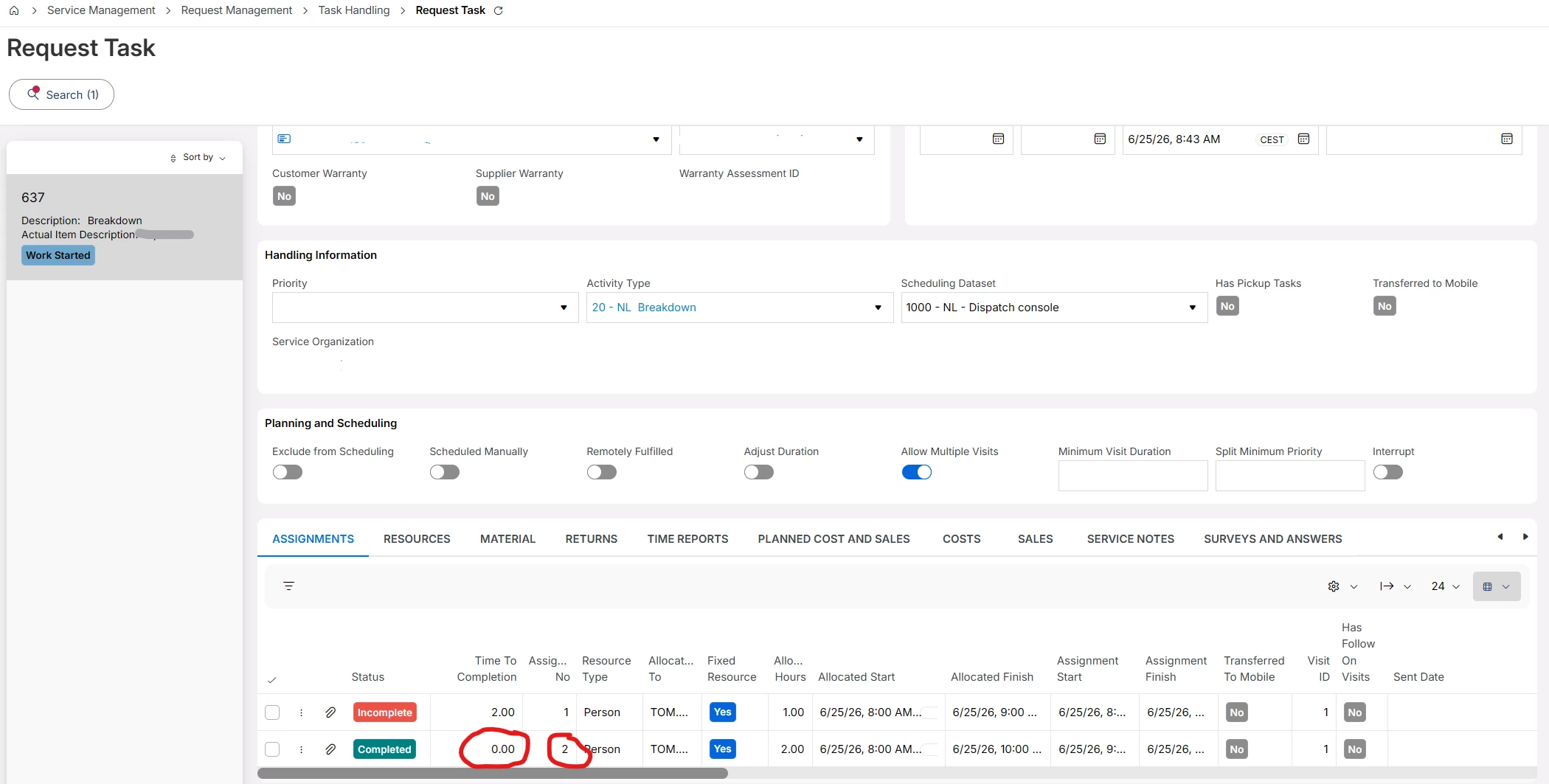
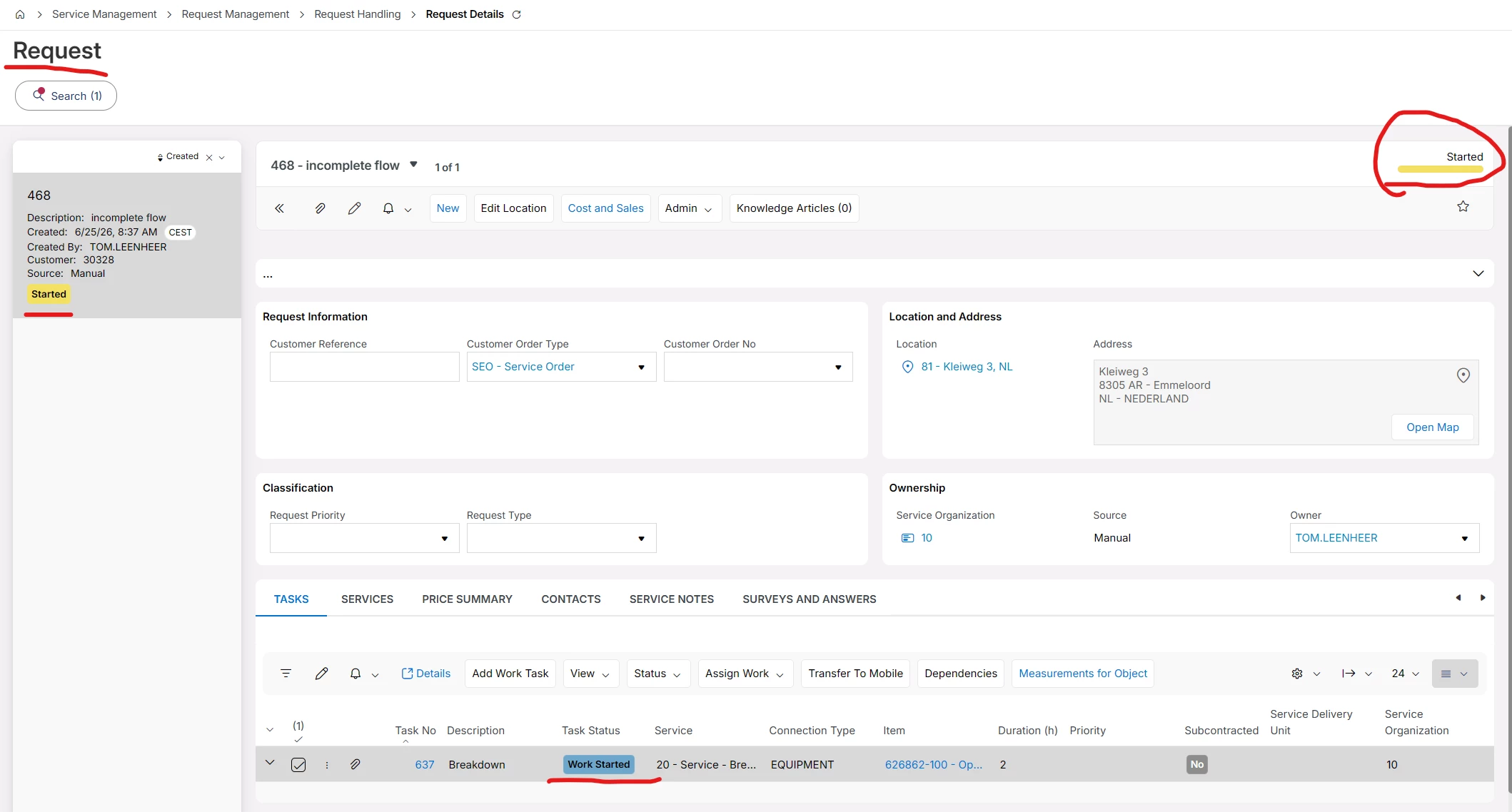
The Request remains in Work Started instead of Completed, and the Request Task also stays in Work Started. However, the actual work is completed by the second assignment, which has the status Completed.


@Bhanuka Abeygoonawardana ​@Alexander Heinze 

Based on the data, I would say that when the second assignment has the status Completed, the Time to Completion is 0, and the assignment start time is not earlier than Assignment 1 (which remains in Incomplete status), we can safely conclude that the work has been completed.


In my opinion, the Request and Request Task statuses could then be updated to Completed as well.

Looking at the dates and the numerous status changes recorded in mWO, I would also argue that the current logic is too simplistic and does not accurately reflect the actual business process.


How does standard IFS Cloud help users in this scenario? From a user's perspective, there is no clear indication that the task was effectively completed days ago and that the Request is ready for invoicing.

Keep in mind that we are not talking about a single Request per week. We are talking about approximately 40 Requests and Tasks per day in this small service business.


Current customer use case:

  1. A Task is planned through the Dispatch Console.

  2. The field engineer starts working using the mWO app.

  3. The engineer is almost finished but needs to return because a required part is not available in the van.

  4. The engineer selects Incomplete in mWO and leaves 2 hours remaining.

  5. The planner sees the incomplete Task the and replans the next day.
    (after manual investigation)

  6. The planner creates a new Resource Demand for 1 resource, 2 hours and replans the work through the Dispatch Console.

  7. The field engineer returns, performs Start Travel, Start Work, and Complete Visit.

  8. When asked whether another visit is required by mWO, the answer is No, and the engineer closes the Task.

At this point, the actual work is completed, no further visits are required, and the final assignment is in Completed status. However, the Request and Request Task remain in Work Started.

As you can see from the example below, the result is a completed task that still appears to be in a Work Started state.

From an operational and invoicing perspective, this is highly misleading and requires users to manually investigate LOADS of assignment history to determine whether work has actually been completed.


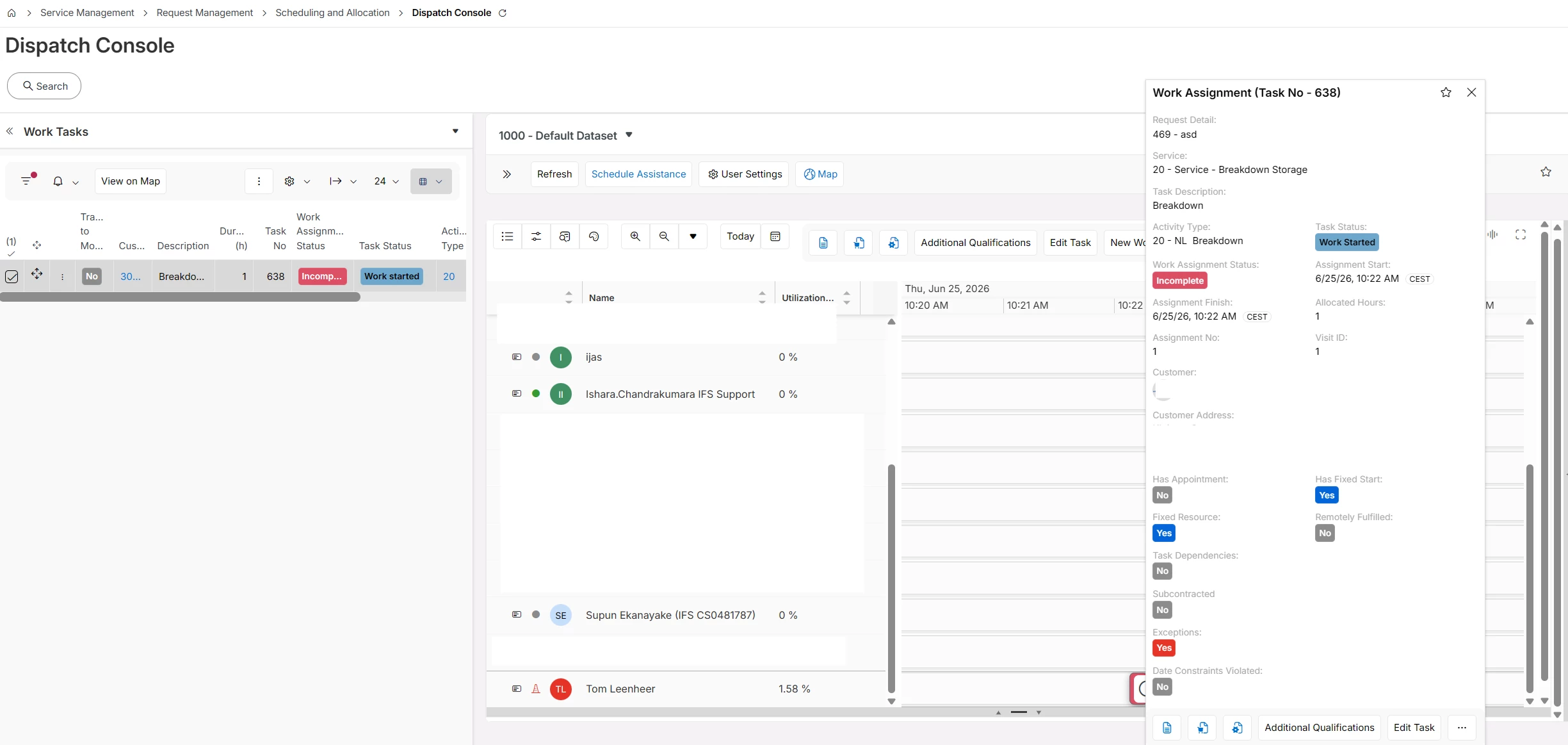
You're also stuck in a loop, as you cannot delete or replan a Resource Demand when there is an Incomplete assignment with reported time against it. The only option is to create a new Resource Demand and transfer it to Mobile via the Dispatch Console. However, even after the follow-up assignment has been completed successfully, the Request and Request Task still remain in Work Started status because you cannot replan and transfer a incompleted task in Dispatch console. 


Kind Regards,

Tom Leenheer


kasunhp
Hero (Partner)
Forum|alt.badge.img+10
  • Author
  • June 28, 2026

Hi ​@Tom Leenheer 


We also did not solve this problem completely yet. 

One thing I observed is that when you incomplete an assignment from MWO by suggesting a resource demand, a new empty assignment is created under tasks in dispatch console with the duration equal to remaining hours.