Solved

IFS Cloud - Failed Transaction when Time report from MWO

  • March 4, 2026
  • 4 replies
  • 25 views

jbernardo
Hero (Partner)
Forum|alt.badge.img+13

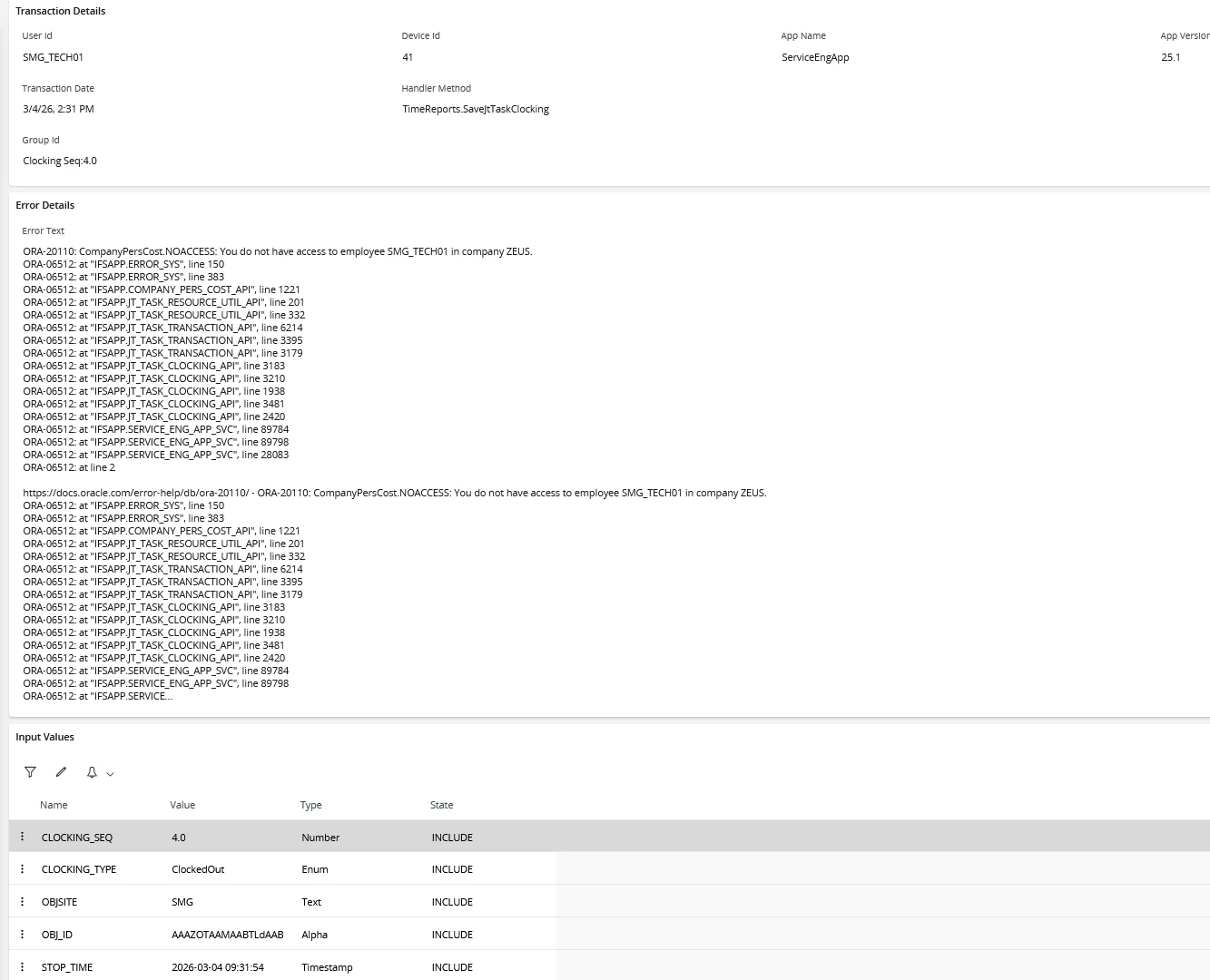
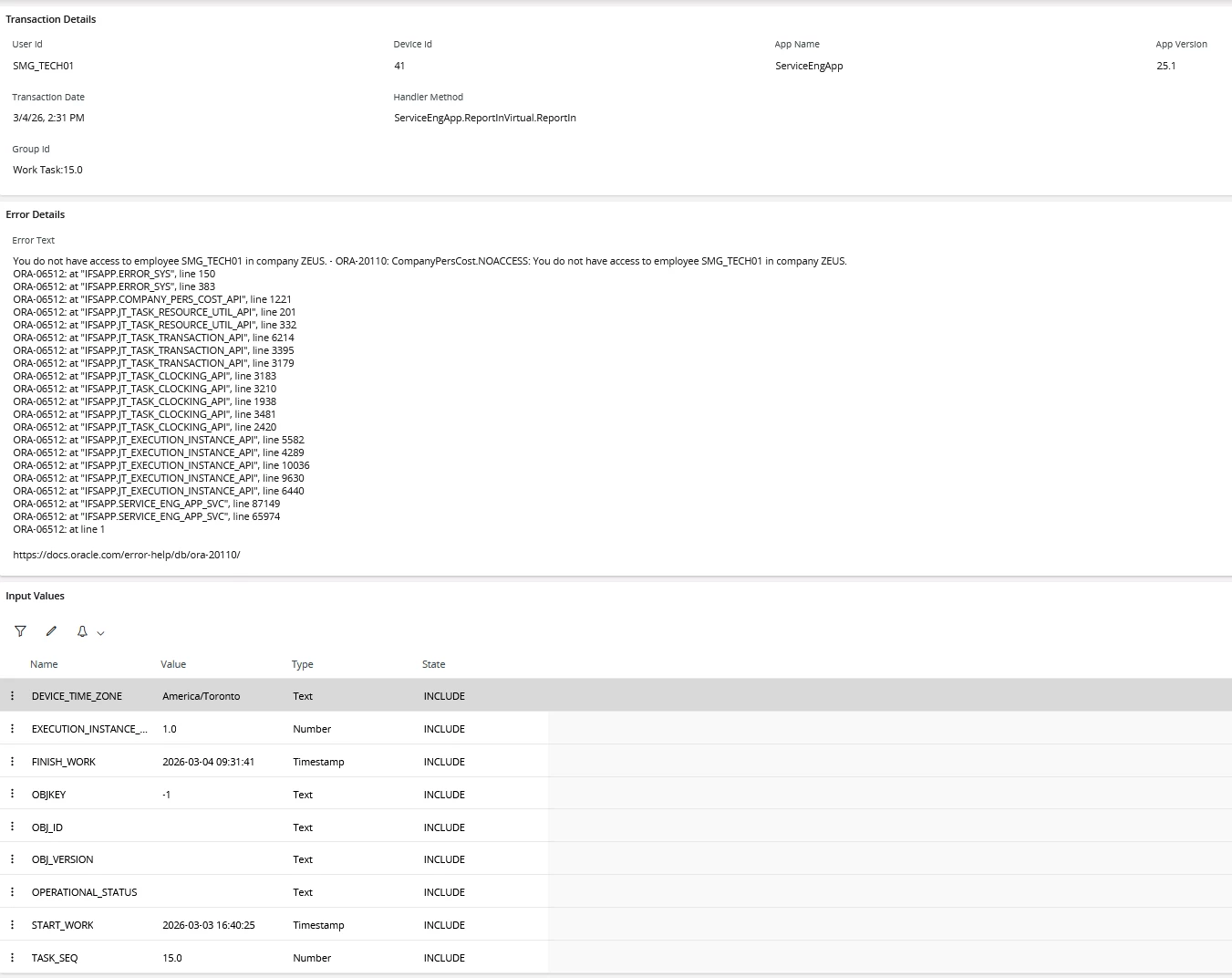
Going the report in (complete assitant) on MWO to complete a request task. When marked as complete the data doesnt sync to IFS Cloud. There are failed transactions listed for the logged in user. See both in the screenshots below.

This issue only happens with a user that has an employee record.

Attempted the following so far:

  • Admin permission set
  • complete employment record
  • make Time Clock User = True


Best answer by anmise

@jbernardo 

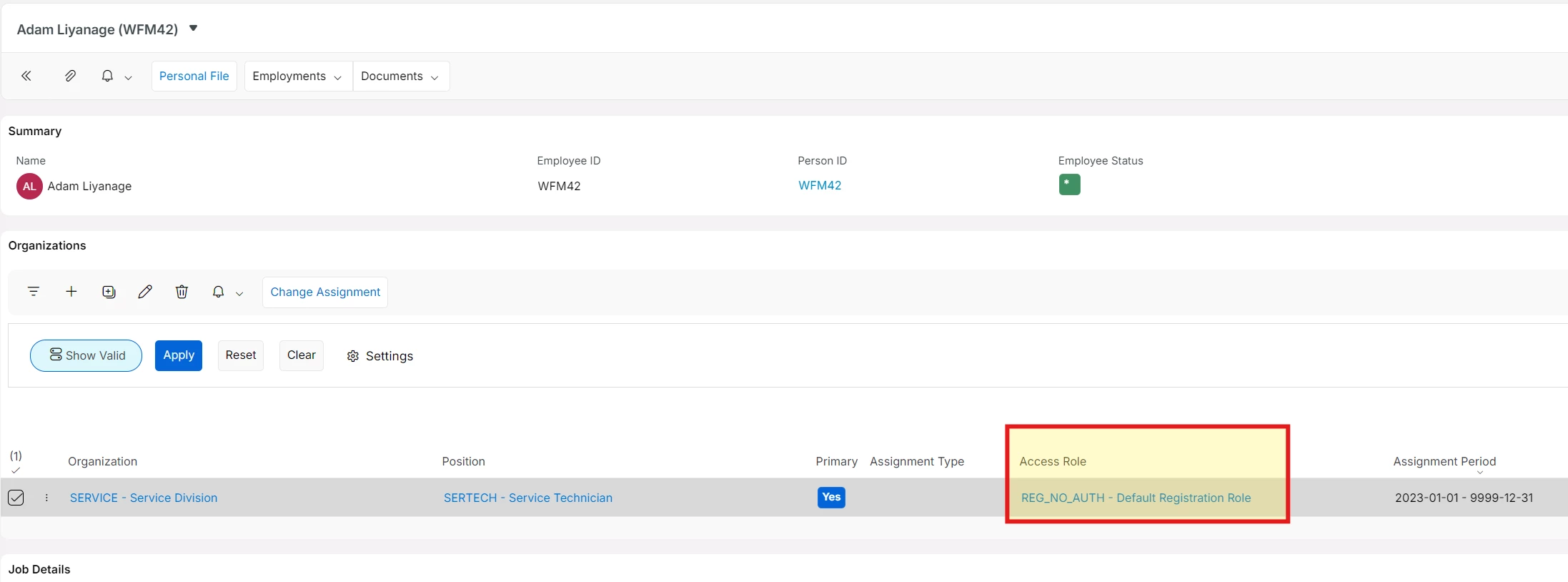
Can you check the employee Access Role in Human Capital Management / HCM Services / Employee Management / Employee File / Employment Information /Assignments? 


Does that differ from the other employees?


4 replies

Alexander Heinze
Ultimate Hero (Employee)
Forum|alt.badge.img+25

Not sure if this matters, but can you check if user “IFSSERVICEENGAPP” has access to the relevant sites and companies?


In addition Co-Pilot suggested the following checks:

In HCM / Employee:

  • Confirm the employee belongs to Company YYY.

Under User → Person / Employee:

  • Ensure the user logging into MWO is linked to the correct employee.

In User → Company Access:

  • The MWO sync user (often the Grouped Push User) must have access to Company YYY.

Permissions / Projections

Check that the integration user has grants for:

  • WorkClocking or TimeClockingHandling
  • WorkAssignment
  • Any custom projections if your environment uses them

Multi‑company environments

Clockings frequently fail when:

  • Technician belongs to Company A
  • Task/work order belongs to Company B
  • Integration user has access only to Company B

jbernardo
Hero (Partner)
Forum|alt.badge.img+13
  • Author
  • Hero (Partner)
  • March 6, 2026

Not sure if this matters, but can you check if user “IFSSERVICEENGAPP” has access to the relevant sites and companies?


In addition Co-Pilot suggested the following checks:

In HCM / Employee:

  • Confirm the employee belongs to Company YYY.

Under User → Person / Employee:

  • Ensure the user logging into MWO is linked to the correct employee.

In User → Company Access:

  • The MWO sync user (often the Grouped Push User) must have access to Company YYY.

Permissions / Projections

Check that the integration user has grants for:

  • WorkClocking or TimeClockingHandling
  • WorkAssignment
  • Any custom projections if your environment uses them

Multi‑company environments

Clockings frequently fail when:

  • Technician belongs to Company A
  • Task/work order belongs to Company B
  • Integration user has access only to Company B

i provided the user with all permission set projections already as mentioned and that didnt resolve it.

He is apart of the correct companies.

The only way we were able to resolve it was by granting HR access under the supervisor setup.

Techs shouldnt have to be supervisors in order to submit time clock


  • Superhero (Employee)
  • Answer
  • March 7, 2026

@jbernardo 

Can you check the employee Access Role in Human Capital Management / HCM Services / Employee Management / Employee File / Employment Information /Assignments? 


Does that differ from the other employees?


jbernardo
Hero (Partner)
Forum|alt.badge.img+13
  • Author
  • Hero (Partner)
  • March 9, 2026

@jbernardo 

Can you check the employee Access Role in Human Capital Management / HCM Services / Employee Management / Employee File / Employment Information /Assignments? 


Does that differ from the other employees?


this looks to have resolved the issue for me - Thanks for your assistance!