Hi All,
The work task object is not syncing on the work details page of MWo - Maintenance app.
From past community post its mentioned that from 24R2 the group push for Equipment Objects has been changed to Batch. But in our current 25.1.8 cloud version its still group push.
The equipment object gets sync’d on the ‘Object’ tile but not on the work details page in MWo - Maintenance. Both the group push standard users for IFSMAINTENGAPP and IFSSERVICEENGAPP have been provided with work task site access. Mobile user also has access to the work task site, as assignment has been transferred on the mobile else while transferring standard error message will appear to provide access.
Please let us know for any setting to be done.
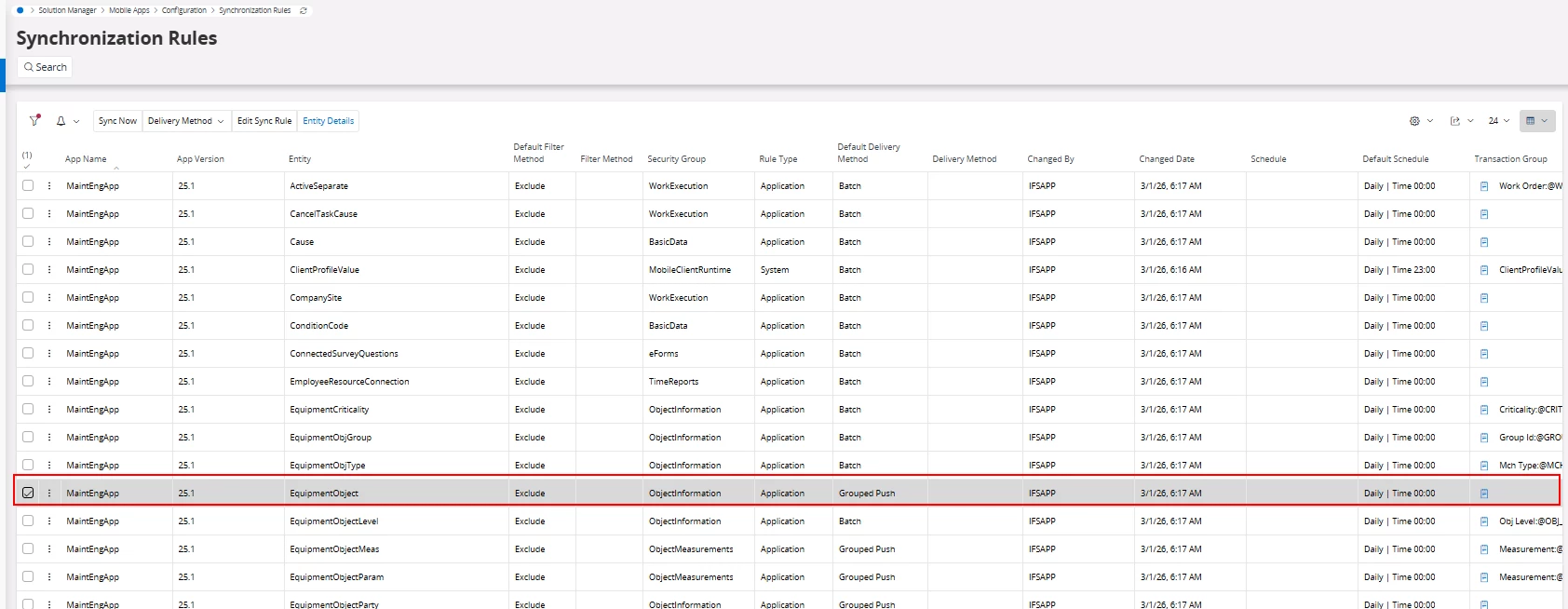
In 25R1 equipment object shows group push instead of batch as per previously community posts as per above screenshot
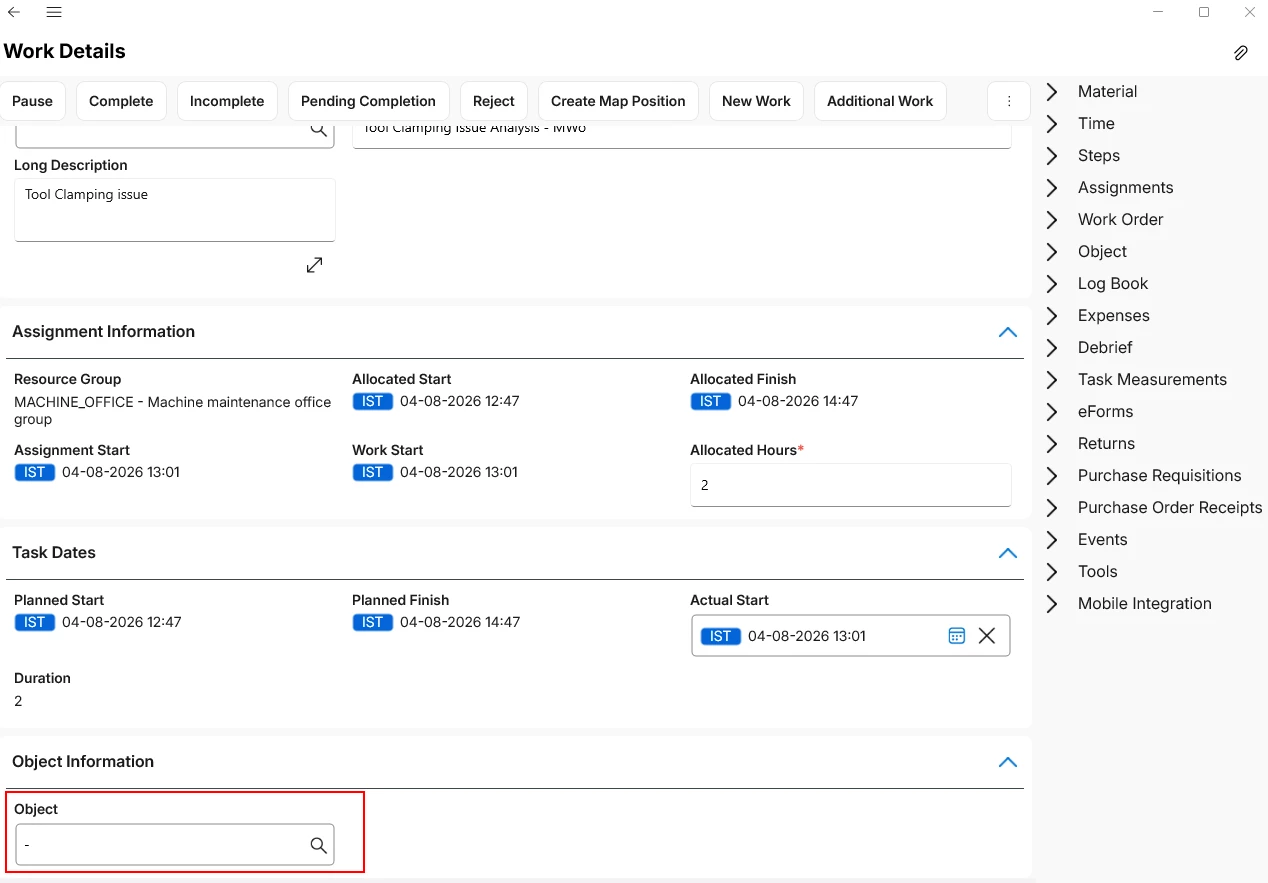
Object is missing as per above screenshot, and not able to manually add it to the mobile app
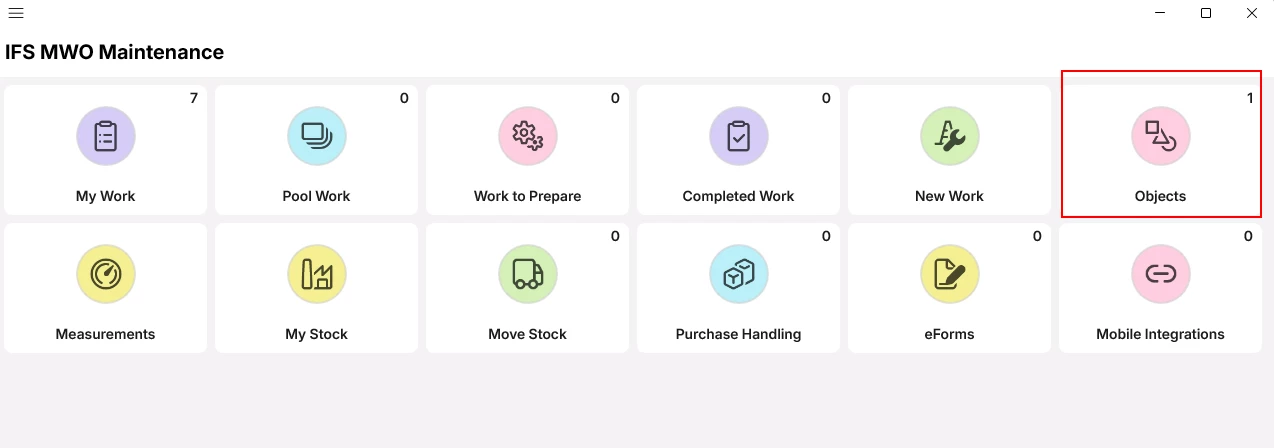
Object shows in objects tile, count available on the objects tile as per above screenshot
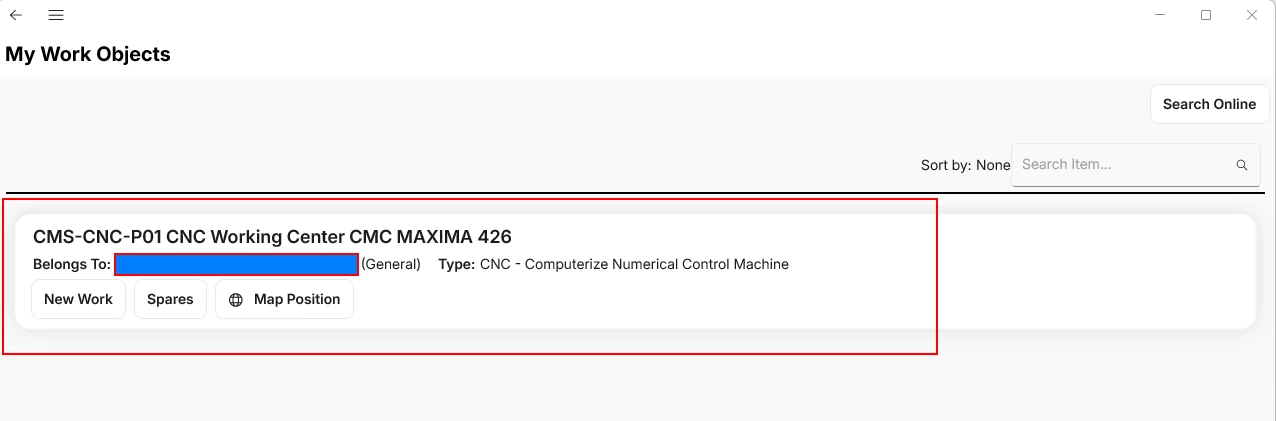
Object available in the My Work Objects page in MWo as per above screenshot
Regards,
Srinivas