Question

Error in Pickup task execution via MWO - default remote warehouse

  • June 17, 2025
  • 9 replies
  • 92 views

kasunhp
Sidekick (Partner)
Forum|alt.badge.img+9

Hi,


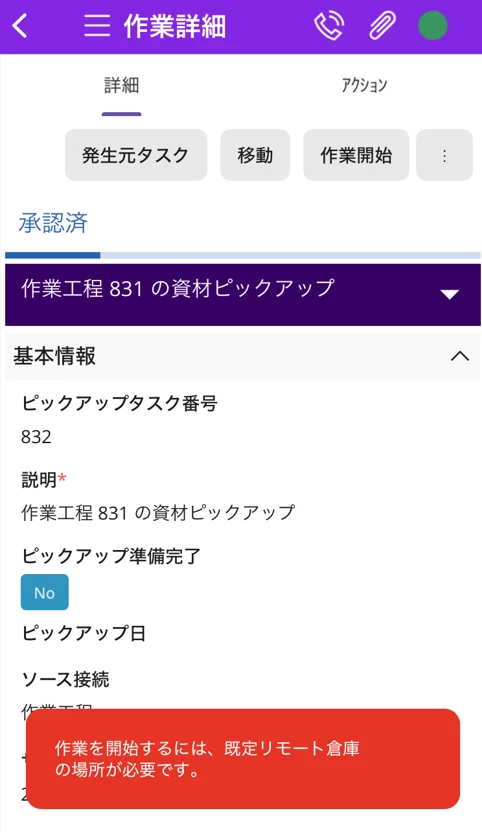
I’m getting an error when trying to execute a pickup task from MWO. The error is;
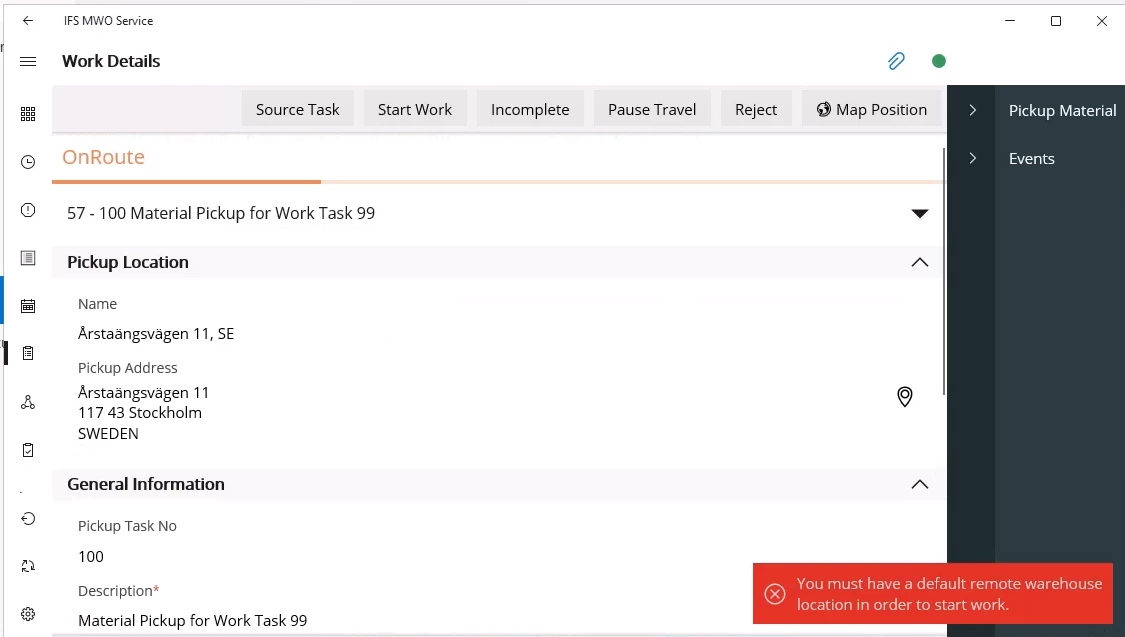
 

I have set up default warehouse for the user and addresses in relevant places. What can be the cause for this issue?


TIA:

9 replies

Forum|alt.badge.img+19

@kasunhp 

from help:

Prerequisites

  • A default location must be defined with the location type Picking for the user’s connected remote warehouse. Mobile users can set this up in Warehouse Management/Location/Warehouse Navigator/Warehouse/Remote Warehouse before executing the shipment pickup task. 
  • The Automatic Receipt flag must be set to True for the shipment type assigned to the user’s logistic site. This can be configured in Shipment Management/Outbound Shipment/Basic Data/Shipment Type/Shipment Order. 

kasunhp
Sidekick (Partner)
Forum|alt.badge.img+9
  • Author
  • Sidekick (Partner)
  • June 18, 2025

Hi ​@Vimukthi Mahakumbura,


Thanks for the input. But, all those prerequisites were already done as per the IFS doc and demystified 24R2. This is for the Purchasing type pickup task.


kasunhp
Sidekick (Partner)
Forum|alt.badge.img+9
  • Author
  • Sidekick (Partner)
  • June 18, 2025

Hi ​@Alexander Heinze 


Have you seen this issue before. Pickup task is purchasing type one from a supplier location.


kasunhp
Sidekick (Partner)
Forum|alt.badge.img+9
  • Author
  • Sidekick (Partner)
  • June 18, 2025

Hi ​@Vimukthi Mahakumbura 


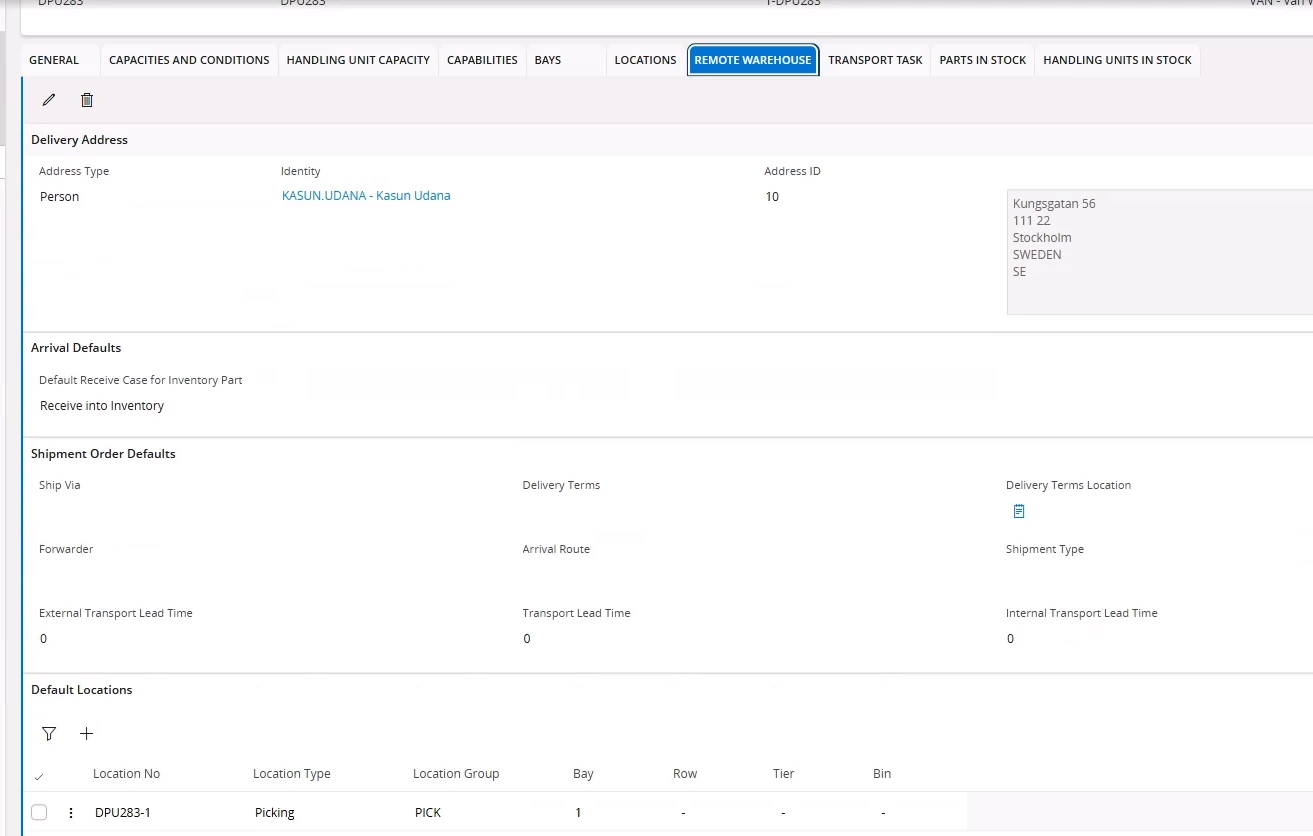
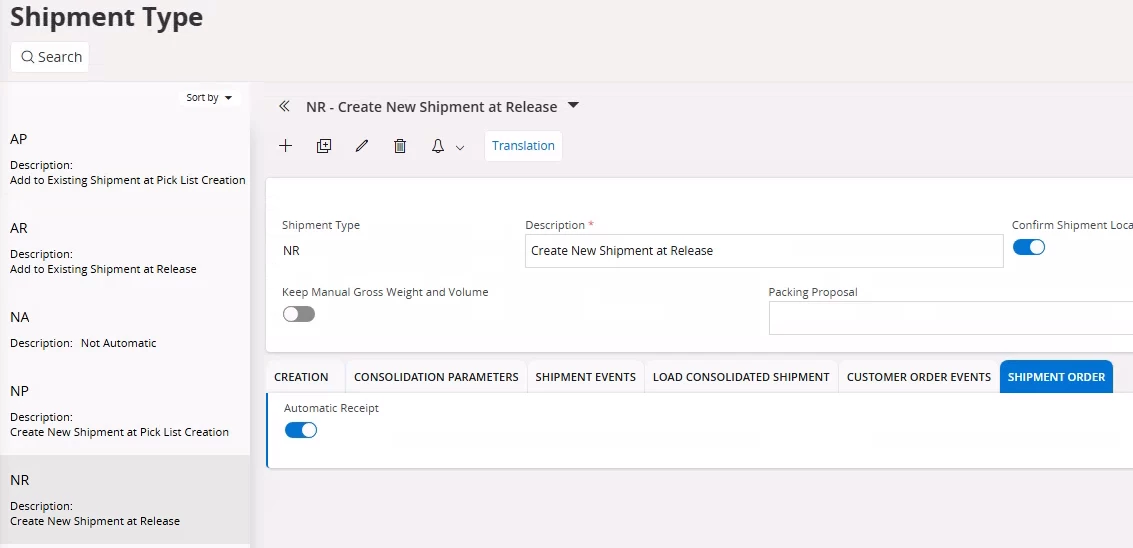
This is the setting for default warehouse and shipmen order.


Forum|alt.badge.img+2

@kasunhp 
@Vimukthi Mahakumbura 

Nice to meet you.
Were you able to resolve the error on your mobile device that says there is no default remote warehouse location?
If you have already solved it, could you please tell me how you resolved the issue? I am experiencing the same error in MWO.

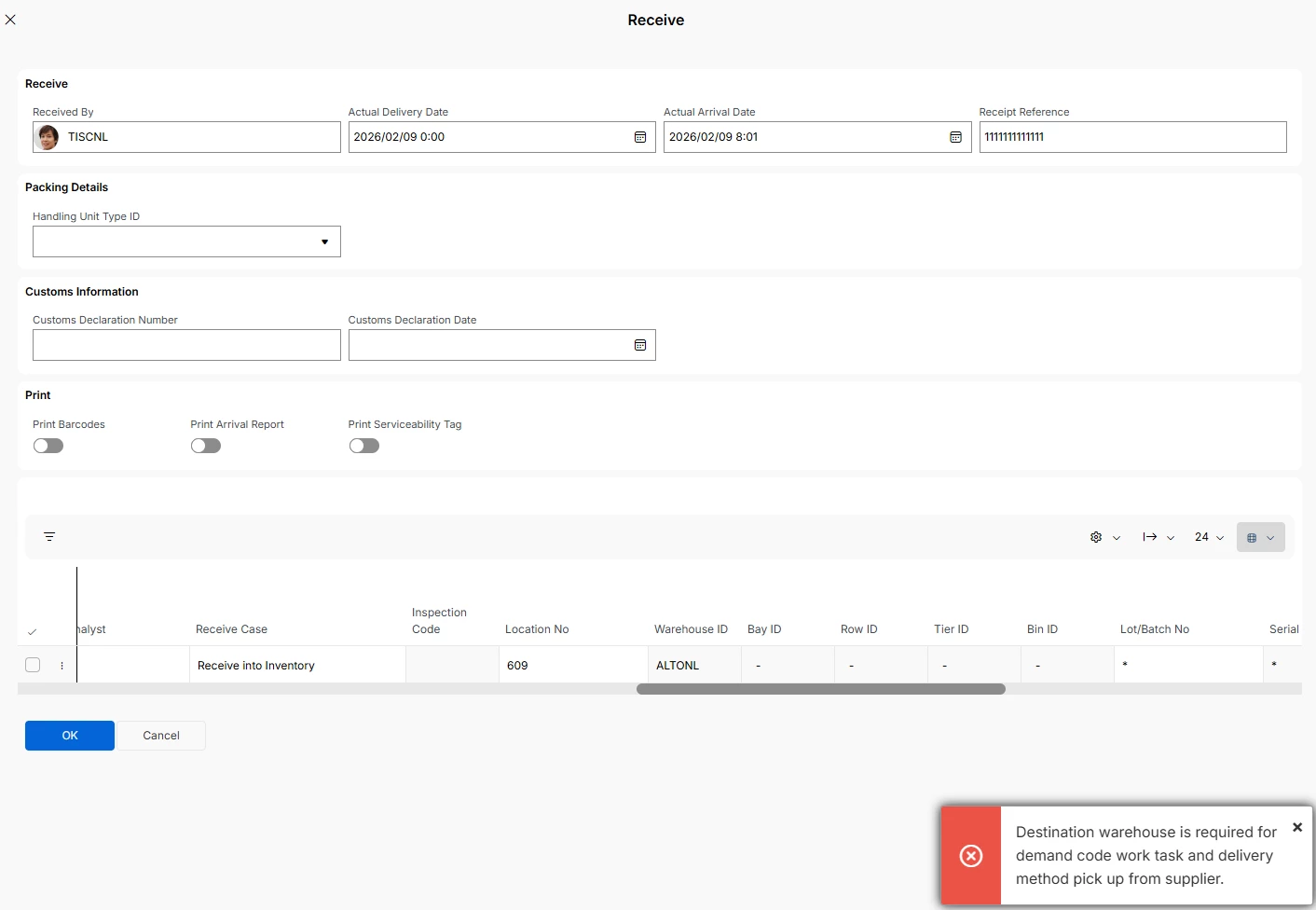
In addition, even though I have defined a remote warehouse, I am still encountering the receiving error shown below.
If you know how to resolve this issue, I would appreciate it if you could let me know.
Thank you in advance.


Alexander Heinze
Ultimate Hero (Employee)
Forum|alt.badge.img+23
  • Ultimate Hero (Employee)
  • February 9, 2026

@skullk would you mind having a look at this?


skullk
Hero (Employee)
Forum|alt.badge.img+11
  • Hero (Employee)
  • February 9, 2026

@kasunhp do you still get this error in MWO? If the default inventory location is defined (picking) for the user warehouse (van), you shouldn’t get this error (and it must have been synced to mobile).

@Takahiro Hashimoto looks like you get the error in IFS Cloud, not in mobile?


Forum|alt.badge.img+2

@skullk 
Hi!

I am experiencing the same error on the mobile app.
Sorry that it is a Japanese hard copy — please see below.


kasunhp
Sidekick (Partner)
Forum|alt.badge.img+9
  • Author
  • Sidekick (Partner)
  • February 9, 2026

Hi ​@Takahiro Hashimoto, ​@skullk 


I did not get this error recently. Instead I’m getting a different error when I have a pickup task in a material line. There is a separate ticket with IFS.

@Takahiro Hashimoto Can you try with only one material lines in the material tab where it is Pickup from supplier?