



Question

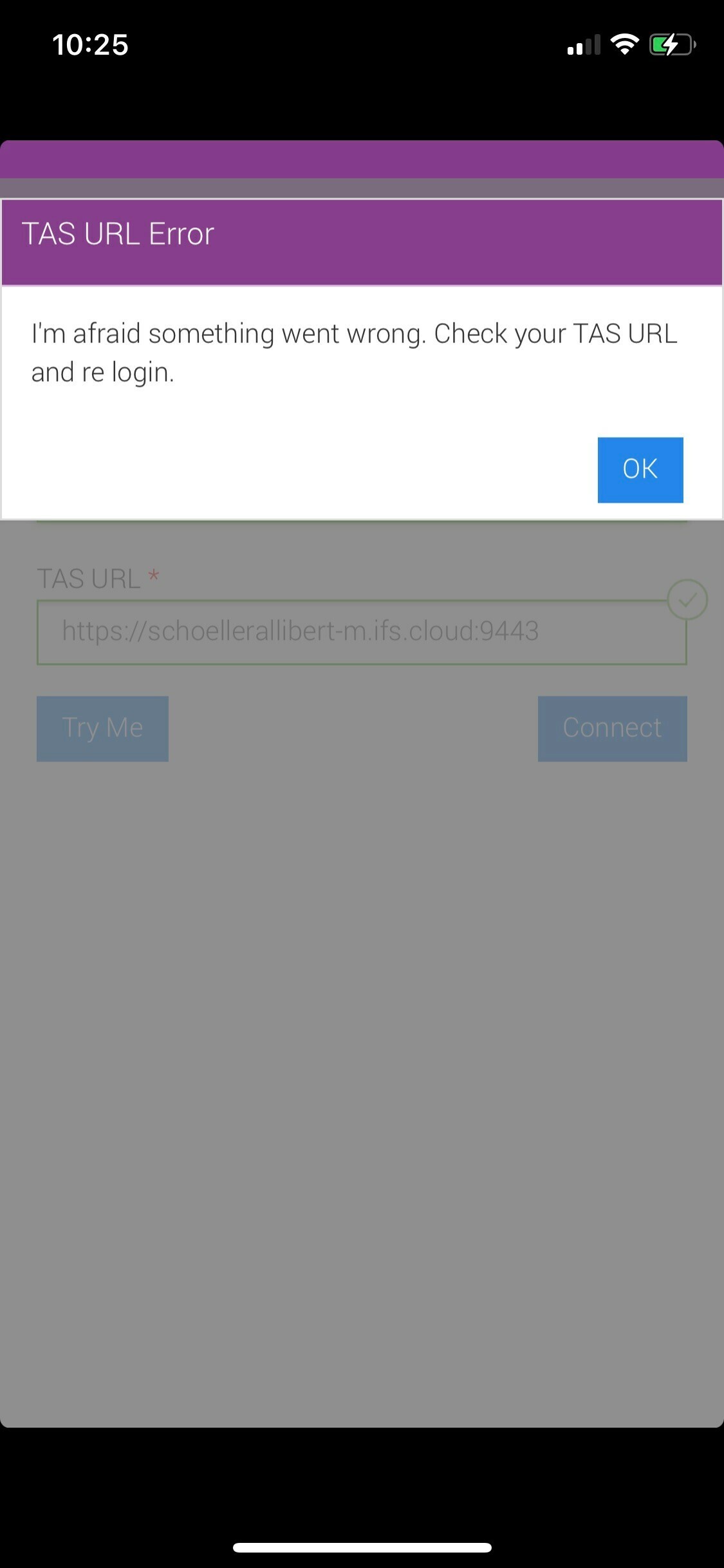
Error :I'm afraid something went wrong. Check your TAS URL and re login

  • May 17, 2021
  • 4 replies
  • 262 views

Mithila Rathnayake
Hero (Employee)
Forum|alt.badge.img+8

We have a scenario where some users cannot connect via Notify Me mobile App.

The error is “I'm afraid something went wrong. Check your TAS URL and re login.”

It’s working fine for some & if those who can access, tries with the same credentials of the users who can not logged in, they can logged in without any issue.

Is this a known issue. Are there any specific settings to be setup or any documentation can follow as a guideline.

Thanks in Advance

This topic has been closed for replies.

4 replies

Forum|alt.badge.img+10

Hi Mithila,

The users who cannot login to the application, can they login to the TAS URL from their mobile browser? 


Mithila Rathnayake
Hero (Employee)
Forum|alt.badge.img+8

Hi Ibrahim,

No please find the attached image, error comes when trying to login 


Nadeesh Herath
Hero (Employee)
Forum|alt.badge.img+9

Hi @Mithila Rathnayake 

Please check the network settings properly.

Also, check the certificate that's being used in TAS. It has to be a valid certificate issued by a trusted CA.


Regards,


Forum|alt.badge.img+10

Hi Mithila,


The screenshot is for the application. What happens when they go to a browser like Chrome from their mobile device and try to login to the TAS? Do they get the same error?