Question

IFS Business Reporter - filter to exclude one value without also losing nulls

  • March 26, 2026
  • 1 reply
  • 39 views

Forum|alt.badge.img+1

I have created an Income Statement report package in IFS Business Reporter that contains several sheets. The first sheet is a consolidated statement, then each subsequent sheet is for each division of the company (plus a few other more granular statements). I need to update the sheet for our Admin division so it will display everything except for one of our cost centers (CSG). When I add the filter criteria so Cost Center is not equal to ‘CSG’ like this:
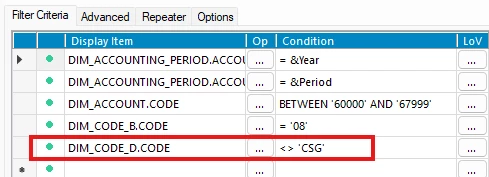
...it removes all CSG data, but it also removes data where the Cost Center is null. Cost Center is not a required code part value for us, so we have many transactions where this field is null.

I have tried a few different variations in the Advanced filtering pane like this:
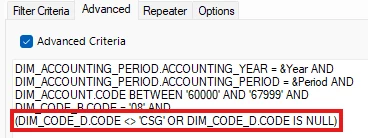
...but that has not worked either. I get an error that says “Basic Repeater is not allowed as advanced criteria are used in Report Book, Report Sheet or current design row”.

I experience the same issue on the GL Balance Analysis page in IFS, but I can resolve the issue there.
CostCenter: !=CSG -- does not work (this removes the nulls)
CostCenter: !=CSG; <> -- does work

How can I write this filter criteria in IFS Business Reporter to exclude ‘CSG’, but still keep the nulls?

1 reply

BEKEDE
Sidekick (Employee)
Forum|alt.badge.img+7
  • Sidekick (Employee)
  • April 20, 2026

Hi ​@nate.w ,

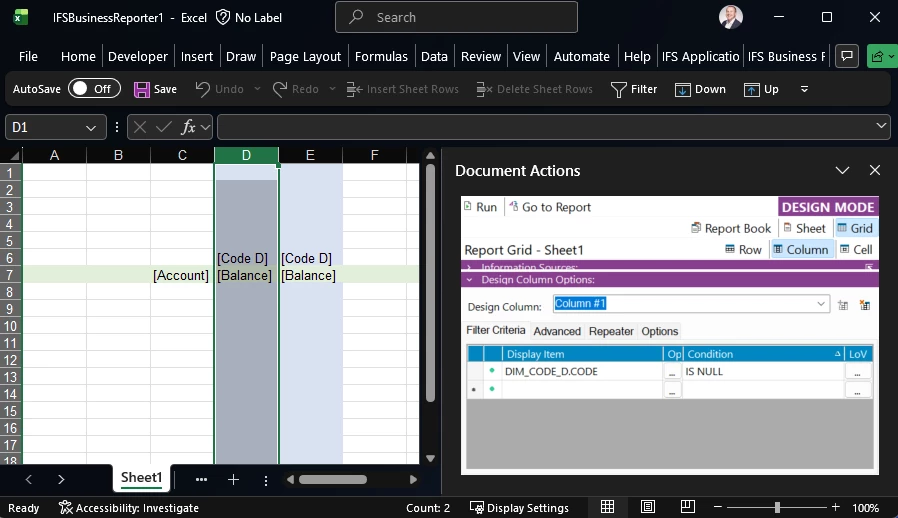
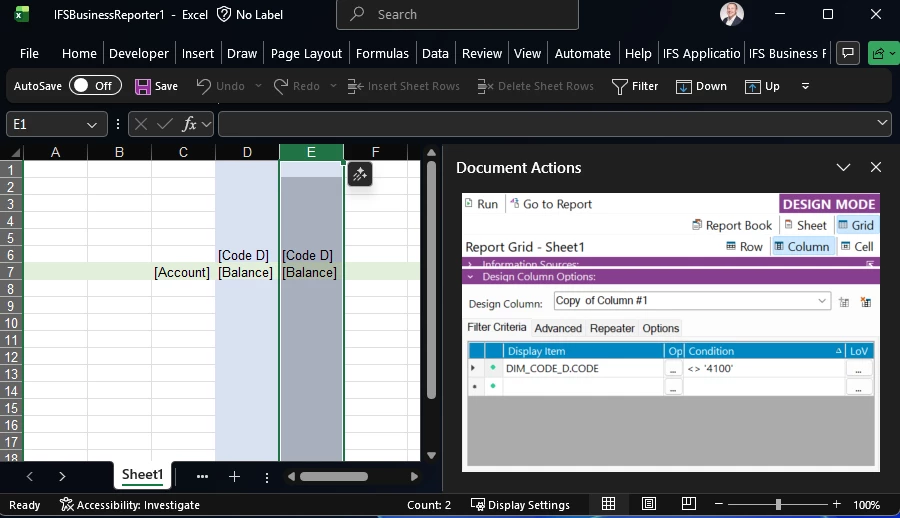
you can add an additional column where you only filter for “is null” values. The other design column is your real filter column where you exclude the GCS cost center. It is a workaround for your specific situation as the advanced filter cannot be used due to your other design choices in the report. Normally the advanced filter is the right design element to use. I suggest to review the advanced filter criteria on the other levels. Often an OR-Filter can be replaced with an IN-Filter. Maybe you get the advanced filter on the column level working with that. Would avoid the additional column and hence the report design leaner.

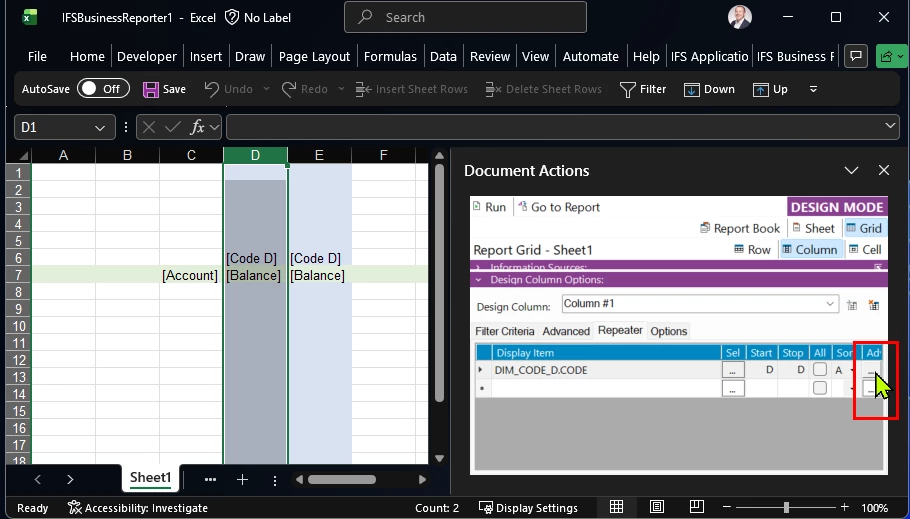
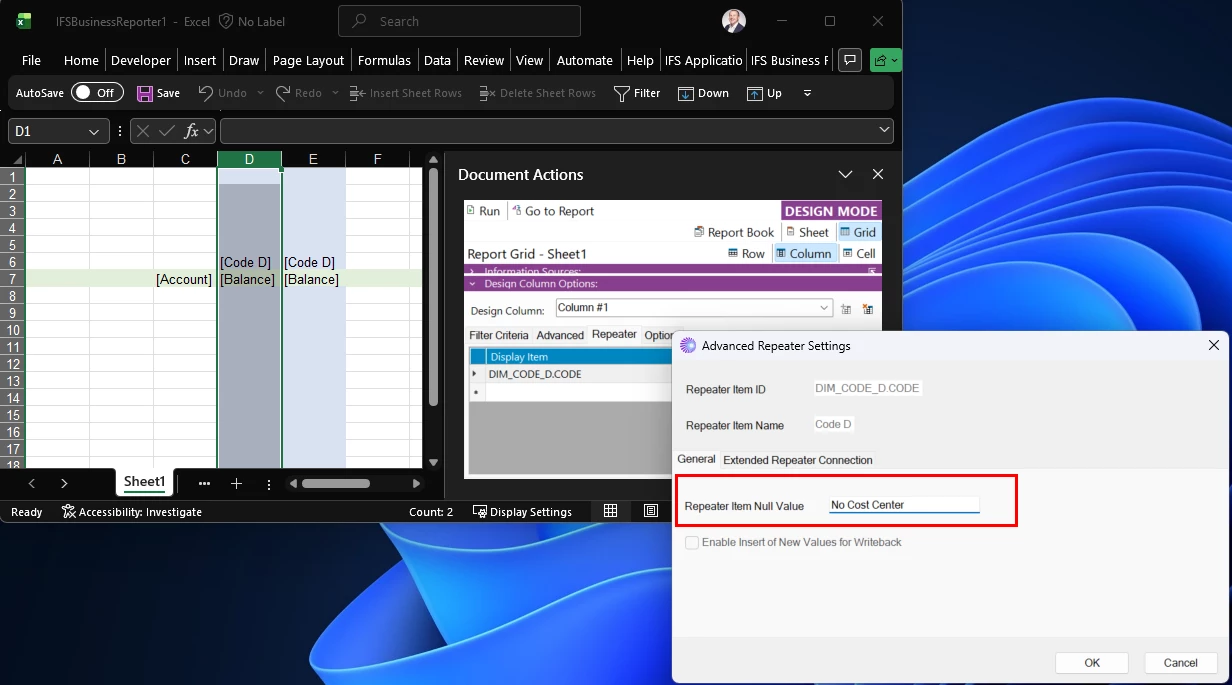
In the following you see the screenshots you see the work around solution with the two design columns. In addition I added a Null Value replacement in the repeater. This will show something if the value is null. 


First design column with the IS NULL condition


Second design column where you can filter out the values
Button for advanced repeater features
Null value replacement in the pop-up window
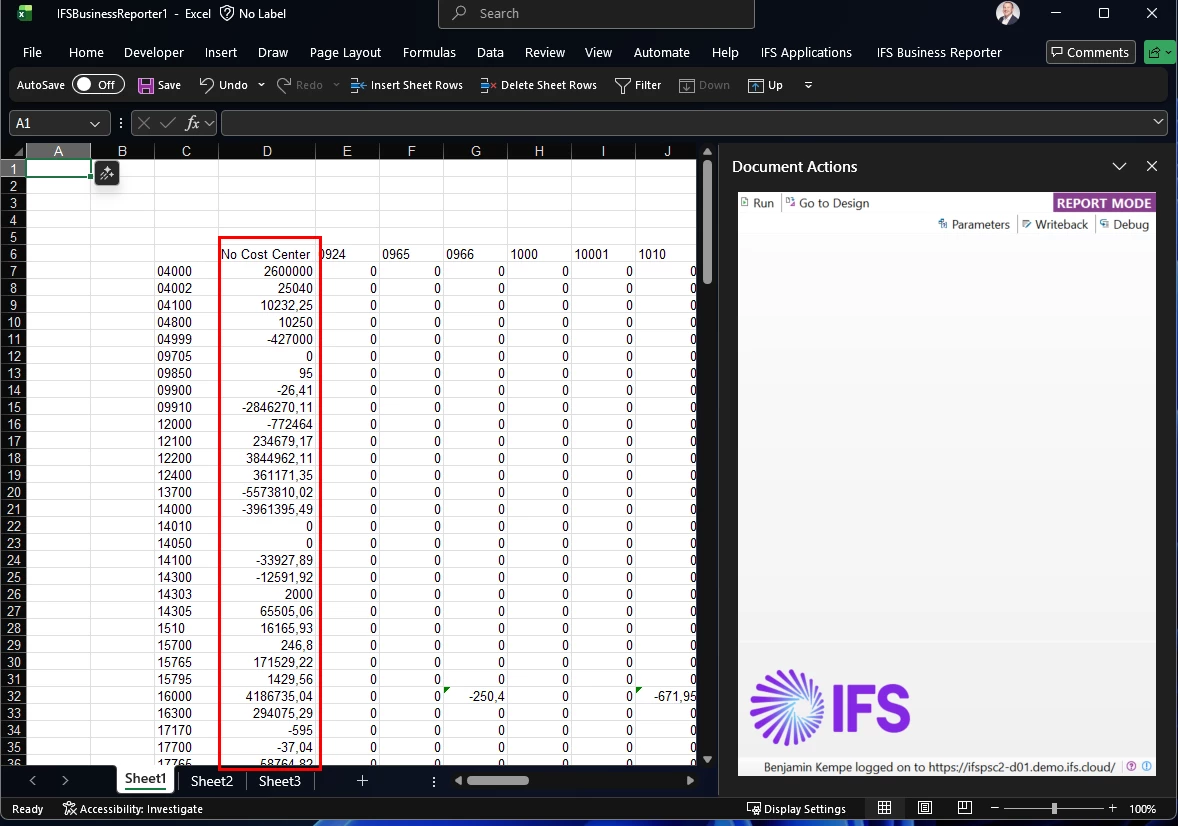
Report result with the null value column “No Cost Center” and the other cost centers from the second design column