Solved

Report Code Extension in Valid Report Codes

  • January 21, 2026
  • 4 replies
  • 35 views

Forum|alt.badge.img+5


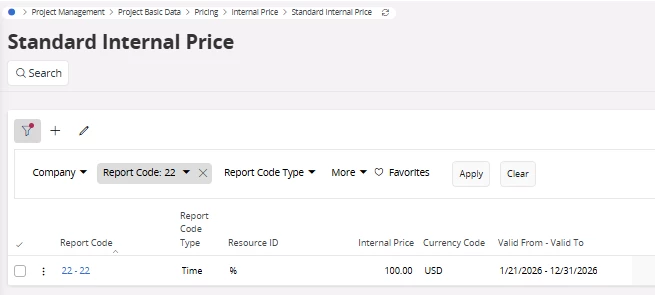
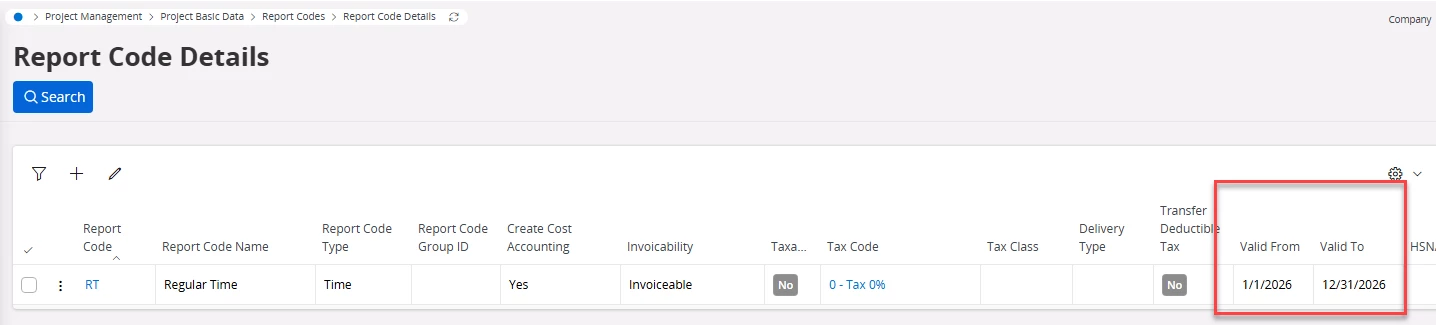
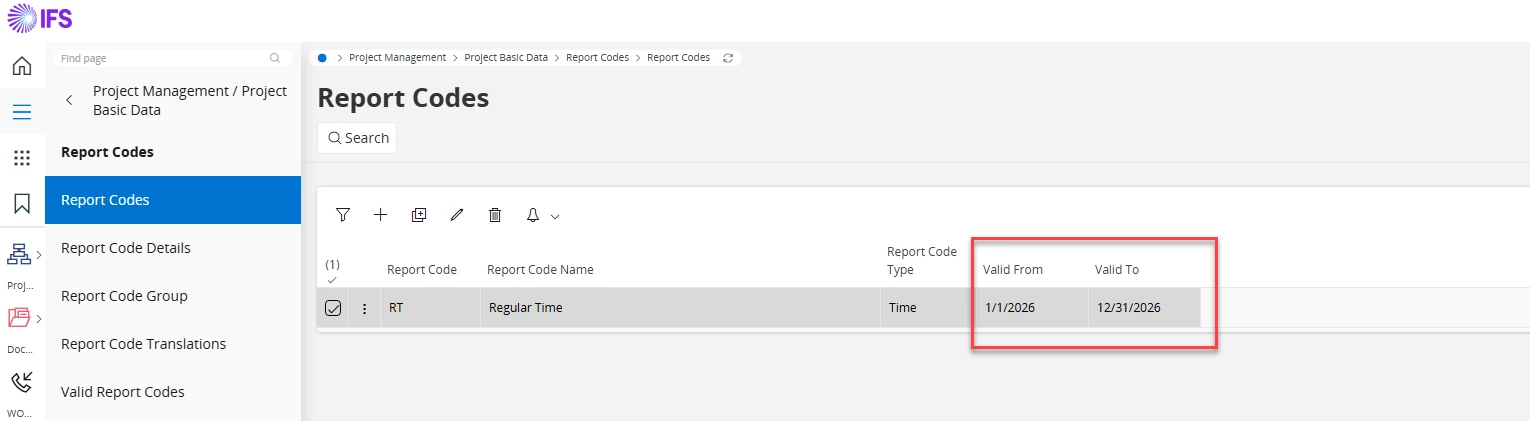
There is a scenario where a report code is valid from 01/01/2026 to 12/31/2026. These validity dates are maintained consistently in both the Report Code and Report Code Details windows. The Standard Internal Price is also defined using the same validity date range.
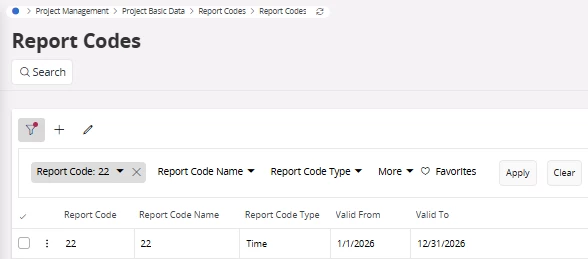
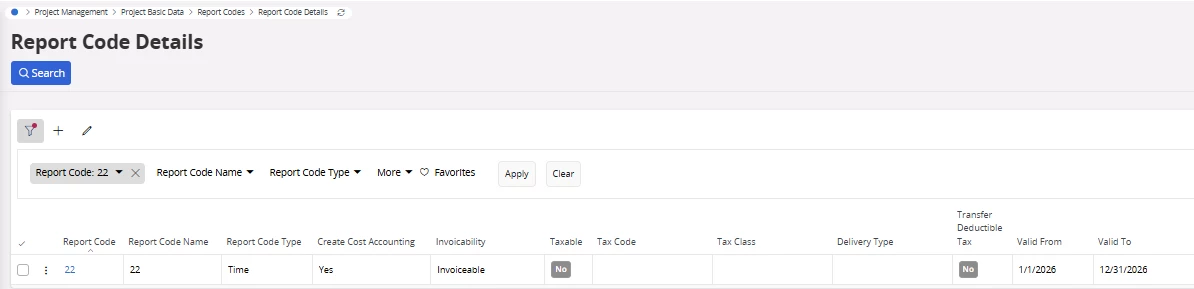


We now have a requirement to extend the validity of the report code to 12/31/2027. While the system allows the validity date to be amended in the Report Code window, the updated date is not reflected in the Report Code Details window.

As a result, it is not possible to maintain or update the sales price for the extended future period. Could you please clarify whether this behavior is expected by design, or if this is a system defect? Additionally, please advise if any further configuration or steps are required to enable future-dated pricing.
Best answer by desilvasachitha

Hi ​@RASFE,

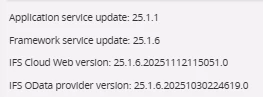
Please note that I replicated your scenario in 25R1 (please see the version details below). I was able to observe that “valid to date” in the “Report Code Details” details page successfully getting updated based on the adjusted “valid to date” from the “Report Code” page.
 

Please see my system testing steps as follows.

Step 1 - Created a Report code with Valid From - 01.01.2026 and Valid To - 12.31.2026.


Step 2 - Verified the date validity in the “Report Code Details” page and same dates were displayed therein as well.
 

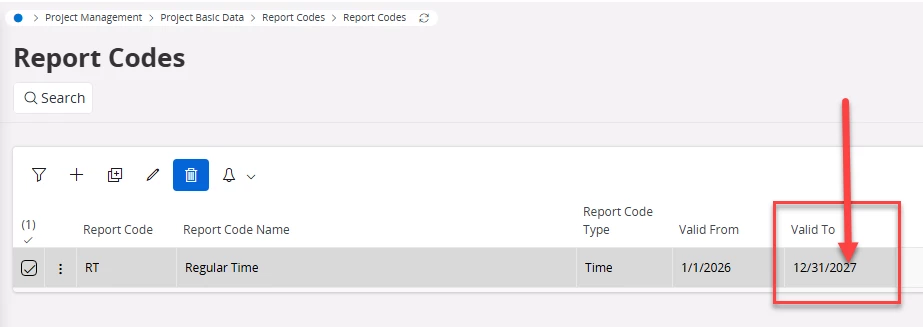
Step 3 - Adjusted the “Valid To” date in the Report Code page to 31.12.2027


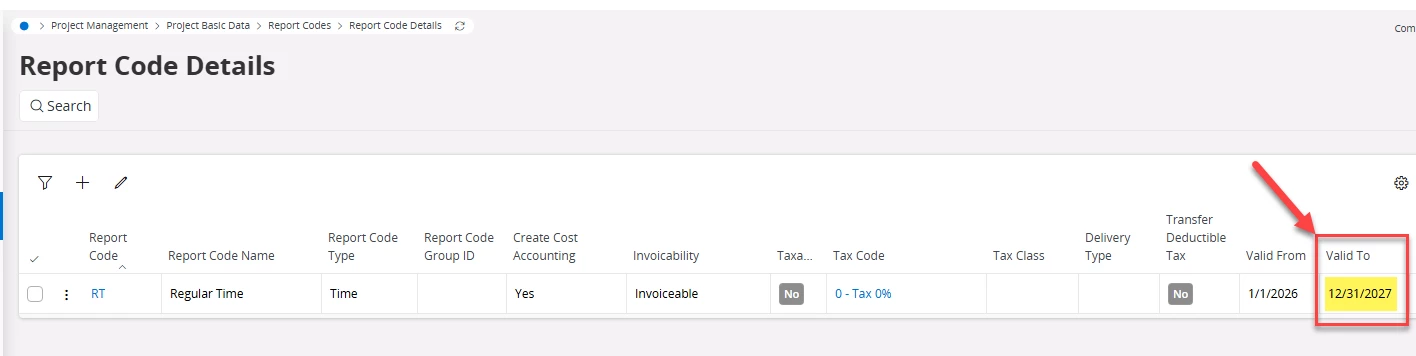
Step 4 - Went back and checked the “Valid To” date in the “Report Code Details” Page (after a browser refresh). Et voilà" - the “Valid To” date has been updated to 12.31.2027. 


I would assume that this could be something related to the version you are in (?) and may get fixed with the appropriate SU but not 100% though.

Hope this helps! 

cheers!
​​​​​​​Sachitha​​​​​​​

4 replies

PRODQ
Superhero (Customer)
Forum|alt.badge.img+18
  • Superhero (Customer)
  • January 22, 2026

I think you enter a new record in the Report Code Details for the extended period rather than editing and changing the end date.  


Linda


Forum|alt.badge.img+5
  • Author
  • Sidekick (Partner)
  • January 22, 2026

Hi Linda,


Thankyou for the response. Unfortunately, we cannot add the same record twice in the report code details, controlling the validity from and to, as it is uneditable.

Regards,

Rasfe.


desilvasachitha
Hero (Partner)
Forum|alt.badge.img+8
  • Hero (Partner)
  • Answer
  • January 23, 2026

Hi ​@RASFE,

Please note that I replicated your scenario in 25R1 (please see the version details below). I was able to observe that “valid to date” in the “Report Code Details” details page successfully getting updated based on the adjusted “valid to date” from the “Report Code” page.
 

Please see my system testing steps as follows.

Step 1 - Created a Report code with Valid From - 01.01.2026 and Valid To - 12.31.2026.


Step 2 - Verified the date validity in the “Report Code Details” page and same dates were displayed therein as well.
 

Step 3 - Adjusted the “Valid To” date in the Report Code page to 31.12.2027


Step 4 - Went back and checked the “Valid To” date in the “Report Code Details” Page (after a browser refresh). Et voilà" - the “Valid To” date has been updated to 12.31.2027. 


I would assume that this could be something related to the version you are in (?) and may get fixed with the appropriate SU but not 100% though.

Hope this helps! 

cheers!
​​​​​​​Sachitha​​​​​​​


Forum|alt.badge.img+5
  • Author
  • Sidekick (Partner)
  • January 23, 2026

Hi Sachitha,


Thank you for the update. Our version is 25.1.4. Based on your test results, we believe this is a bug, as the expected behaviour is available in your environment.

Regards,

Peshala.