Question

Project Demand Overview screen doesn't show all fields on Project_Misc_Procurement

  • March 17, 2026
  • 1 reply
  • 19 views

Forum|alt.badge.img+5

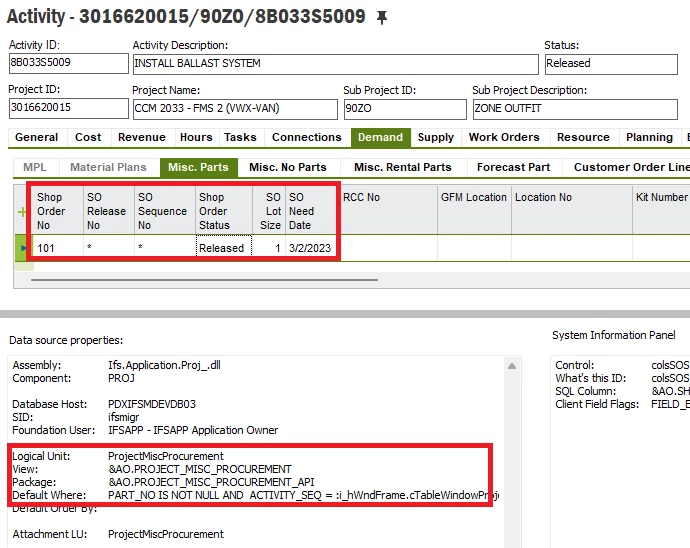
I have six fields - Shop Order No, SO Release No, SO Sequence No, Shop Order Status, SO Lot Size, and SO Need Date - that appear on the Misc Parts tab of the Activity screen. This appears on Project Navigator too. It’s a part of the ProjectMiscProcurement LU and uses the PROJECT_MISC_PROCUREMENT view:
 

We would like to see this fields on the Project Demand Overview screen, which is also part of the ProjectMiscProcurement LU and also uses the PROJECT_MISC_PROCUREMENT view:
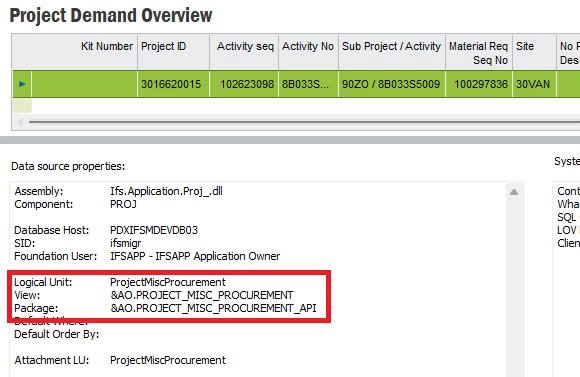
 

However, these six fields are not available on the Project Demand Overview screen. I realize I could create custom fields to get this data, but I’m wondering why I should have to do that as a workaround at all. The two screens are populated by the same LU/View and I’d like to know if there’s something else I can do to make these fields available on Project Demand Overview. 

1 reply

Tharindu Illangasinghe
Superhero (Partner)
Forum|alt.badge.img+16

Hi ​@TODDUNCLIFFE,


The “Project Demand” window is a summary window.

It is showing the demands coming from “Misc. Parts”, “Misc. No Parts” and “Misc. Rental” tabs. Now, if this windows tries to show all the columns of these three tabs then it will loose the idea of “summary”. Hence, it is showing a very limited number of columns (mostly the common columns that can be found in all of these 3 tabs) to make it easier for the business user. 


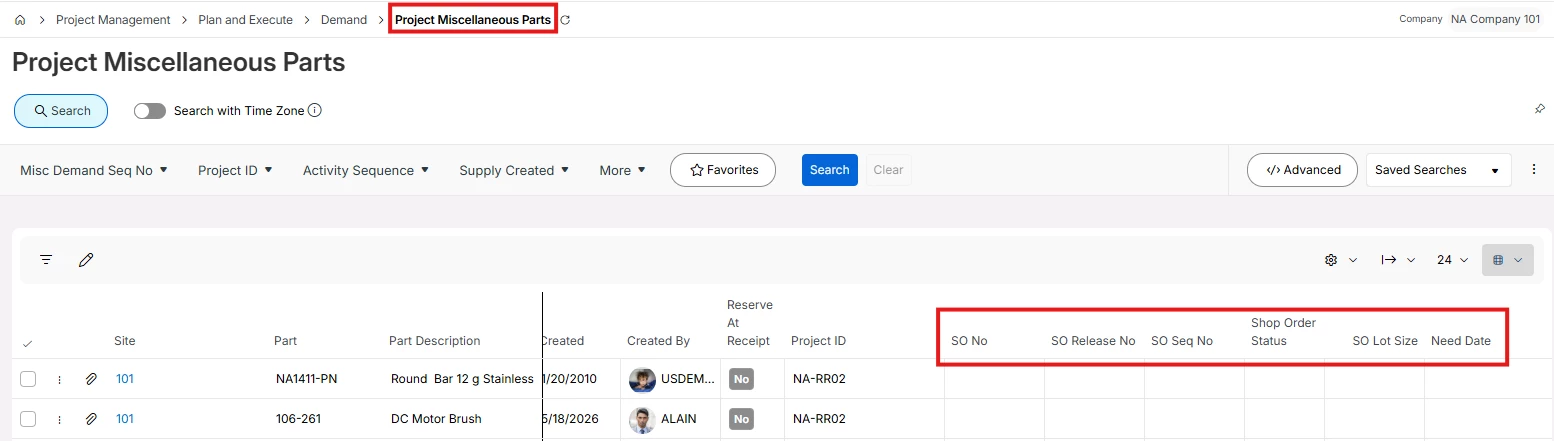
However, if you are looking for an overview screen with the SO columns then I suggest using the below window. Of course, this is showing the demands from Misc. Parts tab.

(though this is an IFS Cloud version screen same should be there in your version as well)