Solved

How to Count the Number of Records in the “COMPONENTS” Tab of the Project Deliverables Design Screen

  • Oct 19, 2026 8:48 AM UTC
  • 2 replies
  • 53 views

Forum|alt.badge.img+3

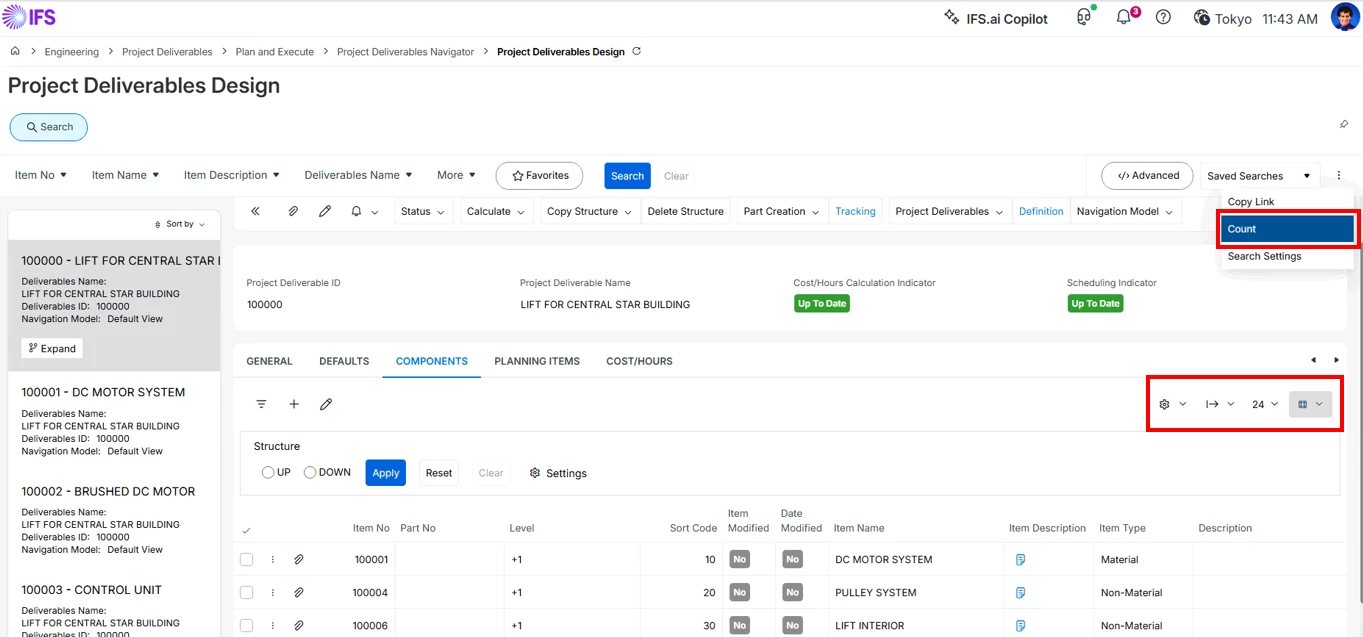
In the Project Deliverables Design page, the "Count" function is available at the header level and allows users to see the number of records matching the current search criteria. 
However, the same functionality is not available within child tabs such as the COMPONENTS tab. 
As a result, users cannot easily determine the number of records contained within tab-level datasets. 


Is there a function to count the number of records in a tab?
If not, is there a way to check this?


Best answer by Yathartha Karunananda

Hi ​@NECYAMAMOTO,

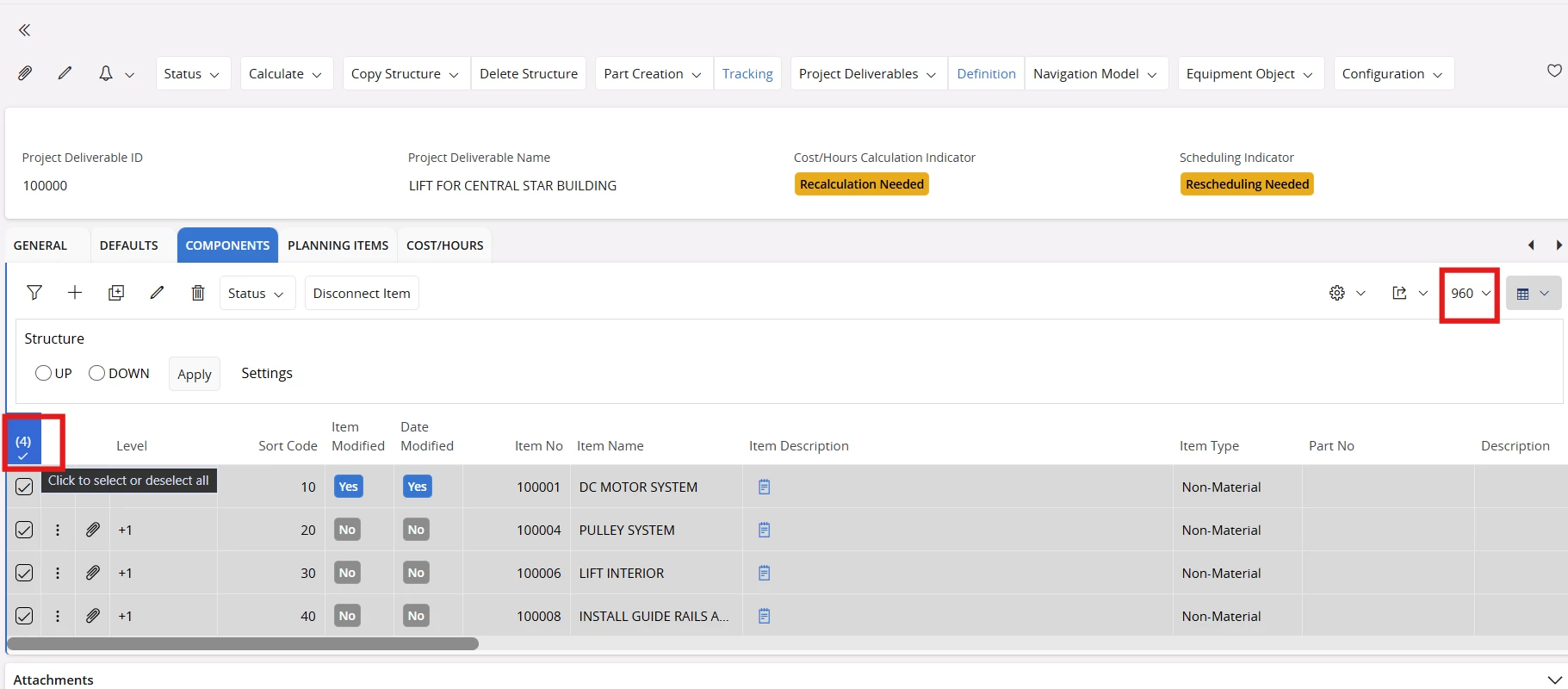
What you can do is, select all the records and see the count. 


View original

2 replies

Yathartha Karunananda
Superhero (Employee)
Forum|alt.badge.img+12

Hi ​@NECYAMAMOTO,

What you can do is, select all the records and see the count. 


Forum|alt.badge.img+3
  • Author
  • Do Gooder (Partner)
  • Oct 20, 2026 8:56 AM UTC

Thank you for your reply.
However, I believe this method can only count the records that are currently displayed on the page.
If there are more records than the number displayed per page, is there any way to count all records, including those that are not currently visible in the grid?

For example, are there any options such as:

  • Displaying the total record count directly in the UI
  • Using a lobby element, Quick Report, or SQL query to retrieve the total count
  • Accessing the data through an API or database view to count all records

Any suggestions would be appreciated. Thank you.