Solved

default filter in LOV

  • September 17, 2026
  • 6 replies
  • 34 views

Forum|alt.badge.img+11

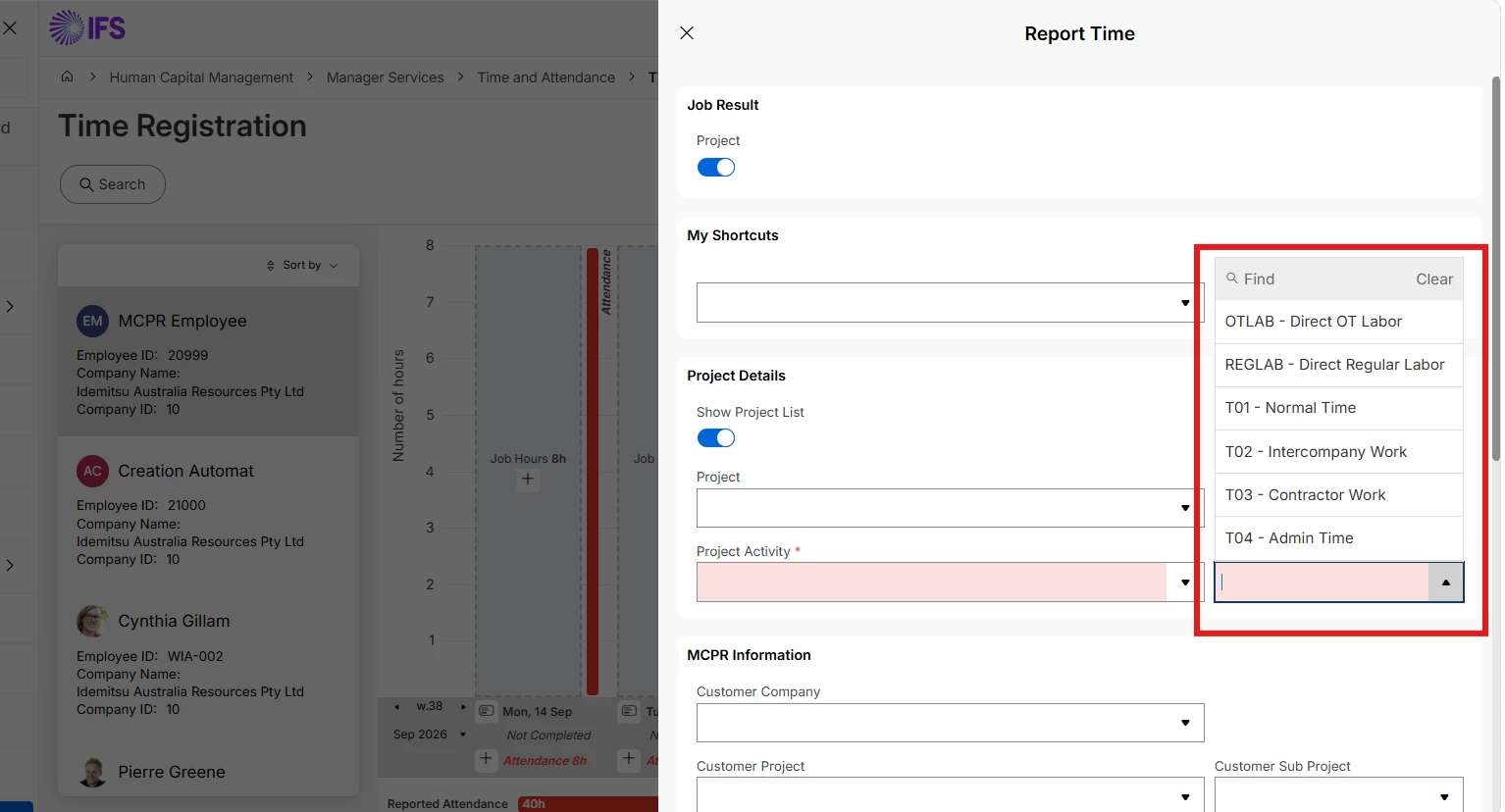
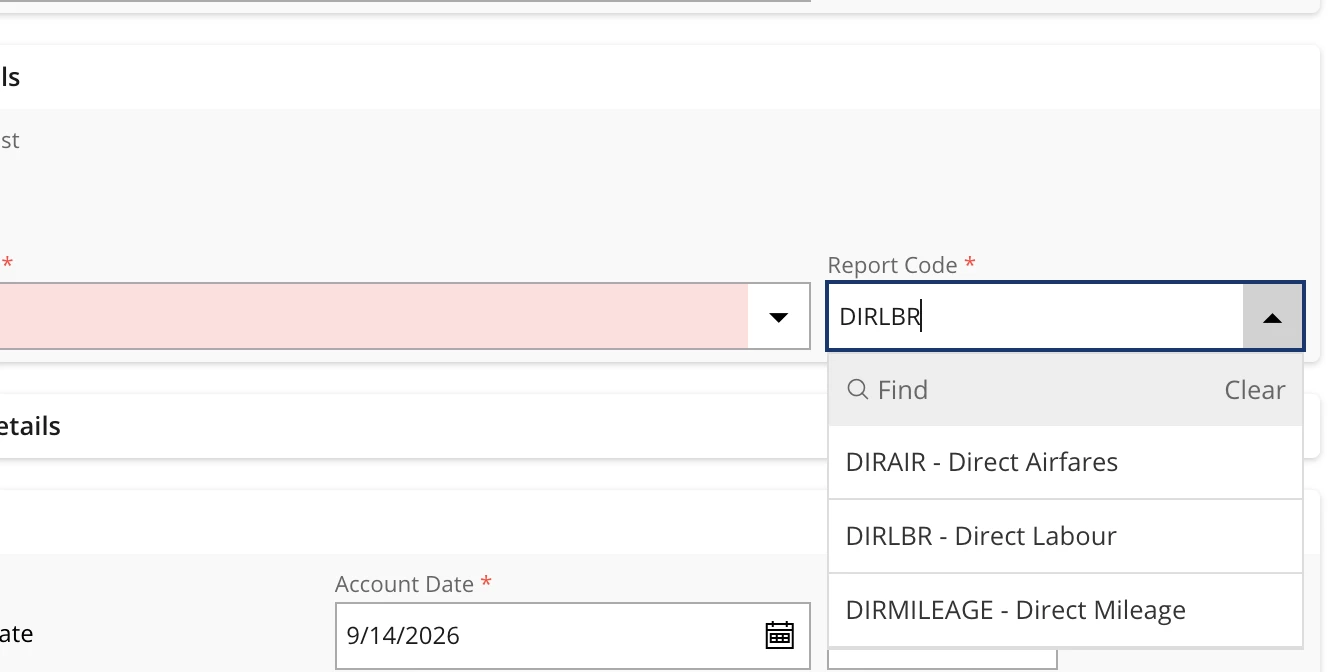
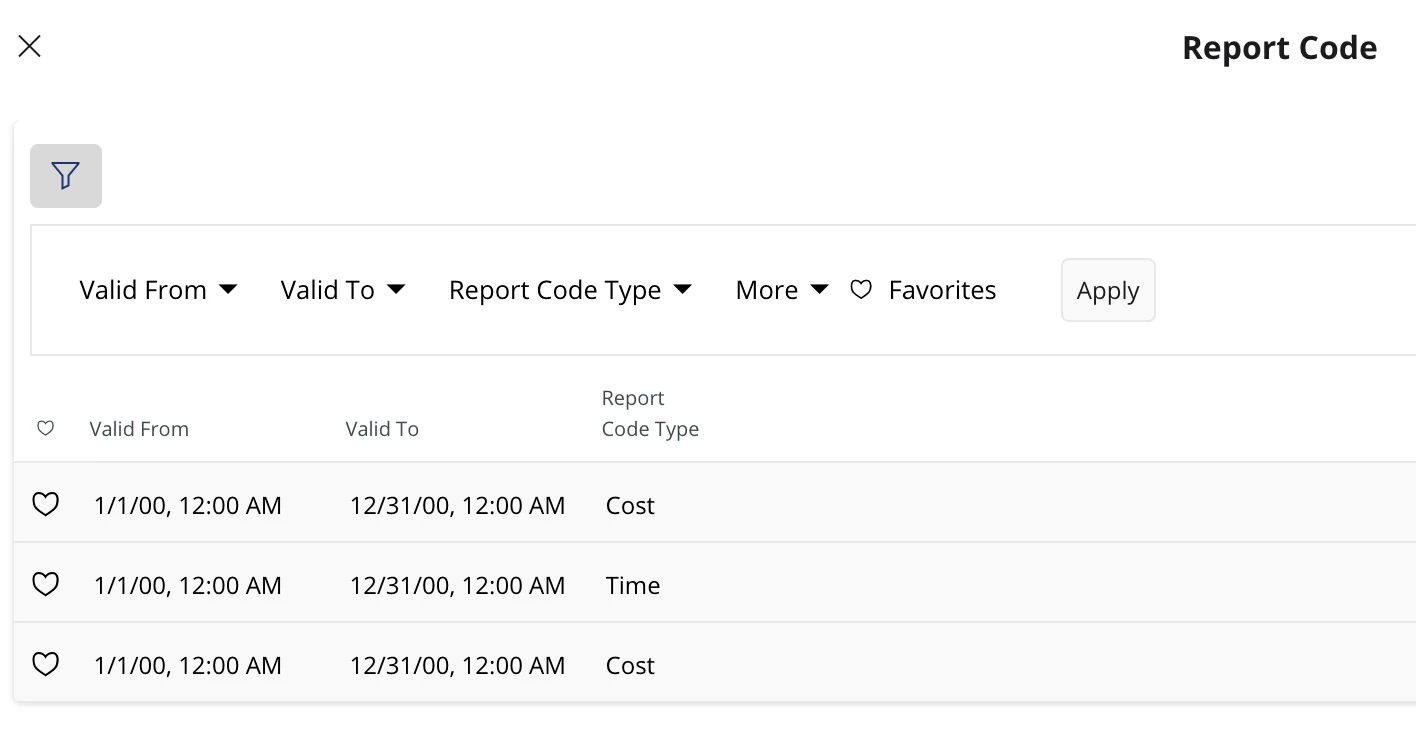
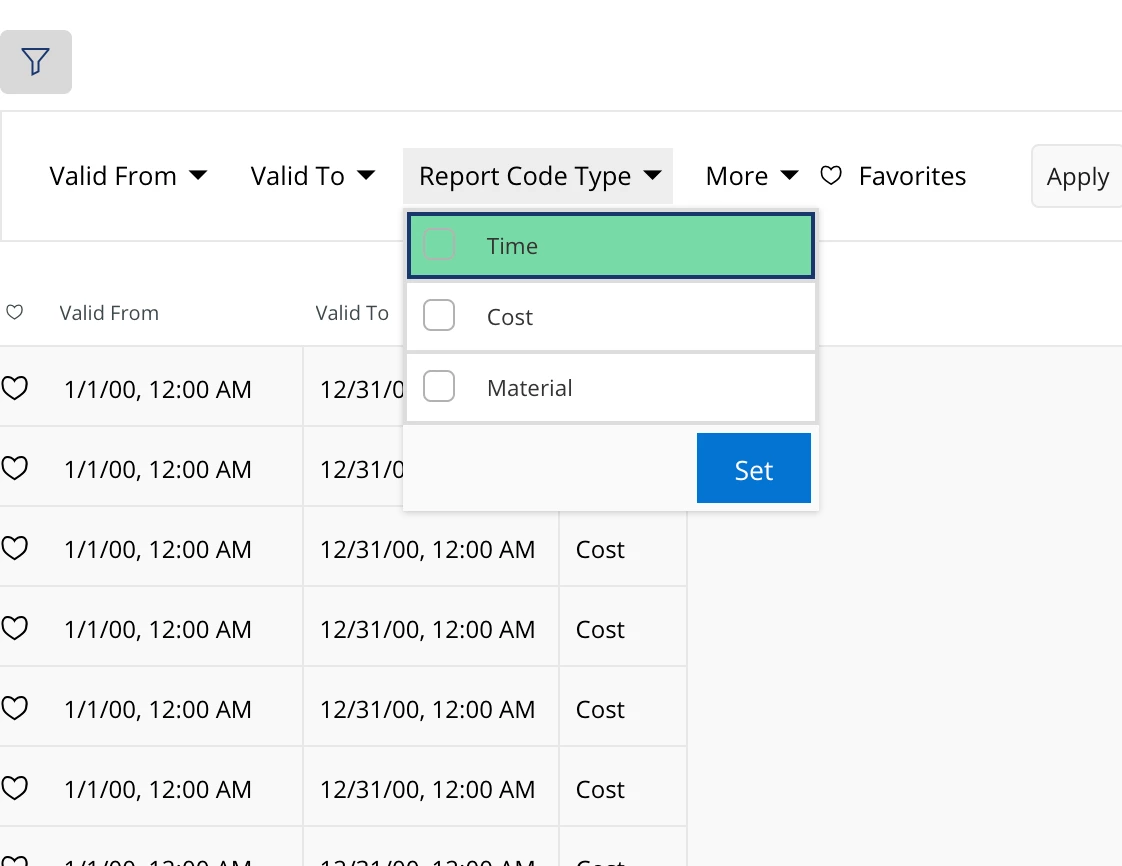
I would like to select the Time as default (Selected) value in Report Code Type. This is in Time registration Page. is it possible to only list report Codes which are Report Code Type = Time?

 

Best answer by Abdul

Hi ​@FPayab,

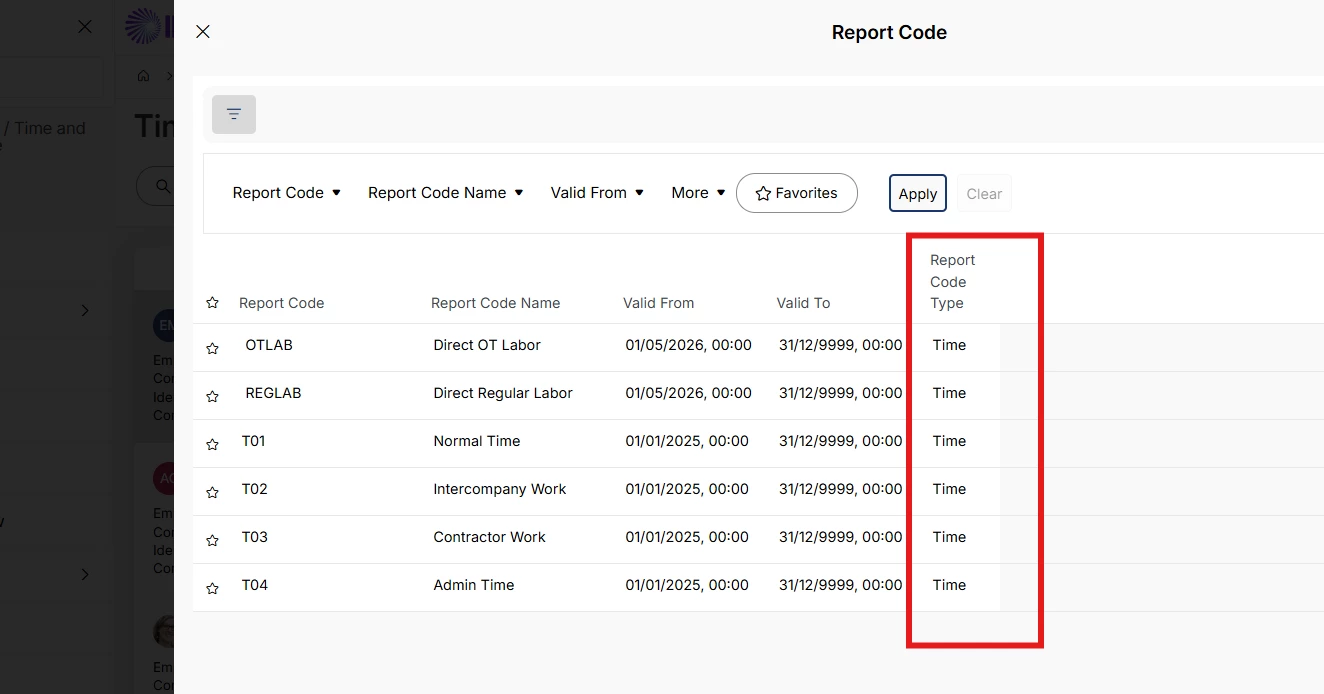
I am not sure which version you are using though I checked in 25R1 and 26R1, only Time type Report Codes are available for selection for Time Registration.

Anyway, you can put an additional filter through Page Designer for any LoV. 

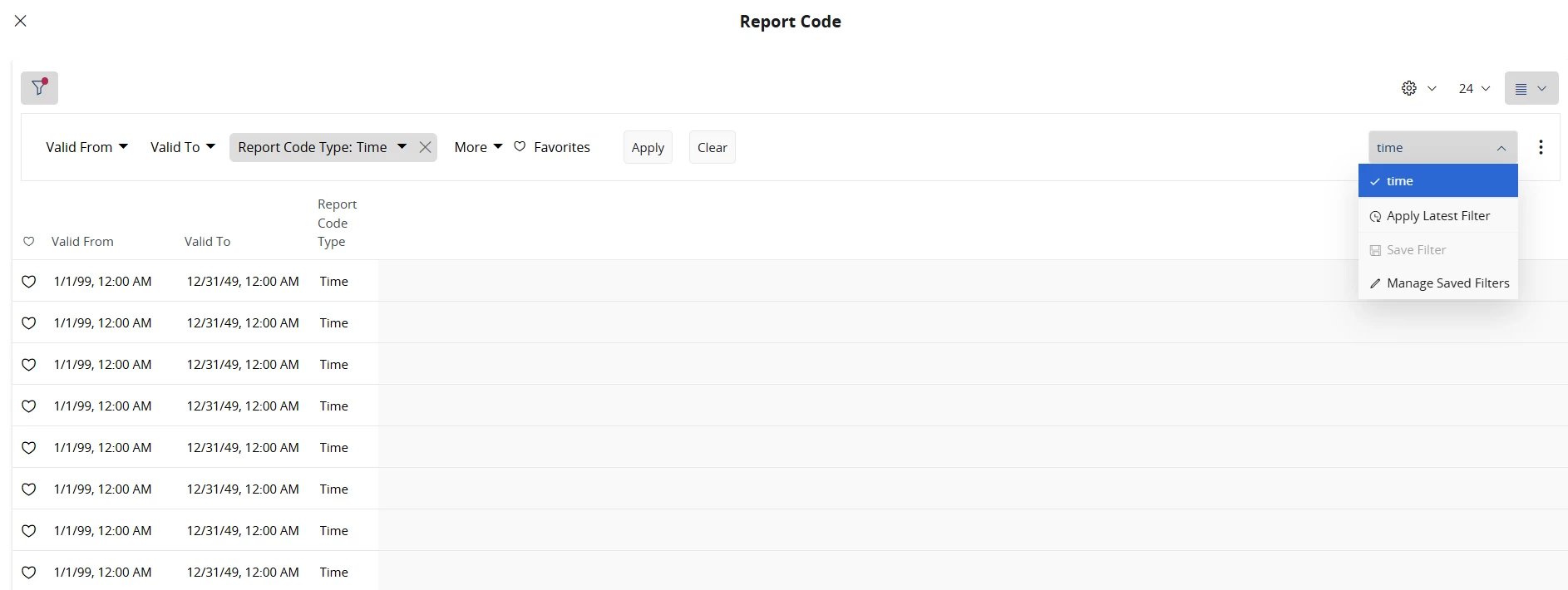
Please refer to the screenshots below for Report Code LoV filter.
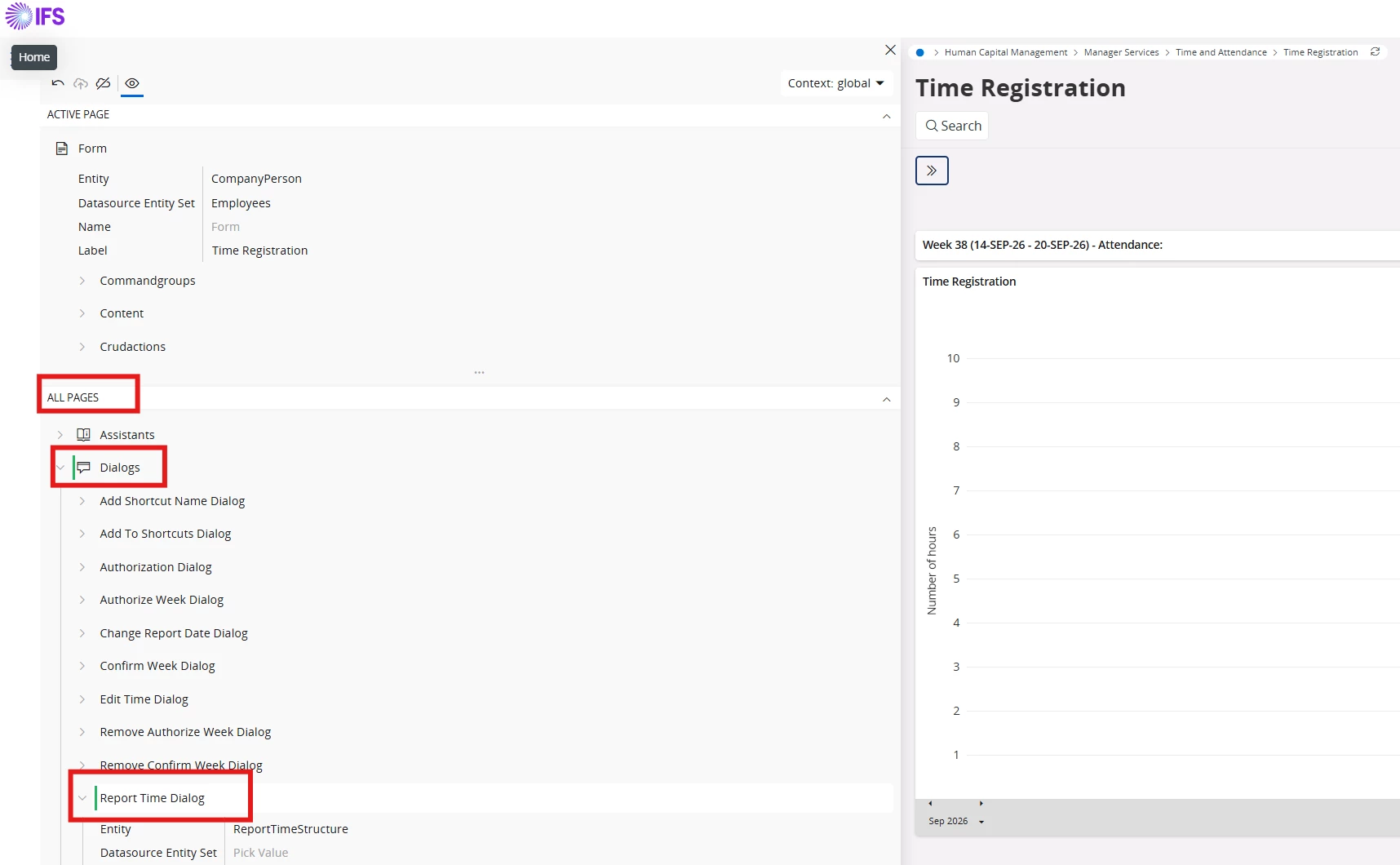
Value Syntax - (ReportCostType eq IfsApp.TimeRegistrationManagerHandling.ReportCostType'Time')

Try with above setup, it should work.

6 replies

Yathartha Karunananda
Hero (Employee)
Forum|alt.badge.img+12

Hi ​@FPayab,

You can simply save the filter and use it.


Forum|alt.badge.img+11
  • Author
  • Hero (Partner)
  • September 17, 2026

Hi ​@FPayab,

You can simply save the filter and use it.


That is one solution but i want the change to reflect in global context. it is actually annoying to see that Time Registration Page displays all Report Codes irrespective of the Type (Cost, Time). If there are 2 different pages to report Project Time and Project Expense/Cost, then the respective Report Codes must be listed in the LOV. But i am not able to achieve that


Abdul
Superhero (Partner)
Forum|alt.badge.img+20
  • Superhero (Partner)
  • September 17, 2026

Hi ​@FPayab,

Can you please exact screenshot of LoV where you are getting all types of Report Code?

I checked for Time Registration page, and the system by default showing Time type Report Codes only.


Forum|alt.badge.img+11
  • Author
  • Hero (Partner)
  • September 17, 2026

Hi ​@FPayab,

Can you please exact screenshot of LoV where you are getting all types of Report Code?

I checked for Time Registration page, and the system by default showing Time type Report Codes only.


Salam Abdul, 


Abdul
Superhero (Partner)
Forum|alt.badge.img+20
  • Superhero (Partner)
  • Answer
  • September 17, 2026

Hi ​@FPayab,

I am not sure which version you are using though I checked in 25R1 and 26R1, only Time type Report Codes are available for selection for Time Registration.

Anyway, you can put an additional filter through Page Designer for any LoV. 

Please refer to the screenshots below for Report Code LoV filter.
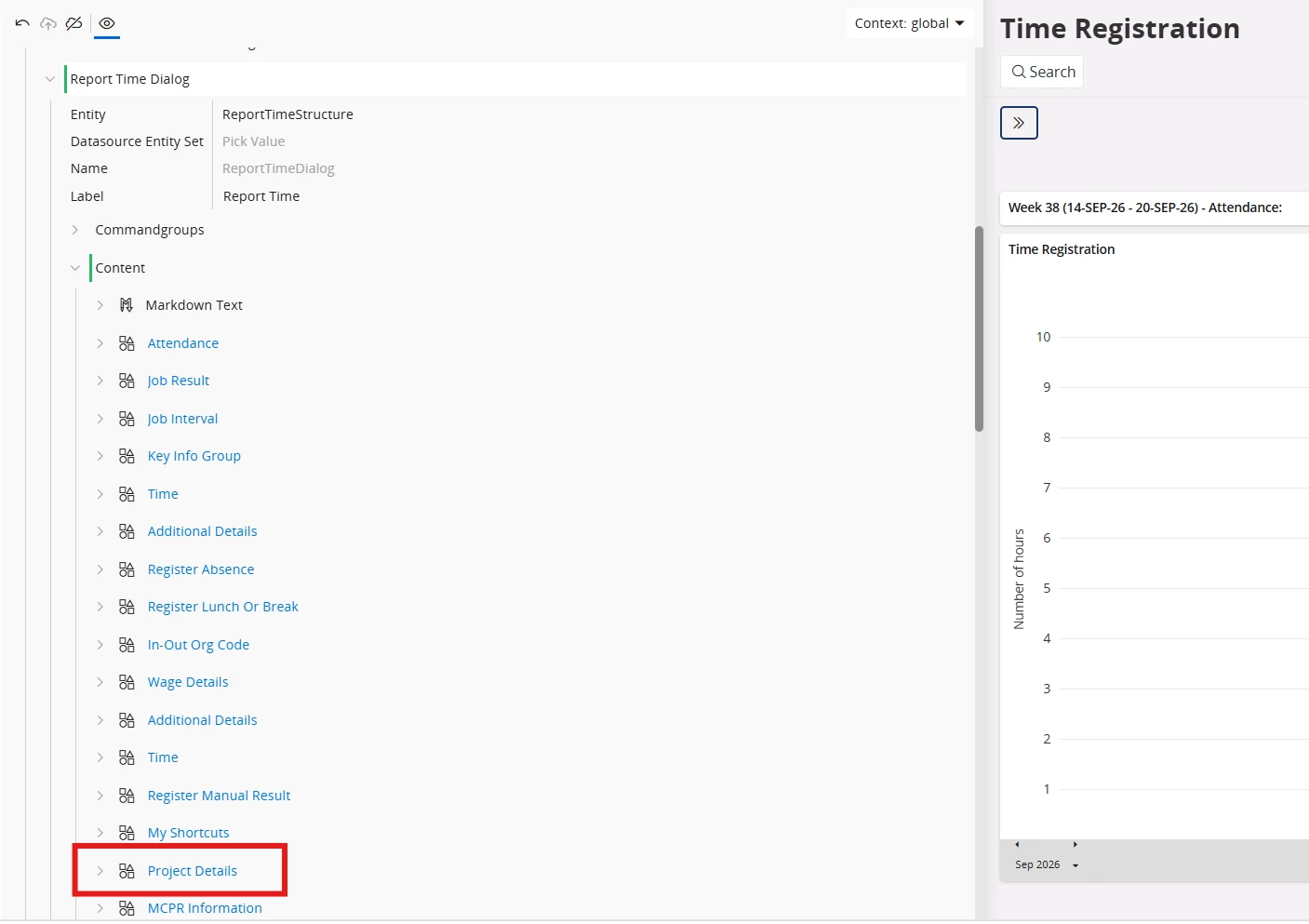
Value Syntax - (ReportCostType eq IfsApp.TimeRegistrationManagerHandling.ReportCostType'Time')

Try with above setup, it should work.


Forum|alt.badge.img+11
  • Author
  • Hero (Partner)
  • September 18, 2026

Hi ​@FPayab,

I am not sure which version you are using though I checked in 25R1 and 26R1, only Time type Report Codes are available for selection for Time Registration.

Anyway, you can put an additional filter through Page Designer for any LoV. 

Please refer to the screenshots below for Report Code LoV filter.
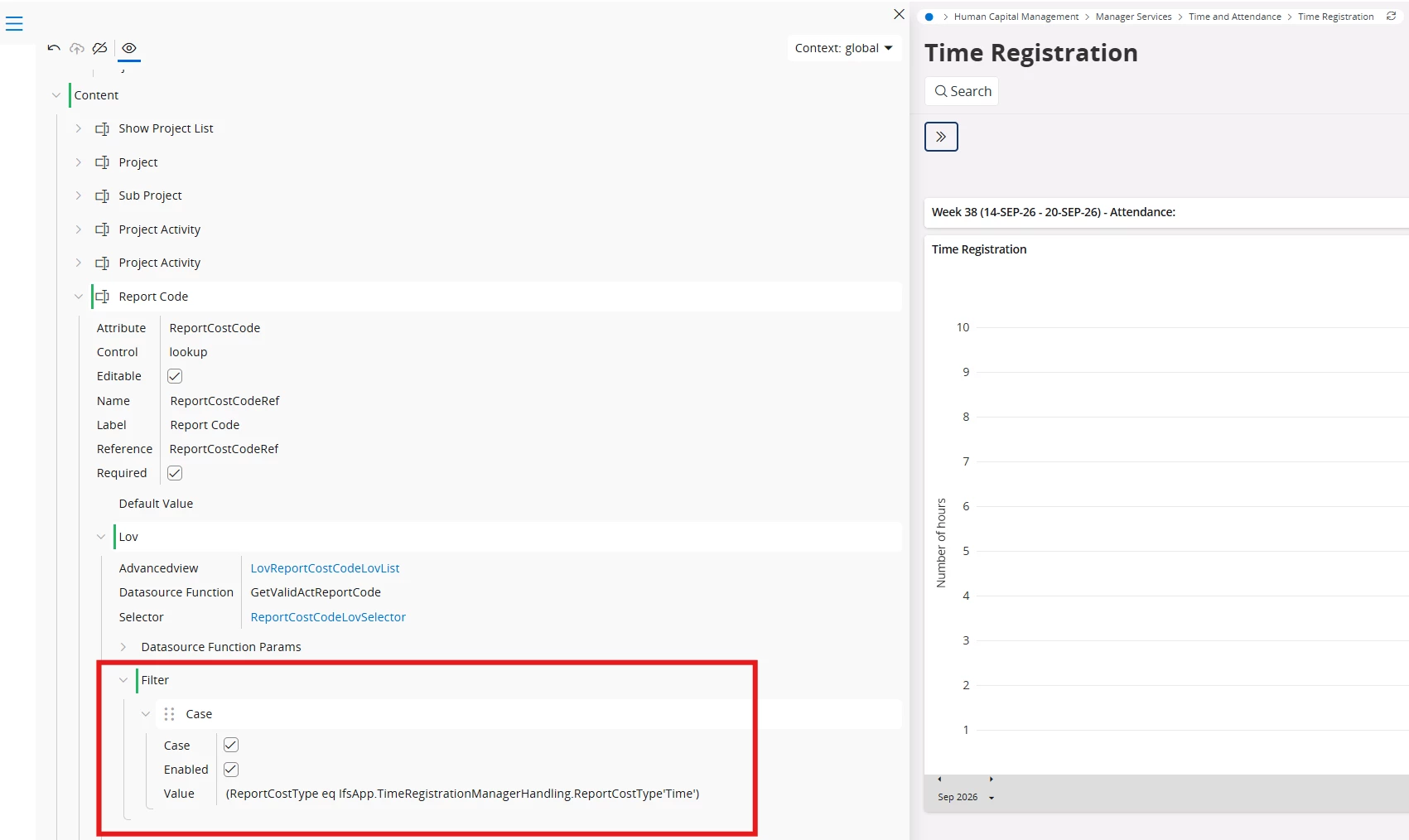
Value Syntax - (ReportCostType eq IfsApp.TimeRegistrationManagerHandling.ReportCostType'Time')

Try with above setup, it should work.

Thanks Abdul. We are using 24 R2. It works.