

Question

Any way to trigger Project Category 2 Changes Automatically?

  • Jun 26, 2026 4:23 PM UTC
  • 3 replies
  • 66 views

Forum|alt.badge.img+3

I am looking to implement secondary status indicators for projects that have reached substantial completion (all operational work has been completed) but have not yet reached financial completion.

My proposed approach is to utilize Project Category 2 by adding two additional values: In-Work and Closeout, alongside the existing Completed status. This would provide three distinct project phases:

  • In-Work – Operational work is actively in progress.
  • Closeout – Operational work is complete, but financial closeout activities are still outstanding.
  • Completed – Both operational and financial work have been completed.

My primary question is what the best method would be to transition a project from In-Work to Closeout. Is there an existing event or workflow in IFS that could be used to automate this transition, or would a manual update to Project Category 2 be the recommended approach?


3 replies

Marcel.Ausan
Ultimate Hero (Partner)
Forum|alt.badge.img+22
  • Ultimate Hero (Partner)
  • Jun 29, 2026 7:15 AM UTC

Hi ​@TWilson ,


I would not advise using Project Category 2 for this as Project Category 2 could also be used in Purchase Order Authorization Rules. If you’re not using it for PO Authorizations yet, you might do so in the future.

How about creating a Custom Enumeration with the values you need. Then you can create a Custom Attribute linked with that enumeration + publish it on the Project Definition page.

Then you can either:

  • change the value of the field manually
  • create a BPA WF that once all Project Activities are Cancelled / Completed / Closed to update the Custom Field automatically to Close-Out.

Forum|alt.badge.img+3
  • Author
  • Sidekick (Customer)
  • Jun 30, 2026 7:57 PM UTC

Ah understood, what is the best practice/default method for PM’s to set milestones (not necessarily defined by a task/actual work) that are visible within the Gantt chart but also can be used to trigger such a function?


Abdul
Superhero (Partner)
Forum|alt.badge.img+20
  • Superhero (Partner)
  • Jul 1, 2026 5:23 AM UTC

Hi ​@TWilson,

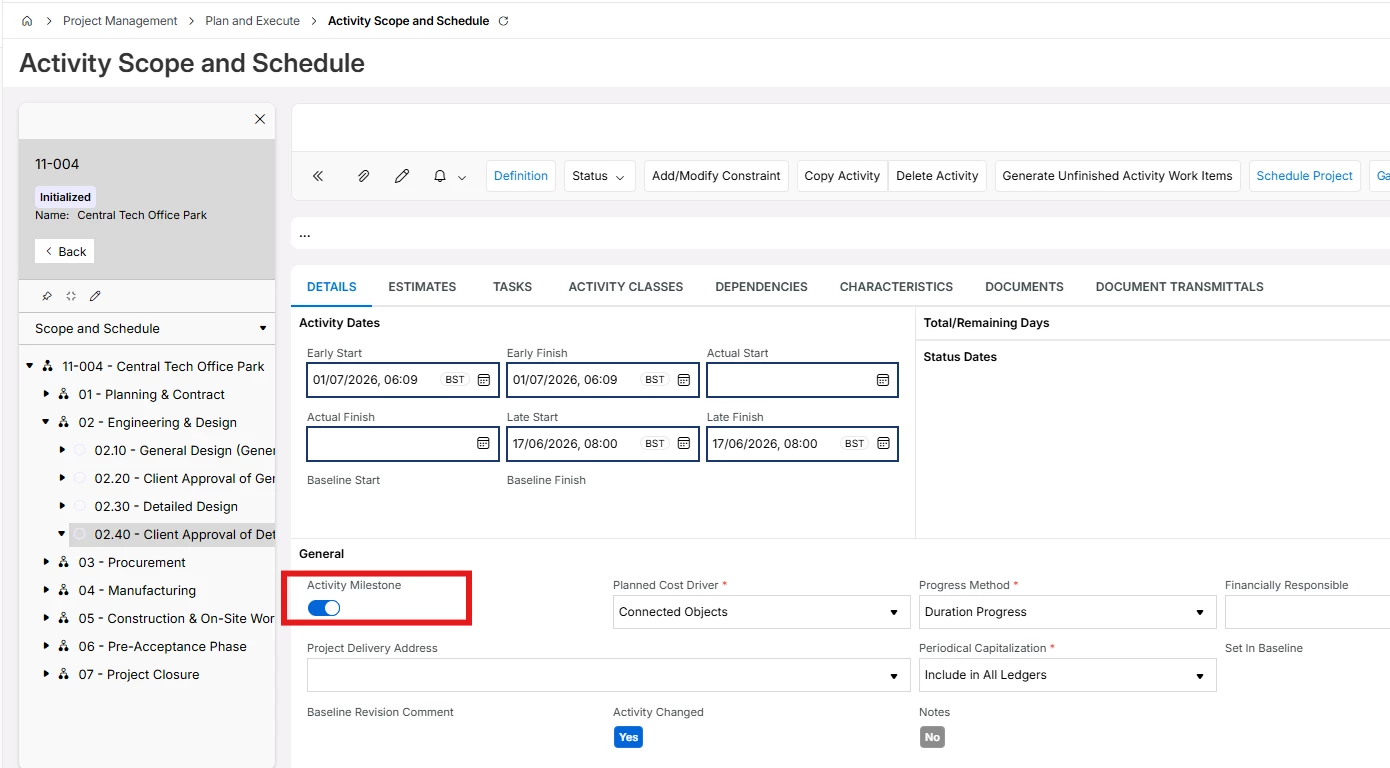
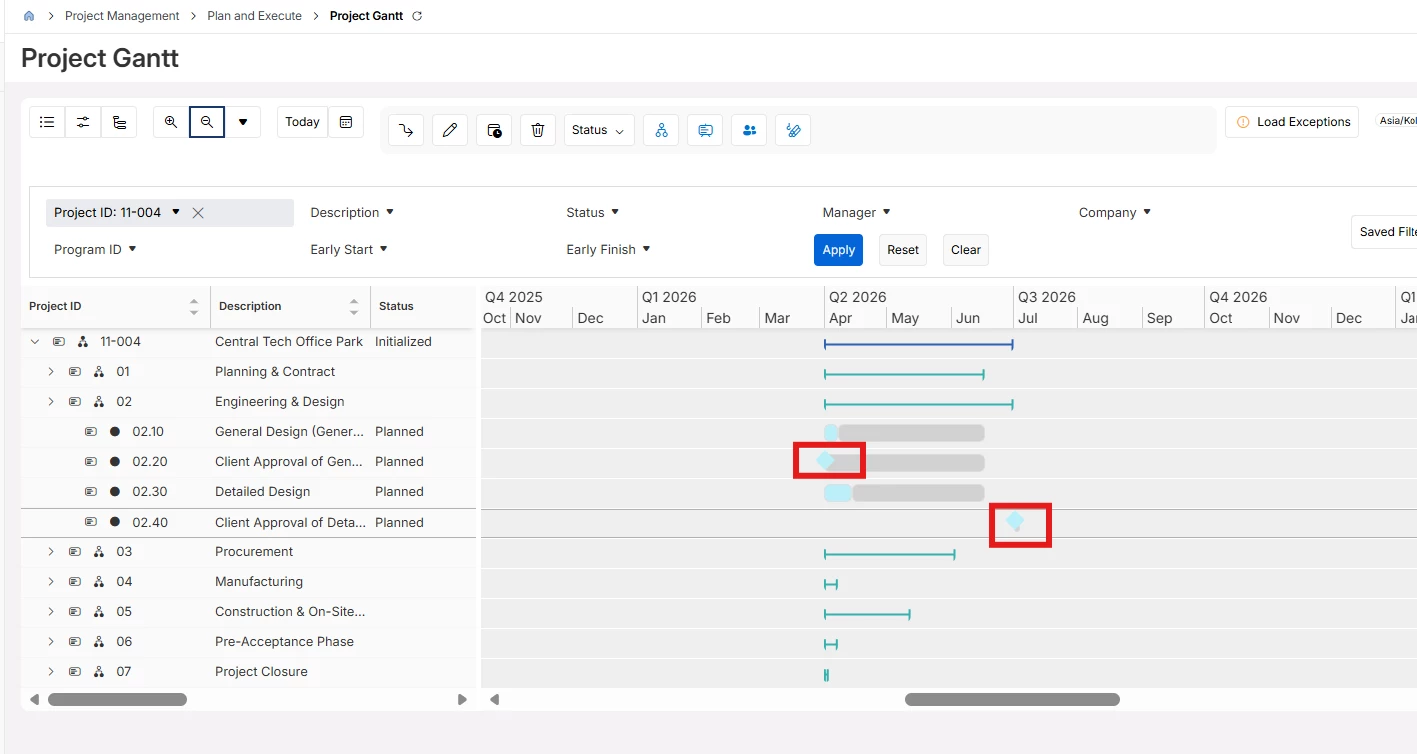
There is an OOTB functionality to make any activity as a milestone activity, and plus same can be identified easily in the Project Gantt as well. 

Please refer to the screenshots below.


Diamond legend will be available for all such activities in the Project Gantt.


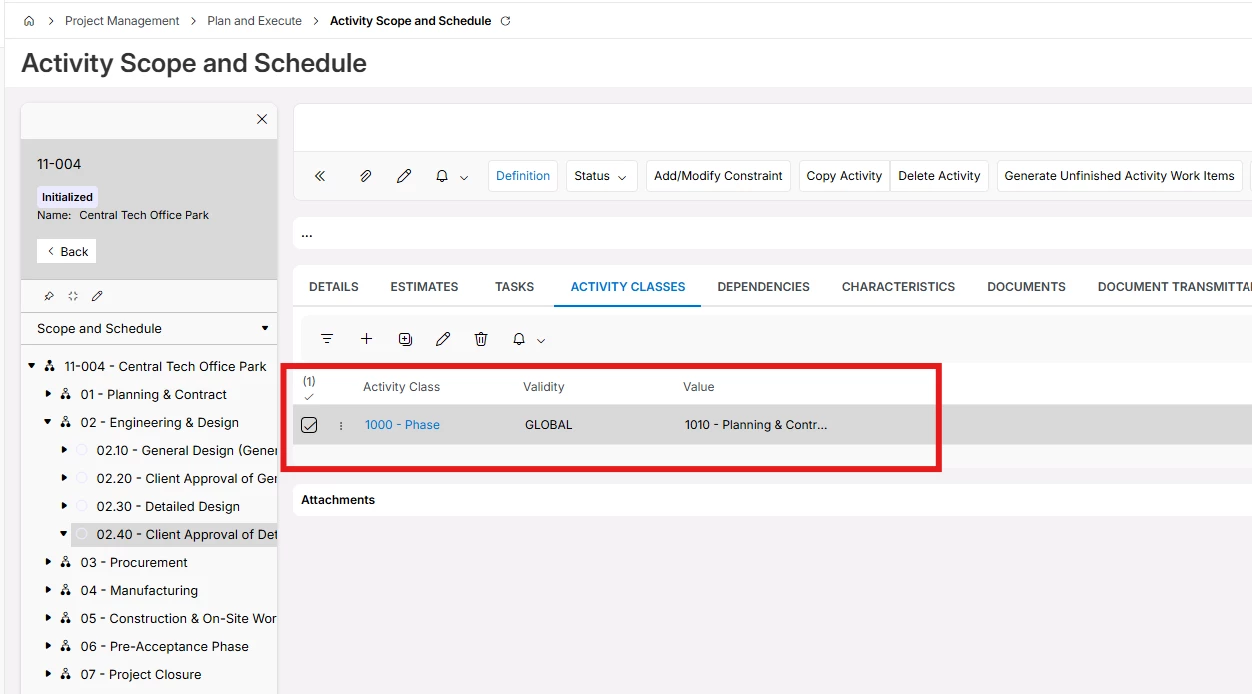
Additionally, you can use Activity Class setting to segregate finance/non-finance milestone activities to build your logic for triggering.

 Hope this will help.


Regards

Abdul Rehman