


Hi All,
I’m trying to make a workflow that changes values on an new shop order. Currently shoporder has defaults of * for Release and Sequence numbers and I want to make those something else, for example, lets say X.
I set up the workflow, with call in the projection actions:

and then set the workflow design in the same way as the IFS example:
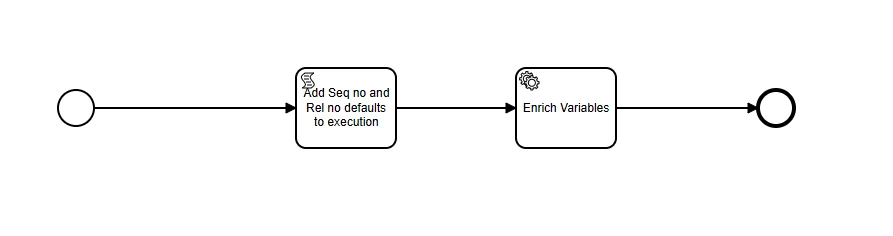
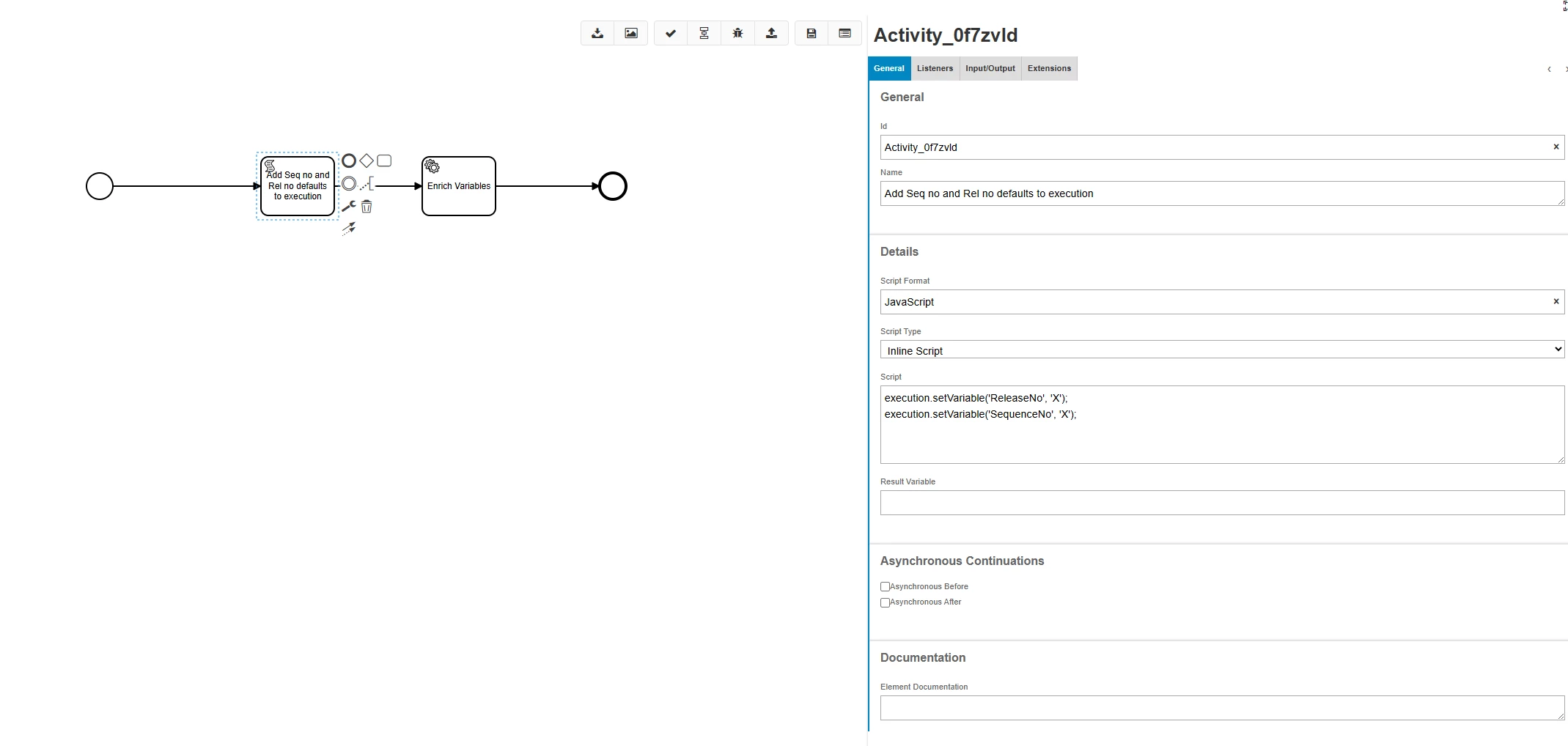

Then I deployed it, and switched on the action.
However, I get no change on the new shop order - defaults are still *
I have tried changing the timing: before, after, async, nothing helps.
I do see this in the network → response in devtools:
"origin": "MT",
"time": "1764932228185",
"category": "WORKFLOW",
"level": "TRACE",
"type": "Workflow",
"text": " ProcessKey: SetShopOrderDefaults, ProcessType: PROCESS_AUGMENT, ProcessTiming: AFTER, Action Type: CALL, Projection Name: ShopOrderHandling, CALL: ShopOrd_Default():ShopOrd",
"statistic": "Trace"
},
but not sure where to go from here.
Anyone got ideas or directions what to do to fix it?
