Solved

Work Center Available Capacity Adjustment

  • Jul 7, 2026 11:51 AM UTC
  • 2 replies
  • 68 views

AntonioInfoConsulting
Sidekick (Partner)
Forum|alt.badge.img+8

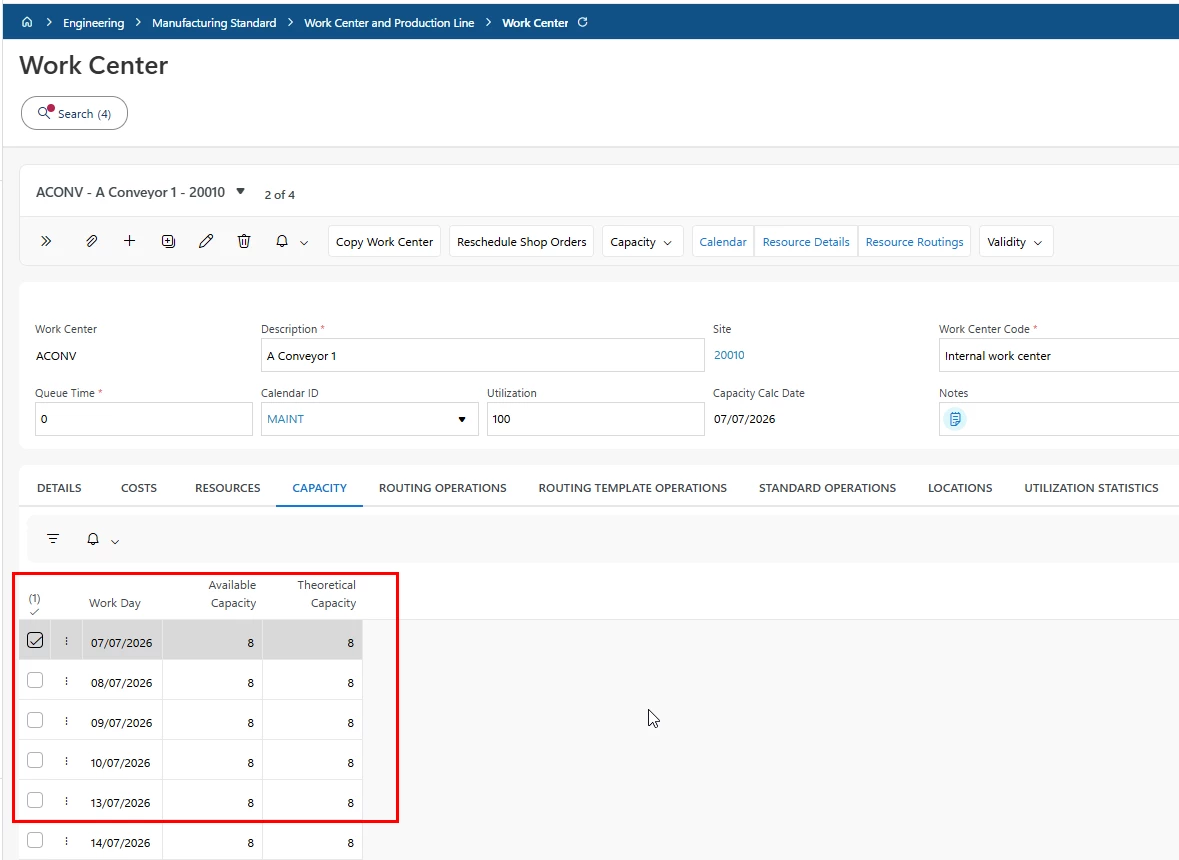
In 26R1, was there a way to adjust the available capacity when a Work Center was unavailable for a number of days?

Ideally, we're looking for a way to set the available capacity to 0 for the specific days when the Work Center is not available.



Best answer by Katie

Hi ​@AntonioInfoConsulting 

I can think of a couple of ways. 

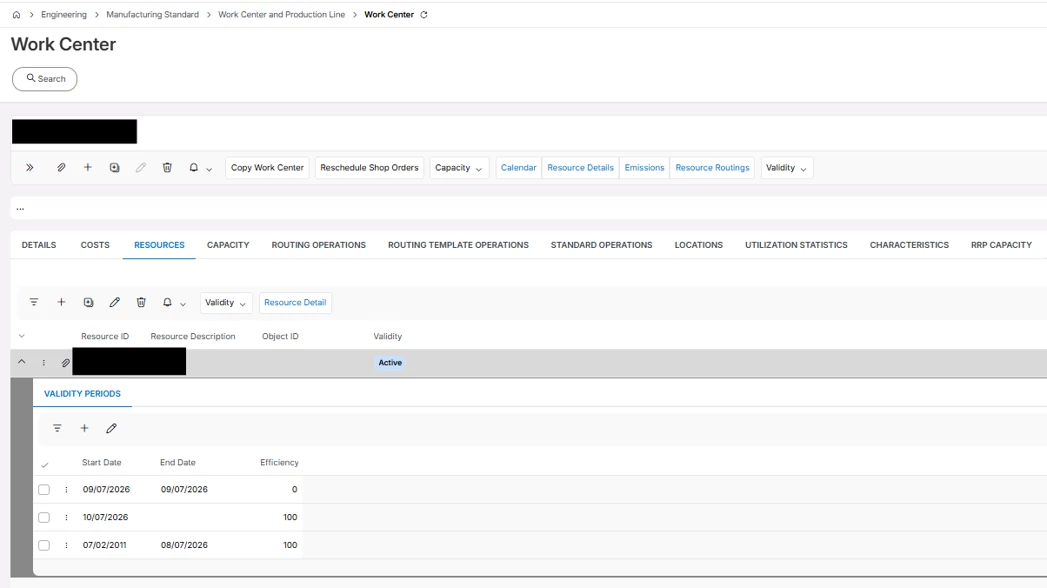
  1. You could set the Resource Efficiency to 0 on selected days using the Validity Period:

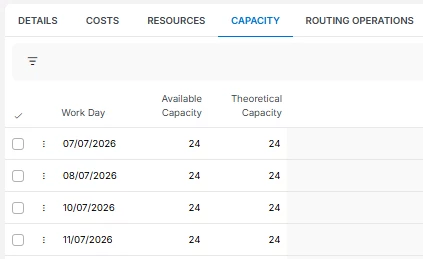
    No Capacity shown on 9th July:

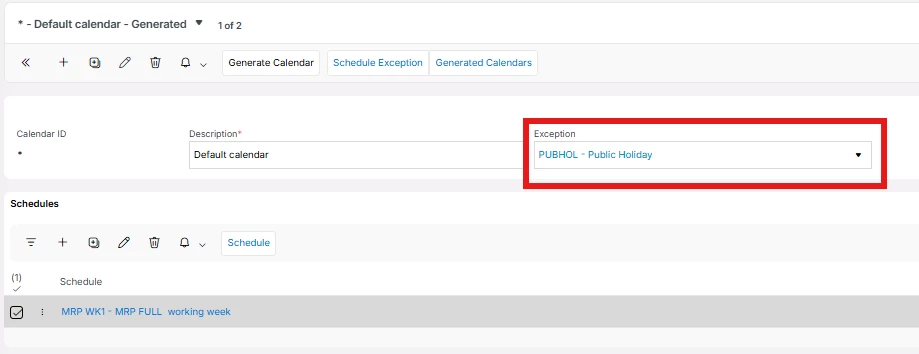
  1. An Alternative solution (if you have several resources per Work Center, this could be easier) If the Work Center has a dedicated calendar associated to it, you can apply an exception to the calendar:
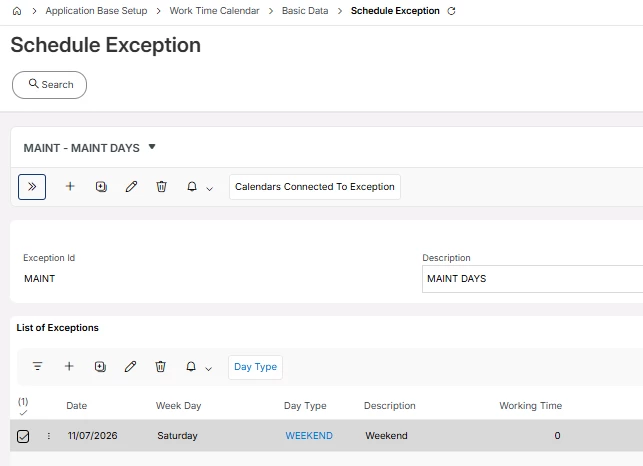
    In the exceptions you can define the day as having 0 working hours:


View original

2 replies

Forum|alt.badge.img+8
  • Hero (Partner)
  • Answer
  • Jul 7, 2026 1:49 PM UTC

Hi ​@AntonioInfoConsulting 

I can think of a couple of ways. 

  1. You could set the Resource Efficiency to 0 on selected days using the Validity Period:

    No Capacity shown on 9th July:

  1. An Alternative solution (if you have several resources per Work Center, this could be easier) If the Work Center has a dedicated calendar associated to it, you can apply an exception to the calendar:
    In the exceptions you can define the day as having 0 working hours:


AntonioInfoConsulting
Sidekick (Partner)
Forum|alt.badge.img+8

Thanks for this.!!!