

Solved

 WIP Tracking and Labeling Across Operations in IFS

  • April 23, 2026
  • 3 replies
  • 21 views

Vulcan
Do Gooder (Partner)
Forum|alt.badge.img+1

 WIP Tracking and Labeling Across Operations in IFS

We have a manufacturing process consisting of multiple operations: Milling, Drilling, and Welding.

The material transformation flow is as follows:

  • Raw Material: Steel
  • After Milling → Milled Steel (WIP)
  • After Drilling → Milled & Drilled Steel (WIP)
  • After Welding → Finished Product

We would like to understand how to effectively trace and manage Work-in-Progress (WIP) at each stage of this process within IFS.

Specifically, we are looking for guidance on:

  1. How to track WIP quantities and status after each operation (Milling, Drilling, Welding)
  2. Whether it is possible to physically identify and differentiate WIP items at each stage
  3. How to print barcode labels or stickers for WIP items after each operation
  4. How to associate WIP items with locations or work centers to reflect their physical position on the shop floor
  5. Recommended best practices in IFS to demarcate and control WIP between operations

Our goal is to achieve clear visibility, traceability, and physical control of WIP throughout the production process. Will Work center inbound and outbound locations be helpful? 
Best answer by Björn Hultgren

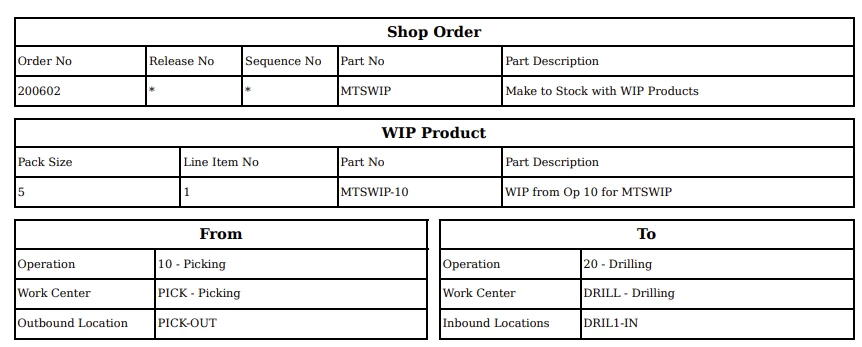
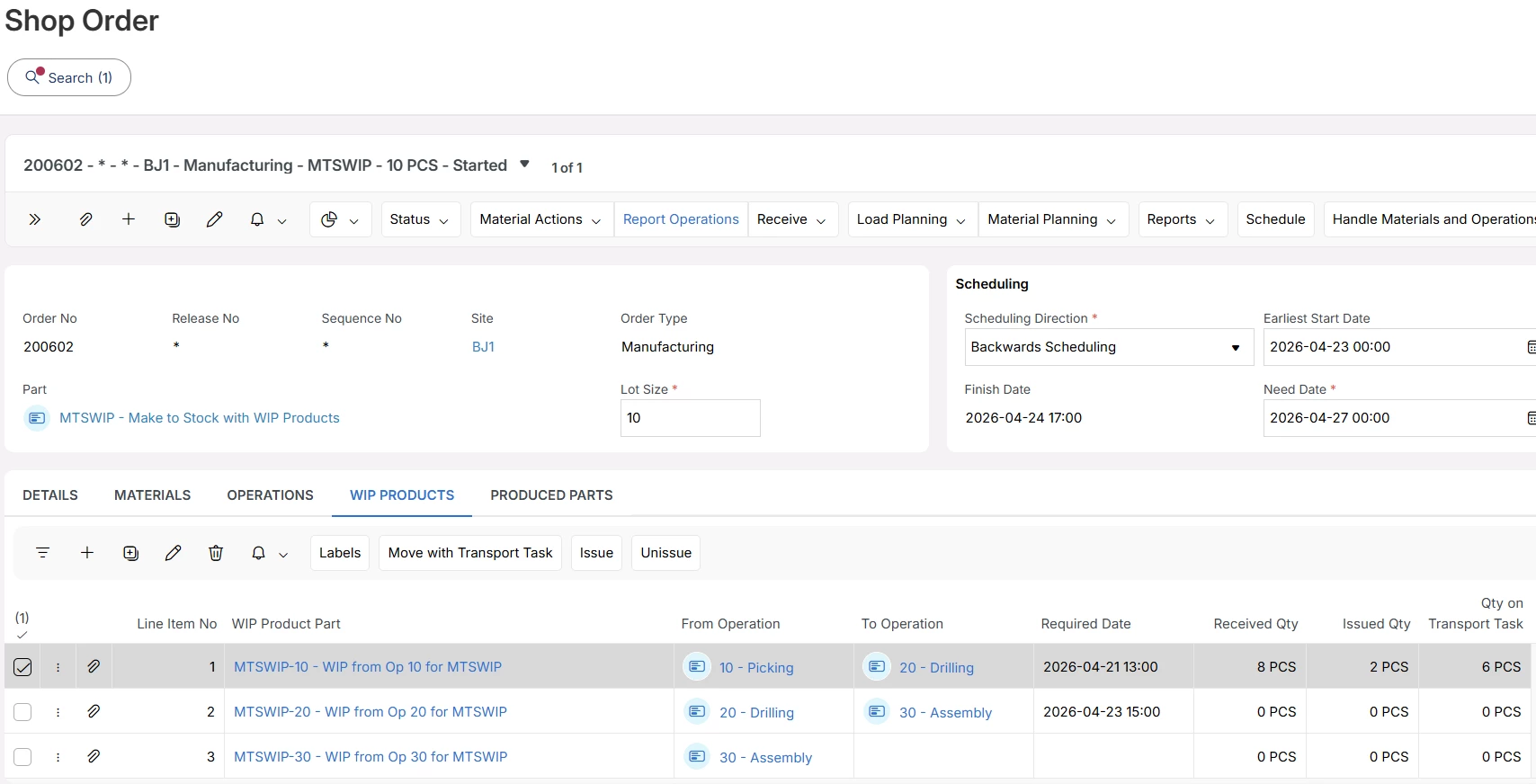
I’m happy to let you know that the concept of WIP Products has been introduced in 26R1. WIP products are used to track where the Work in Progress between shop order operation resides in inventory, and supports transport of the WIP between operations. If you are able to access the 26R1 release material you can study the concept further!GetClipboardImage.ashx?Id=ba0e3a87-a358-450e-b2ba-3b737b3e2caa&DC=GEU8&pkey=6dd20fd4-927b-4025-87e7-770b97fe6bcc&wdwaccluster=GEU8


3 replies

Björn Hultgren
Hero (Employee)
Forum|alt.badge.img+25
  • Hero (Employee)
  • Answer
  • April 23, 2026

I’m happy to let you know that the concept of WIP Products has been introduced in 26R1. WIP products are used to track where the Work in Progress between shop order operation resides in inventory, and supports transport of the WIP between operations. If you are able to access the 26R1 release material you can study the concept further!GetClipboardImage.ashx?Id=ba0e3a87-a358-450e-b2ba-3b737b3e2caa&DC=GEU8&pkey=6dd20fd4-927b-4025-87e7-770b97fe6bcc&wdwaccluster=GEU8


Vulcan
Do Gooder (Partner)
Forum|alt.badge.img+1
  • Author
  • Do Gooder (Partner)
  • April 23, 2026

This is great news, Björn.


We had been considering a configuration using Handling Units to support this requirement, as the customer wants to track each individual part—even though the parts are not serialized.


For example, if the lot size is 100 pieces, they want to ensure that all 100 pieces completed from the first operation are physically identified and remain available near the work center for the next operation. To support this, they are looking for a labeling approach such as:


<Order No> – <Completed Operation No> – <Sequence No>
e.g., 152435-10-01, 152435-10-02, …


The intention is to generate a unique barcode label for each WIP piece to enable clear identification and tracking on the shop floor.


With the introduction of WIP Products, do you think this type of piece-level barcode labeling can be achieved through standard configuration, or would it require customization?


Thanks again for sharing this update—it’s very helpful.


Björn Hultgren
Hero (Employee)
Forum|alt.badge.img+25

Packing of WIP products into handling units are not supported in 26R1. You can print labels for each piece, but it’s not possible to generate any unique identifier for each item,