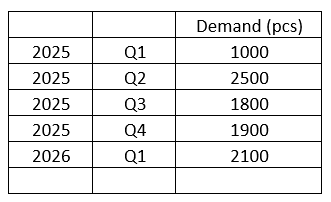
One of our customer wants to upload a consolidated forecast into IFS so it can be expanded out to show the growth in raw material and component demand and allow the Purchasing Team to see the longer term requirements for several years.
This is very top level rather than at customer level by which they normally enter forecasts.
Ex:
My question is can we upload this forecast into MS Level 1 and derive raw material/component demand for coming periods, with/without generating supplies (PRs, Shop Order Reqs etc?
Also, would that be possible to register this forecast and calculate the demand for raw materials separate from the actual forecast register for this year using a different MS level set?
I appreciate any feedback you can share.
Thank you
Best answer by majose
Hi @Rcoubrou
I think IFS MRP Simulation would help. From version 25R2 you can explode a material planning scenario in MRP as well. So there is a new component that you need to buy.
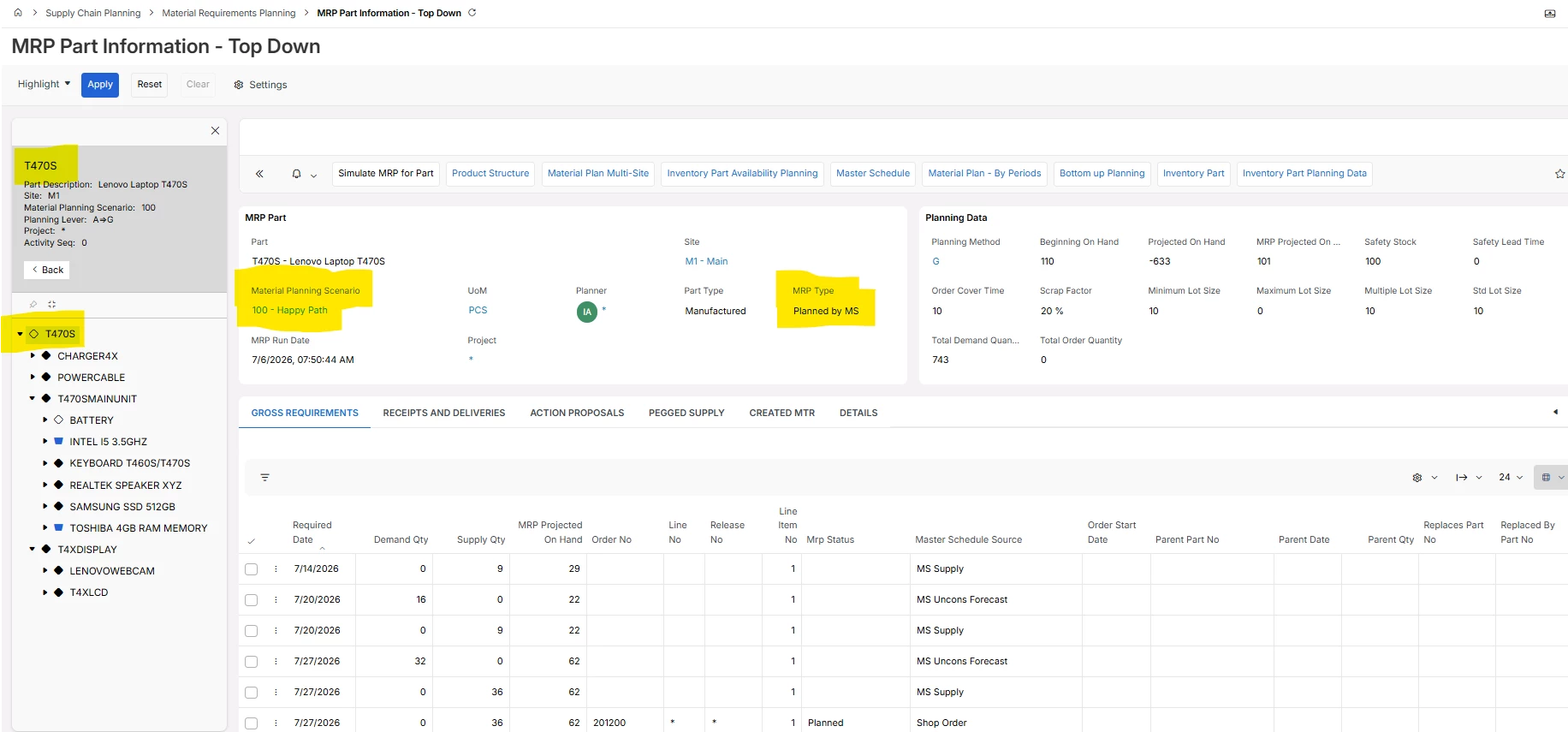
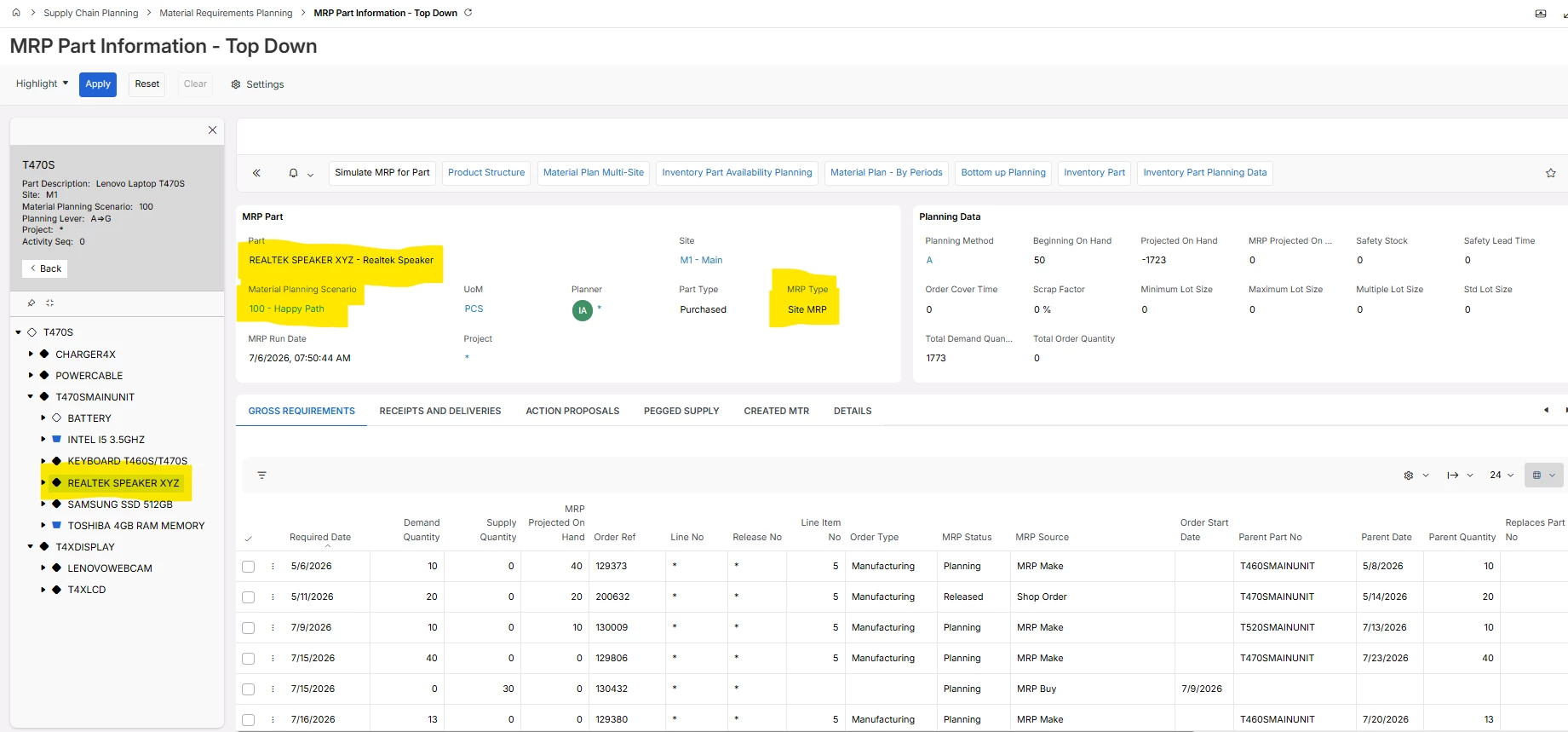
With the two screenshot below I kind om outline how it is working. The first screenshot is a master scheduled part. Using a “happy path” scenario. Then the next screenshot shows how the master production schedule has been exploded down through the BOM in the “happy path” scenario.
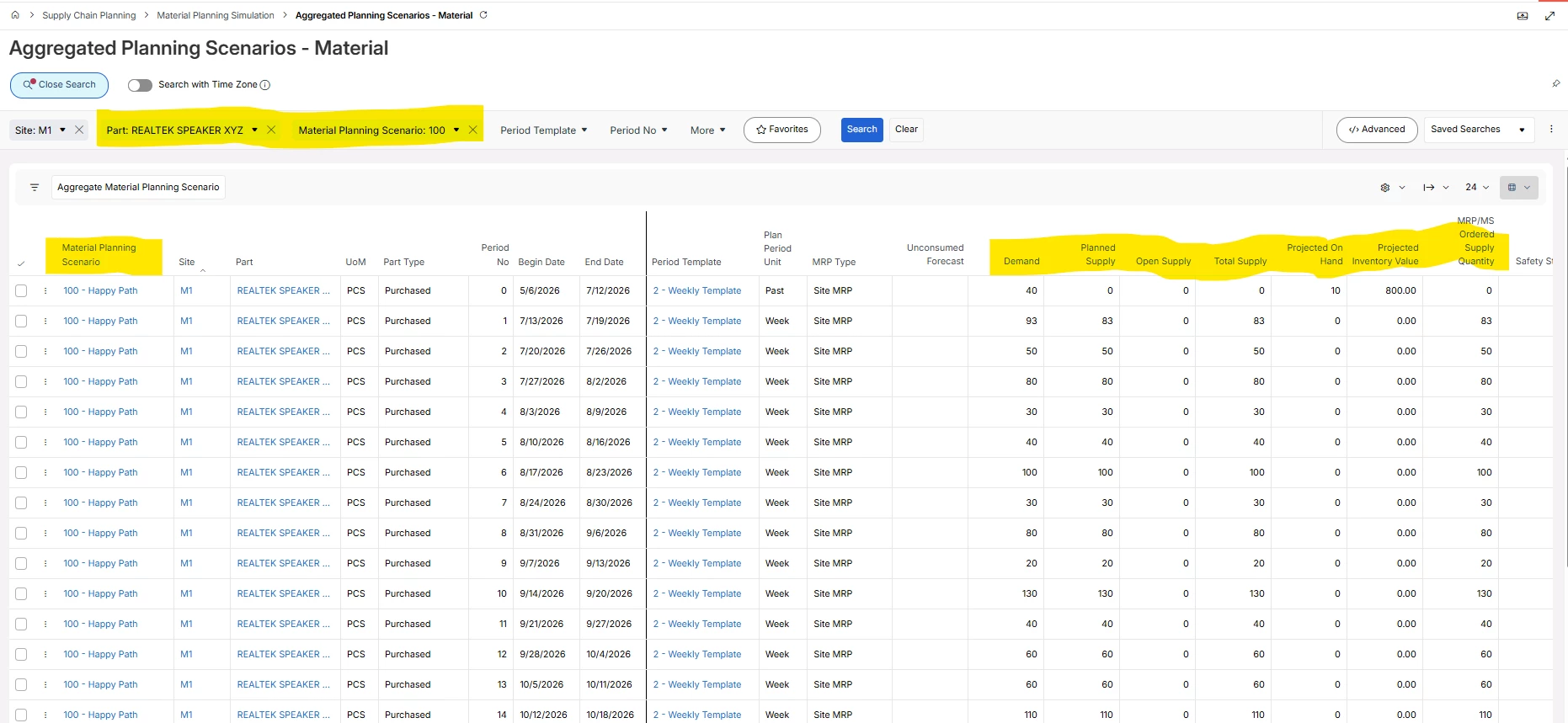
This data can the be aggregated into user defined periods. I am just showing a simple example below:
Hope this information give you some insights.
Scenario 1 is the live scenario - here we create PO- and SO requisitions.
Scenario <> 1 are simulation scenarios - here we just create internal MRP supplies.
I think IFS MRP Simulation would help. From version 25R2 you can explode a material planning scenario in MRP as well. So there is a new component that you need to buy.
With the two screenshot below I kind om outline how it is working. The first screenshot is a master scheduled part. Using a “happy path” scenario. Then the next screenshot shows how the master production schedule has been exploded down through the BOM in the “happy path” scenario.
This data can the be aggregated into user defined periods. I am just showing a simple example below:
Hope this information give you some insights.
Scenario 1 is the live scenario - here we create PO- and SO requisitions.
Scenario <> 1 are simulation scenarios - here we just create internal MRP supplies.