Question

Updating documents attached

  • Apr 22, 2026 6:21 AM UTC
  • 13 replies
  • 140 views

Forum|alt.badge.img+11

Hello.

We have documents attached to shop order operations, routing operations and on standard operations.

Those documents are actually outdated and we would need to change its revision to the last one.

Is there an easy way for that?

Thanks

IFS APPS 10 UPD 5

13 replies

SNIRLK
Hero (Employee)
Forum|alt.badge.img+9
  • Hero (Employee)
  • Apr 22, 2026 11:47 AM UTC

Hi ​@romsar ,

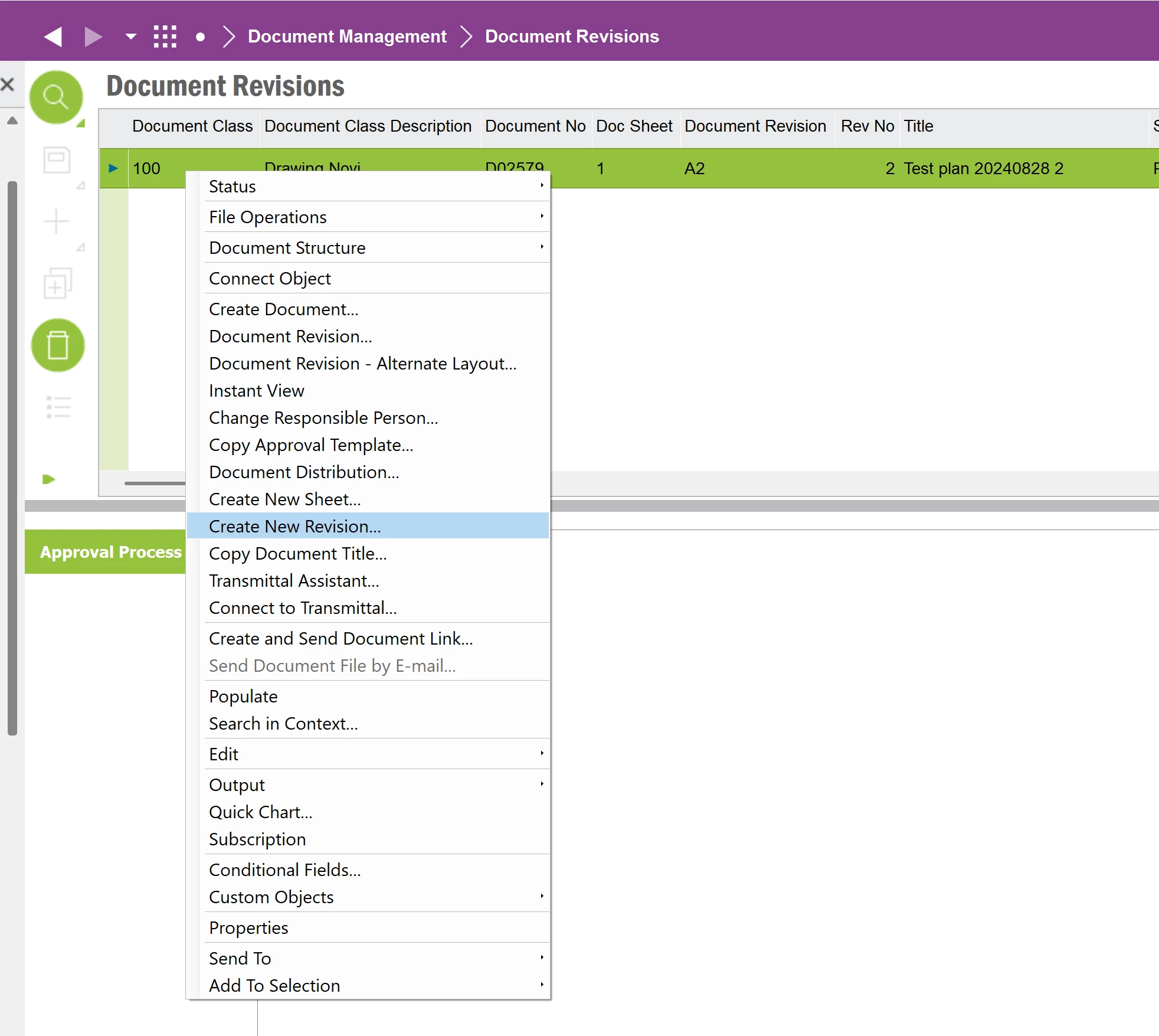
Could you use below steps to create new revision. 


Forum|alt.badge.img+11
  • Author
  • Hero (Customer)
  • Apr 22, 2026 11:52 AM UTC

Hello ​@SNIRLK 

Thanks for your reply but that’s not what I was talking about.

Say, we have a document in revision A that we shared on shop order operations, routing operations, part catalog, part revision, ect…

for several years but by mistake as the revision A is actually obsolete, the current revision is actually B.

So my goal would be to update the links to the revision A to revision B


SNIRLK
Hero (Employee)
Forum|alt.badge.img+9
  • Hero (Employee)
  • Apr 24, 2026 6:30 PM UTC

Hi ​@romsar,

Do you want to replace Revision A with Revision B and remove Revision A or Keeping Revision A, have the updated version of Revision B also. 


Forum|alt.badge.img+11
  • Author
  • Hero (Customer)
  • Apr 27, 2026 6:32 AM UTC

Hello ​@SNIRLK 

We will keep the revision A as obsolete


Forum|alt.badge.img+9
  • Hero (Partner)
  • Apr 27, 2026 9:58 AM UTC

Hello, 


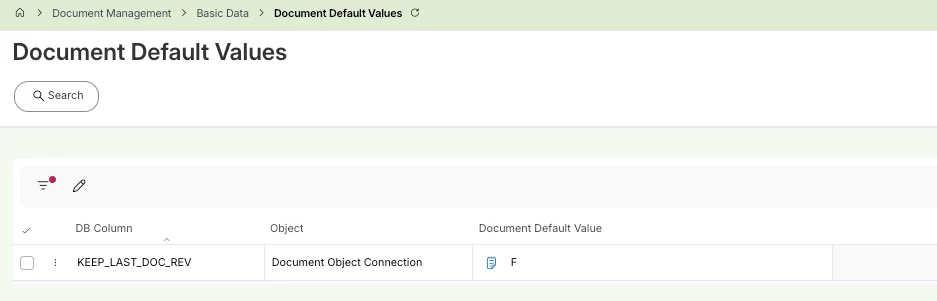
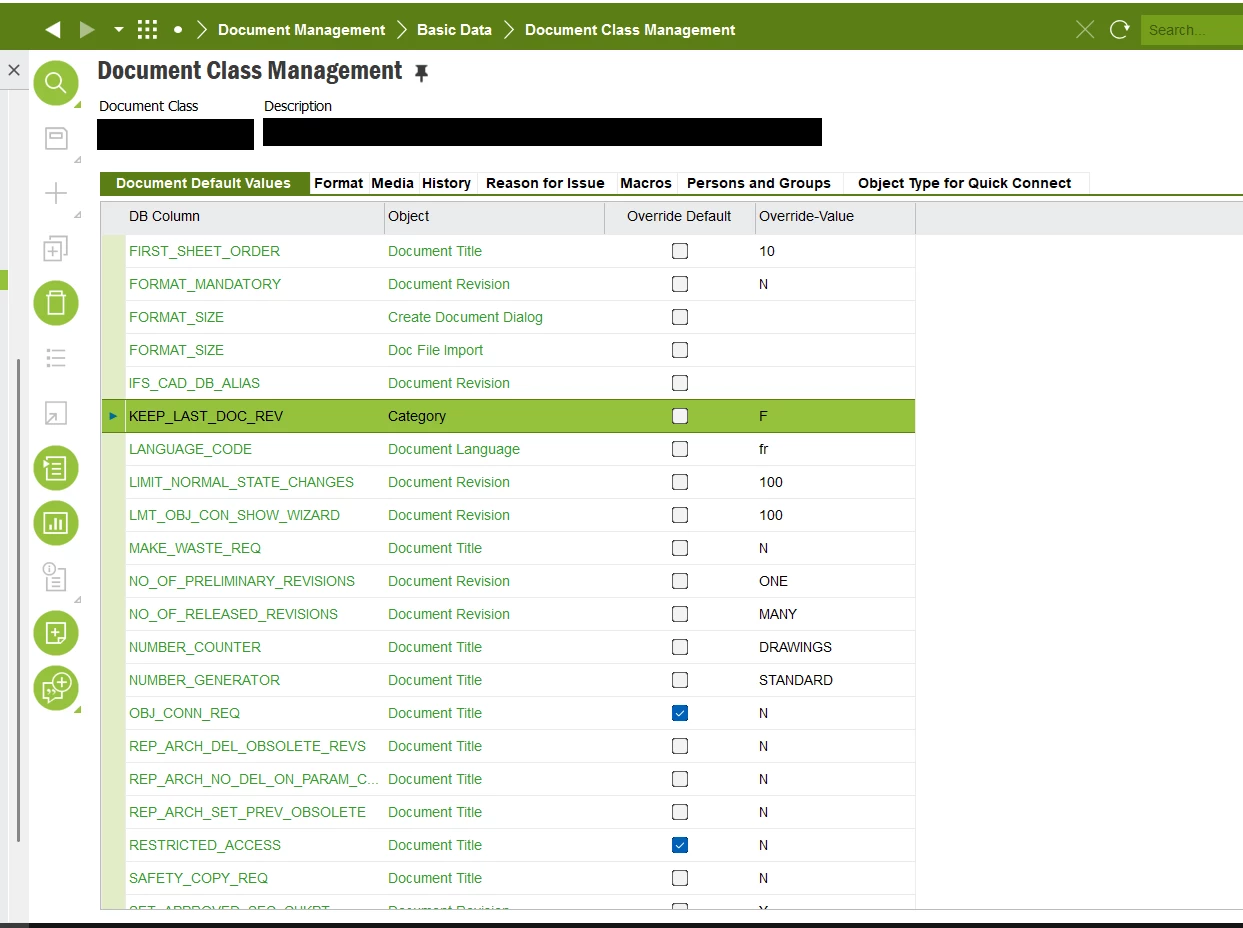
Not sure if this parameters exists in APPS10 but in IFS Cloud you can use KEEP_LAST_DOC_REV parameter at Document class level to obtain the requested behavior. 


Pierre


Forum|alt.badge.img+11
  • Author
  • Hero (Customer)
  • Apr 27, 2026 11:05 AM UTC

Hello ArcPierre,

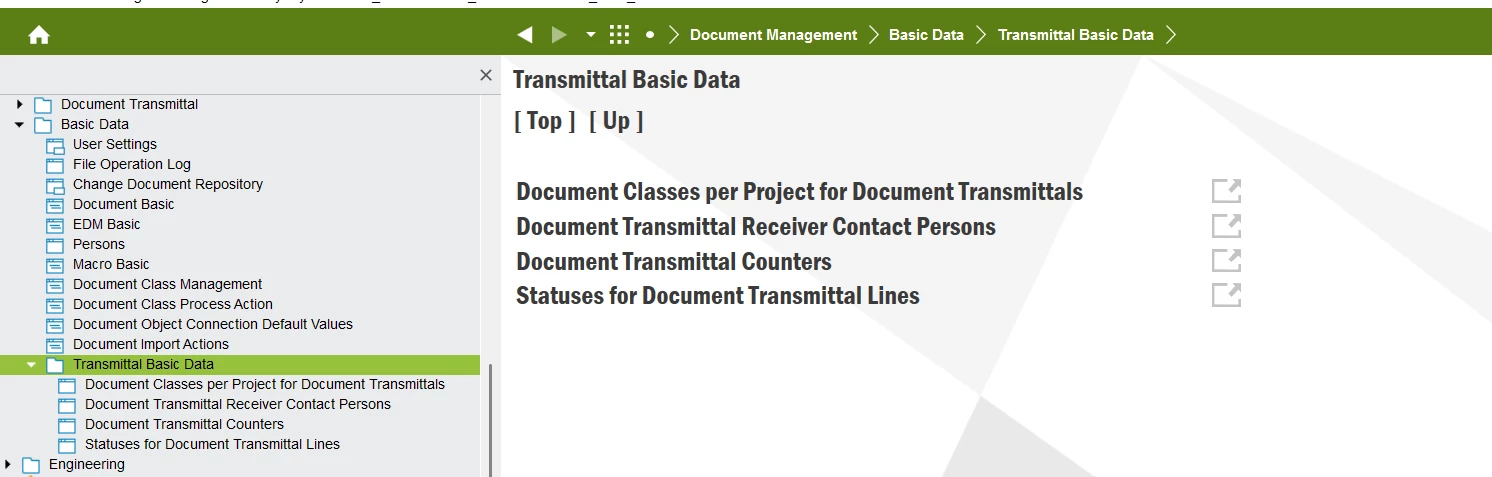
Unfortunately, no, this screen doesn’t exist


Forum|alt.badge.img+9
  • Hero (Partner)
  • Apr 27, 2026 11:10 AM UTC

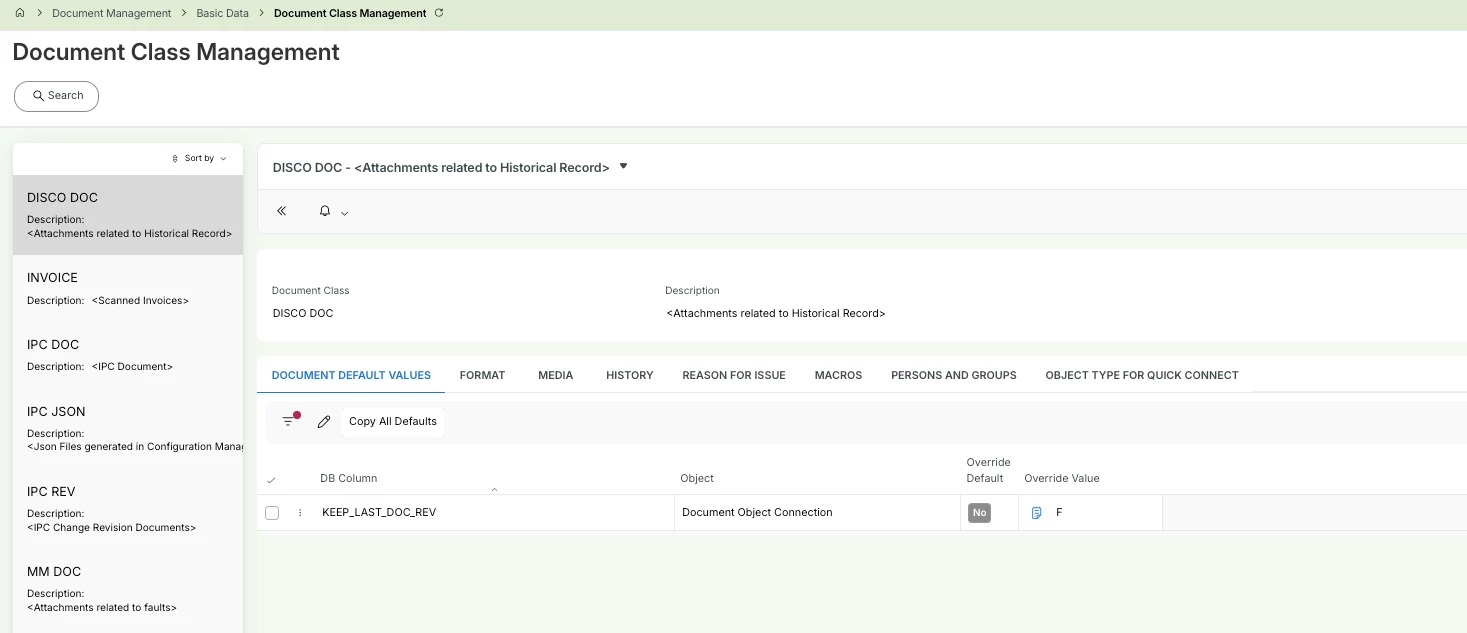
You might want to check in Document Object Connection default values AND/OR Document class management screens, it seems very similar to Document default values in cloud.


Forum|alt.badge.img+11
  • Author
  • Hero (Customer)
  • Apr 27, 2026 11:17 AM UTC

Document Object Connection default : the screen is empty

Document class management : I could find the KEEP_LAST_DOC_REV parameter, it’s already set to F


Forum|alt.badge.img+9
  • Hero (Partner)
  • Apr 27, 2026 11:21 AM UTC

Ok, then you can override the default value and put “R” or “L” instead as an override value.
R is the one to go if your document revisions are switched to Released status is you business flow, “L” is the one to go with if you do not manage the  document revisions status. 


Forum|alt.badge.img+11
  • Author
  • Hero (Customer)
  • Apr 27, 2026 11:31 AM UTC

I could set the override-value field to R as we have different status. 

Is there a treatment to run?


Forum|alt.badge.img+9
  • Hero (Partner)
  • May 11, 2026 8:12 AM UTC

Hi, 

This parameters applies to the new document revision creations. When the revision is created* (or released if R), the object connexions will be switch from rev1 to rev2 according to the rule (R, L).

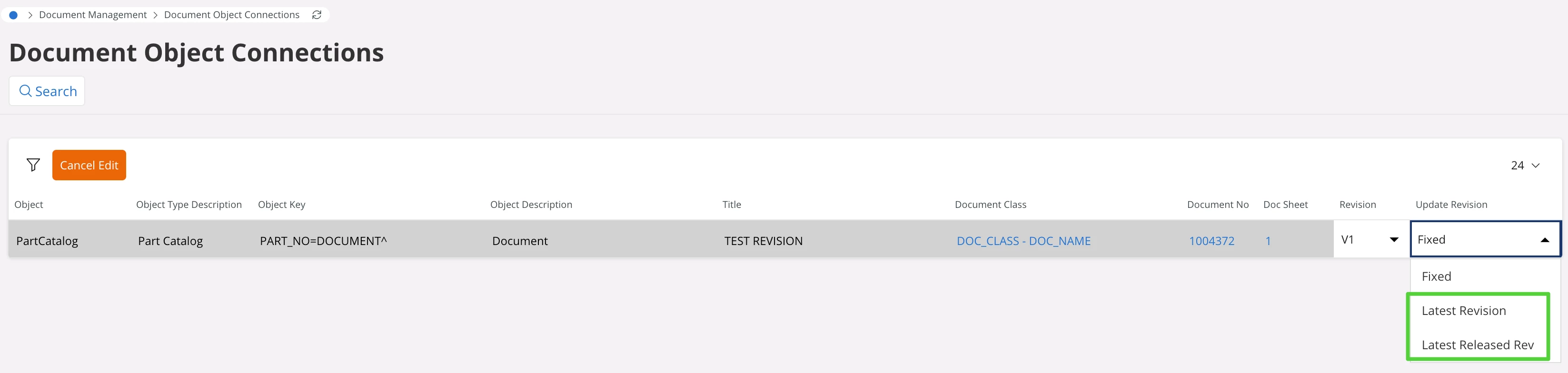
For existing document revisions, you'll notice that Document object connexion have Update revision field set as “Fixed” as a result of your previous document class setup.
 

To fix this, you need to switch the Update revision parameter on your document object connexion to the expected value. This will result in updating the object connexions of the given documents.

For heavy datasets I recommend doing this through data migration, however this could also be done directly from this screen (Edit all functionnality).

BR,
PL


Forum|alt.badge.img+11
  • Author
  • Hero (Customer)
  • Jun 17, 2026 12:55 PM UTC

we will make some tests on a test environnement, to see how we will dead with this setting.

I got reported a new problem and I can find no solution.

We have some documents in revision 12 that we would like to migrate to revision 15 BUT both share the same DOC_CLASS + DOC_NO + DOC_SHEET

When I wanted to copy a link from revision 12 to 15, I got this SQL error message :

ORA-20110: DocReferenceObject.DOCREFEXIST: Object ALTERNATIVE_NO: *, BOM_TYPE: Manufacturing, CONTRACT: xxxx, Operation No: 170, PART_NO: xxxxxxxx, ROUTING_REVISION: 4 is already connected to Document xxxxxx-1012024-1-12.


I asked the users to try to create a new revision but by either generating a new DOC_NO or a new DOC_SHEET but they don’t know how. How can I fix my issue?


Forum|alt.badge.img+11
  • Author
  • Hero (Customer)
  • Oct 27, 2026 12:34 PM UTC

Hello. 

I created en IFS case and they told me the parameter must be set to R. 
We will make additional tests to verify if everything is now okay, before, I did set to L