



I wanted to share a short update on the evolution of the Shop Order Costs page.
Historically, the page was designed around a simple assumption: one manufactured part no per shop order. Over time, starting from Applications7, the shop order estimate cost calculation was improved so that by-product cost could be separated from the shop order part no.
With more and more customers using By-Products, Co-Products, Disassembly Components and Substitute Part within the same shop order context, the need for better shop order cost visibility has increased.
The purpose of this post is to highlight that evolution and explain how the page has adapted to support it. This is not a dramatic change in direction, and manufacturers who do not work with co-products or by-products may notice only minor differences. Many of you are probably already familiar with this "journey".
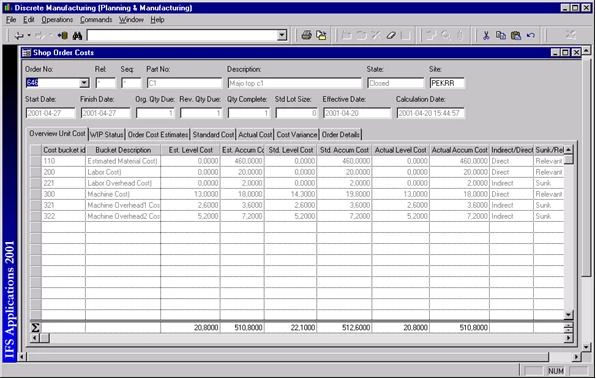
For the old-timers out there 🙂, here is a screenshot from the Applications 2001 era:
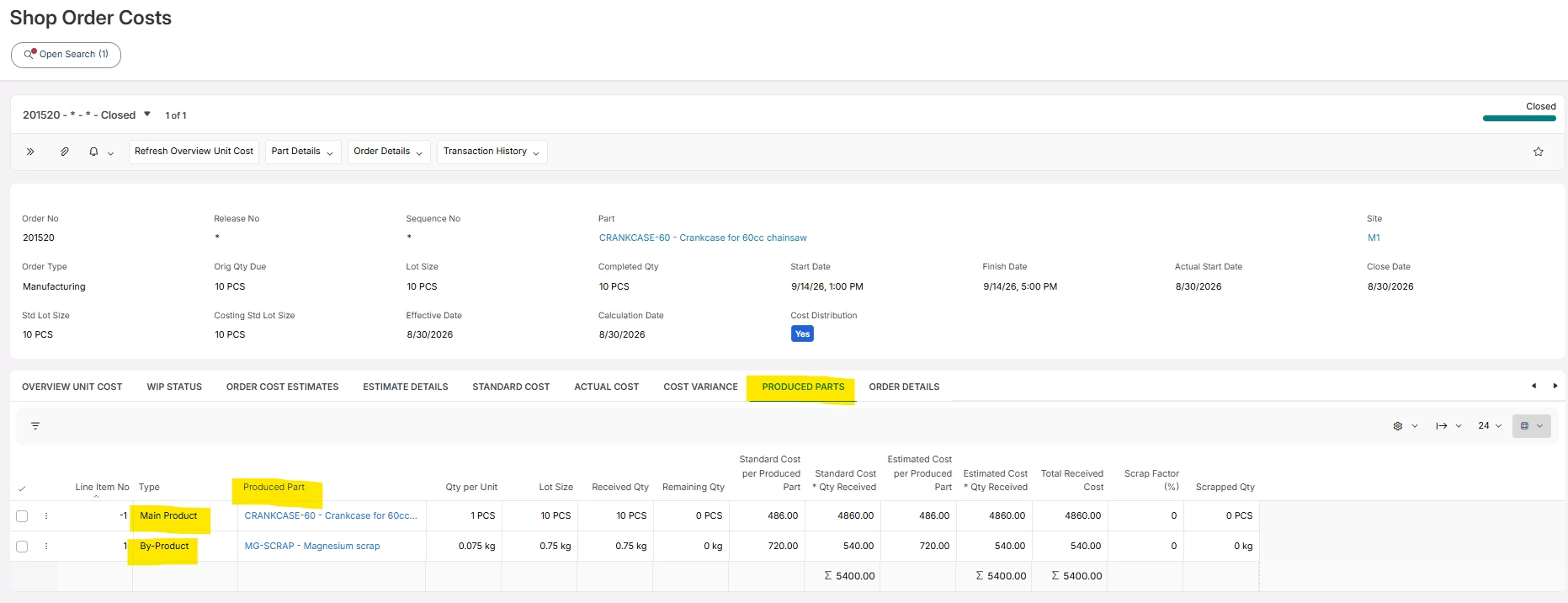
And here below I have added a screen capture of the Produced Parts tab, which was added like in 24R1 release. Here we try to be much clearer when it comes to the costs of Produced Parts.
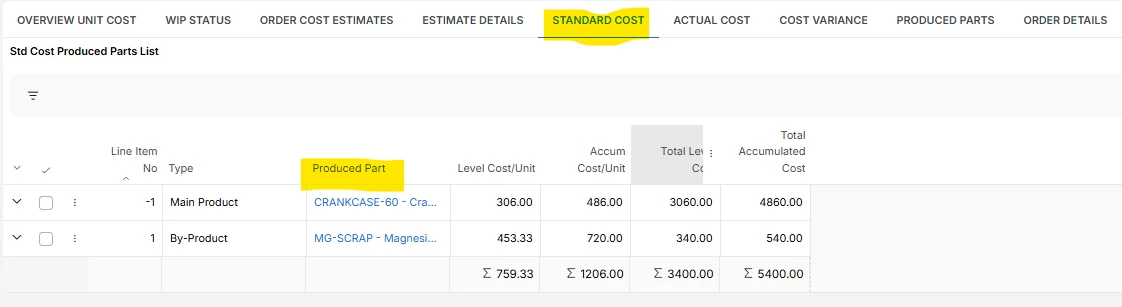
During the latest years there have been complaints about the Standard Cost tab. It just shows cost buckets and their costs from both the manufactured part itself and co-products and by-products without any segregation.
In the upcoming 26R2 release this will be clearer:
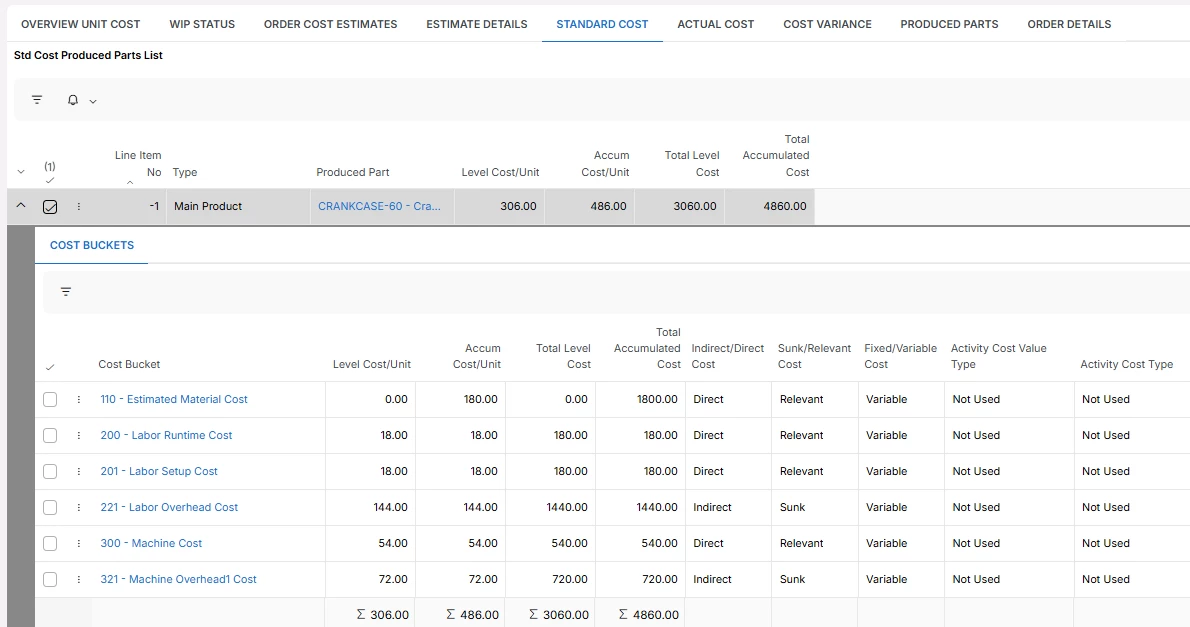
In the Standard Cost tab, for each produced part, there is also a nested list showing the associated cost buckets:
This post focuses on the small evolution steps of this page. Thought it could be interesting for some of you out there in the Community.
-Mats