Question

Shop order progress

  • May 19, 2026
  • 8 replies
  • 74 views

Forum|alt.badge.img+2

Hi All,

How to extract the daily production out put against the shop order which are issued to production.

We have multi workcenter  ( one Shop order could have various  1-6 various operations) manufacturing production.

I would like to know how much has been completed against Work centre /shop order every day.

Do we have any report or query which can provide such info daily basis?


Thanks,

8 replies

Lakshan Thiranagama
Hero (Former Employee)
Forum|alt.badge.img+7

Hi,

You can monitor it real-time from Visual Shop orders Planning page or visual shop order operations planning page. It will show the ongoing operations and the planned schedule and now time also will be shown with a red line. 

And also User can set-up different types of lobbies for this purpose. Shop Floor Supervisor is the lobby provided in the core for this purpose.

Thanks!

Lakshan 


matt.watters
Ultimate Hero (Partner)
Forum|alt.badge.img+26
  • Ultimate Hero (Partner)
  • May 19, 2026

@IFSFAN investigate the pages Shop Floor Reports and Labor and Operation History. These show the information you are looking for, just not in a summarized look as each report of an operation creates a row in the page. For a summarized look, a simple quick report could be written against these tables.


Forum|alt.badge.img+2
  • Author
  • Do Gooder (Customer)
  • May 20, 2026

@Lakshan Thiranagama  Thank you for your reply. I am still learning  IFS so need to understand more about it how to get the detail which I want in excel report form


Forum|alt.badge.img+2
  • Author
  • Do Gooder (Customer)
  • May 20, 2026

@matt.watters   Thank you directing me to those pages given reports are informative however I still not get what I wanted. but will still keep looking.. Thank you again  for your  help


Tharindu Illangasinghe
Superhero (Partner)
Forum|alt.badge.img+16

Hi ​@IFSFAN,


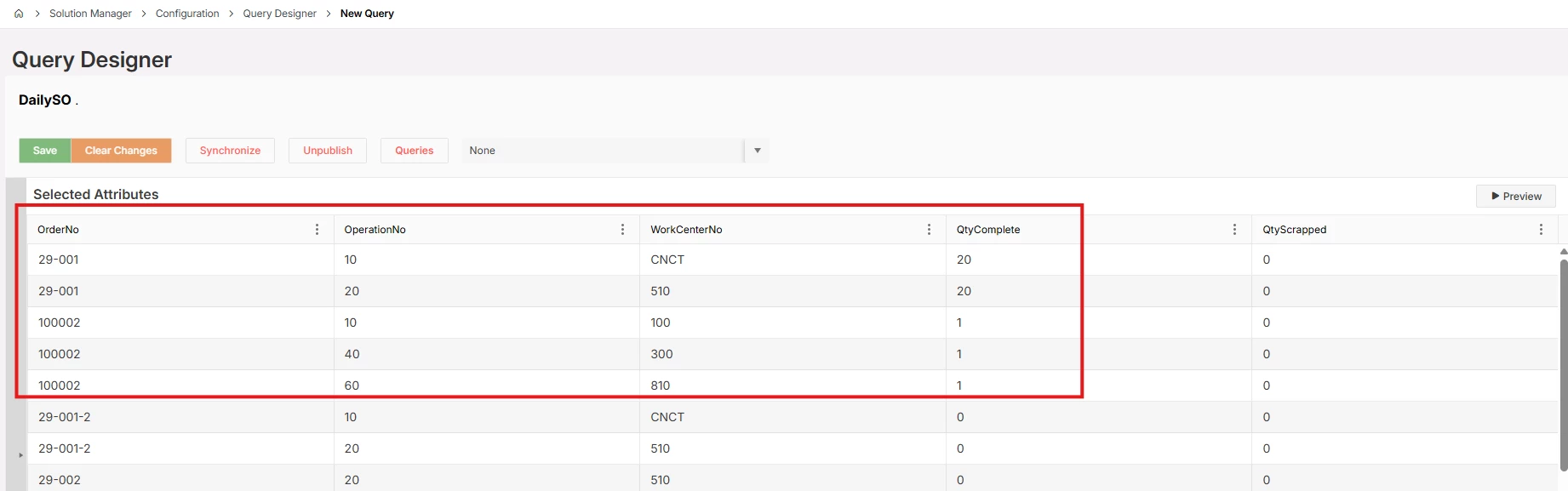
How about creating a small query output like below, with the specific columns you want ?

If you are using a pre-IFS-Cloud version then I think the screen name is “SQL Query”.


Forum|alt.badge.img+2
  • Author
  • Do Gooder (Customer)
  • May 21, 2026

@Tharindu Illangasinghe  We are not using cloud version yet. but This information /Out looks good  what is the option for non cloud IFS? How to get similar out put?


Tharindu Illangasinghe
Superhero (Partner)
Forum|alt.badge.img+16

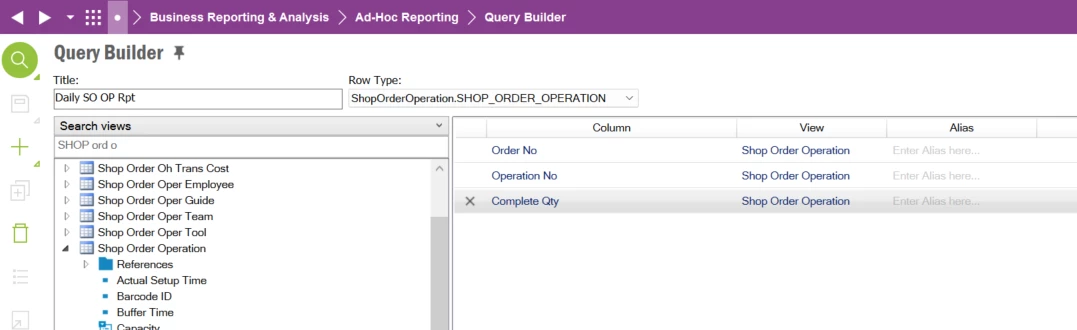
@IFSFAN in the earlier versions (IEE client) you can follow the below.


Setup a query in this screen, like I have done here.


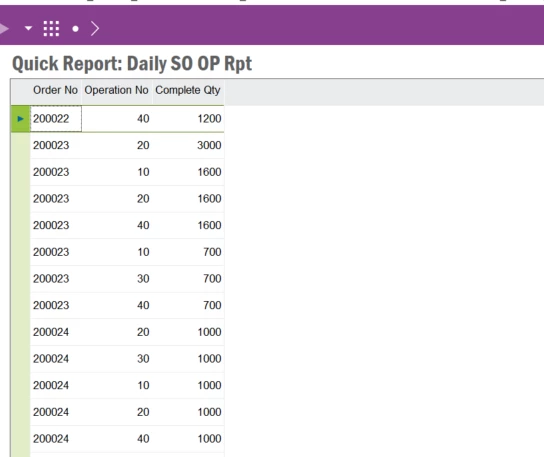
RMB to view the report


The report is displayed.


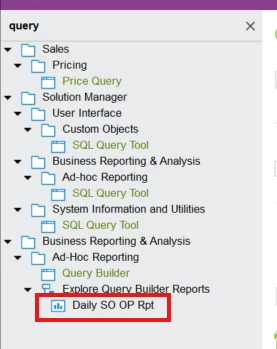
Your report is saved so you can re-run it again when ever required.


Additionally, in the first image you can add more columns and conditions to your report. However, I believe to create these reports you will require IFSAPP permissions. If you have someone technical they can enhance this report further.


Forum|alt.badge.img+2
  • Author
  • Do Gooder (Customer)
  • May 22, 2026

@Tharindu Illangasinghe   Thats Brilliant.. I have created it based on steps you provided.. The out put came as expected however, it brought all the data of last xyz years together.. I was only expecting out put for only 1 day or selected days/Weeks.. How can I put range in query from - to ? I mean how to reopen the query again and edit it?