I have an issue when it comes to Shop Order that are connected to CAMRO processes.
The idea is to have a Pick List that can cover multiple Shop Orders, like Consolidated Picklist for Customer Orders/Shipments.
Anyone had this problem before? How can we do a Consolidated Shop Order Pick List?
Best answer by Björn Hultgren
It is possible to create consolidated pick list for shop orders in two ways:
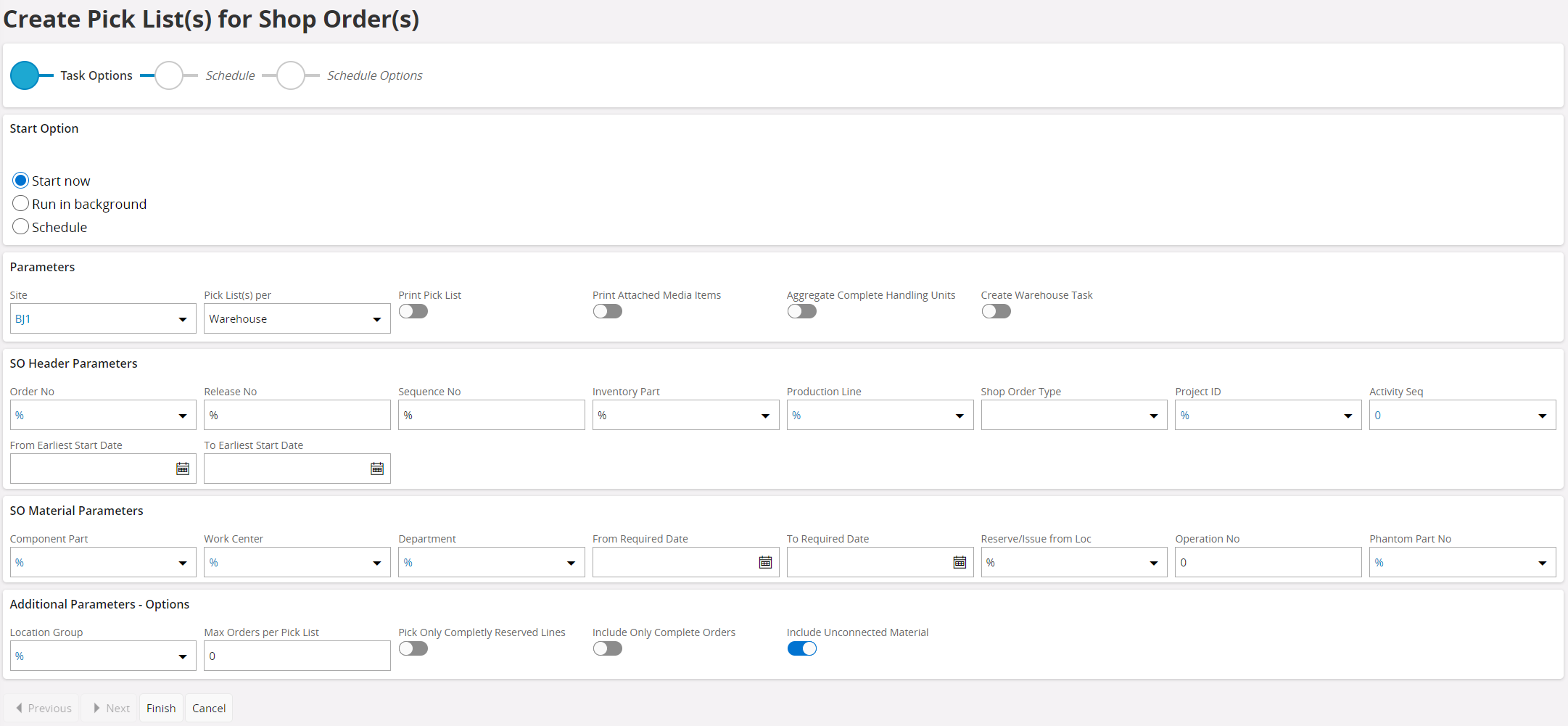
use the Create Pick List(s) for Shop Order(s). Here you can specify the selection parameters and the logic will identify shop order material reservations that fulfills these parameters and are not already on a pick list and create consolidated pick list(s)
Select the relevant shop orders from page Shop Orders and click to create Pick List Report. This will create consolidated pick list(s) for the selected orders.
It is possible to create consolidated pick list for shop orders in two ways:
use the Create Pick List(s) for Shop Order(s). Here you can specify the selection parameters and the logic will identify shop order material reservations that fulfills these parameters and are not already on a pick list and create consolidated pick list(s)
Select the relevant shop orders from page Shop Orders and click to create Pick List Report. This will create consolidated pick list(s) for the selected orders.
It is possible to create consolidated pick list for shop orders in two ways:
use the Create Pick List(s) for Shop Order(s). Here you can specify the selection parameters and the logic will identify shop order material reservations that fulfills these parameters and are not already on a pick list and create consolidated pick list(s)
Select the relevant shop orders from page Shop Orders and click to create Pick List Report. This will create consolidated pick list(s) for the selected orders.
I know this thread is a bit old, but we are having an issue with shop order pick list consolidation in 24R1. We can print the pick lists by consolidating on order number, but we need to have separate pick lists per shop order. As you know, that means we’d need to consolidate on order number, release number, and sequence number, but only order number is available in the assistant. Do you know if there’s a way to consolidate per shop order (all keys) instead of just per shop order number?
@dritter Unfortunately I’m not aware of any way to consolidate on all order keys. It make sense to have this options, so please feel free to request this using the Idea section on the community.
@Björn Hultgren Luckily, we’re able to limit the number of shop orders to 1 for pick list consolidation, so our use case was met. However, if you’d want a pick list for all sequence numbers belonging to an order & release, I don’t think that is possible.